
Customer education
Teach customers how to use a service, explain a process, and keep the recording available for the people who want to revisit the details after the live session.
AONMEETINGS FOR SMALL BUSINESS
Run customer education, product demonstrations, training, and live events without adding a separate webinar subscription. AONMeetings gives small businesses one browser-based room for everyday meetings and bigger moments.

ONE PLATFORM FOR THE WORK THAT CREATES MOMENTUM
For a small business, a webinar can do a lot of practical work. It can introduce a new service, show customers how to get more value, train a partner, answer the questions that slow down sales, or give a larger audience a reason to start a conversation.
The problem is that many businesses treat a webinar as a separate technical project. The team buys another tool, sends attendees through a different joining process, and has to rebuild the workflow every time an event comes around. That creates extra cost and extra opportunities for the event to feel less prepared than the business itself.
AONMeetings keeps webinars in the same browser-based platform your team can use for client calls, internal meetings, demos, and follow-up. You can invite people with a direct link, manage registration, guide the live session, record what matters, and move interested attendees into a closer conversation without switching products.
That is especially useful when the business is running events occasionally rather than every day. You do not need to maintain a complicated event stack just to host a product demonstration, a customer education session, a training event, or a seasonal launch.
The attendee experience matters just as much. A clear registration path and browser-based joining give people a simpler route into the session. When someone has made time to learn about your business, the event should not begin with an app download or a confusing handoff.
With AONMeetings, the webinar can feel like a natural extension of the business you are already running: professional enough for a prospect, simple enough for a first-time attendee, and practical enough for a small team to host well.
A PRACTICAL EVENT WORKFLOW
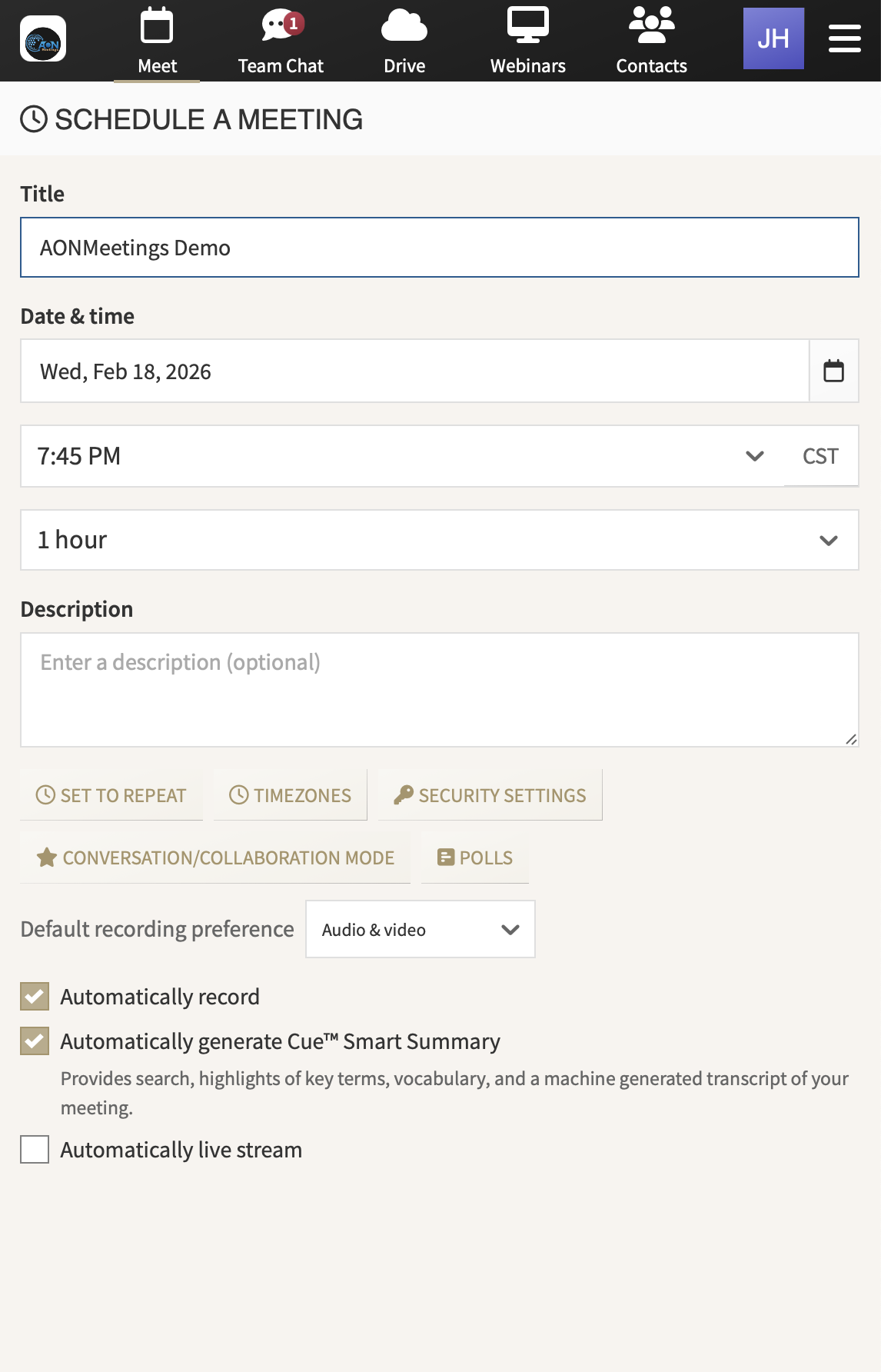
Invite people with a clear next step. Use webinar registration and share an event link people can open in a modern browser. That gives a prospect, customer, partner, or community member a direct route to the session.
Put the presenter and host in the right roles. The person teaching or demonstrating can focus on the message while another team member watches arrivals, manages the room, gathers questions, and keeps the session on schedule.
Bring the audience into the conversation. Use chat, questions, polls, screens, and shared documents to make a live event more responsive. The right interaction turns a passive presentation into useful information for both the audience and the business.
Use access controls when the event calls for them. Waiting rooms, meeting locks, one-time access codes, and moderator tools give hosts practical ways to shape who enters and how the room is managed.
Make the event useful after it ends. Record the webinar and use supported summaries and smart search tools to revisit questions, share the session with people who missed it, and keep valuable explanations from disappearing when the room closes.
Keep the next conversation close. A webinar can lead naturally to a client call, a team training session, or a product walkthrough because meetings and webinars live in the same AONMeetings platform.
FOR THE EVENTS THAT SUPPORT GROWTH
AONMeetings helps teams choose a format that fits the goal, whether the event needs a focused presentation, live audience input, or a natural handoff to a smaller follow-up meeting.
Teach customers how to use a service, explain a process, and keep the recording available for the people who want to revisit the details after the live session.
Show how the product works in context, bring real questions into the room, and give interested attendees a clear path to a more specific conversation.
Bring staff, clients, partners, or a wider audience together for a planned training session, announcement, or launch without adding a separate event platform.
MAKE A SMALL TEAM LOOK PREPARED
A small business does not need a large events department to host a thoughtful webinar. It does need a simple plan for the people in the room. One person should own the message. Another person can manage arrival, watch for questions, and help the presenter stay on time. A third person may be useful when the event includes a demonstration or a busy chat.
AONMeetings supports those roles without adding another system for the team to learn. Hosts can manage the audience while the presenter shares a screen or document. Questions, polls, chat, registration, and recording stay close to the webinar instead of being spread across different accounts and browser tabs.
Before promoting the event, run a short rehearsal. Join from the attendee link, check the opening slide or document, test the host handoffs, and make sure everyone knows where questions will be collected. A few prepared decisions are more valuable than a long production checklist.
After the event, share the recording promptly with attendees and no-shows. Use the questions people asked to guide the next client conversation, follow-up email, or future event. For a small team, that is how a single webinar keeps working after the live hour is over.
START WITH THE ROOM YOU NEED
AONMeetings makes it easier for a small business to treat webinars as part of the regular toolkit rather than an occasional expense that needs a separate contract. Every plan includes webinar capability up to that plan’s participant limit, alongside the meeting features a team uses between events.
Standard supports up to 25 participants, Pro supports up to 100, and Business Pro supports up to 250. When a launch, training program, customer event, or larger presentation needs more room, monthly and one-time webinar capacity options support up to 5,000 attendees.
That gives the business a practical choice. Choose a plan for the client calls, team sessions, and smaller events that happen often. Add larger capacity when a particular event needs it, instead of carrying the cost and complexity of a big-event platform through every ordinary week.
Compare plans and capacitySmall demonstrations, customer conversations, and focused training.
Regular webinars, growing audiences, and larger internal training.
More reach, custom branding, broadcasts, and host controls.
Monthly or one-time room for major events and launches.
A BETTER FIT FOR A BUSINESS THAT IS BUILDING
When a small business evaluates webinar software, the useful question is not only how the platform performs during a major event. It is whether the team can use it confidently for the client calls, presentations, and training sessions that happen between events too.
AONMeetings brings those moments together. Attendees can join from their browser, hosts have the controls to run a prepared room, and the business can move from a broad live presentation to a focused follow-up meeting without handing people to a separate system.
That makes the webinar experience feel more consistent for customers and easier to manage for the team. The invitation is clear, the session has a professional home, and the recording can keep supporting the conversation once the event is over.
Start with the meeting and webinar capacity you need now. When your calendar calls for a larger launch, training session, or customer event, add room without changing the way your team and audience already meet.
For broader support with client calls and internal meetings, see video conferencing for small business. When you are ready to choose a plan, AONMeetings gives you a clear place to start.
Yes. Every AONMeetings plan includes webinar capability up to its participant limit, with registration, chat, questions, polls, screen sharing, and recording tools.
No. Attendees can join an AONMeetings webinar through a modern browser using the event link, without downloading a separate application.
Yes. AONMeetings brings client calls, team meetings, training, and webinars together, so the business can keep regular conversations and larger events in the same platform.
Yes. Monthly and one-time webinar capacity options support up to 5,000 attendees. The right choice depends on whether the business is hosting a recurring series or one major event.