
Product demonstrations
Walk through a real workflow, ask what the audience wants to see next, and gather the questions that reveal which detail needs a closer conversation afterward.
AONMEETINGS FOR LIVE PARTICIPATION
Host browser-based webinars where people can ask, answer, respond, and stay part of the conversation. AONMeetings brings registration, chat, questions, polls, screens, documents, and recordings into one practical room.

MORE THAN A PRESENTATION
A webinar can reach many people at once, but a long one-way presentation rarely gives hosts much insight into what the audience needs. People may be deciding whether a product fits, trying to understand a process, or looking for a clear answer before they take the next step. An interactive format makes space for that decision while the room is still together.
AONMeetings helps teams turn a scheduled session into a real exchange. Invite people through a clear registration path and a browser link, then use polls, questions, chat, screens, documents, and moderator support when the topic calls for them. Attendees have a simple way to contribute without taking over the presentation.
For the host team, interaction is not an extra system to coordinate. The person presenting can stay focused on the message while another person watches arrivals, sees patterns in chat, gathers questions, and decides when a poll or response will help the group move forward.
That approach works for product demonstrations, customer education, staff training, professional learning, community events, and leadership updates. The tools are there when participation adds clarity, not as decoration around a presentation.
When the live hour ends, the recording gives people who missed it a useful way back into the material. The questions, themes, and discussion can also shape follow-up conversations, a future session, or the next resource your team creates.
A CLEARER LIVE EXPERIENCE
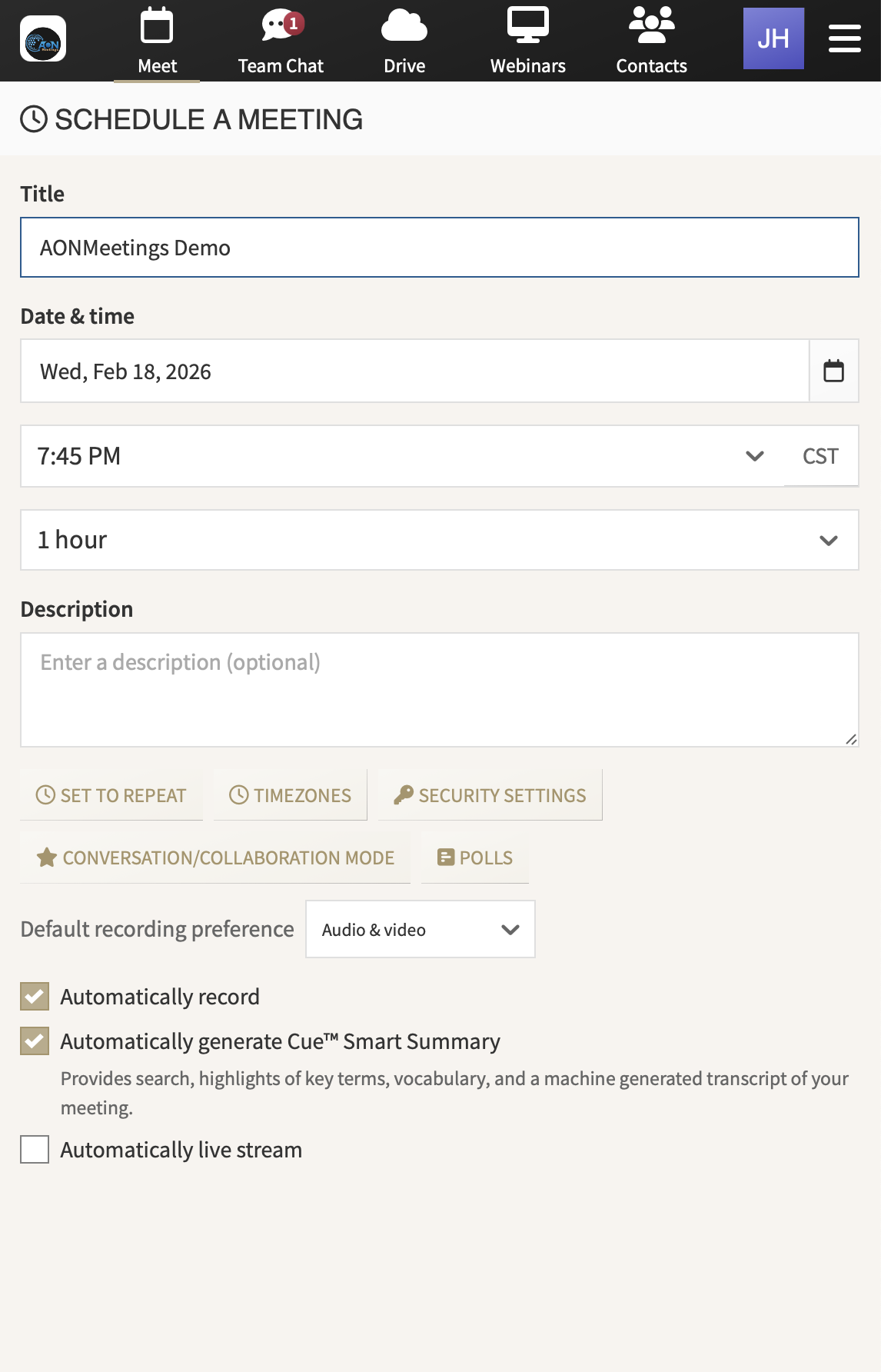
Start with a straightforward invitation. Registration and a direct event link make it easier for attendees to understand what the session covers and enter from a modern browser without installing another app.
Show the material in context. Share a screen, slide deck, document, or live workflow while the presenter explains it. People can see the detail while they hear the reasoning behind it.
Ask a question at the right moment. A poll can test understanding, help prioritize a topic, or reveal what the audience wants to explore next. It gives the presenter a better signal than silence.
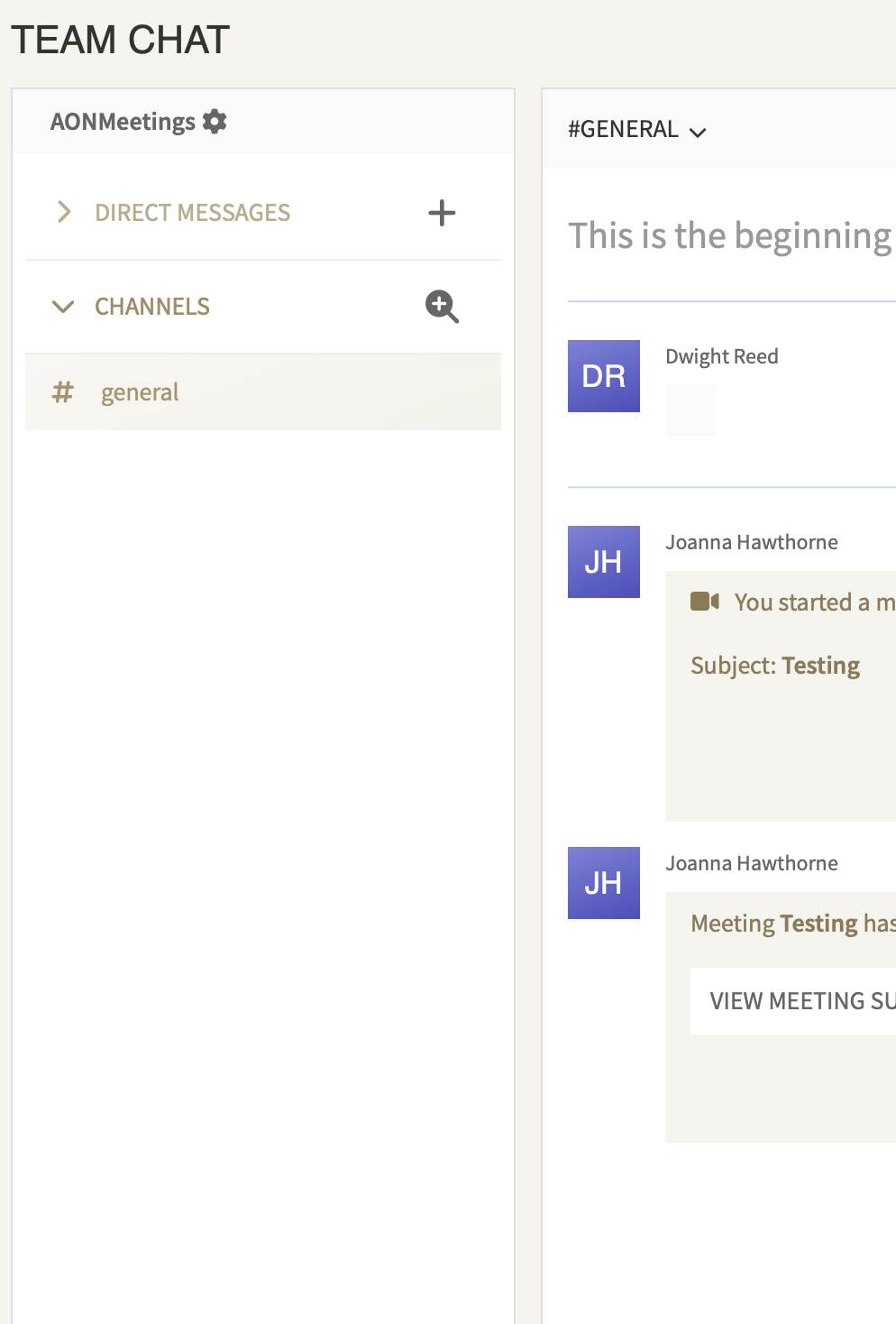
Keep detailed questions organized. Chat and questions give attendees a natural way to participate. A moderator can collect themes, surface the useful questions, and make sure the session stays on time.
Protect the room when needed. Waiting rooms, meeting locks, access codes, and moderator tools give hosts practical control over entry and participation for events that need more structure.
Carry the conversation forward. Record the webinar, share the follow-up material, and use supported summaries and smart search to return to the points that deserve a closer response.
BUILT FOR A TWO-WAY SESSION
Different events need different kinds of participation. AONMeetings keeps the live tools close to the presentation so the team can use the right one without sending attendees elsewhere.
Walk through a real workflow, ask what the audience wants to see next, and gather the questions that reveal which detail needs a closer conversation afterward.
Use a poll to check understanding, invite questions before a new topic, and keep the recording available so learners can revisit the material on their own time.
Bring people together around an update, resource, or shared concern, then use chat and questions to make the session responsive to what they need now.
PREPARE THE PEOPLE RUNNING THE ROOM
Start with the one decision the webinar should help an attendee make. A product session might help someone see a workflow in context. A training session might help a learner apply a new step. A customer event might answer the question that has been holding a group back. That purpose gives the presenter and moderator a shared focus.
Then assign simple roles. The presenter owns the explanation and the pace. The host welcomes people and handles the room. A moderator watches chat and questions, keeps an eye on patterns, and helps bring the right audience voice into the session. One person may cover more than one role for a smaller event, but naming the work makes handoffs smoother.
Plan a few moments of participation rather than trying to make every minute interactive. A quick early poll can help the presenter understand the room. A question prompt after a major point can surface uncertainty before it grows. A final invitation can show people the next conversation or resource that fits their needs.
Run a short rehearsal from the attendee link. Check the first screen, presentation handoff, polling moment, and who will answer detailed questions after the event. That small preparation helps the event feel organized without turning it into a large production.
START WITH THE AUDIENCE YOU HAVE
Interactive webinars should not require a separate product every time the audience grows. Every AONMeetings plan includes webinar capability up to its participant limit, alongside the browser-based meetings and collaboration tools a team uses every day.
Standard supports up to 25 participants, Pro supports up to 100, and Business Pro supports up to 250. For a larger launch, training program, presentation, or customer event, monthly and one-time webinar capacity options support up to 5,000 attendees.
That gives teams a practical path: choose a plan for the meetings and regular sessions already on the calendar, then add larger capacity for the moments that need it. Your host team and attendees can keep the same familiar way of joining and participating.
Compare plans and capacityFocused demonstrations, client conversations, and smaller learning sessions.
Regular webinars, team learning, and growing customer audiences.
More reach, custom branding, broadcasts, and host controls.
Monthly or one-time room for major presentations and events.
MAKE THE ROOM PART OF THE CONVERSATION
The best live webinar does more than deliver information. It helps attendees get the answer, context, or confidence they need to take a next step. That is easier when joining is simple, the presenter can show real material, and people have a natural way to ask or respond.
AONMeetings keeps that experience practical. Your team can host webinars, client calls, training, and follow-up meetings in the same browser-based platform. Attendees receive a clear path in, hosts have the controls to guide the room, and the recording gives the session a useful life after it ends.
For a broader look at registration, hosting, and larger-event capacity, explore the AONMeetings webinar platform. When you are ready to choose a plan, start with the audience and conversations you need to support today.
An interactive webinar gives attendees more than a viewing link. AONMeetings includes chat, questions, polls, screen sharing, documents, and moderator controls so people can take part while the session is live.
No. Attendees can join an AONMeetings webinar in a modern browser from the event link, without downloading a separate application.
Yes. A presenter can focus on the material while a host or moderator welcomes attendees, watches chat, gathers questions, runs polls, and keeps the session moving.
Yes. Record the session, share it with people who could not attend, and use supported summaries and smart search tools to revisit the discussion and follow up on the questions that mattered.