
Virtual appointments
Give patients a direct route into a visit, then use a waiting room and host controls to begin with the right people present.
AONMEETINGS FOR HEALTHCARE
Give patients a clear route into virtual care and give your team a dependable meeting room for appointments, care coordination, education, and follow-up.
A CLEARER START TO EVERY VIRTUAL CONVERSATION
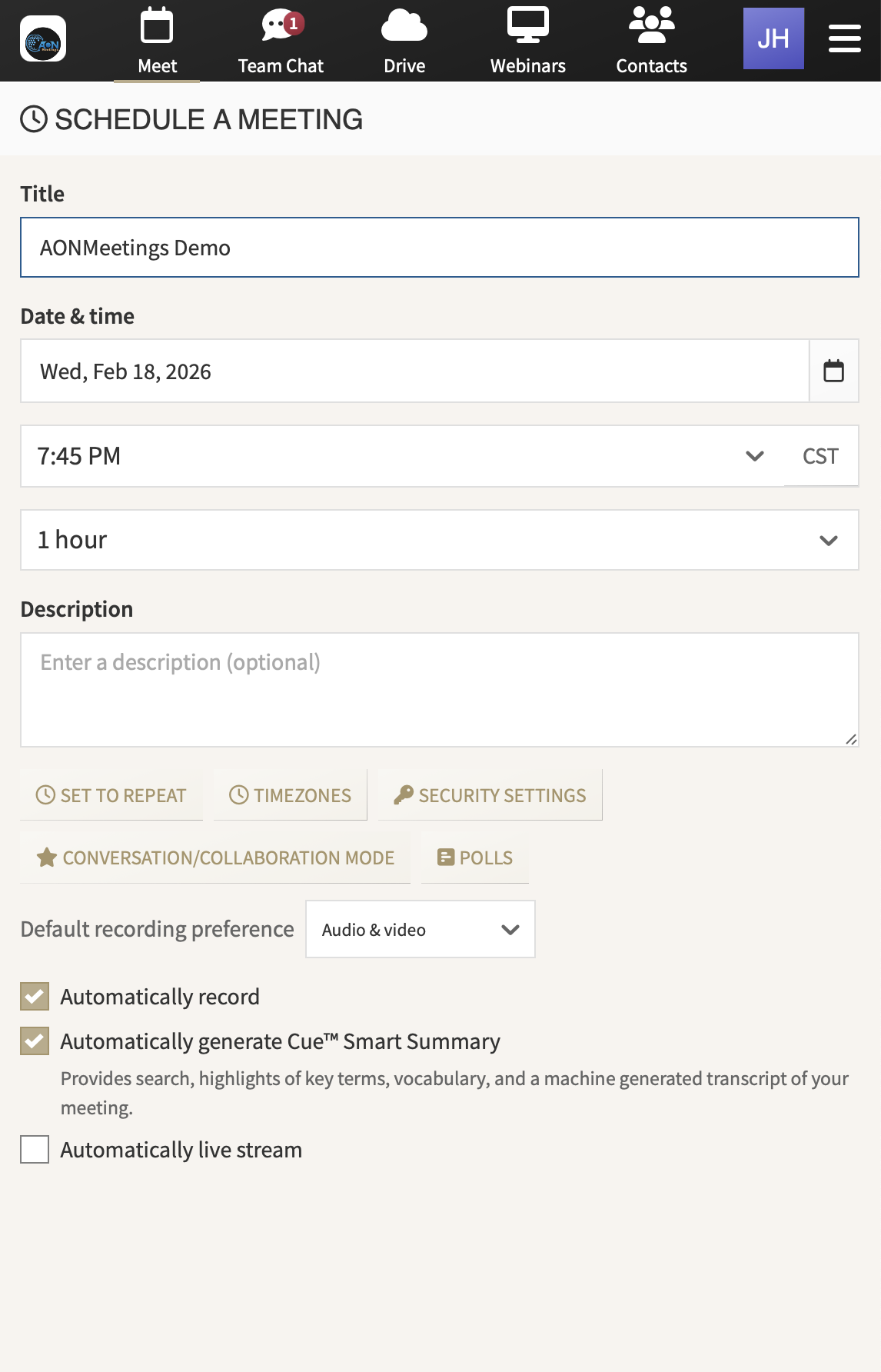
Healthcare video conferencing has to work for people with very different jobs in the same moment. A patient needs an invitation that feels clear and easy to use. A clinician needs a room that is ready when the visit begins. Support staff need a reliable way to help someone who arrives early, late, or with a question. The platform should make those everyday moments feel organized instead of adding another barrier to care.
AONMeetings gives patients a direct browser link, so joining a visit does not begin with a software download or a separate account. That simple first step can make a meaningful difference when someone is already managing an appointment, a health concern, or an unfamiliar device.
For the host team, a straightforward patient experience still needs to sit inside a deliberate workflow. Waiting rooms, meeting locks, access codes, and moderator controls give teams practical ways to manage entry and participation. The people running the visit can focus on the conversation while keeping the room prepared for the people who belong in it.
The platform also gives healthcare organizations one place for more than patient appointments. Teams can use the same meeting environment for care coordination, staff training, specialist conversations, patient education, and larger webinars. That consistency reduces the number of tools staff and patients have to learn, while making each invitation feel familiar.
AONMeetings includes HIPAA compliance monitoring and a Business Associate Agreement on every plan. Those are important foundations for organizations using video conferencing with protected health information. Your organization still owns the decisions that matter around policy, consent, identity checks, recording, documentation, and appropriate use.
The goal is not to turn a clinical conversation into a technology project. It is to give care teams a dependable room where patients can arrive with less friction and hosts can apply the process their organization requires.
DESIGNED FOR THE PEOPLE WHO RUN THE VISIT
Make arrival simpler for patients. Send a direct meeting link that opens in a modern browser. A patient spends less time navigating setup and more time ready for the appointment.
Prepare the room before sensitive discussion begins. A waiting room gives the host a pause to confirm who has arrived and when the care team is ready to start.
Choose access controls that fit the visit. Meeting locks and one-time access codes give hosts useful options for managing entry. The right approach depends on the organization’s policies and who should be involved in the conversation.
Bring the right people together. Invite a caregiver, interpreter, specialist, or support staff member when the visit calls for it. Moderator tools help the host guide participation while the care team stays focused on the patient.
Share what helps the conversation. Use screen and document sharing when a care plan, instruction, or educational material is easier to explain together. Teams can decide what is appropriate to share for each workflow.
Use recordings with intention. Recording can support training or follow-up in the right situation, but it is not automatically right for a healthcare conversation. Your team can set and follow its own rules for consent, access, retention, and review.
ONE ROOM FOR CARE, COORDINATION, AND EDUCATION
Whether the meeting is one-to-one or includes a wider care team, the experience should feel direct for participants and manageable for the host.
Give patients a direct route into a visit, then use a waiting room and host controls to begin with the right people present.
Bring clinicians, support staff, specialists, and authorized care partners together for a focused conversation without adding a separate meeting process.
Run a small group session, training, or larger webinar with registration, questions, polls, screen sharing, and recording options in the same platform.
A PRACTICAL PLATFORM FOR A CAREFUL WORKFLOW
A strong healthcare video conferencing platform does more than put two people on a screen. It should help the organization make appointments easy to join, give hosts useful control over the room, and provide clear support for a HIPAA-focused workflow.
AONMeetings brings browser-based joining together with waiting rooms, locks, access codes, moderator tools, chat, captions, screen sharing, recording, and webinar capability. The platform uses TLS 1.2+ in transit, DTLS-SRTP for media, and AES-256 at rest. Its HIPAA compliance status is independently monitored through Compliancy Group.
As you evaluate options, ask the practical questions that shape the patient experience: Can a patient join from the device they already use? Can staff decide who enters before the visit begins? Can the team include a caregiver or interpreter when appropriate? Can the same platform support a private appointment, an internal training session, and a patient education event? Clear answers help teams choose a platform they can use consistently, not just demonstrate once.
Those capabilities do not replace your own governance. They give your team a more practical place to apply it. Before choosing a platform, include the people who schedule, host, support, and review virtual visits. They can identify whether the patient entry point, host controls, and day-to-day workflow will hold up when the appointment calendar is busy.
Compare plans and capacityA direct meeting link, without a separate download.
Available on every plan at no extra cost.
Waiting rooms, locks, codes, and moderator tools.
Use the same platform for education and training.
A BETTER FIT FOR HEALTHCARE TEAMS
For patients, a virtual visit can feel uncertain before it begins. A clear link and a familiar browser experience help remove the small technical obstacles that make it harder to arrive ready for care.
For healthcare teams, the appointment needs to run inside a repeatable process. The host needs a way to manage arrival, guide the room, invite the people who should be involved, and make thoughtful decisions around information shared during or after the visit.
AONMeetings is built to support both sides of that experience. Patients get a simple path into the conversation. Hosts get practical controls, and organizations get HIPAA compliance monitoring plus a Business Associate Agreement on every plan.
For the detailed safeguards and shared responsibilities behind a HIPAA-focused workflow, see HIPAA compliant video conferencing. When you are ready to choose a plan for your care team, AONMeetings gives you a straightforward place to start.
Yes. Patients can join from a modern browser using the appointment link, without installing separate video meeting software before the visit.
Yes. AONMeetings includes a Business Associate Agreement on every plan at no extra cost. Organizations can request it before using the platform for protected health information.
Yes. Hosts can invite the people who need to take part, then use a waiting room and moderator controls to manage when each participant enters the conversation.
No. A meeting platform supports a HIPAA-focused workflow, but each organization remains responsible for its own policies, training, risk analysis, patient consent, configuration, and decisions about recordings, chat, and shared files.