
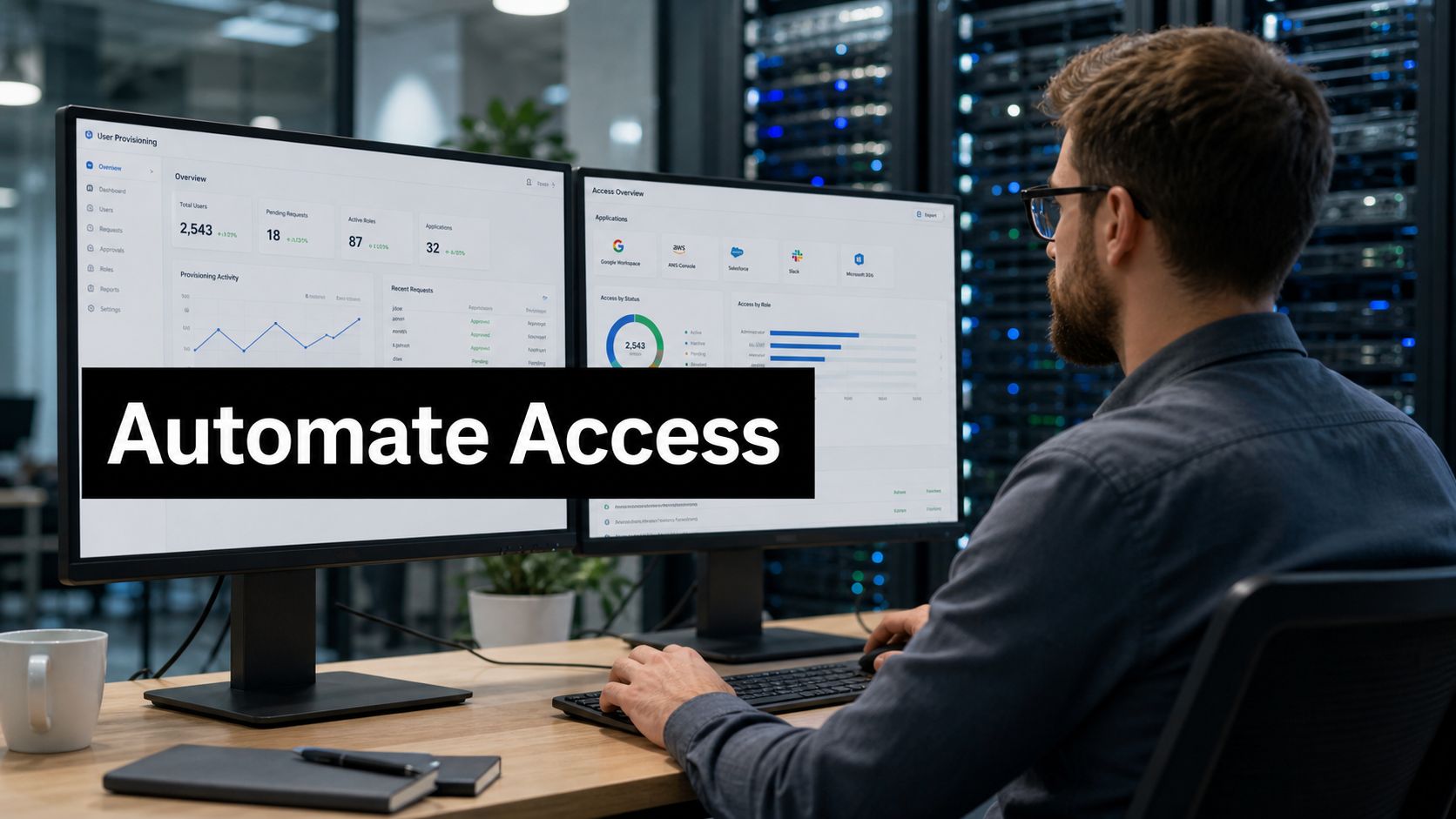
Your HR team enters a new hire on Monday morning. By lunch, the manager asks why the person still can't access email, chat, the CRM, and the project workspace. Someone in IT is working through tickets. Someone else is waiting for manager approval. A third person is manually creating accounts in separate systems. By the time access is ready, day one is half gone.
The same mess shows up in reverse when someone leaves. One account gets disabled quickly. Another is missed because it lives in a niche SaaS tool. A shared admin credential was never rotated. The risk isn't abstract. It's operational, and it's avoidable.
That pressure is one reason user provisioning automation has moved from a nice-to-have to a core identity discipline. The market reflects that shift. The global user provisioning market reached USD 5.4 billion in 2024 and is projected to hit USD 10.7 billion by 2030 at a 11.6% CAGR, driven by cloud adoption and modernization of identity governance, according to Strategic Market Research's user provisioning market analysis.
The End of Manual IT Onboarding
Manual onboarding breaks in predictable ways. Access requests arrive through email, chat, service desk forms, and hallway conversations. Nobody has one clean view of who approved what, which apps each role needs, or whether former employees still have access somewhere in the stack.
That chaos affects more than IT. Managers lose confidence because new hires can't contribute on day one. Security teams worry about orphaned accounts. Compliance teams end up chasing screenshots and logs instead of reviewing a clean audit trail.
Why this has become a business issue
Distributed work changed the shape of identity management. Employees need access across browser-based apps, older internal systems, and cloud platforms. Contractors and temporary workers add more exceptions. If your company is also improving its broader onboarding motion, IT and HR collaboration becomes essential. Teams looking at AI strategies for modernizing talent integration often discover that people processes and access processes must be redesigned together.
A practical starting point is to map your hiring workflow against your access workflow. Many organizations already document HR steps but not identity steps. If you're reviewing the broader employee onboarding process, add a simple question for each stage: what systems should this person gain, change, or lose access to at this point?
Manual onboarding isn't just slow. It's a policy problem disguised as an IT task.
What automation actually changes
Good automation doesn't mean "every account gets created instantly no matter what." It means routine access decisions follow a defined policy, execute consistently, and leave evidence behind. New hires get the standard tools for their role. Movers get updated access when they change departments. Leavers lose access fast enough that old entitlements don't linger.
That's why user provisioning automation matters. It turns identity lifecycle events into repeatable operational controls. The technical plumbing matters, but the bigger win is clarity. The business decides what access belongs to a role. The system applies that decision reliably.
What Is User Provisioning Automation
Think of user provisioning automation as a digital quartermaster. In a military context, a quartermaster makes sure each person gets the right equipment for the job. In IT, the "equipment" is software access, group membership, licenses, and sometimes device-related permissions. The quartermaster doesn't invent the mission. The quartermaster makes sure people are equipped correctly.
Another useful analogy is a smart digital traffic controller. People enter the organization, move between teams, and leave. Applications sit like destinations on a map. The provisioning system routes each person to the right places, with the right level of access, at the right time.

The identity lifecycle in plain language
Most identity teams describe the lifecycle with three words:
- Joiner. A new employee, contractor, or partner needs access.
- Mover. An existing user changes role, team, geography, or responsibility.
- Leaver. A person exits and should lose access promptly.
That model sounds simple because it is simple. The trouble starts when a company treats all three stages as service desk work instead of controlled identity events.
Joiner, mover, leaver in the real world
A joiner event should trigger baseline access. A sales rep may need email, chat, CRM, file storage, and meeting tools. A finance analyst may need a different set. Without automation, IT often rebuilds those access bundles by hand each time.
Mover events are where many teams get tripped up. Promotions and transfers don't just add access. They often require removing old access too. If someone moves from Support to Product, they may need new project tools, but they may also need to lose rights tied to the old queue or old admin group. This is also why conversations about internal mobility strategies should include identity policy, not just org design.
Leaver events are the cleanup test. If offboarding depends on someone remembering a checklist, accounts will be missed. Automation ties the departure event to repeatable deprovisioning actions.
Plain rule: Provisioning grants, updates, and removes access. It's not just "create an account."
What it replaces
Manual provisioning usually relies on a chain like this:
| Step | Manual approach | Automated approach |
|---|---|---|
| Access request | Ticket or email | Trigger from HR or identity event |
| Approval | Ad hoc manager response | Policy-based routing with defined approvals |
| Account creation | Admin creates accounts one by one | Connectors and workflows create accounts |
| Role changes | Often partial and delayed | Access updates follow the new role |
| Offboarding | Checklist, often inconsistent | Deprovisioning runs from a defined event |
The key idea is simple. User provisioning automation executes access changes as part of identity lifecycle management, not as scattered admin work.
The Core Components Powering Automation
When people first evaluate user provisioning automation, they often lump everything together: SSO, directories, APIs, HR systems, identity providers, and role models. That creates confusion. Each part has a separate job.

HRIS and the source of truth
Most mature programs start with an authoritative source. That's often the HR information system. When HR enters a hire, changes a department, or records a termination, that event should tell downstream systems something changed in the person's identity state.
If the source of truth is sloppy, the automation will be sloppy too. Wrong manager, wrong department, wrong employment status. Those errors don't stay in one place. They spread everywhere the workflow reaches.
Teams evaluating integrated HR and IT solutions are usually trying to reduce that drift. The goal isn't just convenience. It's consistent identity data feeding access decisions.
SCIM is the delivery protocol
SCIM 2.0 is the common language many apps use for provisioning. According to Okta's overview of automated provisioning, SCIM 2.0 provides a standardized, REST-based API layer that synchronizes user identities and group attributes between authoritative systems and SaaS applications, cutting mean provisioning time from 4 to 6 hours to under 15 minutes.
If that sounds abstract, think of SCIM as a shipping label format. If every warehouse uses the same label structure, packages move faster and with fewer mistakes. In identity terms, the "package" is a user record and related attributes.
SCIM commonly handles details such as:
- Core identifiers like
userNameandexternalId - State flags like
active - Group membership that maps users into role-aligned access
- CRUD operations so systems can create, update, or deactivate accounts reliably
SSO and provisioning are not the same
A common misunderstanding is that single sign-on solves provisioning. It doesn't.
SSO answers the login question: can this person authenticate and get into connected apps with one identity flow? Provisioning answers a different question: does the account exist in the target app, and does it have the right entitlements?
Here's the simplest way to separate them:
| Capability | What it does |
|---|---|
| SSO | Authenticates the user at sign-in |
| Provisioning | Creates, updates, or deactivates the user account itself |
A user can have SSO access to an app in theory but still be missing the actual account, role, or group assignment in practice. That's why SSO without provisioning still produces helpdesk tickets.
RBAC and attribute mapping are the rulebook
Provisioning engines need a policy model. Role-Based Access Control (RBAC) is the most common starting point. It maps job functions to access bundles. A finance manager gets one set. A support agent gets another.
Attribute mapping adds context. Department, location, employment type, cost center, or manager can all help determine access. With such context, automation becomes useful rather than merely fast.
Your provisioning engine should execute your access policy, not invent it.
The healthiest design is boring. Clear roles. Clean attributes. A short list of exceptions. Predictable outcomes.
Key Business and Security Benefits
The strongest argument for user provisioning automation isn't that it's modern. It's that it improves two things managers already care about: security and operational efficiency.
Organizations that implement automated user provisioning report a 70% reduction in unauthorized access risks and a 50% improvement in overall IT productivity compared with manual processes, according to Avatier's analysis of user provisioning automation strategies.

Security gets better because timing gets better
Most access failures are timing failures. Access was granted too broadly, removed too slowly, or updated too late. Automation helps because lifecycle changes no longer sit in someone's inbox waiting for action.
That matters in three common cases:
- Offboarding risk. Former employees shouldn't keep standing access.
- Mover risk. Users shouldn't retain rights from old roles indefinitely.
- Manual error. Repetitive admin work creates inconsistent outcomes.
Productivity improves because repetitive work disappears
IT teams shouldn't spend their day copying identity data from one system to another. Automation absorbs that routine work and lets administrators focus on exceptions, audits, and policy tuning.
The employee experience improves too. Day-one access isn't just a convenience. It shapes how quickly a person can contribute and how competent the organization appears.
Fast onboarding is useful. Correct onboarding is better. Automation gives you a way to pursue both.
Compliance becomes more manageable
Regulated environments care about evidence. Who approved access? When was it granted? Why was it removed? Manual processes scatter that evidence across inboxes and ticket comments. Automated workflows can centralize it in auditable logs.
Least privilege also becomes more realistic at scale. Without automation, teams tend to overgrant because it's faster to give broad access than to think carefully about each entitlement. Policy-driven provisioning makes tighter access control more practical.
A Practical Rollout Checklist
Most failed provisioning projects don't fail because SCIM is complicated. They fail because the company automates before it decides what "correct access" means. Start with discovery and policy. The tooling comes after that.

Start with visibility
Before you buy or configure anything, answer four questions:
- What applications exist?
- Which users have access to them?
- Which system is authoritative for identity data?
- Which access decisions are standard, and which are exceptional?
This is less glamorous than connector setup, but it's the foundation. If your team also manages distributed hires, it's useful to align this work with broader remote onboarding best practices so access readiness is part of the employee start experience, not a separate afterthought.
Build the rollout in phases
A sensible rollout usually looks like this:
- Discovery first. Inventory apps, directories, and current access patterns.
- Policy design next. Define baseline roles, approval paths, and exclusion rules.
- Pilot with a narrow group. Choose one department with predictable access patterns.
- Expand by connector readiness. Automate the systems that support clean integration.
- Review exceptions continuously. Keep a queue for cases that don't fit the model.
What your checklist should include
Use a checklist that blends governance and implementation:
- Define scope clearly. Decide whether you're starting with employees only, or including contractors and partners.
- Audit current entitlements. Look for duplicate access, stale groups, and unknown owners.
- Pick the source of truth. HRIS is common, but only if the data is maintained well.
- Choose your orchestration layer. Your identity provider or IGA platform has to connect the lifecycle events to applications.
- Map roles to access bundles. Avoid building one-off rules for every manager preference.
- Test joiner, mover, leaver events. Don't just test onboarding. Movers often expose the biggest logic gaps.
- Document exception handling. Someone must own ambiguous requests and temporary overrides.
- Monitor and refine. Provisioning policy should evolve with the org, not freeze after launch.
Operational advice: If you can't explain why a role gets certain access in one sentence, your policy probably isn't ready for automation.
Automating Access for AONMeetings
A collaboration platform is a good example because access needs are easy to visualize. One person hosts internal meetings. Another runs external webinars. A third only joins team sessions. Those differences should be reflected in policy, not handled through ad hoc tickets.
Consider a new hire in Marketing. HR creates the employee record. The provisioning workflow sees department, role, and manager data, then creates the account in the meeting platform, assigns the right license or feature set, and places the user in the appropriate groups. The employee signs in on day one and can schedule meetings without waiting for IT.
A mover example
Now take that same employee after a promotion. The role changes from coordinator to webinar owner. A well-designed provisioning flow doesn't just preserve old access forever. It updates the account based on the new role model. The person may gain webinar-related privileges, updated moderator capabilities, or different reporting access.
Provisioning and authentication frequently intersect. If your platform supports Single Sign-On with Active Directory, authentication can stay smooth while lifecycle changes update the actual account configuration behind the scenes.
A leaver example
Offboarding is where the value becomes obvious. HR records the departure. The provisioning workflow disables or revokes access in the collaboration platform, removes group membership, and prevents the former employee from continuing to enter meetings or access related data.
That doesn't require a heroic IT response. It requires a defined identity event and a platform that can respond to it consistently.
What this example teaches
The lesson isn't specific to one tool. It's broader. Collaboration systems are often used across every department, which makes them a strong proving ground for user provisioning automation. If you can automate access cleanly in a shared platform, you can usually extend the same discipline to CRM, file storage, support tools, and line-of-business apps.
Common Pitfalls and How to Avoid Them
The biggest mistake in user provisioning automation is assuming automation decides access policy for you. It doesn't. It executes whatever policy you feed it. If the policy is vague, contradictory, or outdated, the workflow will apply those flaws consistently and at scale.
This is why teams sometimes feel disappointed after implementation. The tool worked. The access model didn't.
Pitfall one, automating chaos
If your current state includes shadow IT, inconsistent role names, and unclear application ownership, automation will amplify that confusion. A fast wrong answer is still wrong.
Start by cleaning up naming, ownership, and basic role definitions. Keep the first version simple enough that managers can review it and say, "Yes, that's what this role should have."
Pitfall two, assuming every app will integrate cleanly
A lot of content about provisioning implies a smooth, end-to-end flow across the whole stack. Real environments are messier. According to NHIMG's analysis of the real IGA gap, 70% of enterprise applications lack API support, which means many organizations still need manual workflows or systematic tracking for a large share of their environment.
That changes the operating model. You may need a hybrid program where:
- Modern SaaS apps use SCIM or API-based provisioning
- Older or niche tools rely on documented manual steps
- Review workflows confirm that non-automated systems are still governed
Pitfall three, ignoring data quality
If HR data is stale, provisioning logic becomes unreliable. An out-of-date manager field can send approvals to the wrong person. A bad department value can assign the wrong bundle. Identity automation depends on disciplined upstream data stewardship.
Clean identity data matters more than fancy workflow design.
Pitfall four, pretending exceptions don't exist
Some access decisions require judgment. Mergers, dual-role employees, temporary coverage assignments, or sensitive offboarding situations don't fit neat templates. The answer isn't to abandon automation. It's to reserve human review for the cases that need it.
A strong design has two lanes: the standard lane for routine lifecycle changes, and the exception lane for cases that need review, explanation, and a documented outcome.
Frequently Asked Questions
Is user provisioning automation the same as SSO
No. SSO handles login. Provisioning handles the lifecycle of the account itself. A user might authenticate successfully through SSO and still lack the correct role, group, or account state in the target application if provisioning isn't in place.
How should we handle contractors and temporary workers
Treat them as first-class identities with their own access policy. Don't force them into employee roles. Give them start and end dates, assign only the apps required for the engagement, and define who owns renewal or extension decisions. Temporary access should have a clear expiry path.
What about legacy on-premises applications
Use a hybrid model. Where direct APIs or SCIM aren't available, document the manual control points and pull them into the same governance process. The goal isn't perfect technical uniformity. The goal is consistent control, visibility, and accountability.
How do we keep human oversight without slowing everything down
This is the question many teams ask once automation starts working. According to Zluri's discussion of user provisioning challenges, a common gap in current guidance is how to preserve human oversight for the 30% of scenarios requiring judgment without creating bottlenecks.
A practical approach is to separate routine events from exception events:
- Routine events follow preapproved policy and run automatically.
- Exception events go to a named reviewer with context, deadline, and audit trail.
- Temporary overrides expire automatically unless someone renews them.
- Periodic reviews catch edge cases that slipped through earlier decisions.
That model keeps the standard path fast while preserving control where ambiguity exists.
If your organization is tightening access control while improving day-one collaboration, AONMeetings gives teams a browser-based meeting and webinar platform that fits enterprise governance needs without adding deployment complexity. It's a practical option for companies that want secure, scalable collaboration and cleaner identity operations across onboarding, role changes, and offboarding.
1 comment on “User Provisioning Automation: Your 2026 Guide to Success”