
You're probably dealing with one of two products right now. The first technically works, but every task takes longer than it should. Users hesitate, click the wrong thing, open support tickets, and ask for training on actions that should feel obvious. The second product feels calm. People move through it without friction, trust it faster, and get to value sooner.
That gap is what user experience design is about.
If you're a project manager, this matters because UX problems rarely show up as “UX problems” on a roadmap. They appear as lower conversion, more rework, customer complaints, slower onboarding, security mistakes, and teams arguing over what users “should” do instead of seeing what they do.
What Is User Experience Design and Why It Matters
A simple way to think about user experience design is this: it's the practice of shaping how a person experiences a product from first contact to finished task. Not just how it looks, but how it works, how clear it feels, how much effort it asks from the user, and whether it builds confidence or doubt.
Consider a common software moment. A new customer signs up, lands in a dashboard full of unlabeled options, can't tell where to begin, and abandons the setup halfway through. The product team may call that an onboarding issue. Support may call it a training issue. Sales may call it a qualification issue. In many cases, it's a UX issue.
Now flip the scenario. The same user signs in, sees one clear next step, gets guidance at the right moment, completes the task, and feels capable. No extra hand-holding. No apology copy. No scramble from customer success.
Good UX removes avoidable effort. Great UX makes the user feel smart.
That's why UX isn't a visual polish phase at the end of delivery. It's a business discipline. It asks practical questions: What is the user trying to get done? Where do they hesitate? What information do they need first? What might cause mistrust? What will make them return?
This also explains why UX spans more than screens. It includes workflows, content, navigation, forms, feedback messages, permissions, accessibility, and the small interaction details that determine whether a task feels smooth or punishing.
UX is broader than UI
Teams often confuse UX with UI. UI is the interface layer: buttons, spacing, typography, color, controls. UX is larger. It includes the sequence of actions, the logic behind choices, and whether the product matches the user's mental model.
A clean interface can still deliver a poor experience if the workflow is confusing. On the other hand, a modest interface can perform well if the task flow is obvious and efficient.
Why business leaders should care
UX affects customer behavior and internal cost. Better experiences reduce friction. Friction slows adoption, increases errors, and forces people to seek help.
If your team needs a practical sense of how specialists approach this work, reviewing examples of UX design services can help clarify how research, flows, wireframes, and testing connect to delivery decisions. The point isn't to outsource by default. It's to recognize that UX is a structured problem-solving function, not decoration.
The Core Principles of Great User Experience
Think of a digital product like a house. If the foundation is weak, fresh paint won't save it. If the doors are hard to open, people won't care that the sofa looks expensive. The same logic applies to user experience design.
Start with the foundation
A product has to be worth using in the first place.
Useful means the product solves a real problem people actually have.
A legal intake portal that lets clients upload documents securely is useful. A portal with elegant animations but no clear upload path isn't.
Usable means people can complete tasks without confusion, unnecessary effort, or repeated mistakes.
If a patient can't find the “book appointment” action, the feature exists but the experience fails. Usability is where many teams lose trust.
Build the structure people can move through
Once the foundation is sound, the layout matters.
Findable means users can locate what they need when they need it.
Navigation is part of this, but so are search, labels, filters, menu wording, and page hierarchy. “Resources” is vague. “Billing,” “Case Files,” or “Visit Notes” gives people a clear path.
Accessible means the product works for people with different abilities, devices, and contexts.
Accessibility isn't a side checklist for compliance teams. It affects keyboard use, captions, contrast, readable copy, focus order, screen reader support, and error recovery. It also helps every user under less-than-ideal conditions, such as poor lighting, noisy environments, or divided attention.
A useful example appears in AONMeetings' perspective on why simplicity matters in a user-friendly interface. Simplicity isn't about making software basic. It's about reducing decision load so users can act confidently.
Make the experience feel trustworthy
Products also communicate emotionally.
Desirable means the experience feels considered, consistent, and aligned with the brand promise.
This doesn't mean flashy. In healthcare or legal software, desirability often comes from calm layouts, plain-language copy, and a sense of control. In education software, it may come from warmth and encouragement.
Credible means users believe the product is reliable, secure, and honest.
Trust can vanish through tiny details: vague confirmation messages, hidden settings, inconsistent terminology, broken links, or forms that ask for sensitive data without explanation.
Here's how these principles show up in practice:
- Useful in product planning: A meeting platform should let hosts start quickly, manage participants, and share content without setup friction.
- Usable in workflow design: A billing page should show what happened, what failed, and what to do next.
- Findable in content structure: A legal dashboard should separate active matters from archived ones.
- Accessible in interaction design: A webinar control panel should work with keyboard navigation and readable labels.
- Credible in sensitive environments: Security settings should be visible and understandable, not buried in obscure menus.
A principle check you can use in reviews
When a team debates a feature, ask six questions:
- Is it useful? Does it solve a user problem that matters?
- Is it usable? Can the target user complete the task without training?
- Is it findable? Can they locate the action or information easily?
- Is it accessible? Can people with different needs use it reliably?
- Is it desirable? Does it feel coherent and intentional?
- Is it credible? Does it build trust at each step?
Most product issues can be traced back to one of these six failing under pressure.
The User-Centered Design Process Step by Step
Many teams treat UX like a burst of creativity. In practice, strong user experience design is closer to disciplined investigation. You study the problem, define what matters, create possible solutions, and test them before expensive decisions harden.
This process is iterative, but it still helps to see the flow clearly.

Research and discovery
The first step is understanding the user's world before prescribing a solution. That means talking to customers, reviewing support tickets, watching people perform tasks, and studying where they get stuck.
A healthcare portal for older patients, for example, shouldn't start with a visual trend board. It should start by asking practical questions. How do patients log in today? What confuses them? Which tasks feel risky? Do they use email links, bookmarks, mobile devices, or shared family computers?
Useful research inputs often include:
- User interviews: Learn goals, constraints, habits, and language.
- Behavioral data: Review drop-off points, repeat actions, and abandoned tasks.
- Support signals: Look for patterns in tickets, chat logs, and training requests.
- Stakeholder interviews: Capture business goals, policy constraints, and operational realities.
If you need a complementary lens for uncovering friction in an existing product, Otter A/B's guide to user experience audits is a helpful reference because audits force teams to inspect journeys more systematically.
Analysis and definition
Raw research is noisy. Analysis turns it into decisions.
Teams typically group observations into patterns: recurring pain points, common motivations, blockers, edge cases, and moments that influence trust. At this stage, tools like personas, journey maps, and problem statements become useful. Not because they're trendy artifacts, but because they keep teams aligned.
A journey map might show that the actual issue isn't the checkout screen itself. The issue started earlier, when users never understood shipping options or account requirements. A project manager can use that insight to stop teams from solving the wrong screen.
Practical rule: If your team can't state the user problem in one sentence, it's not ready to design the solution.
Design and ideation
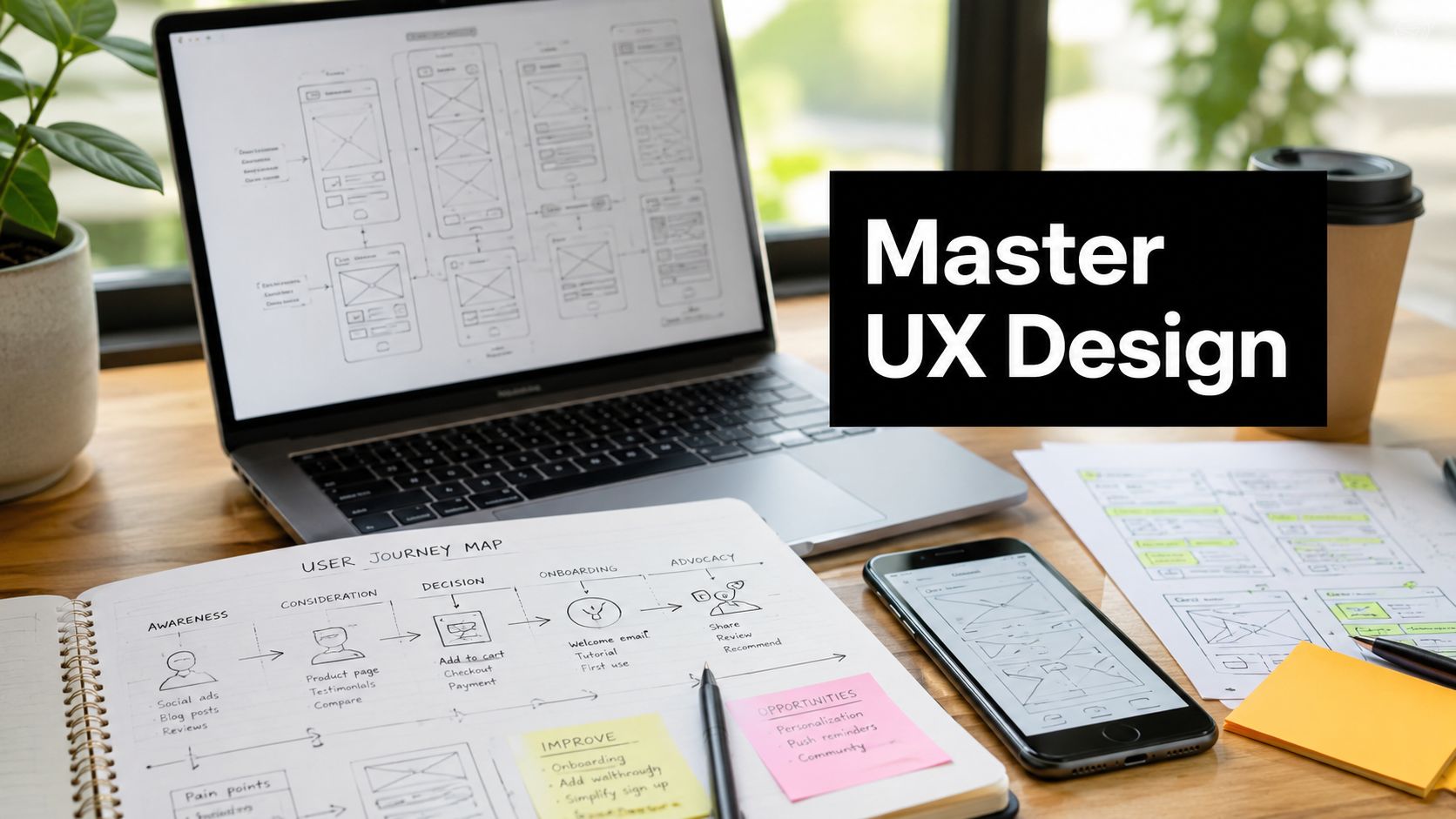
Once the problem is defined, design work becomes more concrete. This phase often includes information architecture, user flows, wireframes, and interactive prototypes.
Start low fidelity. Sketches and wireframes help teams discuss structure without getting distracted by colors or visual polish. If the sequence is wrong, high-fidelity mockups only hide the problem longer.
The key outputs usually include:
- Information architecture: How content and features are organized.
- User flows: The path a person takes to complete a goal.
- Wireframes: Screen-level layouts focused on hierarchy and function.
- Prototypes: Clickable models that simulate the actual experience.
For project managers, this phase is where scope discipline matters most. A prototype should answer a learning question. If the team is unsure whether users understand host controls, test that. Don't build an elaborate prototype of unrelated screens.
Testing and validation
Validation is where opinions lose authority. You put designs in front of users and see what happens.
This can be moderated or unmoderated. It can focus on first-use onboarding, sensitive tasks, navigation, settings, collaboration flows, or support scenarios. What matters is that users attempt realistic tasks while the team observes success, hesitation, confusion, and recovery.
A validation session often reveals issues internal teams stopped seeing long ago. A label that seemed obvious inside the company may mean nothing to a new customer. A security warning may sound alarming instead of reassuring. A required step may exist only because of internal process assumptions.
Implementation and iteration
Launch isn't the finish line. It's where another round of learning begins.
Once a design goes live, teams should review usage patterns, support issues, and user feedback. The strongest products improve because they treat design as a continuous operational function, not a one-time deliverable.
That's the part many organizations miss. They think user-centered design slows delivery. Done well, it reduces waste by preventing teams from building the wrong thing with confidence.
Key UX Deliverables and Success Metrics
A UX team doesn't just produce “better screens.” It produces decision-making tools. Each deliverable helps a team reduce uncertainty, align stakeholders, or evaluate whether a product is improving.
The deliverables that shape decisions
Here are the most common UX outputs and what they're for:
- Personas: Structured profiles that represent major user groups, their goals, constraints, and behaviors.
- Journey maps: Visual narratives of what users do, think, and feel across a task or service.
- Wireframes: Low-detail layouts that show hierarchy, flow, and interaction priority.
- Prototypes: Interactive models used to test ideas before full development.
- Usability test reports: Findings from observed user sessions, including friction points and recommendations.
These artifacts matter because they make tradeoffs visible. A persona reminds a team that the target user may not have internal jargon. A journey map exposes where trust drops. A wireframe gives engineers and stakeholders something concrete to react to before code is committed.
Measurement is where UX becomes accountable
Deliverables help teams design better. Metrics help them prove it.
According to Maze's overview of UX benchmarking, UX benchmarking is a systematic process that evaluates a product's user experience by measuring key metrics against meaningful standards such as historical data, competitors, or industry averages, enabling organizations to pinpoint performance gaps and validate design improvements. That matters because benchmarking turns “this feels better” into something a product manager, executive, or operations lead can use.
The same source notes that top-performing e-commerce sites achieve an average SUS score of 78, while mid-tier sites average 65, with NPS scores differing by up to 20 points between leaders and laggards in the same sector. Even if you don't work in e-commerce, the lesson is clear: measurable UX differences often separate stronger products from average ones.
Here are the core KPIs teams track most often:
| KPI | What It Measures | Example |
|---|---|---|
| Task Success Rate | Whether users can complete a task successfully | A new customer finishes account setup without assistance |
| Time on Task | How efficiently users complete a task | A manager schedules and launches a webinar with less hesitation after a redesign |
| Error Rate | How often users make mistakes, and how severe those mistakes are | Users repeatedly upload the wrong file type or select the wrong permission setting |
| System Usability Scale (SUS) | Perceived usability through a standardized score | A product team compares usability before and after redesigning a core workflow |
How to connect UX metrics to business KPIs
Project managers can be especially effective. Don't stop at usability language. Translate UX results into operational and commercial outcomes.
For example:
- Higher task success can reduce support demand.
- Lower time on task can shorten onboarding and improve completion.
- Fewer errors can reduce compliance risk and internal rework.
- Stronger perceived usability can improve adoption and retention.
A useful example from the same benchmarking discussion is that a 10% increase in task success rate after redesigning an onboarding flow directly correlates with a 15% reduction in customer support tickets in the cited example from Maze. That's the kind of linkage executives understand quickly.
When teams can show that a design choice lowered avoidable effort and improved a business-facing KPI, UX stops being seen as subjective.
Beyond the Basics with Accessibility and Security
Accessibility and security often get treated like extra requirements layered onto the “real” product. That mindset creates clumsy software. Good user experience design treats both as part of the core interaction model.

Accessibility makes products better for everyone
If a form has clear labels, strong contrast, keyboard support, and plain error messages, it helps users with disabilities. It also helps tired users, mobile users, older users, distracted users, and anyone working under pressure.
That's why accessibility is not a niche concern. It improves readability, reduces confusion, and lowers the chance that a task fails because the interface asked too much from the user.
A practical way to start is with routine checks during design and QA. A tool like an online accessibility checker can help teams spot obvious issues early, but the deeper point is process discipline. Accessibility should influence content choices, component libraries, testing plans, and design reviews from the start.
For teams working with video or webinars, accessibility also includes captioning and transcript support. This becomes even more relevant in distributed work and education settings, where users may join from noisy spaces or rely on text reinforcement. A useful operational example is this guide on how to caption videos, which reflects how accessibility choices affect comprehension, not just compliance.
Security should reduce fear, not create it
Poorly designed security flows make people feel punished for trying to do the right thing. Password resets become confusing. Multi-factor prompts interrupt tasks without context. Permission settings use technical language instead of plain explanation.
Strong UX turns security into a trust-building feature. It tells users what's happening, why it matters, and what to do next. It also prevents dangerous workarounds, because people are less likely to bypass controls when the controls feel understandable.
Security UX works when the safest path is also the clearest path.
In healthcare and legal environments, this matters even more. Users handle sensitive information, often under time pressure. If privacy settings are vague or access rules are buried, mistakes become more likely.
Designing for underserved communities changes the process
Accessibility also intersects with equity. The mainstream UX conversation often assumes fast feedback cycles, stable devices, and users who fit standard digital habits. That assumption breaks down in community-based or underserved contexts.
As discussed in UX Magazine's piece on designing for underserved communities, 68% of social projects require extended validation cycles beyond standard app testing timelines. That matters because some environments need slower, more empathetic, community-driven prototyping. The usual sprint rhythm may be too shallow to capture real needs.
For project managers, the takeaway is simple. If the audience carries higher trust barriers, lower digital confidence, or constrained access, your UX process must adapt. Not later. At the beginning.
User Experience Design in Action
The principles sound clean on paper. Real value shows up when UX handles the constraints of a specific industry.

Healthcare needs clarity under pressure
A patient portal serves people who may be anxious, unfamiliar with medical language, or using the system on behalf of a family member. Good UX in healthcare simplifies scheduling, prescription requests, records access, and telehealth entry. Labels need to be plain. Next steps need to be obvious. Security controls must reassure without derailing care.
An elderly patient shouldn't need to decode icons or remember hidden navigation patterns. If the appointment flow is unclear, the business consequence isn't just annoyance. It can become missed care, increased call center load, and lower trust in the provider.
Legal software needs precision and confidence
Legal teams deal with deadlines, privileged information, and high-cost mistakes. A secure document review platform with poor information hierarchy can lead to wrong uploads, missed versions, or accidental disclosure.
That's why legal UX emphasizes clear file states, permission visibility, document history, and friction-aware review flows. The interface has to support concentration. It cannot force attorneys or paralegals to second-guess whether an action was completed or whether a file is visible to the right people.
Education needs engagement without clutter
In education, the challenge is balancing guidance with flexibility. Students need to join sessions, access materials, participate, and recover when they fall behind. Instructors need simple controls, not a cockpit.
The best learning experiences reduce interface noise. They make participation feel easy, especially for users who are switching between content, chat, assignments, and live discussion.
Enterprise collaboration needs alignment across teams
Enterprise software often fails because each internal group optimizes for its own slice of the process. Product wants feature completeness. Compliance wants control. Sales wants flexibility. Support wants fewer edge cases. Users get the leftovers.
That problem is more common than many teams admit. As noted in Matthew Rea's discussion of organizational misalignment and UX gaps, only 23% of product leaders consistently use customer quotes, survey results, or usability test clips to connect UX gaps to revenue or cost savings. When teams don't ground discussions in direct evidence, internal opinion fills the vacuum.
The fastest way to improve enterprise UX is to put real user evidence in front of every function that shapes the product.
For a secure conferencing tool, that means designing around live collaboration realities, not just feature parity. Hosts need moderator controls that are easy to locate in the moment. Participants need browser-based access that removes installation friction. Admins need security and governance without creating a maze for end users. AI-generated transcripts and summaries should support recall and accountability, not bury users in more noise.
In practice, user experience design for conferencing software comes down to a few hard questions. Can a new user join without confusion? Can a host manage a live session calmly? Can organizations trust the platform with sensitive conversations? Can the product serve healthcare, legal, education, and enterprise contexts without forcing each audience to wrestle with unnecessary complexity?
Those are UX questions first. The interface only expresses the answers.
Adopting a UX Mindset in Your Organization
The biggest mistake organizations make is treating UX as a role instead of a way of working. They hire a designer, ask for better screens, and assume the problem is handled. It isn't.
A UX mindset means the whole team asks better questions. What is the user trying to accomplish? What evidence do we have? Where are they failing? Which step creates avoidable effort? What will success look like in behavior, not just in opinions?
Replace assumptions with evidence
This matters most when teams measure change. According to Nielsen Norman Group's discussion of product UX benchmarks, quantitative usability testing is the most reliable method for UX benchmarking, and valid benchmark studies require consistent methods. The same source also notes that a 5-point SUS score improvement between two versions of a mobile app must be validated with p < 0.05 to be considered actionable.
That's a useful reminder for managers. Not every improvement in a slide deck is meaningful. Teams need comparable tasks, consistent testing conditions, and enough rigor to distinguish signal from random variation.
What a UX mindset looks like in daily work
You don't need a large design department to work this way. You need habits.
- Bring users into planning: Review real interviews, support issues, and observed behaviors before defining requirements.
- Test before committing: Use wireframes or prototypes to learn early, especially on high-risk flows.
- Track outcomes, not just output: Measure completion, errors, usability perception, and support impact.
- Share evidence across functions: Product, engineering, support, compliance, and leadership should see the same user truths.
- Design the employee experience too: Internal tools affect speed, morale, training burden, and service quality. This is one reason digital workplace strategy increasingly overlaps with UX, as explored in AONMeetings' view of the digital employee experience.
The leadership challenge
Many leaders say they care about the customer. Fewer fund the time needed to understand the customer before building. That gap is where waste accumulates.
If you're leading projects, champion user experience design by changing the questions in meetings. Ask for user evidence. Ask which metric will prove the change helped. Ask what risk you're carrying if you skip validation. Ask whether security and accessibility are improving the experience or merely being appended to it.
A product becomes easier to use because a team decided ease mattered enough to study, design, and measure.
If your organization needs secure, browser-based collaboration built with usability, accessibility, and enterprise requirements in mind, take a look at AONMeetings. It's designed for teams that want simple joining, strong controls, and scalable online meetings without the usual software friction.