
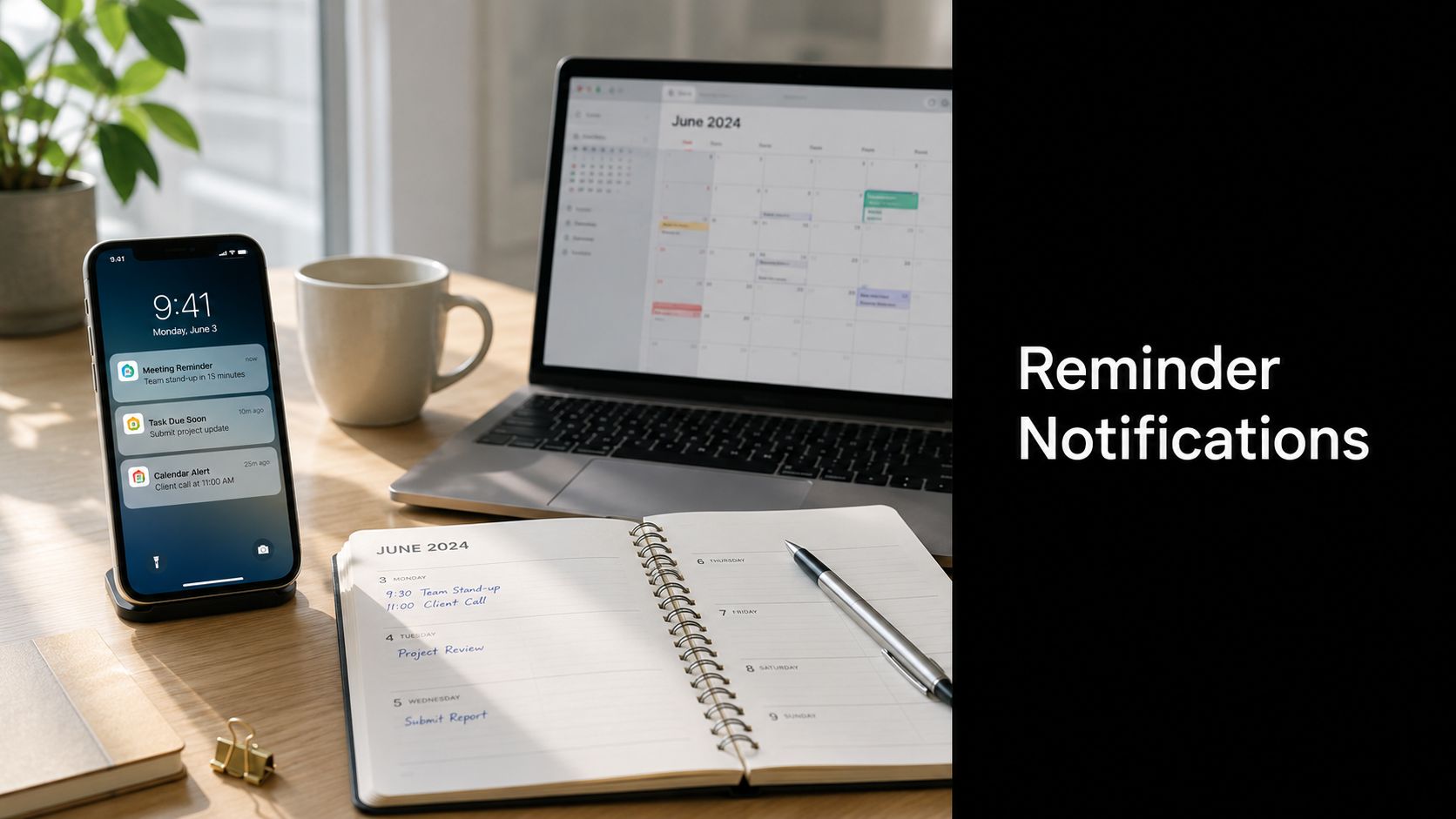
You're probably living inside a reminder system already, even if you never called it that. A clinician's office needs someone to show up on time, a teacher needs assignments turned in, and an operations lead needs approvals, onboarding steps, or renewals to move before a deadline slips. The hard part isn't deciding whether to send a reminder, it's deciding what kind of control signal it should be, when it should fire, and how to keep it useful instead of noisy.
That's why reminder notifications deserve to be treated like an operational layer, not just a messaging tactic. Done well, they help people take the right action at the right time. Done poorly, they become background noise in a phone environment where the average U.S. smartphone user gets 46 app push notifications per day and only 60% opt in overall, with reaction rates of 4.6% on Android and 3.4% on iOS Business of Apps push notification statistics. That attention pressure is real, especially when people check their phones 352 times per day in the 2026 industry summary cited in the same research source.
What Reminder Notifications Are
A clinic sends out a visit reminder. A student gets a deadline prompt. An operations team sees an approval alert before a renewal slips past. Each message serves the same operational purpose, it reaches the right person in time to trigger a specific action.

Core definition: A reminder notification is a time-sensitive, intent-driven message that prompts a specific action before a deadline, appointment, or task.
That definition matters because it separates reminders from the rest of the messages that crowd a phone or inbox. A marketing push tries to create interest. A system alert reports a state change. A status update explains what happened. A reminder asks for action at a specific moment, and that difference shapes how people respond to it.
Reminder systems now behave like control systems, not simple alarms. They are usually server-driven and state-aware, so the message can depend on the event time, the task state, user permissions, and the delivery channel. That matters in healthcare, education, and enterprise workflows, where the same prompt may need to follow different rules for timing, escalation, and completion.
A useful comparison is the operational one. A reminder works like a checkpoint in a process flow, it asks, “Has the next step happened yet?” The team at the automated appointment reminders ROI guide uses that same framing by treating reminders as an attendance and efficiency tool, not as a generic message blast. Once you see reminders that way, the design questions become easier to answer. Does the message need to stop after the action is taken? Does it need to repeat? Does it need to move through a different channel if the first one is missed?
The category also has boundaries. If the message exists to prompt a specific action before a known moment, it is a reminder. If it exists to educate, advertise, or report, it belongs in a different system. Keeping that line clear helps teams design the message properly, collect consent in the right way, and stop delivery once the task is complete.
The Main Types of Reminder Notifications
Channel choice is the first design decision, because the same reminder behaves differently in email, SMS, push, calendar, or inside an app. A meeting invitation in Google Calendar works because reminders there are alarms set in minutes before an event starts, delivered as pop-up or email notifications, which fits scheduled attendance use cases well Google Calendar API reminders. A task reminder in an onboarding system works differently, because it can keep escalating until the task becomes complete.
If you want a practical way to compare channels, start with the goal rather than the technology. The automated appointment reminders ROI guide is useful background for that kind of thinking, because it frames reminders as an attendance and efficiency tool instead of a generic message blast.
| Channel | Typical Latency | Best Goal | Watch Out For |
|---|---|---|---|
| Slower, but durable | Detailed instructions, prep, follow-up | Easy to miss in crowded inboxes | |
| SMS | Fast | Short, time-sensitive attendance nudges | Overuse can feel intrusive |
| Mobile push | Fast | In-app or app-adjacent action | Requires app presence and permission |
| Calendar invites | Event-timed | Meetings and appointments | Weak fit for open-ended tasks |
| In-app banners | Immediate while logged in | Completion prompts inside workflow | Useless if the user isn't already there |
Email is the right fit when the reminder needs context. It can carry location details, prep steps, contact information, or a checklist without feeling cramped. SMS is the opposite. It's ideal when the team needs speed and the message can stay short. Mobile push works best when the recipient already uses your app, while in-app banners are strongest for nudges that appear during active work.
Calendar invites deserve their own category because they're tied to event time, not task state. That makes them a natural fit for meetings, interviews, classes, and appointments. By contrast, a workflow reminder inside a product should usually wait for a task condition, a deadline, or a state change.
Practical rule: Pick the channel based on where the user already is, not where your team prefers to send from.
Timing and Frequency Strategies That Work
The timing problem is usually bigger than the channel problem. A reminder sent too early gets forgotten. A reminder sent too late becomes useless. A reminder sent too often creates noise, and noise gets ignored. That is why strong reminder systems use a layered cadence instead of a single blast.

For appointments, a practical pattern is to stage the reminder around the event. Send one early message for planning, one mid-range message for confirmation, and one near-term message for action. That structure works because people can use each stage differently. Early on, they can reschedule or prepare. Later, they can only show up or cancel. If a system sends all of the value in one message, it has to guess which moment the recipient is in, and that guess is often wrong.
The reaction data points in the same direction. Analysts at Business of Apps report average opt-in at 60%, with reaction rates of 4.6% on Android and 3.4% on iOS Business of Apps push notification statistics. Those figures are low enough to make one point clear, more messages do not automatically produce better outcomes. After a point, the issue is not reach, it is relevance and timing.
Distributed teams also need timezone handling. A reminder for a 9 a.m. meeting should land at 9 a.m. local time for the recipient, not at 9 a.m. in the sender's timezone. That sounds basic, but many reminder systems still fail here because they treat all users as if they live in the same place. Quiet-hours windows matter for the same reason. If the message can wait until business hours, it should.
For teams using calendar-connected workflows, the Google Calendar sync guide is a useful reference for event timing and synchronization. The key idea is simple. Align the reminder with the moment the recipient can act.
A hospital appointment reminder works the same way. An early message gives the patient time to arrange transport or paperwork. A later message nudges attendance when the visit is close enough to matter. In education, the pattern supports assignment deadlines and class sessions. In enterprise operations, it helps with approvals, training, and handoffs where the cost of a missed step is higher than the cost of one more message.
Practical defaults before launch
- Use layered timing: start with an early reminder, then add a near-term reminder only if the action still matters.
- Throttle repeats: stop escalating once the user confirms, completes, or cancels.
- Respect quiet hours: never treat immediate delivery as useful delivery.
- Localize by timezone: schedule based on the recipient's clock, not the sender's.
- Test the last reminder first: if the final reminder fails, the rest of the cadence usually needs work too.
Personalization and Accessibility Best Practices
A reminder that says nothing useful gets skipped fast. The message has to answer three questions at a glance, what is happening, when is it happening, and what should I do next. If a recipient has to hunt for those answers, the reminder has already lost part of its value.
The easiest way to improve clarity is to build around personalization tokens and a simple structure. Use the person's name when appropriate, include the event or task title, and surface the next action directly. A reminder like “Your appointment is tomorrow at 3 p.m. Please arrive 15 minutes early” is easier to act on than a generic notice that forces the person to open it for context.
Accessibility starts with the template itself. High-contrast text helps users scan quickly. Screen-reader friendly subject lines help people using assistive technology understand the message before opening it. Alt text matters when images carry meaning, and captioned video reminders help users who prefer or require text support. These are not decorative choices, they determine whether the message is usable.
Inclusive design matters in older adult workflows, in neurodivergent audiences, and in settings where literacy or language access varies. Short sentences, plain language, and a clear next step lower cognitive load. If a team needs to send the same reminder across multiple groups, it's better to localize the language and simplify the structure than to pack one version with extra detail for everyone.
A reminder that can be understood in one glance will usually outperform one that needs a second read.
In practice, that means reducing clutter, avoiding jargon, and keeping the top line focused. If the system supports channel preference, let recipients choose between email, SMS, or in-app delivery where policy allows. People are much more likely to respond when the reminder arrives in a form they can process.
Compliance and Privacy Considerations
A reminder can be operationally useful and still create legal trouble if the team handles it like a marketing message. That's the most common mistake, sending a reminder through the wrong consent model, with too much detail, and through a vendor path nobody has reviewed closely.
Common error: Treating a reminder like a promotional email instead of a limited, purpose-specific notification.
In the United States, HIPAA matters whenever appointment or care reminders can reveal protected health information. The practical rule is to keep the body of the message to the minimum necessary content, use secure channels where required, and make sure the vendor path is covered when a third party is handling protected data. For broader email workflows, teams also need to think about GDPR and CAN-SPAM, especially when consent capture, unsubscribe handling, and data minimization cross into marketing operations. For SMS, opt-in rules can vary by jurisdiction, so the legal model has to match the recipient's location and the message's purpose.
A simple checklist keeps teams out of the most obvious traps:
- Capture consent before sending the first message.
- Log sends so the team can prove what was sent and when.
- Support opt-out in every appropriate channel.
- Minimize PHI in the message body.
- Audit vendor access so only approved systems can touch the data.
The data privacy regulations guide is a useful companion if your team is deciding how tightly to separate operational reminders from broader communications. Keep the reminder narrow. Keep the access narrow too.
The three-way balance is simple. Useful reminders need enough detail to be actionable, enough security to be lawful, and enough restraint to avoid exposing more than the recipient needs.

Implementation Patterns and Integration Approaches
Most reminder systems break down into three plumbing layers, calendar sync, webhooks, and REST APIs. Calendar sync handles event timing. Webhooks tell the reminder system that something changed. REST APIs let products read, create, update, or suppress reminder state programmatically. Together, they turn a static message into a controlled workflow.
Google Calendar's API keeps reminders tied to the event start time, in minutes before the event, which makes it well suited to attendance-focused systems Google Calendar API reminders. On the other end of the spectrum, Oracle Taleo's onboarding reminders can be sent as frequently as once per day before or after a due date, and they stop as soon as the task status becomes Complete Oracle Taleo reminders. That difference matters. One model is event-centric. The other is state-centric.
A state-based loop is the safest mental model for enterprise use. A task starts in Pending, the system sends a reminder, the recipient confirms or acts, and the system suppresses later messages once the task becomes done. If the task stalls, the system can escalate once or twice, then stop. That pattern prevents the common failure mode where reminders keep arriving after the work has already been finished.
The same idea shows up in onboarding, where a new hire completes a document, the system registers the completion, and the reminder stops. If completion does not suppress future messages, the reminder engine becomes a spam engine.
For teams choosing tools, native platform reminders work well when the workflow stays inside one ecosystem. Third-party orchestration is better when you need cross-channel control, vendor neutrality, or more detailed compliance handling. In some organizations, a product like AONMeetings can sit alongside those systems as the meeting layer, while reminders are handled by the scheduling stack around it.

The right architecture is the one that can stop itself when the task is done.
Sample Templates and Metrics for Measuring Success
A reminder template should read like a usable instruction, not a brand message. For a healthcare appointment, the message might name the appointment, confirm the time, and tell the patient what to bring or where to go. For a classroom assignment, it should name the task, show the due date, and state the next action. For a legal deadline, it should identify the filing or review step and the date it expires.
A scheduling template library can help teams keep that structure consistent. The Stoa by SpecStory templates are a useful reference if your team wants a concrete example of how structured event communication stays readable without becoming long.
Here's the pattern that usually works:
- Healthcare reminder: Appointment name, time, location or prep note, and a reply path if the patient needs to reschedule.
- Education reminder: Assignment title, due date, and a short instruction on what to submit.
- Legal deadline reminder: Matter name, filing date, and a request to review or confirm action before the cutoff.
Measurement should stay just as practical. Confirmation rate shows how many recipients acknowledged the reminder. Show-up rate matters for appointments. Opt-out rate tells you whether the cadence is too aggressive. Time-to-action measures how quickly the person responds after receiving the reminder. And reminder-attributable revenue can matter when the reminder is tied to a commercial workflow.
The healthcare baseline in the research gives teams a useful reference point. A systematic review summarized by Dialog Health found that 28 of 29 studies, or 97%, improved attendance, with a weighted mean relative reduction in non-attendance of 34% Dialog Health patient appointment reminder statistics. The same review reported a median did-not-attend rate of 23% before reminder systems and 13% after implementation, which shows why tracking the outcome matters more than just counting sends.
Use the reporting and analytics guide to think about how those metrics should be displayed for decision-makers. A/B testing should focus on one variable at a time, usually subject line, timing, or channel. Then revisit the template when the response pattern changes, not just when someone complains.
Avoiding the Most Common Reminder Mistakes
The biggest mistake is assuming more reminders will always fix a missed action. They won't. In an attention-saturated environment where people check their phones 352 times per day in the 2026 industry summary cited by Business of Apps, extra messages can become part of the blur instead of the solution Business of Apps push notification statistics.
Reminder fatigue usually shows up before teams notice it in the metrics. People ignore generic text, miss callback details, and tune out messages that don't tell them what to do next. The qualitative research on reminder usability makes that clear, especially in settings where reminders were too long, too generic, or missing logistics people needed to act.
A few launch checks prevent most of the pain:
- Confirm the exit condition: What stops the reminder stream?
- Check the timing window: Can the user still act when the message lands?
- Review the content: Does it answer what, when, and next step?
- Verify channel fit: Is this better in email, SMS, push, or inside the app?
- Test the recipient path: Can a user opt out or complete the task cleanly?
The candidate experience best practices resource is relevant here because candidate workflows fail for the same reason other reminder systems fail, the message arrives without enough context or too often to stay useful. Better design usually beats higher volume.
AONMeetings includes scheduling tools with automated reminders, so teams can connect meetings, webinars, and follow-up communication without adding another manual step. If you're building a reminder workflow for healthcare, education, legal, or internal operations, visit AONMeetings to see how browser-based scheduling and reminders can fit into a cleaner operating system for your team.