
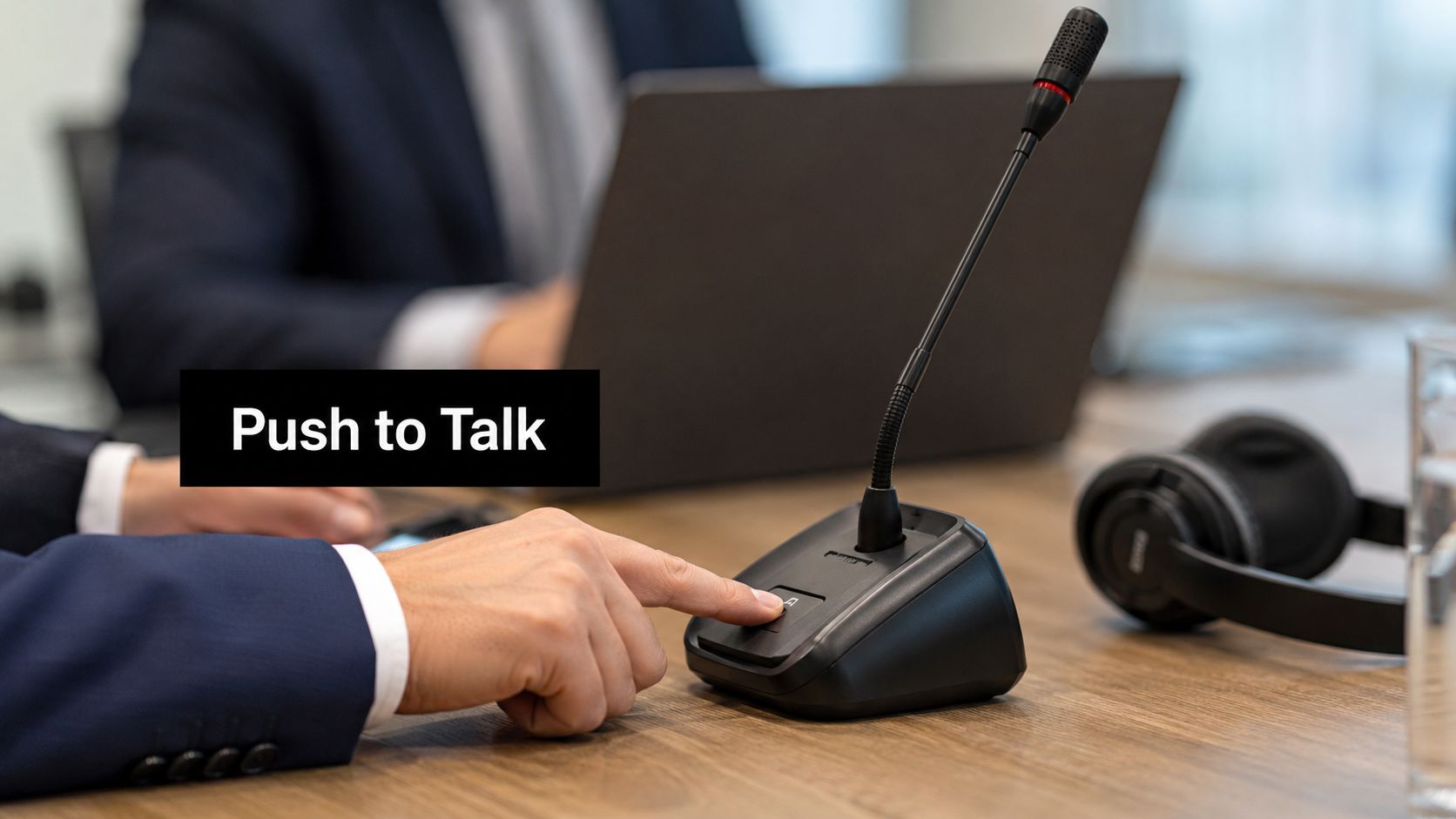
A meeting starts on time, but the audio doesn't. Someone's dog barks. Another person is typing notes on a laptop with a loud keyboard. A side conversation leaks in from an open office. Nobody means to be disruptive, yet the group still loses focus in the first few minutes.
That's the problem the push to talk button solves. It isn't just a convenience feature for gamers or radio users. In a business setting, it's an audio control method that turns speaking into an intentional action. Instead of leaving the microphone open and hoping people remember to mute, you create a simple rule. Audio goes out only when someone actively chooses to send it.
For teams working in browsers, this matters more than many managers realize. Browser-based collaboration is flexible and accessible, but it also means people join from kitchens, clinics, shared offices, classrooms, court prep rooms, and hotel Wi-Fi. Better audio discipline often has less to do with etiquette and more to do with the tools you give people.
Why Your Online Meetings Need Better Audio Control
Most online meeting frustration starts with a false assumption. People think the issue is participant behavior. In practice, the issue is often the default audio model.
An open microphone works well when everyone is in a quiet room, wearing a headset, and speaking one at a time. That isn't how most organizations operate now. Hybrid work has normalized mixed environments, and those environments produce constant low-level audio clutter. Even when software suppresses some noise, the meeting still feels less controlled.
A push to talk button changes the rhythm of the conversation. It makes transmission deliberate. That one change can reduce accidental audio, side comments, and the awkward pause that follows when someone asks, “Who has the noise?”
The meeting problem isn't just noise
Noise is the obvious symptom. The bigger issue is lost attention.
When participants keep hearing unplanned sounds, they start monitoring the meeting instead of listening to it. They wonder whether the speaker has finished. They second-guess whether they should interrupt. They miss key details because part of their attention is spent filtering distractions.
If your team is already troubleshooting what causes echo in online meetings, you're seeing the same pattern from another angle. Poor audio control creates technical friction and social friction at the same time.
Practical rule: If people spend energy managing noise, they spend less energy processing content.
Why this old idea still fits modern work
Push-to-talk isn't new. It dates back roughly 80 years to the two-way radios and walkie-talkies used during World War II, where it gave teams a simple, fast way to coordinate over distance, as described in Verizon Business's explanation of push-to-talk.
That history matters because it explains why the method has survived multiple technology shifts. The value was never the hardware alone. The value was controlled, low-friction voice exchange.
For business managers, the key mindset shift is this:
- Mute is passive. It assumes users remember to turn audio off and on at the right moment.
- Push-to-talk is active. It requires a deliberate action before audio leaves the device.
- That difference changes behavior. It reduces accidental transmission by design, not by reminder.
In high-stakes settings such as training, legal intake, telehealth coordination, or executive briefings, that distinction can improve meeting quality and reduce risk.
Understanding the Push to Talk Button Mechanic
The simplest way to understand a push to talk button is to think about a walkie-talkie. You press a control to speak. You release it to listen. You don't do both at the same time.
That operating model is called half-duplex. It means the communication path switches between transmit and receive instead of staying open in both directions at once.

What happens when you press the button
When a user presses the key, the endpoint switches from receive mode to transmit mode. When the user releases it, the endpoint returns to listening. Motorola Solutions describes this as a half-duplex design that prevents simultaneous talk-over and helps in crowded or time-sensitive audio environments in its overview of how push-to-talk works.
That sounds technical, but the user experience is simple:
- Press the button
- Speak while holding it
- Release when finished
The value comes from what this prevents. With open microphones, two people can begin speaking over each other and create confusion. With push-to-talk, the interaction becomes more turn-based.
How this differs from mute and unmute
People often confuse push-to-talk with muting. They're related, but they aren't the same.
A mute toggle changes the microphone state and leaves it there until the user changes it again. Push-to-talk is temporary. The microphone sends audio only during the press.
That difference affects behavior in meetings:
- Mute toggle works well for longer speaking turns.
- Push-to-talk works well for short contributions and controlled handoffs.
- Open mic works well only when the environment is consistently quiet.
If your team needs a refresher on radio-style discipline, Mobile Systems' guide to radio use is useful because it shows how clear turn-taking improves intelligibility.
Press too late, and you clip the start of your sentence. Release too early, and you clip the end. Good PTT use is part technology, part speaking habit.
Why business users should care about half-duplex
Managers don't need to memorize the term half-duplex. They do need to understand its effect.
Half-duplex communication forces structure into noisy environments. That's why the model has lasted from radios to VoIP tools. It reduces overlap, lowers the chance of accidental background audio, and makes short exchanges cleaner.
In a browser-based collaboration tool, the button may be on screen, mapped to a key, or connected through external hardware. The workflow is still the same. Audio transmission becomes intentional for every speaking turn.
Evaluating PTT for Your Business Communication
Push-to-talk is useful, but it isn't automatically the best choice for every meeting. Business teams get the most value when they treat it as a situational control, not a universal default.
The main benefit is straightforward. PTT reduces background noise because people transmit only while they're actively pressing the control. The main cost is also straightforward. Users have to remember to hold a button while speaking, and that adds mental effort.
Zoom notes this tradeoff clearly in its discussion of push-to-talk in modern collaboration. The choice involves reduced background noise on one side and the cognitive overhead of holding a key on the other. That tradeoff becomes more important in long meetings where user friction accumulates.
Where PTT works best
PTT usually performs well when audio discipline matters more than spontaneity.
Good examples include:
- Webinars and presentations where a host wants to avoid stray participant noise
- Training sessions where learners contribute briefly rather than continuously
- Operational check-ins with short, structured updates
- Shared workspaces where participants join from noisy locations
- Teams comparing conferencing options across a broader video conferencing system strategy
In those settings, a push to talk button supports cleaner exchanges and fewer accidental interruptions.
Where PTT can become a burden
PTT is less comfortable when meetings require long, conversational speaking turns.
Examples include brainstorming sessions, counseling conversations, workshops, and detailed collaborative problem-solving. In these environments, constantly holding a key can distract speakers from what they're trying to say. It can also discourage spontaneous contributions from less confident participants.
There's also a practical issue many teams discover quickly. People sometimes clip their first word because they start speaking before the transmit state is fully engaged.
Audio control methods compared
| Method | Background Noise Control | Interruption Risk | Cognitive Load | Best For |
|---|---|---|---|---|
| Push-to-talk | High | Lower because speaking is intentional | Moderate to high | Webinars, formal briefings, noisy environments |
| Standard muting | Moderate and user-dependent | Moderate | Moderate | General team meetings |
| Open mic | Low in mixed environments | Higher | Low | Small quiet groups with natural conversation |
The right question isn't “Is PTT better?” It's “Which meeting types benefit from intentional transmission, and which need conversational freedom?”
A simple decision filter for managers
Use these questions before enabling PTT:
- How noisy are participant environments? The noisier the environment, the more attractive PTT becomes.
- How long are individual speaking turns? Shorter turns fit PTT better.
- How much structure does the meeting need? Formal meetings benefit more than free-flowing ones.
- What's the consequence of accidental audio? If the answer involves confidentiality, professionalism, or compliance, PTT deserves serious consideration.
For many businesses, the best answer isn't all or nothing. It's selective use.
How to Use PTT in Your Web Conferencing Platform
In browser-based conferencing, a push to talk button usually appears in one of three forms. The method matters because usability determines adoption. If a control feels awkward, people stop using it even when they agree with the policy.

On-screen button
Some platforms provide a visible button in the meeting interface. Users click and hold it with a mouse or touch device.
This is easy to understand, but it's not always ideal. A mouse-based press occupies the hand and can interfere with note-taking, screen sharing, or document review. It also slows down short interjections because the user has to move to the control first.
Keyboard shortcut
A keyboard shortcut is often the most practical option for browser users. It allows fast activation without moving away from the meeting content.
There is no universal standard for the best keybind. An independent survey of users found the most common shortcut was fn+ctrl at 37.5%, which points to a real usability gap rather than a settled convention, as reported by SoftwareMill's look at push-to-talk shortcuts.
That tells managers something important. You shouldn't assume one shortcut works for everyone.
What makes a good keybind
A useful keybind should be:
- Easy to reach without changing hand position too much
- Unlikely to conflict with browser, operating system, or application shortcuts
- Consistent across devices if users move between laptop and external keyboard
- Comfortable to hold during a complete sentence
Keys near the thumb or little finger often work better than combinations that require both hands. But the right answer depends on whether the user is presenting, typing constantly, or using a mouse-heavy workflow.
External hardware
Some users prefer a foot pedal, programmable mouse button, or hardware mic switch. This can be effective when hands are already busy with other tasks.
One practical hardware example described in ARPHost's discussion of reliable communication systems is the broader principle that communication quality depends on dependable input methods and predictable workflow. In PTT terms, that means the control should feel natural enough that the user stops thinking about it.
A good PTT setup disappears into the workflow. A bad one makes the speaker think about the key instead of the message.
A practical setup sequence
Use this process when deploying PTT to a team:
- Choose the control type based on the user's work pattern. Presenters may prefer a keyboard key. Operators may prefer hardware.
- Test for shortcut conflicts with the browser, OS, and common collaboration tools.
- Check hand comfort during a realistic sentence, not just a tap.
- Run a short rehearsal with speaking, pausing, and handoff between participants.
- Standardize only where needed so support stays manageable without forcing a poor fit on every role.
Configuring PTT for Security and Compliance
Audio control is often treated as a convenience setting. In regulated organizations, it should be treated as a risk control.
A hot mic incident isn't just embarrassing. It can expose confidential details, side conversations, client names, medical context, legal strategy, or internal decision-making that was never meant for the meeting. A push to talk button reduces that risk by making transmission intentional.

Why this matters beyond convenience
The broader market confirms that push-to-talk remains important in serious operational settings. The global PTT market is projected at US$23.74 billion in 2024 and projected to reach US$53.17 billion by 2034, with North America holding 33% of the market, according to Fact.MR's push-to-talk market report. That scale signals continuing relevance in mission-critical enterprise and public safety environments.
For business leaders, the lesson isn't that every meeting should mimic a radio net. The lesson is that controlled voice transmission continues to solve real operational problems.
Policy use cases for regulated teams
PTT can support a stronger communication policy in settings where accidental disclosure has real consequences.
Consider these scenarios:
- Healthcare teams discussing scheduling, triage flow, or patient-adjacent context in shared environments
- Legal staff moving between confidential calls and internal coordination
- Finance and executive teams handling sensitive planning or personnel matters
- Education administrators working in offices where student information may be nearby
In these environments, open microphones create unnecessary exposure. PTT narrows the window during which audio can leave the device.
What administrators should standardize
A solid policy doesn't need to be complicated. It should define where PTT is required, where it's optional, and who is responsible for training users.
Good administrative controls usually include:
- Meeting-type rules for webinars, intake sessions, or sensitive internal briefings
- Role-based defaults for hosts, moderators, and participants
- Pre-meeting audio checks to confirm the chosen input device and trigger method
- User guidance on when to prefer PTT over mute toggles or open mic
In security-sensitive meetings, the safest microphone is the one that transmits only on deliberate command.
The compliance advantage managers often miss
Compliance teams usually focus on encryption, retention, access control, and recording policies. Those are critical. But the user interface also shapes risk.
If a platform leaves microphones open by default and relies on perfect user behavior, the organization is carrying avoidable exposure. PTT doesn't replace formal security controls. It complements them by reducing accidental transmission at the human layer.
That makes it strategically useful. It addresses meeting quality and privacy risk with the same control.
Common PTT Issues and Best Practices
Most push-to-talk problems aren't failures of the concept. They're small timing, setup, or habit issues. Once users understand the patterns, the system becomes much easier to live with day to day.

The issues people report first
The most common complaint is clipped audio. Someone presses the key and starts speaking immediately, so the first syllable disappears. The fix is simple. Press a moment before speaking, then release a moment after the sentence ends.
Another common problem is shortcut failure. The assigned key may conflict with a browser shortcut, operating system control, or another application running in the background. That's especially common on laptops with layered function keys.
If users are troubleshooting microphone behavior, it helps to run a quick microphone test before the meeting starts. That catches the obvious issues before they become meeting interruptions.
A quick troubleshooting checklist
- Clipped first words means the user is speaking too soon. Add a brief pause after pressing.
- Clipped endings usually means the button is released too quickly. Finish the phrase, then let go.
- No audio transmission often points to the wrong microphone input or an inactive shortcut.
- Inconsistent activation may come from hardware that's awkward to hold or a key that's too hard to reach.
- Unexpected noise usually means the user switched back to open mic or another app changed the input behavior.
Best practices that improve results fast
PTT works best when teams adopt a few shared habits instead of treating it as a private preference.
- Tell participants you're using PTT: This prevents confusion when there's a brief pause before you answer.
- Use a deliberate speaking cadence: Short pauses and clear starts work better than jumping in mid-thought.
- Choose a headset when possible: It improves consistency and reduces room pickup.
- Match the control to the task: A foot pedal may suit heavy typing better than a keyboard shortcut.
- Rehearse handoffs in formal meetings: Moderators and panelists should practice who speaks when.
Press, pause, speak, release. That rhythm solves a surprising number of PTT problems.
The team habit that matters most
The best PTT deployments make one behavioral point clear. Users shouldn't fight the tool.
If a meeting is long, conversational, and emotionally nuanced, open mic or standard mute control may be the better choice. If a meeting is structured, sensitive, or noisy, PTT often delivers cleaner results with lower risk.
That's the best practice. Use the push to talk button where its strengths match the meeting design.
When teams understand the ergonomic and cognitive trade-offs, they stop arguing about whether PTT is good or bad. They start using it where it works.
If your organization wants browser-based meetings with stronger audio control, security features, and support for professional use cases in healthcare, legal, education, and enterprise settings, AONMeetings is worth a close look. It gives teams a browser-first conferencing environment with HIPAA-compliant security, end-to-end encryption, webinars, transcripts, and administrative controls that help turn meeting quality into an operational standard rather than an afterthought.