
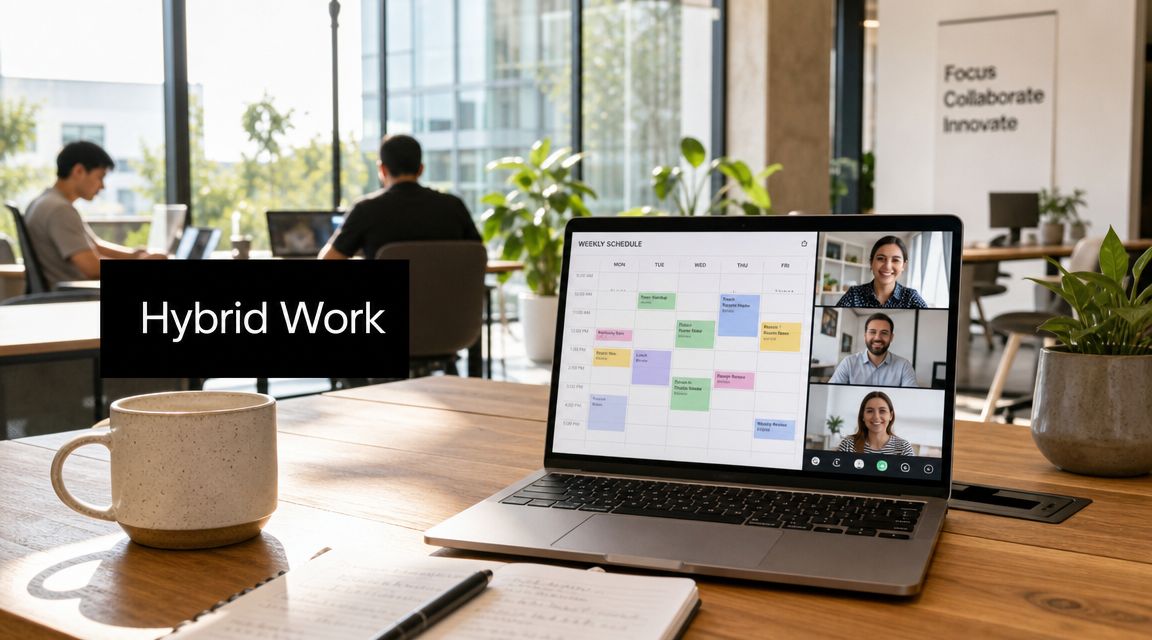
About 50% of remote-capable employees now work in a hybrid arrangement, while 30% are fully remote and 20% are fully on-site, according to Gallup's January 2025 snapshot summarized by Aura in this roundup of hybrid work data. That should change how leadership teams frame the question.
The issue isn't whether hybrid work schedules are real. They are. The harder question is how to make them productive, fair, and sustainable when people aren't all in the same place at the same time.
Most first-draft hybrid policies fail because they focus on location math. Two days here, three days there, team A on Tuesday, team B on Thursday. That's not enough. Strong hybrid systems are built around time architecture: when people collaborate, when they protect deep work, how they document decisions, and how they avoid turning flexibility into chaos.
A workable policy has to do four things at once. It has to support output, preserve coordination, reduce ambiguity, and protect fairness. If any one of those breaks, managers revert to attendance-based thinking, employees start negotiating exceptions one by one, and trust erodes fast.
Choosing Your Foundational Hybrid Model
A hybrid policy gets easier once you stop treating every team the same. The starting point is choosing the operating model that fits your work, not the one that sounds modern.
Compare the three common models
| Model | Structure | Best For | Key Challenge |
|---|---|---|---|
| Fixed | Specific in-office days set by the company or team | Roles with shared equipment, client visits, onboarding intensity, or tightly coupled work | Can feel rigid if the office days don't match actual work rhythms |
| Flexible | Employees choose where they work within broad rules | Knowledge work, experienced teams, hiring across geographies, autonomy-driven cultures | Coordination friction if calendars, norms, and documentation are weak |
| Split-week | A regular mix such as shared collaboration days plus remote focus days | Teams that need both recurring face time and predictable quiet work | Easy to oversimplify into location tracking instead of outcome design |
A fixed model works well when people need each other in the same place for practical reasons. Think regulated functions, client-facing operations, labs, secure environments, or teams still building basic operating discipline. The benefit is predictability. The cost is reduced autonomy.
A flexible model suits organizations that already manage by goals, not by visibility. It's often the cleanest fit for distributed product, engineering, marketing, design, and support teams. But it only works when managers know how to run clear handoffs, written updates, and decision logs. If you're still relying on hallway alignment, flexibility will expose that weakness.
Match the model to the work
The right choice usually comes down to three filters:
- Role dependency: Does the work require live coordination, physical assets, or secure environments?
- Management maturity: Can leaders assess outcomes without relying on presence?
- Employee experience: Will the model feel understandable and fair across teams?
Practical rule: If managers can't explain why office time exists for a role, employees will treat it as symbolic compliance.
The split-week model is the one many companies choose first because it feels balanced. It can work. But the mistake is making the split the strategy. A two-day office rule doesn't tell employees which activities belong in person, which should happen asynchronously, or how to protect concentration time. That's where hybrid plans start to drift.
If your leadership team is still pressure-testing different operating assumptions, this guide to managing a hybrid workforce is useful because it pushes the discussion beyond blanket attendance rules and into management design.
A practical selection test
Use this short test before writing policy language:
- List role clusters, not job titles. Group work by dependency pattern.
- Name the purpose of in-office time. Collaboration, training, customer work, equipment access, or culture-building.
- Identify where flexibility can safely vary. Some functions need fixed anchors. Others don't.
- Decide what must be standardized. Core hours, meeting norms, documentation, escalation paths.
- Support the model with tools. If the structure depends on smooth in-person and remote coordination, your meeting workflow and scheduling stack have to support it. Teams evaluating that side of the setup usually start with dedicated hybrid work solutions.
A policy built on the wrong foundational model will create endless exceptions. A policy built on the right model can absorb them.
Crafting a Clear and Equitable Hybrid Work Policy
The most overlooked part of hybrid policy writing is equity. Leaders often define who can work remotely before they define how they'll prevent unequal access to information, visibility, and advancement.
Without intentional design, hybrid policies can create “second-class” employees, and Corporate Learning Network warns that flexible work can become unfair unless leaders audit perks and policies for inclusion and design meetings for both in-person and remote participants, as summarized in this piece on hybrid inequality and the two-tier workforce.

Start with fairness, not perks
A strong policy answers one uncomfortable question early: Who gets access to flexibility, and why?
That doesn't mean every role gets the same schedule. It means eligibility must be based on business requirements, role realities, and performance expectations. If one team gets broad autonomy and another gets strict controls, the company needs a defensible rationale that managers can explain consistently.
Watch for these policy traps:
- Undefined eligibility: “Manager discretion” sounds flexible, but it often produces inconsistent decisions.
- Invisible exceptions: If exceptions are not openly communicated, employees assume favoritism.
- Office-first opportunities: Promotions, stretch projects, and informal access can start clustering around people who are physically present.
Hybrid fairness is less about identical treatment and more about consistent access to information, opportunity, and voice.
What the document needs to say
Your written policy should cover the basics, but the wording matters. Ambiguous language creates negotiation loops.
Include these components:
- Eligibility rules: Define which roles are hybrid-eligible and the business conditions attached to that status.
- Core expectations: Spell out work hours, availability windows, response standards, and how attendance is handled for planned in-person sessions.
- Communication norms: Clarify which channels are used for urgent issues, routine updates, approvals, and decision records.
- Equipment and security: Set minimum standards for home workspaces, device use, confidentiality, and data handling.
- Performance management: State clearly that evaluation is based on outcomes, quality, reliability, and collaboration, not visibility.
- Review cycle: Build in periodic review so the policy can evolve without becoming a recurring argument.
Design for equal participation
Meeting design is one of the fastest ways to reveal whether a policy is equitable. If a conference room conversation drives decisions that remote participants can barely hear, your organization has already told people whose voice matters more.
Use practical meeting rules such as:
- Everyone joins with equal access to agenda and notes.
- Decisions are documented in shared systems, not remembered by whoever was in the room.
- Managers rotate visibility. Don't give every high-stakes presentation to the people who happen to be on-site.
- Perks get audited. Training, mentoring, recognition, and informal access should be available across work modes.
The best hybrid policies feel operational, not aspirational. They leave less room for status games and more room for good work.
Designing Schedules for Productivity and Collaboration
A lot of hybrid work schedules fail because they confuse place with coordination. The actual design problem is time.
Most guides explain schedule types but not how to create cross-border collaboration windows or no-meeting blocks. McKinsey found that workers averaged 3.5 days in the office in fall 2022, which is one reason companies need stronger time design instead of endless debate over location labels, as noted in McKinsey's research on hybrid places and office use.

Build a weekly rhythm
The most effective hybrid schedules usually separate work into three lanes:
- Synchronous collaboration: Meetings, workshops, coaching, complex decisions
- Focused execution: Writing, analysis, coding, planning, review
- Asynchronous coordination: Status updates, approvals, handoffs, documentation
That's the basis of time architecture. Instead of saying, “Be in office Tuesday and Wednesday,” say what those windows are for. For example, Tuesday may be for cross-functional planning and one-to-ones. Wednesday may be for team workshops and onboarding. Thursday morning may be protected for focused work with no recurring internal meetings.
A simple design pattern that works
For many teams, a practical weekly pattern looks like this:
| Work block | Primary purpose | Typical format |
|---|---|---|
| Shared collaboration window | Decisions that benefit from real-time discussion | Team syncs, workshops, stakeholder reviews |
| Protected focus block | Deep individual output | No internal meetings, async updates only |
| Async handoff period | Status, documentation, approvals | Project tools, chat summaries, recorded updates |
Leaders often discover that hybrid scheduling is really a management discipline. If your team needs constant live clarification to move work forward, adding flexibility won't solve the underlying issue.
Design around overlap, not convenience
Cross-time-zone teams need explicit overlap windows. Don't leave this to calendar luck.
A workable approach:
- Set a limited collaboration window where teams can expect live interaction.
- Protect timezone-safe focus time outside that window.
- Use async updates by default for status reports and non-urgent decisions.
- Reserve live meetings for ambiguity, conflict, coaching, and complex trade-offs.
If every issue becomes a live meeting, your hybrid schedule isn't flexible. It's just distributed interruption.
Leaders who want more practical operating discipline can borrow from these expert steps for remote teams, especially around norms, accountability, and communication habits that carry over well into hybrid environments.
Make meetings do less, but better
A common mistake is turning in-office days into wall-to-wall meetings. People commute in and then spend the day on video calls or status reviews that could have happened asynchronously. That wastes the exact bandwidth that physical presence is supposed to create.
Use live sessions for:
- Decision-making: when trade-offs need discussion
- Relationship work: coaching, onboarding, trust-building
- Creative collaboration: planning, retrospectives, problem-solving
- Sensitive topics: performance, conflict, change management
Keep routine reporting out of those slots. If a team member can read it, don't book it.
For organizations refining the meeting layer of their hybrid operating system, these hybrid meeting best practices are useful because they focus on participation quality, structure, and follow-through rather than just call logistics.
Sample patterns by team type
Different teams need different rhythms.
- Product and engineering: Shared design or sprint planning windows early in the week, long protected build blocks later.
- Sales and customer teams: Office days aligned to pipeline reviews, coaching, and client preparation, with remote time reserved for execution and follow-up.
- People and operations teams: Predictable office presence for onboarding, employee relations, and leadership alignment, with quiet blocks for policy work and analysis.
The strongest hybrid work schedules don't ask, “Where should everyone be?” They ask, “What kind of work should happen when, and how do we support it well?”
Integrating Tools for a Seamless Hybrid Experience
Technology is the operating layer that keeps hybrid work schedules coherent. If your stack is fragmented, employees will spend more time chasing context than doing work.
Professionals in hybrid roles report the highest engagement rate at 35%, and 76% cite improved work-life balance, according to Cisco's 2025 hybrid work findings in this Cisco study summary PDF. Tools aren't the whole explanation, but they matter because hybrid work breaks down quickly when access, documentation, and meeting flow are unreliable.

Put one system at the center of live collaboration
Your meeting platform should be the hub for synchronous work. It needs to support recurring team meetings, training, stakeholder sessions, and recordings without creating access barriers for remote participants.
A practical stack usually looks like this:
- Video platform: for live discussions, training, and working sessions
- Project system: for tasks, owners, deadlines, and status
- Team chat: for quick coordination, not permanent decisions
- Shared docs: for agendas, notes, policies, and decision records
- Calendar layer: for visibility into collaboration windows and protected time
One browser-based option is AONMeetings, which supports HD video meetings, webinars, recording, and AI-generated transcripts without requiring software installs. In a hybrid setup, that matters when some participants are joining from managed office devices and others are joining from home or client locations.
Connect synchronous and asynchronous work
The handoff after the meeting matters more than the meeting itself.
Use a simple workflow:
- The agenda lives in a shared document before the meeting.
- Decisions and actions are captured during the session.
- Recording or transcript access supports anyone who couldn't attend live.
- Action items move into the project system with clear owners.
- Calendar links keep recurring collaboration visible and consistent.
That final step gets overlooked. If teams constantly rebuild schedules manually, hybrid discipline slips fast. Calendar-connected scheduling helps recurring office days, manager check-ins, and team syncs stay predictable. For teams tightening that part of the workflow, Google Calendar add-ons for scheduling and coordination can reduce friction.
Tool sprawl is a policy problem
When leaders say hybrid work feels messy, the issue often isn't flexibility. It's ungoverned tooling.
A team doesn't need more apps. It needs agreement on where work starts, where decisions live, and where follow-up happens.
Set simple rules. Chat is for quick coordination. Shared docs hold official notes. Project tools hold tasks and deadlines. Meetings are for issues that need real-time discussion. Once those boundaries are clear, the schedule becomes much easier to run.
Piloting Measuring and Optimizing Your Schedule
A first hybrid policy should be treated as a draft under real operating conditions, not as a final answer. The safest way to launch is with a pilot.
A six-month trial of a hybrid schedule at a Chinese technology company found no performance degradation, while job satisfaction increased and quit rates fell by one-third, from 7.2% in the control group to 4.8% in the hybrid group, as reported in this peer-reviewed study on hybrid work trials. That result matters less as a universal promise and more as a management lesson: evaluate hybrid schedules through outcomes, not attendance.

Start small and choose a real test group
Don't pilot with the easiest team in the company. Choose a group that reflects the actual complexity you'll face. That usually means a team with cross-functional dependencies, a mix of seniority levels, and managers who are willing to follow the process.
A useful pilot charter includes:
- Scope: which team, roles, and workflow types are included
- Duration: long enough to observe patterns, not just first-week reactions
- Success criteria: output, quality, coordination, engagement, and retention signals
- Decision rights: who can approve adjustments during the test
Measure outcomes, not activity
In such situations, many organizations regress into bad habits. They track badge swipes, green dots, or camera time because those metrics are easy to see. None of them tells you whether the schedule is working.
Instead, use output-based measures such as:
| Metric area | What to watch |
|---|---|
| Delivery | Project completion, task turnaround, milestone reliability |
| Quality | Error rates, rework, stakeholder satisfaction with deliverables |
| Collaboration | Cross-team responsiveness, documentation quality, meeting effectiveness |
| People outcomes | Engagement signals, manager feedback, retention patterns |
The balanced-scorecard approach is practical here. Track productivity, collaboration, engagement, cost efficiency, and retention together. That prevents one loud complaint, or one charismatic manager, from defining the whole result.
Add qualitative feedback before making policy changes
Numbers alone won't tell you why a schedule is failing.
Use:
- Pulse surveys for broad signals
- Manager check-ins for workload and coordination issues
- One-to-ones for individual friction that won't surface publicly
- Retrospectives for process fixes at the team level
You're looking for patterns such as meeting overload, unequal visibility, unclear response expectations, or office days with no real purpose.
Operating principle: If employees can't explain why a schedule helps them work better, they'll treat it as control rather than support.
Iterate with discipline
After the pilot, adjust a few variables at a time. Don't rewrite the whole model because one team disliked a specific office day or one manager struggled to adapt.
Change only what the evidence supports:
- Tighten or loosen collaboration windows.
- Clarify which meetings must be live.
- Fix manager expectations around availability.
- Improve documentation and follow-up workflows.
- Retrain before relaunching.
The best hybrid work schedules are built through repeated refinement. That's not a weakness in the model. It's how an operating model matures.
Answering Your Hybrid Work Questions
Managers usually run into the same three problems after rollout. The policy looks clear on paper, but day-to-day friction shows up in exceptions, meeting habits, and perceived fairness.
| Question | Answer |
|---|---|
| What if one manager wants everyone in more often than the policy requires? | Give managers limited discretion, but define the boundary. They can request extra in-person time for specific business reasons such as onboarding, planning, or client preparation. They shouldn't quietly rewrite company policy team by team. Require the reason, duration, and expected outcome to be explicit. |
| How do we handle employees who abuse flexibility? | Treat it as a performance or conduct issue, not an argument against hybrid work itself. Review missed deadlines, poor responsiveness, low-quality handoffs, or repeated non-compliance with agreed norms. Then address those behaviors directly through normal management processes. |
| How do we keep remote employees from being overlooked? | Build visibility into the system. Document decisions in shared spaces, rotate high-visibility work, structure meetings so remote participants can contribute fully, and review promotion and development patterns for bias. If access to opportunity depends on hallway presence, the policy isn't working yet. |
A few rules worth keeping in front of managers
- Keep exceptions visible: Hidden arrangements undermine trust faster than strict rules do.
- Separate preference from requirement: Employees can have preferences. The business can have legitimate needs. Good policy makes the line clear.
- Train managers continuously: Hybrid leadership is a learned capability, especially around communication, performance coaching, and equitable participation.
When hybrid work schedules hold up under pressure, it's usually because the organization made fewer assumptions and documented more decisions.
If your team is building a hybrid operating model, AONMeetings can support the meeting layer with browser-based video conferencing, recordings, AI-generated transcripts, webinars, and scheduling workflows that help distributed teams coordinate synchronous and asynchronous work without adding software friction.