
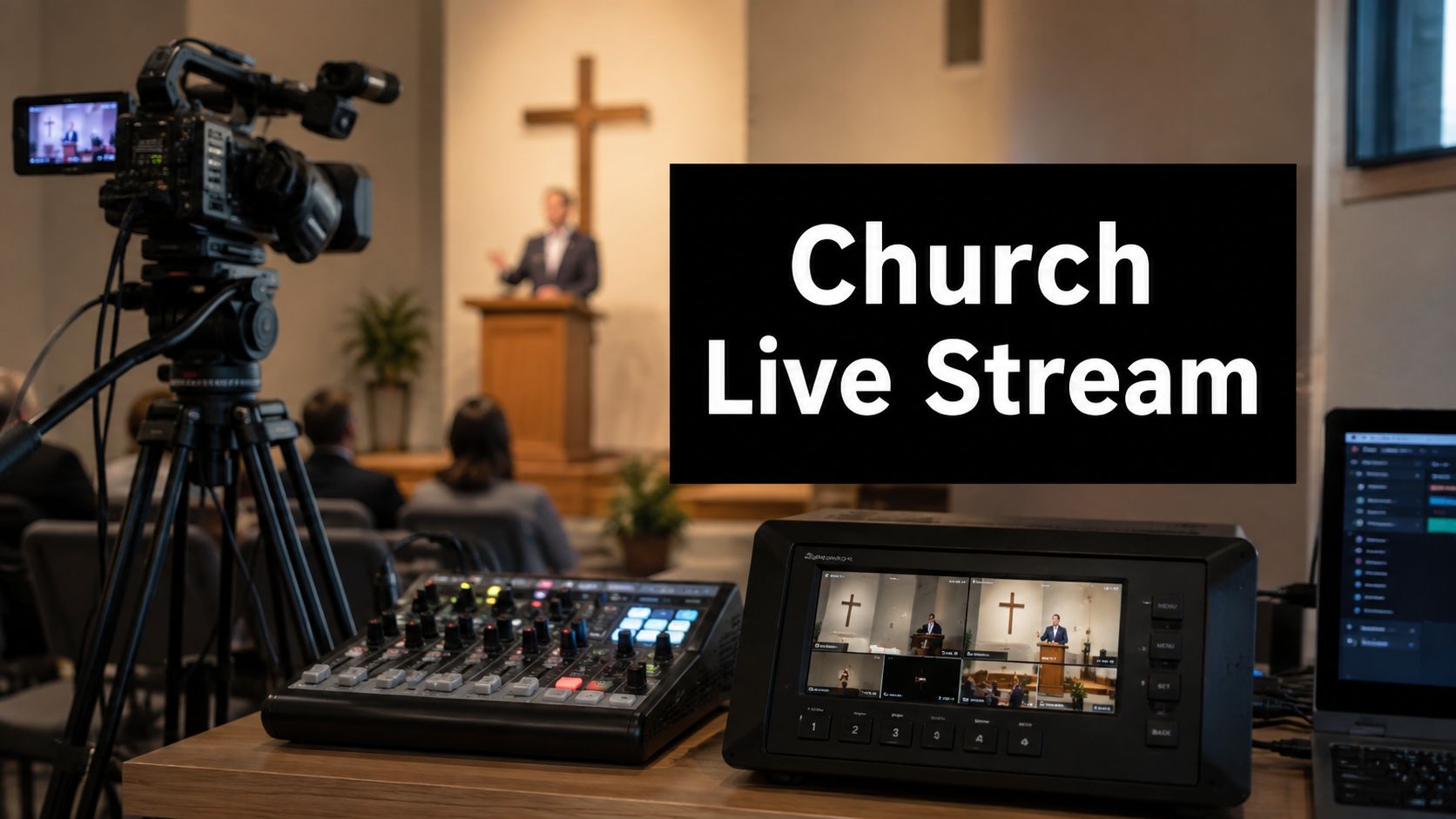
Sunday morning is already busy enough without a last-minute message from the back row saying the stream is frozen, the pastor's voice sounds distant, or the feed never made it past the opening song. Most churches do not lose viewers because they picked the wrong camera. They lose them because the church live streaming setup was treated like a side project instead of part of Sunday's core ministry workflow.
That's the shift. One industry summary says only about 22% of churches were streaming in 2019, then around 97% were offering some form of online service within months of the COVID-19 pandemic, and another estimate says roughly 65% to 70% of U.S. Protestant churches now offer livestreaming Vanco's church live streaming summary. The question is no longer whether churches should stream. It's whether the setup will hold up when the sanctuary is full, the volunteers are tired, and the service runs long.
The churches that get this right plan for cameras, audio, encoding, and stable internet as infrastructure, not as a weekend experiment. A broader church technology roadmap from Grain's church tech growth guide fits that mindset well, because streaming is only one part of a larger digital ministry stack. Reliable streaming starts with a realistic view of what Sunday looks like, not what the gear box promises.

Why Your Church Needs a Reliable Live Streaming Setup
A church can have a beautiful sanctuary and still deliver a frustrating stream if the live setup isn't built for worship conditions. I've seen volunteer teams spend hours getting a camera framed perfectly, only to lose the audience because the audio was thin, the Wi‑Fi dipped, or the encoder rebooted mid-service. The problem usually isn't effort. It's that the workflow wasn't designed for the way churches operate.
The shift to online worship is now part of the ministry baseline. A dependable church live streaming setup isn't about chasing trends, it's about staying reachable when someone is sick, traveling, homebound, or watching from the couch because that's how they engage now. The adoption numbers make that clear, and they also explain why churches that wait too long end up scrambling to retrofit Sunday in the middle of Sunday.
Practical rule: build the stream like a service instrument, not a novelty item. If it has to survive volunteers, full pews, and a changing service order, it needs a repeatable path from source to platform.
What failure looks like on Sunday
A stream that starts late, cuts out during prayer, or buries the sermon under room noise does more than look unprofessional. It interrupts participation. The average church livestream viewer reportedly watches for 30 to 45 minutes, which is long enough for technical problems to matter, but not so long that people will wait around forever for the feed to recover BoxCast church streaming guide.
That's why the operational mindset matters. The setup has to handle the whole service, not just the opening shot. If a congregation wants remote attendance to feel like part of the church, the stream has to sound intelligible, stay online, and recover gracefully when something in the room changes.
The ministry lesson behind the tech
Streaming is no longer a separate branch of church life. It's tied to attendance, accessibility, and continuity. Churches that treat streaming as a real ministry channel tend to think in terms of repeatable systems, not one-off fixes. That means making room in the budget for stable internet, sensible gear choices, and a workflow volunteers can run without panic.
The strongest setups are rarely the flashiest. They're the ones that keep working after the room fills up, the sermon runs long, and the person running slides gets pulled away to solve another problem.
Assessing Your Church Streaming Needs Before Buying Gear
The fastest way to waste money is to shop before you know what the stream has to do. A small church that only streams sermons from one camera needs something very different from a multi-service campus that wants lyrics, scripture, prayer moments, and a second angle on the worship team. The right answer depends on the room, the team, and the way people watch.
Start with the audience. If most viewers only need to hear the message clearly, then audio carries more weight than camera polish. If the church is trying to stream full worship sets, multilingual services, or choir-led liturgy, the sound mix has to be treated as a primary requirement, not a box to check after the video gear is chosen.
Questions worth answering before anyone shops
A good assessment starts with hard questions, not product pages.
- How many people watch online? A growing online audience can justify better capture and more consistent operation, while a modest audience may only need a clean, dependable single-camera feed.
- Who will run it? If the answer is a rotating volunteer team, then simplicity matters more than features that require training.
- What does the sanctuary sound like? Echo, music balance, and speech clarity can make a basic camera setup look far better than a premium camera with poor audio.
- What needs to appear on screen? Some churches need only the speaker. Others need lyrics, scripture, lower thirds, or multiple camera angles.
- How much network headroom do you really have? The internet connection has to support streaming even when the building is busy.
A church with a strong teaching emphasis can often keep the video path simple and invest more in microphones, mix balance, and stream stability.
That last point is easy to overlook. A stream viewer can forgive modest video if the sermon is crisp and the music isn't distorted. It's much harder to forgive choppy audio or a feed that drops in the middle of a prayer.
Match the system to the room, not to the catalog
Sanctuary size changes everything. In a smaller room, a single fixed camera may be enough. In a larger space, you may need a better lens, a longer HDMI run, or a camera position that avoids blocked sightlines. Acoustic environment matters just as much. A reverberant room can make even good microphones sound muddy if the mix isn't controlled.
That's also why “more gear” isn't automatically better. A church with volunteers and limited time usually benefits from a setup that is easy to start, easy to test, and hard to break. If the plan requires several conversions, multiple operators, and a perfect Sunday every week, it's too fragile.
The best budget is the one that protects the bottleneck. In many churches, that bottleneck is not the camera. It's the mix, the network, and the ability of the team to run the same process every week without confusion.
Choosing Hardware for Different Budget Tiers
A church does not need to buy everything at once, but it does need to buy in the right order. Start with the parts that keep the stream alive under Sunday pressure, video capture, audio capture, switching or encoding, then the support gear that holds the chain together. Once the workflow is clear, hardware choices become much easier to judge.
The main trade-off stays the same. More inputs and more features usually mean more setup complexity. A simpler direct path from camera to encoder to platform is often more reliable than a broadcast-style chain with extra conversions, especially when volunteers are involved. For churches that want a practical reference point for how live streaming workflows are usually assembled, Nucleus church live streaming workflow is a useful example. Polish is secondary, the priority is removing failure points so the stream holds up week after week.

Hardware tiers that actually make sense
| Tier | Camera Options | Audio Solutions | Switcher/Encoder | Best For |
|---|---|---|---|---|
| Entry-level | Smartphone, basic camcorder, or one fixed camera | Feed from the soundboard into a basic interface | Simple USB capture or all-in-one encoder | Small teams, sermon-only streams, limited budget |
| Mid-range | Mirrorless camera or better camcorder, one or two angles | Dedicated mixer feed, handheld mic support, audio interface | Multi-input switcher or software encoder | Churches that want more control without a full production crew |
| Professional | PTZ cameras, multiple fixed angles, long-run installations | Separate broadcast mix, dedicated monitoring, backup paths | Hardware switcher with graphics and multiple inputs | Larger sanctuaries, complex services, trained operators |
For churches comparing workflows and equipment categories, the practical overview at AONMeetings video conferencing equipment guidance helps frame how capture, software, and browser-based delivery fit together without overbuilding the system.
What to prioritize at each tier
Entry-level setups should aim for consistency. A single camera, a clean audio feed from the board, and a stable encoder are enough if the church wants a dependable sermon stream. That usually means spending less on video features and more on the path that keeps audio clear, because viewers will tolerate modest pictures more readily than broken sound.
Mid-range systems earn their keep when the service has more movement. If the worship team, the pastor, and the lyric slides all matter, a two-camera or multi-input workflow starts to make sense. A better switcher and a real monitor setup help volunteers catch problems before the audience does, which matters when the room gets busy and the person running the stream is also helping elsewhere.
Professional systems fit churches that need the stream to behave like a standing ministry channel. PTZ cameras, fixed presets, and a hardware switcher can make sense in bigger rooms, but only if the team has the discipline to test and maintain them. The extra capability is useful only when the people running it can keep the system repeatable from week to week.
For churches without dedicated AV staff, it is often smarter to buy fewer pieces and mount them well than to chase a feature list that no one can operate consistently on Sunday morning. That usually produces a calmer setup, fewer last-minute fixes, and better odds of getting the same result every service.
Selecting Software and Streaming Platforms
A church can have good cameras and still deliver a poor stream if the software is hard to run on a Sunday morning. Volunteer teams need a workflow they can repeat under pressure, with clear steps for starting, checking, and stopping the broadcast. That usually favors software with a plain interface and a platform that matches the team's actual skill level.
The platform choice and the software choice are often conflated, but they serve different purposes. One tool produces the stream, and another receives it. Many churches start with YouTube Live or Facebook Live because the audience already uses those services, while other teams prefer a browser-based workflow or a church-specific platform that keeps more of the process in one place. If your team wants a web-first setup without adding extra desktop software, AONMeetings is one browser-based option for live video sessions and RTMP workflows. For churches that are new to the service, a guide to YouTube Live setup can help clarify the basics before Sunday rehearsal.

Platform choice depends on control and comfort
YouTube Live is familiar to many viewers and works well when reach matters. Facebook Live can fit congregations that already use that channel for announcements and community interaction. A church-specific or browser-based platform can make moderation, branding, and service-day workflow easier if the team wants fewer moving parts during the broadcast.
Software selection should follow the operator's ability to handle it under real worship conditions. OBS Studio gives a church a lot of control, especially for overlays and multi-source production, but that control comes with a steeper learning curve. vMix fits teams that need deeper switching and a more polished production environment, while Streamlabs can suit lighter streaming needs if the church checks that the feature set matches how the service is run. The right fit is the one volunteers can operate without panic when the countdown is already rolling.
Accessibility belongs in the decision
Captions matter for more than one audience. Remote worship should be easier to follow for people with hearing challenges, for viewers in noisy homes, and for guests who are still learning the order of service. The platform should support that access without forcing the team into a complicated workaround.
If the software requires a volunteer to click through five menus before every service, it's too complicated for most church teams.
That practical test matters more than a long feature list. A system that fits the church's normal Sunday flow will usually serve better than a powerful system that only works when one experienced operator is available. The goal is repeatable operation, not a setup that depends on perfect staffing.
The team should also think about what happens after the live service ends. If replay, sharing, and long-term access matter, then recording support and reuse options should weigh into the decision as much as the live production tools. Churches that want a clearer comparison of service delivery options can also review the technical specification page before settling on a platform.
Configuring Network and Bandwidth for Stable Streams
A church can have the camera, switcher, and encoder all lined up, then lose the stream because the network was treated like an afterthought. That failure shows up fast in a sanctuary, especially when guest Wi‑Fi, staff phones, tablets, and laptops are all pulling on the same connection. A wired path keeps the stream from competing with the rest of the building.
Church teams that want a cleaner comparison of service delivery options should also review a technical specification page for detailed bandwidth requirements. The point is not to chase the biggest number on a speed test. The point is to leave enough headroom that the stream can stay steady while people in the room are using the network.
One setup guide is blunt about it, saying never use Wi‑Fi for church livestreaming, and another recommends a minimum 10 Mbps upload for 1080p plus a separate stream mix from the FOH board Ruah Creative House church livestream setup guide. Another guide notes that 1080p streaming is often planned around 5 Mbps video bitrate, while leaving extra headroom above the target bitrate is the safer move. Those recommendations all point the same direction, keep the path simple and build margin into the connection.

Network habits that prevent Sunday problems
- Use Wired Ethernet. Connect the encoder or streaming computer by cable, not by Wi‑Fi, so the stream does not compete with everyone else's devices.
- Test Upload Speed. Run tests during the actual service window, not only in a quiet office on Tuesday afternoon, because peak usage is what exposes weak connections.
- Set Bandwidth Priorities. Keep streaming traffic separate from guest access and other building use whenever possible.
- Have a Backup Connection. Even a modest backup path is better than relying on a single point of failure.
The practical advice in AONMeetings bandwidth guidance for Wi‑Fi environments is useful here because shared networks are unpredictable and should be treated with caution. Church teams do better when they treat the stream like its own service, not another device hanging off the same crowded connection.
Stability is a process, not a setting
Upload speed matters, but consistency matters too. A connection that spikes and drops is worse than a slower one that stays steady. That means teams should watch the upload at the venue during real service conditions, then confirm the stream itself is holding a stable bitrate without drops.
A separate network for streaming devices is worth considering when the building is crowded or the volunteer team has to share the space with other users. Even if the church cannot isolate everything, reducing contention gives the encoder a better chance to stay locked in.
Reliable streaming comes from boring discipline. Cable in, test at the right time, reduce the load, and leave room to breathe.
Testing, Launch, and Ongoing Troubleshooting Tips
The last thing to check before going live should never be the first thing that matters. Churches need a launch routine that catches problems before the audience does, and that routine has to be simple enough for volunteers to repeat without a written novel on the desk. The best teams make testing part of Sunday, not an optional extra.
Start with the basics. Confirm the correct platform destination, verify the stream key, check video framing, and listen to the audio through headphones from the public feed. The remote viewer needs a clean mix, not just a signal that looks healthy on the mixer meter.
A launch checklist that catches the common failures
- Confirm audio at the source. The feed from the soundboard or interface should already sound balanced before it reaches the encoder.
- Check framing on the monitor. Make sure the pastor, worship leader, or stage area is in shot, not partially cut off.
- Run a private test stream. Watch for dropped frames, bitrate swings, audio balance issues, and framing errors before the public sees anything.
- Verify the public feed on another device. One volunteer should listen with headphones and watch the output, not just the operator view.
- Keep a local recording backup. If the live uplink fails, you still have the sermon and service content.
The meter can look perfect while the stream is still broken on the viewer side. A second device is the easiest way to catch that gap.
That last point matters because several failure modes only appear once the stream is leaving the building. A good-looking local monitor doesn't guarantee the public feed is clean. A private test stream is the safer rehearsal because it shows how the platform receives the content, not just how the operator sees it.
Quick fixes volunteers can handle
If the audio feeds back, lower the offending microphone and check whether the monitor speakers are too hot. If the stream lags, simplify the setup and close anything unnecessary on the streaming computer. If the connection drops, the team should know how to restart the uplink quickly without rebuilding the whole service.
Keep the workflow repeatable from week to week. Update software on a schedule, check cables before service, and label every input clearly so a substitute volunteer isn't guessing under pressure. A church stream stays reliable when the team treats maintenance as part of ministry, not a cleanup task after things go wrong.
If your team wants a simpler way to manage live worship sessions, AONMeetings offers browser-based live video sessions and RTMP streaming that fit a practical church workflow without adding extra software clutter. It's worth reviewing if you need a setup that volunteers can learn quickly and run consistently. Visit AONMeetings and see how a browser-based approach can support your church live streaming setup.