
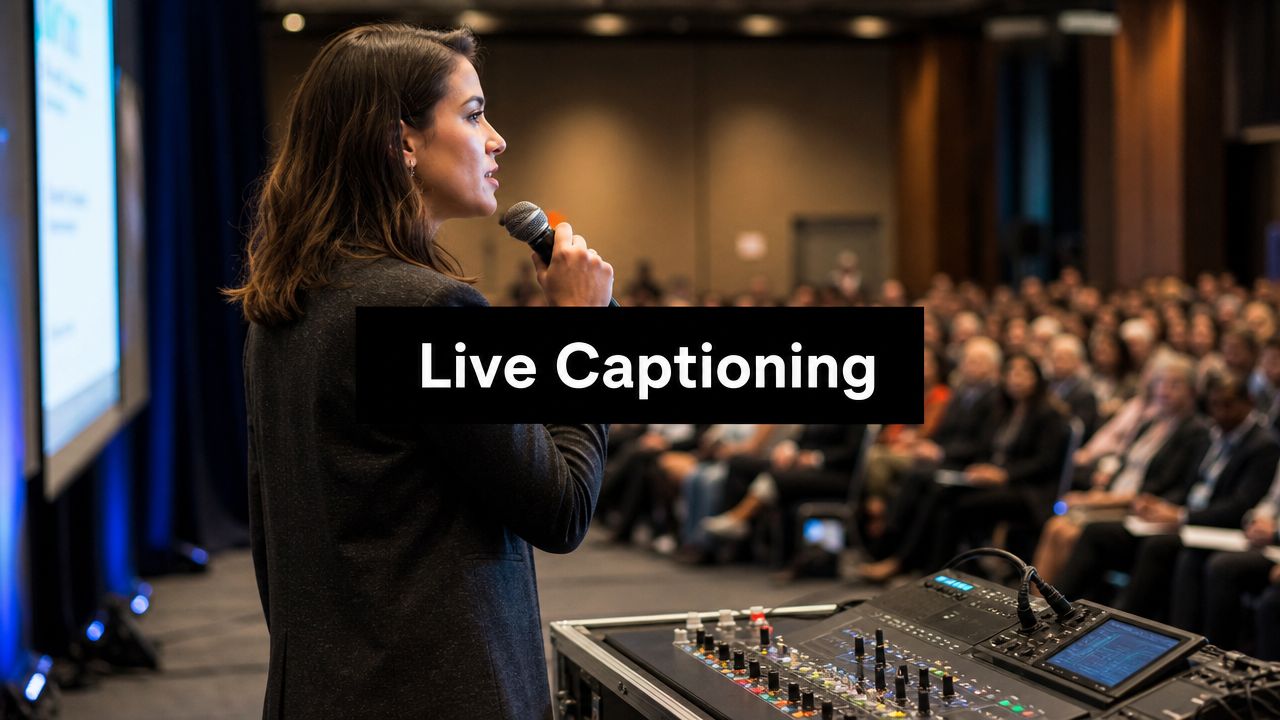
Your AV team is locking in microphones. The streaming producer wants a clean feed. A speaker just asked whether captions will appear in the room, inside Zoom, and in the recording. This is the moment when many event teams realize closed captioning for live events isn't a box to check. It's a live production workflow that has to hold up under pressure.
Most planners still treat captions as an accessibility add-on. That overlooks how people use them. Eighty percent of individuals who use captions do not have a hearing impediment, according to SpotMe's write-up citing Verizon Media data. In practice, that means your caption audience includes people in noisy venues, remote attendees with weak audio, non-native speakers, and viewers who follow spoken content better when they can read along.
The good news is that this is manageable. You don't need a broadcast truck mindset to do it well, but you do need the right decisions in the right order. The biggest one comes first. Choose the captioning method that matches your event's stakes, your budget, and your tolerance for latency, because every downstream choice depends on that.
Introduction
Closed captioning live events succeeds or fails long before the first speaker walks on stage. The event team usually feels the pressure at the same point: one audience is sitting in a ballroom, another is joining remotely, and both expect captions to appear fast enough to follow the conversation naturally.
That pressure gets worse when the team assumes captions are only for compliance. They aren't. They also improve comprehension, reduce listener fatigue, and help attendees stay engaged when audio conditions aren't ideal. That broader use case is why captioning now belongs in event operations, not as an afterthought attached to the stream.
The practical challenge is straightforward. You need to decide whether human captioning, AI captioning, or a hybrid model fits your event. Each can work. Each also fails in predictable ways when used in the wrong context.
Working rule: Don't choose a captioning method based on feature lists. Choose it based on speaker complexity, event format, and how much real-time correction you can support.
Here's the simplest way to think about it. Human captioners handle nuance best. AI systems scale fast and deploy quickly. Hybrid setups often give organizers the best middle ground when the event needs better quality than raw automation but can't justify full human coverage for every session.
Selecting Your Live Captioning Method
A bad captioning decision usually comes from oversimplifying the options. Teams compare “human versus AI,” then stop there. For most hybrid events, that's too narrow. The choice is between CART, ASR, and a hybrid workflow that combines both.
What each method actually means
CART stands for Communication Access Realtime Translation. A trained human captioner listens to the event audio and produces live text. This is still the safest option when the content includes legal terminology, medical vocabulary, executive remarks, overlapping discussion, or heavy accents.
ASR is automated speech recognition. It works best when the audio is clean, the speakers are disciplined, and the event team needs a fast, scalable setup. It's common in webinars, recurring all-hands meetings, and lower-risk sessions where some errors are acceptable.
A hybrid model uses ASR for speed and scale, with human correction layered into the workflow. That option matters because it solves a real budgeting problem. According to TransPerfect's discussion of live closed captioning, hybrid models can cut captioning costs by up to 55% compared to full CART services, while full CART often falls in the $1,200 to $2,500 per day range.
Comparison of Live Captioning Methods
| Criterion | Human (CART) | AI (ASR) | Hybrid (ASR + Human) |
|---|---|---|---|
| Accuracy on jargon and names | Strongest option | Varies with audio quality and vocabulary | Stronger than ASR alone |
| Setup speed | Requires scheduling and prep | Fastest to activate | Moderate |
| Cost | Highest | Lowest entry cost | Mid-range |
| Best fit | High-stakes, public-facing, regulated events | Internal meetings, simple webinars, low-risk sessions | Hybrid conferences, SMB events, mixed-risk programs |
| Handling messy live discussion | Better at nuance and speaker changes | Often struggles | Better than AI alone |
| Scalability across sessions | Harder to scale quickly | Easiest to scale | More scalable than full CART |
How to choose without overbuying
If the event is investor-facing, public, legal, healthcare-related, or educational, I'd lean toward CART or hybrid. The more consequences attached to a mis-captioned phrase, the less attractive raw ASR becomes.
If you're running multiple breakout sessions with moderate complexity, hybrid often gives you the best balance. You preserve more accuracy where it matters without carrying the full cost of human-only coverage across the entire program.
A useful planning question is this: What happens if the captions are wrong for thirty seconds?
If the answer is “not much,” ASR may be enough. If the answer is “we confuse attendees, undermine trust, or create accessibility risk,” move up the quality ladder.
For teams comparing event delivery formats, it also helps to understand how streamed sessions differ from more controlled broadcast-style sessions. This overview of webcasts and how they're typically structured is useful when you're deciding where captions need tighter production control.
Don't buy premium captioning for every session by default. Reserve the highest-accuracy workflow for the sessions that carry the highest reputational or operational risk.
What works and what doesn't
What works:
- Match the method to the content: Keynotes and regulated content deserve better captioning coverage than casual networking.
- Budget for preparation, not just runtime: Names, acronyms, and slides improve outcomes before the event starts.
- Separate “available” from “usable”: Captions that technically exist but arrive late or garbled won't help your audience.
What doesn't:
- Turning on platform auto-captions and hoping for the best
- Using one method across every session regardless of complexity
- Assuming the cheapest option stays cheap once live troubleshooting begins
Assembling Your Technology and Platform Stack
Most closed captioning live events problems start in the audio path, not the captioning software. If the captioner or ASR engine gets muddy, compressed, or mixed audio, the text will degrade fast. The stack doesn't need to be complicated, but every handoff needs a purpose.
Build the signal chain from the microphone outward
Start with the microphones. Lavaliers, handhelds, podium mics, and panel table mics all need to feed a mixer that's being managed for speech clarity, not just room volume. Music playback, walk-in tracks, and room ambience can make the audience happy in the venue while making captions worse.
The captioning feed should usually come from a clean aux send or a similarly isolated output. That feed should prioritize spoken voice and avoid unnecessary room noise. If your audio engineer says, “We'll just send whatever goes to the house mix,” that's where trouble often begins.

A practical stack for hybrid delivery
A working stack usually looks like this:
- Capture speech clearly with appropriate microphones and disciplined mic technique.
- Process audio through the mixer so speech stays intelligible.
- Send a dedicated feed to the captioning provider or engine.
- Encode and route caption data to the room display path and the virtual platform path.
- Monitor both outputs separately because the in-room and remote experiences won't fail in the same way.
That last point matters more than many might anticipate. The ballroom confidence monitor can look perfect while the embedded remote captions drift several seconds behind the speaker.
Platform choices affect how hard this becomes
Your event platform determines whether captions are easy to display, easy to embed, and easy to troubleshoot. Browser-based platforms usually reduce friction because attendees don't have to install anything and support staff can validate the caption view quickly from multiple devices.
Streaming protocol choices also matter once you split outputs for room screens, backup streams, or webcast destinations. If your production team is deciding between transport options, this explainer on RTSP vs RTMP in streaming workflows helps clarify where each fits.
Some teams also create pre-event speaker clips to test pronunciation, overlays, and visual timing before launch. If you need fast mockups for rehearsal assets or demo sequences, tools that create studio-quality videos can make that prep easier without dragging your production crew into a full edit cycle.
The most reliable setup is rarely the fanciest one. It's the one where audio, captions, and display paths are isolated enough that one failure doesn't take down the entire audience experience.
Building a Fail-Safe Hybrid Event Workflow
Hybrid is where closed captioning live events gets difficult. You aren't serving one audience. You're serving at least two, and they experience timing differently. In-room attendees react to the stage and local display latency. Remote attendees react to the platform player, internet transport, and embedded caption timing.
That split is why many teams get caught off guard. As noted by Verbit's guidance on live event captioning, planners often struggle to support both in-room and remote attendees without degrading latency, and hybrid formats represent 60% of corporate events. The core problem isn't whether captions exist. It's whether they stay synchronized well enough for both audiences to trust them.

Use two audience paths, not one compromise path
The mistake I see most often is trying to force one caption timing standard onto both audiences. That usually produces a weak compromise. The room wants minimal delay. The remote platform often introduces more buffering and needs its own sync handling.
A stronger workflow looks like this:
- Path one for the room: Send the clean speech feed to the captioning service, then push captions to confidence monitors, projection screens, LED walls, or attendee-accessible mobile pages in the venue.
- Path two for remote viewers: Route the same speech source into the stream workflow, then embed captions natively in the webinar or meeting platform, or deliver them through a linked caption window if the platform supports it better.
These paths should originate from the same speech source, but they shouldn't be treated as identical outputs.
The workflow that prevents sync drift
Use this operational sequence on show day.
Lock the audio source early
Decide which mixer output is the official captioning feed and don't change it casually during the event. Mid-show routing changes create instant quality loss.Provide the caption vendor one stable feed
Don't send them a feed that changes every time a video roll, walk-up song, or room mic opens. Stability matters more than raw loudness.Assign one operator to monitor in-room timing
This person watches the speaker and the local display together. They should flag when room captions feel late enough to distract.Assign another operator to monitor the remote attendee view
They need to watch the platform exactly as an attendee sees it, not from a backend preview that skips normal buffering.Keep a backup display method ready
If the platform caption layer fails, you need an alternate path such as a browser-based caption page, secondary stream, or direct text display link.
If you monitor only the control room multiview, you're guessing. Monitor the actual attendee endpoints.
Where teams usually break the workflow
Three failure patterns come up repeatedly:
Audio that sounds fine in the room but is bad for captions
PA-friendly sound isn't always caption-friendly sound. Room noise, applause, side conversations, and stage playback can all contaminate the feed. The captioner needs a speech-first source, not a “whatever the audience hears” mix.
Panels and Q&A without mic discipline
A seated panel can unravel quickly when one guest leans away from the mic and another interrupts. Audience Q&A is worse if runners don't get a microphone to each questioner before they speak.
Use a repeat-back rule. If an audience member asks a question off-mic, the moderator repeats it clearly into a microphone before the panel responds. That helps the room, the stream, and the captions at the same time.
No fallback when the main path fails
A single caption output is a fragile plan. Build a backup that people can access quickly. Even a simple short URL or QR code to a browser-based caption page can rescue the experience when the embedded layer misbehaves.
The difference between amateur and professional execution
Professional teams treat captions like critical show content. They run rehearsal audio through the actual path. They verify fonts and placement on the room screens. They test the virtual platform from a normal attendee account. They prepare fallback instructions before anyone needs them.
Amateur setups assume the caption feature will “just work” because it worked in a quiet internal meeting last month. Live hybrid production is much less forgiving.
Advanced Tips for Accuracy and Accessibility
Caption quality is rarely fixed during the event. It's usually won or lost in preparation. The strongest teams give captioners context, shape speaker behavior, and design the visual display so the text is easy to read under less-than-perfect conditions.

Give the captioner a real prep packet
A useful prep packet includes:
- Speaker names and titles: This prevents embarrassing name errors during introductions and panel handoffs.
- Acronyms and technical terms: Industry jargon, product names, and internal shorthand need to be spelled out in advance.
- Slides or talking points: Even a draft deck helps the captioner anticipate terminology and topic shifts.
- Run of show notes: Session order, moderator names, and Q&A timing matter.
If your event also includes physical wayfinding, entry routes, or venue access considerations, resources on accessibility testing for UK venues are useful because accessibility breaks down when the digital and physical experience are planned separately.
Coach speakers like performers, not just presenters
Many captioning issues start with speaker habits:
- Talking too far from the mic
- Reading fast from dense slides
- Interrupting panelists
- Ignoring the moderator's timing cues
A short speaker briefing helps more than most organizers expect. Ask speakers to pause between major points, avoid talking over each other, and say unfamiliar names deliberately the first time.
Captions improve when speakers slow down slightly and finish sentences cleanly. You don't need theatrical pacing. You need usable speech.
Make the captions readable on real devices
Visual formatting matters. Captions that are technically accurate can still fail if they're hard to read.
Use:
- Sans-serif fonts for cleaner legibility
- Strong contrast between text and background
- Consistent placement so viewers know where to look
- Reasonable line length to avoid dense blocks of text
Don't place captions over busy lower-thirds, branded overlays, or dense slide content. If you're embedding captions in a virtual platform and also displaying them in-room, validate both views independently. A layout that works on a projector may be unreadable on a laptop.
For teams refining their operating checklist, these closed captioning best practices provide a helpful reference point for setup and review.
Think about compliance in practical terms
Legal standards matter, but event teams often overcomplicate them. In practice, accessibility expectations push you toward one simple operational standard: attendees should be able to access spoken content in a form they can follow.
That's why captioning also functions as risk management. If your organization runs public programming, employee communications, education, healthcare sessions, or regulated events, weak captions aren't just an audience experience issue. They can become a governance issue, a brand issue, or an avoidable complaint.
Navigating Legal Requirements and Compliance
Legal compliance around captions often sounds abstract until a real attendee can't access the event. Then it becomes immediate. The practical interpretation is simple: if your event is public-facing, broadly distributed, or tied to employment, education, healthcare, or government obligations, accessibility isn't optional.

What compliance means operationally
You don't need to be a lawyer to make good decisions here. Event organizers should treat captioning as part of reasonable access. If spoken content is central to the event, people need a reliable way to consume it.
That applies differently by organization type:
- Corporate teams should think about equal access for employees, candidates, and invited guests.
- Educational institutions need to support learners and public program participants.
- Healthcare and government organizations usually need stricter operational discipline because communication failures can carry higher consequences.
- Public event producers should assume accessibility expectations extend to registration, live delivery, and post-event replay.
Why “good enough” can create more risk than value
A weak captioning setup can be worse than no planning at all because it creates false confidence. The event team assumes access is covered, while attendees still struggle with delayed or inaccurate text.
That's why audio quality belongs in the compliance conversation. If you want cleaner inputs for captions, webinars, and replay assets, this guide to modern audio enhancement methods is worth reviewing. Better source audio improves accessibility outcomes before any legal review enters the picture.
A sensible compliance posture
A strong compliance posture looks like this:
- Plan early: Accessibility requests shouldn't trigger a scramble two days before go-live.
- Document the workflow: Know who owns audio, who owns captions, who monitors timing, and who handles backup delivery.
- Choose the method intentionally: High-risk sessions deserve stronger captioning coverage.
- Test with attendee views: Internal backend confidence is not proof of attendee access.
- Prepare replay assets carefully: If the event will live on as on-demand content, review the transcript and caption file before publishing.
Compliance isn't achieved by buying a feature. It's achieved by operating a reliable process.
The reassuring part is that this doesn't require extravagant production. It requires methodical planning. Teams that define the audio path, test both audience experiences, and prepare a fallback usually deliver stronger accessibility than teams with bigger budgets but looser discipline.
Conclusion
Closed captioning live events works best when you treat it like a production system, not a plugin. The method matters. The audio path matters. The hybrid workflow matters even more, because in-room and remote audiences don't experience timing the same way.
The teams that get this right make a few disciplined choices. They match CART, ASR, or hybrid coverage to the stakes of the session. They send a clean feed to the caption workflow. They monitor the room and the remote platform separately. They prepare speakers, terminology, and fallback plans before the audience arrives.
That's what prevents the common failures. Late captions. Drifting sync. Room-perfect audio that produces poor remote text. A panel that falls apart because nobody thought through Q&A microphones.
You don't need a perfect setup. You need a deliberate one. When the workflow is clear and the platform is flexible enough to support your caption path, accessible live events become much easier to deliver with confidence.
If you're planning a hybrid or virtual event and want a browser-based platform that can support secure, scalable delivery without adding software headaches, AONMeetings is worth a look. It gives teams a practical foundation for webinars, meetings, and live event workflows where accessibility, reliability, and straightforward operations all matter.