
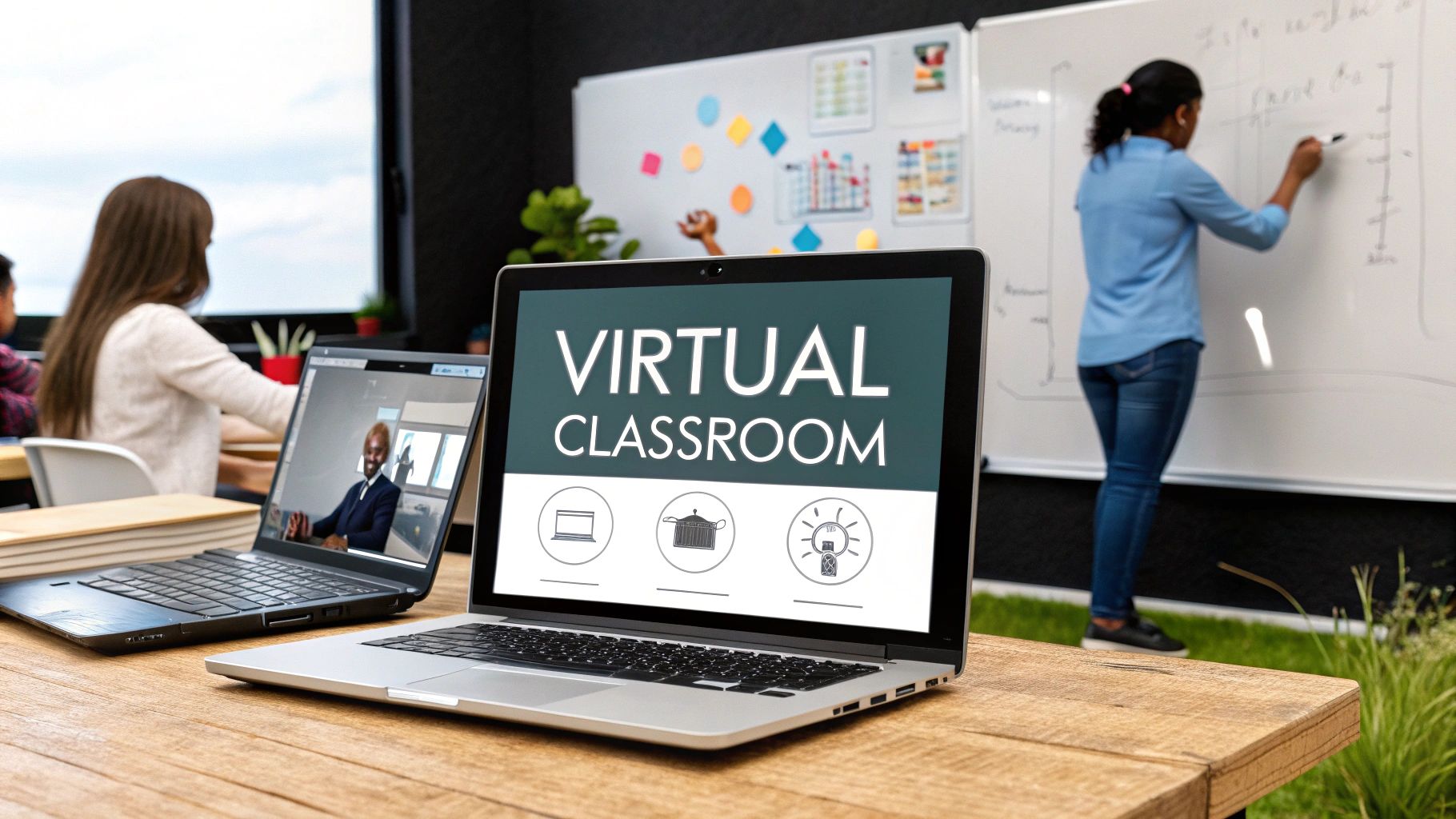
A virtual classroom is more than just a video call. It’s a dedicated online space where instructors and students meet, interact, and learn in real time. Think of it as a digital version of a brick-and-mortar classroom, equipped with all the tools you'd expect for teaching, collaboration, and engagement.
What Is a Virtual Classroom, Really?
Imagine a digital campus, a purpose-built online environment where scheduled learning actually happens. It’s a space that brings educators and learners together from literally anywhere in the world. But unlike a standard video meeting, a true virtual classroom is built on three key pillars: live interaction, collaborative tools, and shared educational resources.
This specific structure is what makes the experience so engaging. Students aren't just passively watching a presentation; they are actively participating in a live, synchronous session. This real-time dynamic is what sets a virtual classroom apart from other forms of online learning. You can dive deeper into this concept in our guide to understanding virtual learning definitions.
The Core Components of a Virtual Classroom
So, what makes a virtual classroom tick? It's an ecosystem of several key elements working in harmony. The infographic below breaks down how technology platforms, learning modes, and user roles all fit together.

As the visual shows, a successful virtual classroom isn't just a random collection of tools. It's about how these pieces are integrated to create a cohesive educational environment where the right tech supports different teaching methods for everyone involved.
This integrated approach is catching on in a big way. The digital classroom market was valued at an impressive $153.82 billion in 2024 and is on track to hit $356.74 billion by 2033. This growth isn't just a trend; it's a global shift toward more interactive and personalized e-learning.
A virtual classroom's success isn't measured by the technology it uses, but by the level of engagement it fosters. The goal is to make the digital space feel as interactive and connected as a physical one.
This is where specialized features come into play, tools designed specifically to encourage active participation:
- Interactive Whiteboards: These allow instructors and students to write, draw, and brainstorm together in real time, just like you would on a physical whiteboard.
- Breakout Rooms: Perfect for small-group discussions and collaborative projects, these digital rooms mimic the group work you’d see in a traditional classroom.
- Live Polls and Quizzes: A great way to keep learners on their toes and give instructors immediate feedback on how well the material is landing.
- Shared Resources: Easy, direct access to documents, presentations, and videos right within the learning environment—no more juggling multiple tabs and links.
Virtual Classroom vs Standard Video Call
At a glance, a virtual classroom might seem like just another video conference. But when you look closer, the differences are huge. One is built for conversation; the other is built for education.
Here’s a breakdown of what sets them apart:
| Feature | Virtual Classroom | Standard Video Conference |
|---|---|---|
| Primary Purpose | Education, training, and collaborative learning | General communication, meetings, and socializing |
| Interactive Tools | Whiteboards, polls, quizzes, breakout rooms | Basic screen sharing and chat |
| Content Management | Integrated resource sharing and library | Manual file sharing via chat or email |
| Session Structure | Instructor-led with tools for managing learners | Typically a free-flowing discussion |
| Engagement Tracking | Often includes analytics on participation | Limited to attendance and chat logs |
| Learning Environment | Designed to mimic a physical classroom | A simple, unstructured meeting space |
While a standard video call is great for a quick team check-in, a virtual classroom offers a structured, feature-rich environment designed from the ground up to facilitate real learning and engagement. It's the difference between having a chat in a hallway and attending a fully equipped lecture hall.
Exploring The Core Tools of a Virtual Classroom

At its heart, a virtual classroom is all about the technology that powers it. The image above gives you a glimpse into a typical setup, where video feeds, a central presentation space, and a chat sidebar all come together to build an interactive learning environment. This integrated design is the engine driving engagement, taking us far beyond a simple video stream and into true, active collaboration.
Each tool is there for a reason, designed to turn a passive viewing experience into a hands-on learning session. It's this specific toolkit that elevates a standard video call into a dynamic teaching space. To build a great virtual classroom, you need to pick the best educational technology tools for teachers that genuinely spark interaction and make learning stick.
The Interactive Whiteboard
Think of the interactive whiteboard as the classroom chalkboard, but supercharged for the digital age. It's a shared canvas where teachers and students can write, draw, and highlight together, all in real-time.
A math teacher, for instance, can walk through an equation step-by-step for the whole class. If a student gets lost, they can circle the part they don't understand, creating instant visual feedback that a one-way lecture could never offer.
Breakout Rooms For Collaboration
Breakout rooms are one of the most powerful features available. They create smaller, private virtual spaces where students can team up on projects or dive into focused discussions away from the main group.
An instructor can easily split a class of 30 students into six groups of five, giving each one a unique problem to tackle. The instructor can then "pop in" to each digital room to check on their progress and offer guidance, perfectly mirroring the small-group work we're used to in a physical classroom.
Breakout rooms are the key to shifting from a top-down lecture to a collaborative learning model. They empower every student to find their voice and foster the kind of peer-to-peer learning that helps ideas truly sink in.
Driving Engagement With Live Tools
Beyond the whiteboard and breakout rooms, a few other tools are essential for keeping learners tuned in and actively participating. The right virtual classroom software will have these built right in.
These tools are specifically designed to pull students into the lesson:
- Live Polls and Quizzes: Instructors can launch a quick poll to check for understanding on the fly or kick off a lesson with a fun quiz to get everyone's gears turning. This gives them immediate feedback on how well the class is grasping the material.
- Screen Sharing: This is a must-have for things like software demos, walking through a presentation, or reviewing a document as a group. The instructor can share their screen, or a student can share theirs to get help with a specific problem.
- Q&A Modules and Hand Raising: These features bring order to the chaos of questions. A digital "hand raise" lets the instructor know someone has a question without interrupting the flow, while a Q&A module keeps everything organized for a dedicated review at the end.
The Real-World Benefits of Virtual Learning
Beyond the convenience of learning from your couch, a virtual classroom brings some serious, game-changing advantages to the table for both students and the institutions they attend. The most obvious win? Geography becomes irrelevant.
A student in a small town can now learn from a world-renowned expert teaching a specialized course halfway across the globe. Suddenly, top-tier education isn't just for those who can afford to move to a big city—it's for anyone with a decent internet connection.
This immediately makes learning a far more inclusive game. Students no longer have to uproot their lives or deal with a soul-crushing commute, which saves a ton of money on travel and living costs. This kind of flexibility allows people to fit education around their jobs, families, and other commitments, opening up learning to millions who would have otherwise been shut out.
Unlocking Flexibility and Cost Savings
The upsides go way beyond just being able to log in from anywhere. That built-in flexibility is a massive draw, letting learners shape a schedule that actually works for them. Most platforms even record the live sessions, so if you miss a class or just need to review a tricky concept, you can catch up on your own time.
For schools and universities, the savings are just as compelling. Running a virtual classroom means you don't need to pay for building maintenance, massive utility bills, or physical classroom supplies. Those savings can then be passed down to students in the form of more affordable tuition. It’s this operational efficiency that’s really fueling the explosive growth of online education.
A virtual classroom does more than just replicate a physical one; it enhances it by providing tools and data that make learning more personalized, efficient, and measurable for everyone involved.
Personalized Learning and Deeper Insights
Here’s where things get really interesting: virtual learning has the power to make education truly personal. Digital tools give instructors a goldmine of data on how students are doing—insights that are almost impossible to capture in a traditional lecture hall. For example, instant quiz results can flag a topic that the entire class is struggling with, letting the instructor pivot and offer more help right there on the spot.
This data-driven teaching leads to better results, plain and simple. Instructors can spot students who need a bit of extra support and step in before they start to fall behind. On top of that, the tools built into these platforms naturally support the benefits of video conferencing by creating direct, face-to-face interactions that help build a real sense of community.
This blend of personalization and connection is why the global eLearning market is set to hit $203.81 billion in 2025 and keep climbing to $279.30 billion by 2029, with over 1.1 billion people learning online. It’s not just a trend; it’s a fundamental shift in how we learn. You can find more stats about the rise of eLearning on elearningstats.education.
How Virtual Classrooms Are Used in the Real World

The theory behind a virtual classroom sounds great, but where does the rubber really meet the road? The true power of these platforms comes to life when you see them in action. Across education, corporate training, and all sorts of specialized fields, these digital spaces are completely changing how we share knowledge and build skills.
This isn't just about finding a substitute for an in-person class. It’s about creating entirely new ways to learn.
From K-12 to Higher Education
From elementary schools all the way up to universities, virtual classrooms are becoming central to modern education. They're the engine behind hybrid learning models, giving students the flexibility to attend some classes on campus and others online.
Think about a high school that wants to offer an advanced course but only has a few interested students. Instead of canceling it, they can host it in a virtual classroom and invite students from other schools in the district to join. Suddenly, a low-enrollment problem becomes a resource-sharing solution that expands the curriculum for everyone.
It’s an incredibly practical tool. A teacher can host a live session for a student who is home sick, making sure they don't miss a beat. At the university level, entire degree programs are now offered through virtual classrooms, making it possible to attract top-tier international students who can’t relocate.
Here are a few more concrete examples:
- Virtual Science Labs: Using simulations and shared screen controls, students can run experiments from home with a teacher guiding them in real time.
- Language Learning: Those handy breakout rooms are perfect for practicing conversational skills in small, focused groups—a method proven to help learners get fluent faster.
- Guest Lecturers: A world-renowned expert can drop into a university class from halfway across the globe without anyone having to book a flight. That kind of access used to be a rare treat; now, it can be a regular part of the curriculum.
Corporate Training and Professional Development
The corporate world didn't just adopt this technology; they embraced it. Global companies now use virtual classrooms to run standardized onboarding for new hires spread across different continents and time zones. Everyone gets the same high-quality training, right from day one.
The approach is incredibly cost-effective and easy to scale. Forget flying the entire sales team to headquarters for a week. A company can now run complex skills workshops, complete with interactive role-playing in breakout rooms and immediate feedback from trainers, all in a single afternoon.
In a corporate environment, a virtual classroom is more than a meeting—it's a strategic asset for building a skilled, aligned, and connected workforce, regardless of physical location.
Specialized industries are leaning in hard, too. Medical schools use virtual classrooms for analyzing case studies, letting students collaborate on a diagnosis under the watchful eye of a seasoned physician. Coding bootcamps run intense, hands-on workshops where instructors can view and troubleshoot a student’s code directly on their screen.
These examples just scratch the surface, but they all point to the same conclusion: the virtual classroom isn't a one-trick pony. It’s a flexible, powerful platform that adapts to just about any learning goal, whether you’re teaching algebra or demonstrating a new surgical technique. The end game is always the same: creating a learning experience that is interactive, engaging, and genuinely effective.
Navigating the Common Bumps in the Road of Online Learning
While the upside of a virtual classroom is huge, let's have an honest conversation about the hurdles. Moving into an online space isn’t always a perfectly smooth ride, and both instructors and learners can run into roadblocks that mess with the whole experience.
From spotty Wi-Fi to the very real exhaustion of staring at a screen all day, these issues can quickly turn an exciting lesson into a frustrating slog. The trick isn't to pretend these problems don’t exist, but to see them coming and have a game plan ready.
Overcoming the Digital Divide
One of the biggest obstacles right out of the gate is the digital divide. This is just a way of saying there's a gap between people who have solid tech access and those who don't. A great virtual classroom experience relies on every single student having a stable internet connection and a decent device, and that's just not always the reality.
When students are stuck with lagging connections or don't have the right hardware, they can fall behind in a heartbeat. This creates a deeply unfair learning environment where someone's ability to participate is dictated by things completely out of their control.
So, how do we bridge this gap? Here are a few practical strategies:
- Offer Offline Alternatives: Make sure recorded sessions and downloadable materials are available. This lets students with shaky internet catch up on their own time without the stress of a live connection.
- Choose Low-Bandwidth Platforms: Pick virtual classroom software that doesn’t hog bandwidth. Opting for a tool that runs smoothly even on slower connections makes your class accessible to more people.
- Provide Device Loaning Programs: Many schools and companies are stepping up with programs to lend out laptops or tablets to those who need them.
Battling Screen Fatigue and Keeping People Engaged
We’ve all heard of "Zoom fatigue"—that drained, zombie-like feeling after hours of video calls. In a virtual setting, it's incredibly easy for students to slip into passive observer mode, which sends engagement and retention plummeting.
The real challenge in a virtual classroom isn't teaching the material; it's creating a sense of presence and connection that makes people forget they're even looking at a screen.
To fight this, instructors have to get creative and intentional about building an interactive space. This means ditching the long, rambling lectures in favor of short bursts of varied activities. For instance, you could break a 60-minute session into a 15-minute talk, a 10-minute poll with a quick discussion, a 20-minute breakout activity, and a final 15-minute Q&A. This kind of variety keeps the energy up and gives everyone different ways to jump in.
And finally, let's face it: tech issues are going to happen. Someone's audio will die, or a student won't be able to log in. The best defense is a good offense—have a clear backup plan. This could be a designated chat for tech support or even a pre-recorded lesson you can deploy if a live session completely goes off the rails. Planning for these hiccups means a small glitch won't derail the entire class.
A Playbook for Engaging Virtual Lessons

There's a massive difference between a passive webinar and a truly dynamic learning experience. The secret isn't just about presenting information; it's about architecting an environment that pulls students in and makes them want to participate. This work begins long before the "Go Live" button is ever clicked.
Every successful virtual lesson is built on a bedrock of solid preparation. It starts with having a crystal-clear objective. For every single session, what is the one key takeaway you want every student to walk away with? Once you nail that down, every piece of content and every activity should be designed to drive that point home.
It also means having all your materials—slides, polls, videos, and links—queued up and ready to go. Fumbling for a document mid-lesson is a surefire way to break the flow and send your students scrambling for their phones. A smooth, well-rehearsed delivery shows you respect their time and keeps the focus exactly where it needs to be: on the learning itself.
Fostering Genuine Interaction
The real magic, though, happens when you graduate from lecturing at people to fostering genuine interaction with them. Your goal should be to turn students into active co-creators of the experience, not just passive viewers. Understanding pedagogical frameworks like social learning theory can be a game-changer here, helping you build a true sense of community, even through a screen.
A virtual classroom thrives on two-way communication. Every poll, chat prompt, or breakout room is an invitation for students to contribute, transforming the session from a monologue into a dialogue.
Here are a few practical ways to build this interaction into your sessions:
- Strategic Breakout Sessions: Don't just split students into groups and hope for the best. Give each team a specific, time-bound task to tackle, like solving a real-world problem or debating a controversial topic.
- Engaging Chat Prompts: Use the chat for more than just technical support or Q&A. Ask students to drop a one-word reaction to a new idea or predict what you’re going to cover next. It’s a low-stakes way to get everyone involved.
- Purposeful Polls: Polls shouldn’t just be for quizzes. Use them to spark a conversation. After sharing the results, ask the group why they think a certain answer was the most popular.
Mastering Instructor Presence
Finally, never underestimate the power of your own presence. It’s what bridges the physical distance. Make a conscious effort to look at your camera, not just your screen, to create a sense of eye contact. Use an energetic, varied tone of voice. And whenever possible, call on students by name.
These small, intentional actions create a powerful sense of connection, making the virtual classroom feel both personal and incredibly impactful.
Got Questions About Virtual Classrooms?
Even after getting the hang of what a virtual classroom is, a few practical questions always seem to pop up. Let’s tackle some of the most common ones that both instructors and learners run into.
What's the Real Difference Between a Virtual Classroom and a Webinar?
It all boils down to one word: interaction.
A virtual classroom is built from the ground up for two-way collaboration. Think breakout rooms, shared whiteboards, and real-time group work. Its entire purpose is active learning. A webinar, on the other hand, is usually a one-to-many broadcast designed to present information. Audience participation is often limited to a quick Q&A at the very end.
What Gear Do I Actually Need?
Do you need a ton of special equipment to join in? Almost never. For most sessions, all you really need is a computer or mobile device, a decent internet connection, and a headset with a microphone to keep the audio crisp and clear.
While a webcam is fantastic for making a personal connection, it’s not always a must-have. Most modern platforms are designed to run right in your web browser, which means you don’t even have to install special software to get started.
The goal of today's virtual classroom platforms is to be accessible. The less friction there is to join a session, the more everyone can focus on the actual content, not the tech.
How Do You Keep Students From Zoning Out?
This is the big one. How do you keep students focused when they're staring at a screen? The only real answer is to make learning an active experience.
The best instructors know they need to switch things up every 10-15 minutes to keep attention from drifting. It’s all about mixing in different interactive elements:
- Quick Polls: Fire off a quick poll to check for understanding or just to get a conversation started.
- Collaborative Tasks: Send small groups into breakout rooms for short, focused activities. It’s a great way to encourage peer-to-peer learning.
- Direct Questions: Don’t be afraid to call on students by name or ask for feedback in the chat. This simple move shifts them from just listening to actively participating.
By weaving interaction into the very fabric of the lesson plan, you can create a dynamic space where students are genuinely motivated to stay tuned in and contribute.
Ready to build learning experiences that are both engaging and easy to access? AONMeetings offers an all-in-one, browser-based platform with interactive whiteboards, polling, and breakout rooms—no software installation required. Start creating your virtual classroom today.