
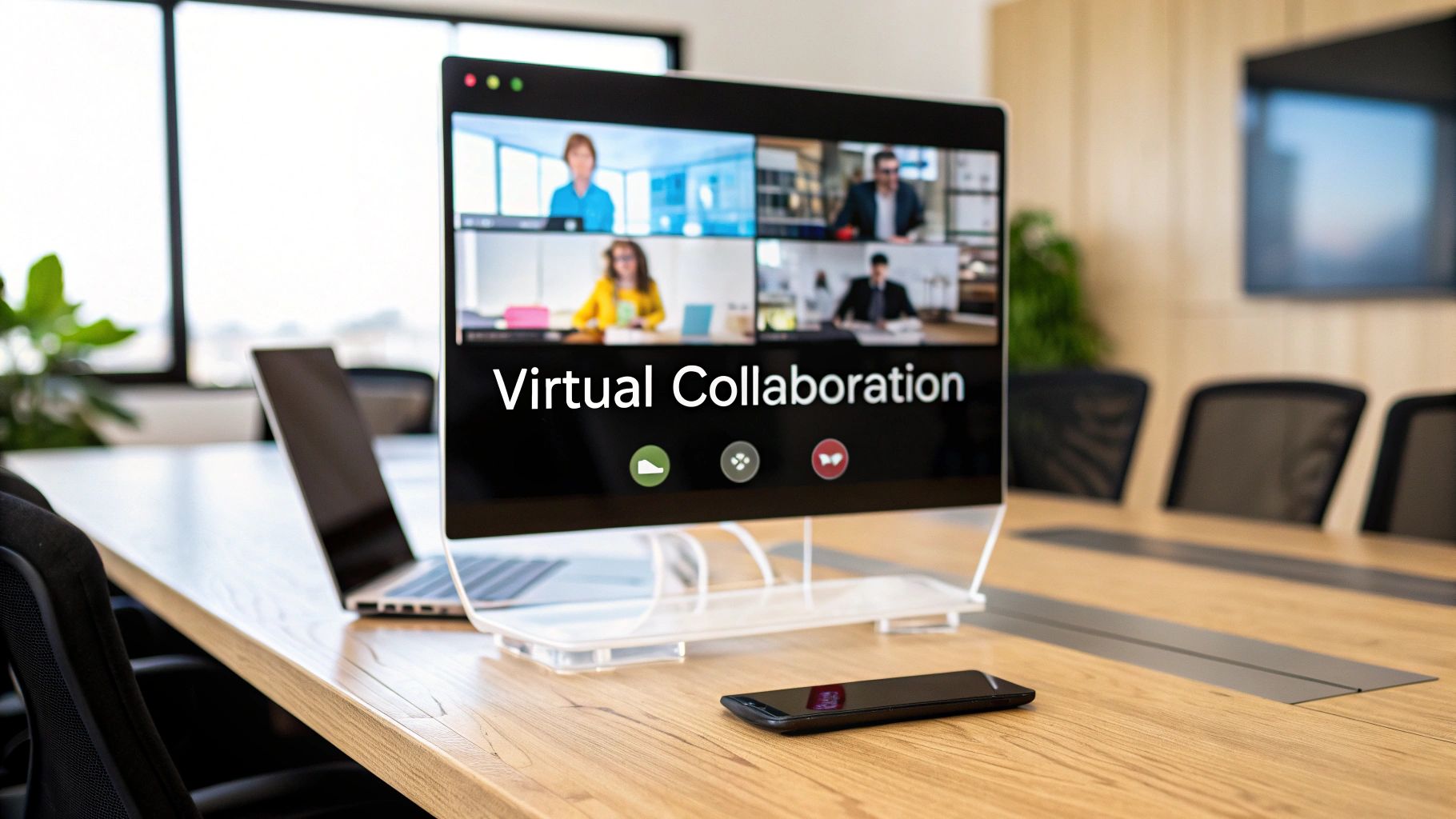
Virtual meeting rooms now act as our digital headquarters, bringing together remote and on-site colleagues with seamless audio, video, and collaboration features. Once simple video chats, they’ve matured into full-fledged hubs that power modern hybrid work. In this guide, we’ll unpack why these virtual spaces are crucial for closing the gap between teams and infusing remote work with real-time energy.
How Virtual Meeting Rooms Bring Teams Together

In today’s interconnected world, virtual meeting rooms capture the buzz of in-person events. Chat panels, smooth screen sharing, and breakout spaces all work in concert to recreate that live-conference energy.
By removing travel hassles, teams can brainstorm, demo, and decide quicker than ever.
- Bridging geographic gaps by connecting colleagues across time zones.
- Cutting travel expenses and saving an average of 30% on meeting costs.
- Boosting engagement with interactive whiteboards and live polls.
Market demand tells the story: the global video conferencing market jumped from $6.62 billion in 2022 to $7.26 billion in 2023. Projections point to $13,065.5 million by 2025 and $28.26 billion by 2030, riding a CAGR near 12%. Discover more insights about video conferencing growth.
Core Benefits At A Glance
Teams that lean on dynamic tools report up to 40% faster decision cycles.
Healthcare providers, for instance, have slashed patient no-show rates by using secure breakout rooms for virtual consultations.
- HD audio/video streams with built-in noise suppression
- Interactive whiteboards that work like digital flipcharts
- Real-time chat and polling to gauge group sentiment
Check out our guide on what is a virtual meeting platform for full insights.
“Virtual meeting rooms are the new conference halls where distance fades and participation rises.”
To take collaboration even further, explore creative virtual team meeting ideas that spark engagement and foster connection.
AONMeetings delivers a browser-based solution with HIPAA-compliant encryption, instant Chrome access, and zero installs required. Trusted by healthcare, legal, and education teams, it reduces setup friction and keeps your data locked down.
Getting Started Quickly
- Open Google Chrome and head to AONMeetings—no downloads needed.
- Start or join a session in seconds, then share an invite link.
- Test your camera and microphone before any critical meeting.
- Choose a virtual background to keep things professional.
Understanding The Key Concepts

Imagine walking into a conference hall where the lighting, acoustics, and seating are all tuned to help you focus. Virtual meeting rooms aim for that same harmony—only built with layers of technology instead of brick and mortar.
In these digital spaces, crisp audio, sharp video, and interactive tools come together to create an almost tangible atmosphere. Engineers optimize latency so that your voice arrives in real time, much like perfectly balanced lighting in a physical room.
Noise reduction powered by AI acts as soundproofing, filtering out background distractions so every participant can be heard. Meanwhile, access controls—our virtual “locked doors”—ensure that only invited guests join the conversation.
To make these ideas stick, we often compare core virtual features to familiar room elements:
- Chairs and tables translate to HD audio/video and reliable screen sharing
- Sealed envelopes mirror end-to-end encryption for private chats
- Digital flipcharts become shared whiteboards for sketching ideas live
Throw in live polls and breakout sessions, and you’ve got all the ingredients of an in-person workshop—just without the travel.
Core Component Analogies
Low latency is like bright, even lighting: it keeps everyone alert and in sync.
AI noise suppression works like padded walls, muting hallway chatter so you stay focused on the conversation.
End-to-end encryption feels like a sealed envelope—only the recipients can open it.
“A well-designed virtual meeting room blends audio, video, and collaborative tools just as a conference hall combines light, sound, and seating.”
Instant language translation steps in as your live interpreter, removing communication barriers. High-fidelity streaming acts like an ultra-clear projector, making every shared slide and gesture easy to see. And the fact that you can join from Chrome without installing software is akin to walking through an open door—no fumbling with keys required.
Between 2020 and 2022, virtual meetings jumped from 48% to 77% of all meetings. One-on-ones soared by 1,230%, group sessions by 613%, and 64% of remote workers now prefer hybrid video calls. Learn more about meeting growth trends.
Visualizing Security Measures
Security in a virtual room works much like a guarded venue:
- Unique meeting IDs serve as access badges
- Password protection is your checkpoint guard
- Waiting rooms act like lobbies, controlling who moves forward
Together, these controls maintain confidentiality and trust. In healthcare, for instance, medical teams rely on breakout rooms with role-based permissions to review patient records safely.
Secure access controls are essential for regulated industries.
By framing these features as parts of a physical space, teams new to video collaboration can build a clear mental map. With that foundation in place, moving on to setup, integration, and ROI evaluation becomes a straightforward next step.
Core Features And Advanced Capabilities
Every virtual meeting room stands on a handful of fundamental features that guarantee stability and clarity. Think of these essentials like sturdy furniture in a living space.
HD audio and video become the chairs and tables under your conversation. Reliable screen sharing and chat windows transform into whiteboards and sticky notes for rapid brainstorming.
Core Collaboration Features
- HD Audio / Video delivers crystal-clear sound and crisp images so everyone stays engaged.
- Screen Sharing lets presenters guide participants through reports or designs in real time.
- Chat Windows enable side conversations and looped Q&A without interrupting the main flow.
- Basic Security relies on meeting IDs and passwords to keep unwanted guests out.
Beyond these must-haves, advanced tools turn a passive meeting into an interactive workshop. They build on the basics much like artwork and accessories bring a room to life.
Advanced Capabilities
- AI Transcription creates searchable meeting transcripts as soon as the call wraps up.
- Live Polling measures participant sentiment in seconds and steers decisions on the spot.
- Real-Time Translation provides subtitles in multiple languages for global teams.
- 3D Environments give design and product crews virtual showrooms to explore prototypes.
Use Case Snippets
- Design Prototyping 3D spaces help teams mock product features, reducing physical model cycles by 30%.
- Campaign Testing live polls with 50+ participants deliver instant feedback, accelerating marketing decisions in minutes.
- Compliance Audits AI transcripts support legal reviews, cutting manual logging by 40%.
These vignettes prove that a virtual meeting room can be more than a stage for presentations; it becomes a strategic asset. When used wisely, advanced features boost both creativity and compliance.
Legal departments lean on AI-driven transcripts for searchable record keeping. Global training sessions use real-time captions to include participants in five languages. Design teams report 25% faster prototype approvals, and marketing groups refine campaign ideas on the fly.
"Our workshop went from slide deck to actionable plan in half the time," says a marketing lead at a global agency.
Expert insight: engaging visuals and voice transcription save teams at least 20% planning time.
To see how core and advanced features stack up, here’s a quick comparison across leading platforms:
Comparison Of Core And Advanced Features
| Feature | Core Platforms | Advanced Platforms |
|---|---|---|
| HD Audio / Video | Zoom, Google Meet | AONMeetings, Microsoft Teams Pro |
| Screen Sharing | All Core | Core plus annotation tools |
| Chat Windows | Basic text chat | Chat with file sharing & emojis |
| Basic Security | Meeting IDs, passwords | End-to-end encryption, HIPAA compliant |
| Transcription | No | AI-driven |
| Live Polling | No | Yes |
| Real-Time Translation | No | Yes |
| 3D Environments | No | Yes |
This table helps you weigh your options at a glance and decide which platform best fits your team’s needs.
Below is a screenshot illustrating the main controls in a typical meeting interface.
It’s a reminder that core tools like mute, share screen, and chat belong in one intuitive menu.
To simplify what happens after the meeting, explore the robust sharing options for transcribed meetings and other collaborative assets. Check out our guide on essential features for virtual meeting platforms to dive deeper into core and advanced tools.
Practical Best Practices
- Prioritize a dry run before any critical session to avoid last-minute glitches.
- Assign clear roles—host, moderator, note-taker—to keep the meeting flow smooth.
- Use consistent naming conventions and layouts so everyone finds what they need instantly.
Following these tips ensures your sessions always feel polished and on-point. Browser-based platforms like AONMeetings cut out installation headaches and let your team zero in on content. Transforming a simple catch-up into an interactive workshop depends on choosing the right mix of features.
Next, we’ll explore industry-specific scenarios and compliance considerations to keep your sessions secure and on target. Use the checklist we’ve provided to weigh vendors on browser support, encryption standards, and system requirements. This method helps maximize ROI and keeps users satisfied.
Industry Use Cases And Compliance
Every industry brings its own checklist when it comes to virtual meeting rooms. Healthcare teams, for instance, need locked-down breakout spaces for private telehealth visits. Financial boards, by contrast, expect granular user roles and detailed audit logs for every decision.
Educators turn to live polls and shared whiteboards to keep engagement high. Meanwhile, government agencies insist on strict data‐residency rules and robust encryption at every layer.
- Healthcare relies on encrypted file sharing and role-based permissions to protect patient data.
- Finance depends on audit trails and multi-factor authentication for board reviews.
- Education leverages real-time quizzes and group activities to boost participation.
- Government enforces GDPR, FISMA, or local mandates based on jurisdiction.
Healthcare And Telehealth
Virtual consultation rooms must meet HIPAA and local privacy laws. Think of these digital spaces as exam rooms: private, secure, and with watermark-free documentation.
Clinics layering multi-tier encryption with strict user access rules see smoother workflows—and fewer compliance headaches.
“Secure breakout spaces in telehealth reduce compliance risks and streamline patient care.”
Finance And Audit Trails
When a boardroom moves online, every word and file exchange needs a timestamp and an owner. Hosts can lock sessions, assign presenter/viewer roles on the fly, and capture every mouse click.
- Granular controls let boards grant or revoke permissions instantly.
- Automated, timestamped logs speed up audits and regulatory reports.
End-to-end encryption keeps sensitive materials – and verbal disclosures – under wraps.
Educators And Interactive Learning
Instructors redesign remote classes as interactive labs. Launching a quick poll or a timed quiz can keep 73% of students actively engaged rather than passive listeners.
Breakout “study groups” replace physical tables, and digital whiteboards hold onto notes long after the bell rings.
The infographic below visualizes core versus advanced features across these scenarios.

This concept map highlights that Core AV, AI transcription, and 3D spaces form the backbone of diverse industry workflows.
Government And Data Residency
Public agencies operate under strict GDPR or FISMA rules—sometimes both. That means control over where servers sit and who manages encryption keys.
Before signing any contract, agencies check vendor certifications against local mandates and data-sovereignty requirements.
Learn more about essential compliance guidelines and legal standards in our detailed guide on Secure and Legal Virtual Meetings.
Key Takeaway: Mapping features to regulatory needs ensures both security and efficiency.
When choosing a platform, look for ISO 27001 or SOC 2 certification, role-based access, encrypted file transfers, and comprehensive audit logging. Matching your virtual rooms to industry rules cuts risk—and builds user trust.
Compliance Verification And Vendor Selection
A clear checklist helps technical and legal teams weigh every option. Start by confirming:
- ISO 27001 and SOC 2 compliance for solid governance
- AES-256 encryption safeguarding live streams and recordings
- 24/7 support SLAs and incident-response plans for uptime assurance
Next, compare platforms objectively—feature by feature, control by control.
AONMeetings, for example, offers HIPAA-compliant encryption, SOC 2 certification, and browser-based access with no installations. Its detailed audit logs and role-based permissions make both external audits and internal reviews straightforward.
Expert Tip: Prioritize platforms that support encrypted file sharing and detailed audit trails.
Choosing a vendor with transparent security practices and clear certifications gives your teams peace of mind. When features align with your industry’s compliance framework, you can focus on collaboration excellence instead of firefighting.
Summary Of Industry Compliance
Tailoring virtual meeting rooms to sector rules drives both security and productivity. From HIPAA-secure breakout spaces in healthcare to airtight audit logs in finance, the right mix of encryption, permissions, and compliance checks keeps workflows running without hiccups.
Use:
- Secure breakout rooms
- Detailed audit trails
- Strong encryption
Follow a vendor checklist, and your virtual spaces become a trusted extension of on-premises operations—confidently aligned with every regulation.
Integration And Deployment Considerations

Rolling out virtual meeting rooms feels a bit like adding a new wing to your office. You sketch the floor plan, secure reliable “electrical” capacity, and map out how people flow in and out. Deciding on browser-based access or a native app will set the tone for daily use—browser clients such as AONMeetings sidestep installs, while dedicated apps often deliver smoother performance.
Seamless calendar links and single sign-on (SSO) eliminate the need to juggle multiple logins. When your team can schedule in Outlook or Google Calendar and click once to join, you’ve already removed most friction.
Solid planning lowers support calls and user frustration
Network And Device Planning
Think of your network like a set of wiring circuits. You’ll want to allocate 3–4 Mbps per HD stream to keep video crisp and avoid gaps.
Run compatibility checks on laptops, tablets, and smartphones well before go-live. Identify any outdated gear and plan firmware or hardware upgrades.
Bandwidth Allocation Tips
- Chart expected peak usage across time zones
- Carve out dedicated network lanes for mission-critical sessions
- Leverage network analytics to spot bottlenecks
Collaboration Suite Sync
Linking your virtual rooms with Slack, Microsoft Teams, or Google Workspace turns multiple apps into a single pane of glass. Use APIs or built-in connectors to keep chat threads, file sharing, and meeting links in step with one another.
Integrating SSO through SAML or OAuth not only streamlines credential management but also shortens the path from authentication to active participation. Your users log in once and can join any session instantly.
Deployment Roadmap Checklist
- Confirm browser versions and client types
- Sync corporate calendars and assign permissions
- Enable SSO and validate login flows
- Verify network QoS and bandwidth reservations
- Launch a pilot group, collect feedback, and refine
- Roll out in phases by department
Plan for common hiccups—audio dropout, corporate firewalls blocking ports, or screen-share failures—and document each fix in a centralized knowledge base. Roll out updates in staggered waves to avoid downtime, and communicate maintenance windows via email and in-app alerts.
Remote Support Best Practices
Tiered support channels keep issues from getting lost in the shuffle. Short video tutorials under five minutes can cover the most frequent questions, while live chat and comprehensive FAQs handle deeper inquiries.
A real-world example: after publishing quick-start videos, one marketing team saw a 45% drop in support tickets.
Support Tier Breakdown
- Tier 1: Self-help articles and searchable knowledge base
- Tier 2: Live chat with screen-sharing assistance
- Tier 3: Expert deep-dives through scheduled remote sessions
Next, consider how to measure your investment. With the global conference room solutions market set to grow from USD 1.9 billion in 2025 to USD 7.6 billion by 2035 at a CAGR of 12.3%, and India and China pacing at 16.5% and 14.9% respectively, you’ll want an ROI checklist. For a closer look at market projections, see the conference room solutions market growth report.
By methodically planning, integrating core systems, and setting up tiered support, your virtual meeting rooms will launch with minimal friction—delighting users and keeping IT demand in check. Continuous feedback loops, regular reviews, and tight version control on configurations will ensure your solution keeps pace with evolving business needs.
ROI And Vendor Selection Guide
Choosing a virtual meeting rooms vendor is more than lining up price tags. You need to understand your total cost of ownership, how quickly people will adopt the tool, and whether it can scale as your organization grows.
Think of virtual seats like coworking desks. You want to pay only for the space you use and get real savings from fewer business trips and better room utilization.
Evaluation Checklist
Keep finance and IT aligned by running any vendor through these core criteria:
-
Scalability
Can it handle spikes in participants as projects expand? -
Support SLAs
Are there clear response times and uptime guarantees? -
Security Certifications
Look for SOC 2, ISO 27001, and HIPAA compliance. -
User Adoption Metrics
Track login frequency, feature usage, and training needs. -
Total Cost of Ownership
Break down expenses per seat—just like coworking rentals.
Financial Impact Model
Build a simple ROI forecast by tallying travel savings and space efficiency. Start with an average $200 saved per round-trip and add the cost of a desk rental per room-hour.
Use this formula to calculate your per-seat cost:
- (Average travel miles × cost per mile)
-
- (Hours saved × hourly rate)
- ÷ Total virtual seats
- = Cost Per Seat
One internal project team saw costs fall to $15 a seat from $45, boosting ROI by 67%. Armed with that insight, you’re ready to compare vendor types without guesswork.
Vendor Type Comparison Table
Before settling on a provider, it helps to see how browser-based, no-install platforms measure up against traditional installed solutions.
| Criteria | Browser Based | Installed Solutions |
|---|---|---|
| Setup Time | Instant access via Chrome or Edge | Requires downloads and client installation |
| Feature Depth | Core features with rapid plugin updates | Advanced modules, periodic major upgrades |
| TCO Impact | Lower upfront fees, minimal IT overhead | Higher initial license, ongoing maintenance |
| Scalability | On-demand scaling, no endpoint installs | Must push updates to each device |
| Security | SOC 2 and HIPAA-grade encryption in browser | On-premises controls, enterprise firewalls |
Use this side-by-side view to weigh ease of use against deep customization and choose what fits your team best.
Crafting a Compelling Business Case
Turn features into financial wins with a narrative that speaks both to Finance and IT:
- Outline quantifiable savings from travel, office space, and admin
- Include user adoption projections and expected training costs
- Highlight support commitments, such as 99.9% uptime SLAs
- Demonstrate security compliance, calling out ISO 27001 or HIPAA
Bulletproof your proposal with charts and short case vignettes. For instance, a healthcare network trimmed patient no-shows by 20% with HIPAA-compliant virtual rooms, while a legal team cut audit prep time by 40% using AI-driven transcripts.
Key Insight: When you translate technical features into clear cost savings, decision-makers buy in faster.
Implementation And Follow-Up
Once you pick a vendor, don’t just walk away—measure actual ROI against your model. Schedule quarterly reviews comparing forecasted and realized benefits.
- Track meeting frequency and average attendance
- Monitor reductions in travel expenses and room usage
- Gather user satisfaction scores and support ticket trends
With this roadmap—anchored in a clear evaluation checklist, a rigorous ROI model, and real-world examples—you’ll select a virtual meeting rooms platform that resonates with both finance and IT teams and delivers measurable value.
FAQ
When you start exploring virtual meeting rooms, certain questions seem to pop up again and again. Below, we’ve gathered answers to the most common hurdles—so your team can focus on the conversation, not the setup.
System Requirements
What do you need under the hood to keep your meetings glitch-free? In general, aim for a dual-core processor, at least 4 GB of RAM, and a steady 5 Mbps connection. For crisp audio, a wired headset with noise cancellation will pay dividends.
- Dual-Core Or Higher CPU: Handles multiple video streams without lag.
- 4 GB+ RAM: Keeps the system responsive even when there are screen shares.
- Wired Ethernet: Cuts down on dropouts and packet loss.
- HD Webcam With Auto-Focus: Ensures everyone stays in sharp focus on screen.
“A reliable connection and proper hardware set the stage for smooth conversations.”
Before your big meeting, close background apps and run a quick speed test. That little extra check can mean the difference between stuttering video and a seamless call.
Security And Compliance
How do you lock things down while staying on the right side of regulations? Start by picking a platform that offers end-to-end encryption, flexible data-residency options, and certifications like HIPAA or GDPR. From there, apply role-based permissions and turn on audit logs for a full activity trail.
- Encryption At Rest And In Transit protects recordings and live feeds.
- Role-Based Access lets you tailor features by user type.
- Audit Trails capture every login, file share, and edit.
- Regular Patch Management keeps security gaps at bay.
These steps don’t just tick compliance boxes—they help maintain trust with clients, partners, and regulators.
Engagement Best Practices
What keeps remote attendees tuned in instead of zoning out? Mix in interactive elements, rotate hosts, and set clear expectations from the start.
- Break the ice with a quick “Then vs. Now” question.
- Launch live polls to gather instant feedback.
- Assign someone to jot down action items as they come up.
- Sketch ideas on a virtual whiteboard for instant collaboration.
- Share a short pre-read 24 hours ahead to prime the discussion.
In one case, a sales group saw feedback rates double simply by adding two polls per meeting. When people know what’s coming and get to play an active role, they stay engaged—and where engagement goes up, productivity follows.
Browser Based Vs Desktop Clients
Wondering if you should pick a browser solution or install a desktop app? Browser-based platforms get people up and running in seconds, but desktop clients can unlock extra features and handle large gatherings more efficiently.
| Feature | Browser-Based Versions | Desktop Clients |
|---|---|---|
| Installation | Zero install—open in Chrome or Edge | Download and run a native app |
| Performance | Great for quick calls | Optimized for HD streams and big events |
- Pro Tip: Schedule a quick side-by-side test meeting to see which interface your team prefers.
Further Resources
Need more in-depth help? Check out our setup checklists and troubleshooting guides for step-by-step fixes to echo, lag, and other common hiccups. Consistent training and clear documentation are your best allies against downtime.
“Testing hardware before launch cuts support tickets by up to 45%.”
“Test your network to avoid peak interruptions.”
Take your virtual meetings to the next level with AONMeetings.