
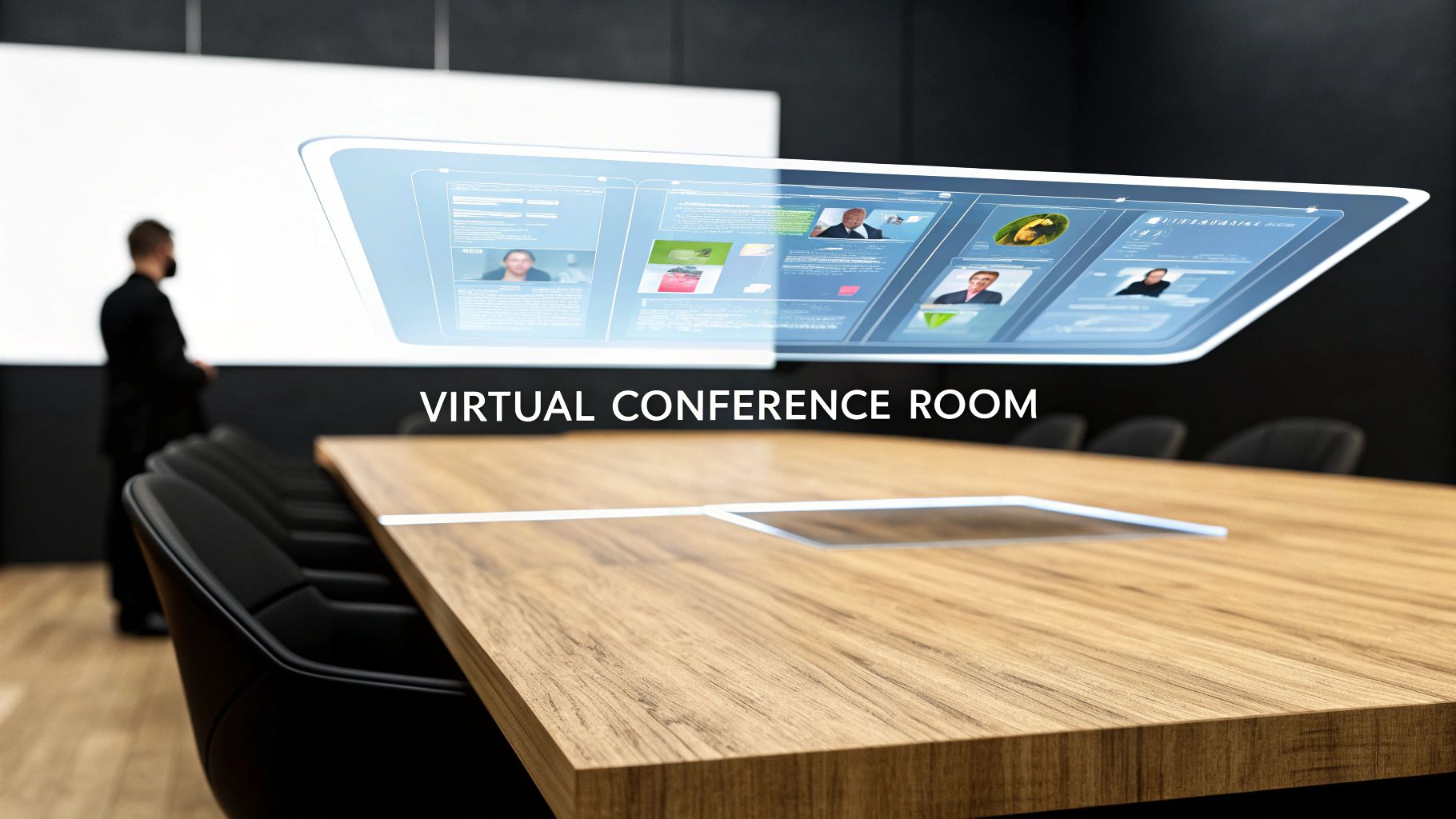
Imagine your team's physical conference room—the one with the whiteboard, the big table, and the projector. Now, picture that entire setup existing as a dedicated digital space. That’s a virtual conference room in a nutshell. It’s far more than just another video call; it’s a persistent, collaborative hub designed to mirror and even improve how your team works together.
Understanding the Digital Boardroom
The best way to think about a virtual conference room is as a "digital twin" of its real-world counterpart. A standard video call is temporary—it pops into existence for a meeting and vanishes when everyone logs off. A virtual room, on the other hand, is permanent.
Think of it like a project war room you can step into anytime. All your notes, files, and chat history are right where you left them, ready for the next time you and your team jump in. This persistence is what really sets it apart. It turns a simple communication tool into a dynamic workspace where continuity is king. Instead of starting from a blank slate every time, teams pick up exactly where they left off, which is a massive boost for workflow and efficiency.
Core Components of a Virtual Space
What makes a virtual conference room tick are the integrated features that go way beyond basic video and audio. These are the tools that bring the hands-on, interactive feel of an in-person meeting into the digital realm.
- Persistent Chat and File Storage: Every conversation, document, and link shared is saved within the room. This creates a living, searchable archive of your project's entire history.
- Interactive Whiteboards: This is where the magic happens. Teams can brainstorm, sketch out diagrams, and map ideas in real-time, just like they would on a physical whiteboard.
- Seamless Integrations: These spaces are built to connect with the other tools you already use, like calendars, project management software, and cloud storage, pulling your team’s entire workflow into one central place.
The rise of these sophisticated tools is part of a much bigger trend. The virtual events market, which includes these technologies, was valued at USD 166.01 billion and is expected to climb to an estimated USD 985.93 billion by 2033. This massive growth underscores just how central these platforms have become to the way we work.
From Simple Call to Collaborative Hub
The jump from a basic video call to a full-fledged virtual conference room is a significant one. You can think of it as moving from a simple phone call to a rich, interactive environment. This is what a basic virtual world interface might look like, giving a visual sense of these digital spaces.

This image helps illustrate how digital spaces are structured to encourage interaction, much like a virtual conference room uses its layout and features to spark real collaboration. The goal is to shift from passive viewing to active, engaging participation. To get a better handle on the foundational tools, take a look at our guide on https://aonmeetings.com/what-is-a-virtual-meeting-platform/.
The Must-Have Features of Any Great Virtual Room
What really turns a simple video chat into a powerhouse virtual conference room? It's all about the integrated features designed from the ground up for collaboration and getting things done. While high-definition video and crystal-clear audio are the absolute baseline, the tools built on top of them are what spark real engagement and deliver actual results. These are the features that shift meetings from passive viewing into active participation.
Beyond just seeing and hearing each other, a great virtual room provides a canvas for ideas to come alive. It effectively tears down the walls of distance, letting teams work together as if they were all huddled around the same table. Let’s dig into the essential functions that make this happen.

Driving Collaboration and Interaction
The best platforms are engineered to keep every single participant involved. This means providing tools that encourage real-time contribution instead of just one-way monologues. These features are the building blocks of an interactive and productive meeting culture.
An interactive whiteboard is a perfect example. Think of it as a shared digital space where everyone can draw, type, and drop notes at the same time. This is invaluable for brainstorming sessions, mapping out complex workflows, or marking up a document as a group, turning a dry presentation into a hands-on workshop.
Likewise, rock-solid screen sharing is a non-negotiable. It needs to be seamless and intuitive, letting any participant share their entire screen, a specific app, or just a single browser tab without a fuss. This is critical for software demos, walking through presentations, and editing documents together, making sure everyone is literally on the same page.
Fostering Focused Discussions
Let's be honest, large group meetings can sometimes kill detailed conversation. A top-tier virtual conference room solves this with features that make it easy to create smaller, more focused chats right inside the main session. This is where a platform's ability to manage group dynamics really shines.
Breakout rooms are a total game-changer for engagement. This feature lets a host temporarily split the main meeting into several smaller, private sessions. It’s perfect for:
- Workshop Activities: Assigning small groups a specific problem to solve.
- Networking Events: Creating more intimate spaces for people to connect one-on-one.
- Training Sessions: Allowing for focused practice and discussion among peers.
Once the time is up, the host can pull everyone back into the main room to share what they came up with. This structure dramatically increases participation and ensures way more voices are heard. To really see the difference these tools make, it's worth comparing a platform's built-in options with specialized meeting control tools that offer even more advanced functionality.
A feature-rich virtual environment isn't about adding complexity; it's about removing friction. The right tools make collaboration feel natural and effortless, regardless of physical distance.
Keeping Audiences Engaged
Holding someone's attention through a screen is a real challenge. That's why modern platforms come equipped with tools specifically designed to capture real-time feedback and manage audience participation in an orderly fashion.
- Live Polling and Q&A: These tools let hosts toss out questions and get instant responses from the audience. A managed Q&A feature helps organize questions so the chat doesn't become a chaotic mess and important queries don't get lost.
- Integrated Chat: A simple, persistent chat function is vital for side conversations, sharing links, and asking quick questions without interrupting the main speaker.
- Recording and Transcription: The ability to record a session is essential for anyone who couldn't make it live. Automated, AI-powered transcription then creates a searchable text record of the entire meeting, making it a breeze to review key decisions and action items later on.
By looking for a virtual conference room that has these capabilities, you’re not just buying a piece of software. You’re investing in a more productive, inclusive, and collaborative way of working. You can explore a more detailed breakdown of these and other essential features for virtual meeting platforms to help build out your checklist.
Unlocking Next-Level Collaboration with AI and Integrations
A great virtual conference room doesn’t just let you talk; it helps you work smarter. This is where artificial intelligence (AI) and seamless integrations come in, transforming a simple meeting platform into the central hub of your team's productivity. Instead of being one more app you have to open, your virtual room becomes the intelligent core connecting all your other tools.
Imagine this: you wrap up a ninety-minute brainstorming session, and an email with a perfectly formatted summary and action items lands in your inbox just minutes later. That's the power of AI. It turns your virtual room from a passive channel into an active participant that handles the grunt work, freeing up your team to focus on what really matters.

The Rise of the AI-Powered Meeting Assistant
Artificial intelligence isn’t some far-off concept anymore—it's a practical tool that’s already automating and improving how we meet. An AI-powered virtual conference room acts like a dedicated assistant for every single meeting, making sure no important detail ever slips through the cracks.
This tech takes over the repetitive tasks, captures crucial information, and can even offer deeper insights into how your meetings are going. We dive much deeper into this in our guide on how AI meeting assistants are changing video conferencing.
Here are a few game-changing things AI can do:
- Automated Summaries and Action Items: The AI listens in, identifies key decisions and tasks, and spits out a concise summary with action items already assigned to the right people. No more "wait, who was supposed to do that?" after the call ends.
- Real-Time Transcription and Translation: Live transcription gives you a searchable text record of everything said, as it happens. For global teams, real-time translation is a huge win, breaking down language barriers for more inclusive conversations.
- Sentiment Analysis: Some advanced platforms can even analyze the text and tone of a conversation to gauge the meeting's overall vibe. This helps leaders get a read on team morale and spot points of friction or agreement during important talks.
Creating a Seamless Workflow with Integrations
While AI improves what happens inside the meeting, integrations connect your virtual room to the tools you use outside of it. This creates a fluid, uninterrupted workflow that saves a ton of time and cuts down on the risk of manual data entry errors.
Think of it as building bridges between all your digital islands. Instead of constantly toggling between your calendar, your project board, and your CRM, the virtual room pulls them all together. This connectivity is a big reason why the conference room solutions market, valued at around USD 1.79 billion, is expected to balloon to USD 6.40 billion by 2032.
The goal of integration isn't just about making things easier; it's about creating a single source of truth. When your meeting space talks to your other software, you eliminate duplicate work and give your team consistent, up-to-date information right where they need it.
Practical Integration Examples
So, what does this actually look like day-to-day? Let’s say your virtual conference room is hooked up to your team's favorite apps. The productivity boost becomes obvious almost immediately.
- Calendar Integration (Google Calendar, Outlook): Schedule meetings, shoot out invites with join links, and get reminders without ever leaving your calendar.
- Project Management Integration (Asana, Trello): A decision made on a call can instantly become a new card on your Trello board. You can link meeting recordings and action items directly to project tasks.
- CRM Integration (Salesforce): Automatically log sales calls, attach meeting recordings to client records, and update contact details right from your virtual room. Your sales team gets a complete, accurate history of every single client interaction.
The table below breaks down the difference between the standard features you'd expect and the more advanced capabilities that set modern platforms apart.
Core vs Advanced Virtual Conference Room Features
This table compares the fundamental features found in most platforms with the advanced, AI-driven capabilities that define modern solutions.
| Feature Category | Core Functionality (Standard) | Advanced Functionality (Next-Gen) |
|---|---|---|
| Meeting Documentation | Manual note-taking, basic recording & cloud storage | AI-powered transcription, automated summaries, and keyword-searchable recordings |
| Task Management | Manually assigning action items after the meeting | AI-identified action items with automatic assignment and integration into project tools |
| Global Communication | Standard audio and video in one language | Real-time, multi-language translation and live closed captions for accessibility |
| Analytics & Insights | Basic attendance tracking and meeting duration reports | Sentiment analysis, speaker talk-time metrics, and engagement scores |
| Workflow Connectivity | Standalone application requiring manual data transfer | Seamless integrations with calendars, CRMs, and project management platforms |
As you can see, the leap from core to advanced is significant. It's the difference between a tool that simply hosts meetings and one that actively improves them.
By combining the intelligence of AI with the connectivity of integrations, a virtual conference room really comes into its own. It stops being just a place where meetings happen and becomes the engine that powers your team's work forward.
How Different Industries Use Virtual Conference Rooms
A virtual conference room isn't a one-size-fits-all solution. Its real power comes alive when you see how it adapts to solve unique challenges in completely different fields. Think of it less like a single tool and more like a specialized toolkit—one that can be used to save a life, teach a class, or win a legal battle.
While the core technology is the same, the application is what matters. Let's look at how these digital spaces move beyond simple meetings to become a critical piece of the operational puzzle, from secure medical consultations to global corporate strategy sessions.
Healthcare: For Secure Patient and Specialist Collaboration
In healthcare, there's zero room for error. Clarity and security are everything. A virtual conference room provides a secure, HIPAA-compliant space where doctors can conduct telehealth consultations, closing geographical gaps and giving more people access to care. It’s a game-changer for follow-up appointments, mental health sessions, and helping patients manage chronic conditions from home.
It’s not just for patients, either. These platforms are vital for doctors to collaborate. Imagine a team of specialists from different hospitals—or even different countries—meeting in a virtual room to review a complex case. They can analyze medical images together on a shared screen and collectively map out the best treatment plan.
Education: For Engaging Learners in a Virtual Classroom
For teachers, a virtual conference room becomes a dynamic, interactive classroom. This is way more than just a one-way lecture broadcast. Features like breakout rooms let educators facilitate small-group projects and discussions, creating the same collaborative buzz you'd find in a physical classroom.
Interactive tools also make for a much more engaging experience:
- Live Polling: Teachers can get a quick pulse on student understanding with instant quizzes or opinion polls.
- Interactive Whiteboards: Students can solve math problems or brainstorm ideas together on a shared digital canvas, just like they would at the board.
- Q&A Management: An organized system for questions ensures that no student's curiosity gets lost in a busy chat feed.
This technology also makes professional development more accessible for educators, allowing them to attend workshops and training without the time and expense of travel.
Legal Services: For Conducting Confidential Proceedings
The legal field is built on confidentiality and meticulous documentation, two things a virtual conference room handles perfectly. Attorneys rely on these secure platforms for sensitive client meetings, knowing that end-to-end encryption is protecting their conversations. Witness depositions are now frequently conducted remotely, saving a huge amount of time and travel costs for everyone involved.
The ability to create a secure, recordable, and accessible digital space has even led to its adoption in virtual court proceedings and mediations, making the justice system more efficient and accessible.
The shift is undeniable. The global video conferencing market, the engine behind every virtual room, was valued at a massive USD 33.04 billion. Industries like healthcare and finance are leading the charge, driven by the need for secure communication that meets strict compliance standards like GDPR and CCPA. You can dive deeper into this growth in this comprehensive market analysis.
Corporate Teams: For Driving Global Business Forward
In the corporate world, the virtual conference room is the central hub for almost every kind of business activity. Global sales teams use it to deliver compelling product demos to clients anywhere on the planet, using screen sharing and interactive features to make a lasting impression.
Human resources departments now run virtual hiring events, allowing them to interview and assess a much wider pool of global talent far more efficiently. And for keeping everyone on the same page, these rooms are essential for hosting all-hands meetings that connect a distributed workforce and make every employee feel like part of the team, no matter where they log in from.
Choosing the Right Platform for Your Business
Picking the right virtual conference room platform can feel like a chore, but it really comes down to one thing: finding a tool that fits how your team already works. It’s less about chasing the longest feature list and more about solving your specific communication challenges without creating new ones. A platform that one team loves might just frustrate another, so taking the time to choose wisely is a must.
Before you even start looking at vendors, the first step is to look inward. You need a crystal-clear picture of what your organization actually needs. This means getting more specific than vague goals like "better collaboration." Think about your day-to-day operations, how big your team is, and what your technical comfort level is.
Assess Your Team's Needs and Workflow
Start with your team's size and structure. Are you a nimble team of five, or a sprawling enterprise with hundreds of people scattered across different time zones? A small business might be perfectly happy with something simple and affordable. A large corporation, on the other hand, will need rock-solid security, admin controls, and the muscle to handle lots of meetings at once.
Next, take a hard look at your typical workflow. Are your meetings heavy on brainstorming and whiteboarding? If so, a top-notch interactive whiteboard is a deal-breaker. If you're constantly in front of clients giving polished presentations, you'll want seamless screen sharing and maybe even custom branding options.
Think about these key questions:
- Team Size: How many people are in a typical meeting? How many meetings might be running at the same time?
- Technical Comfort: Is your team full of tech wizards, or do they need a solution that’s so intuitive it requires almost zero training?
- Primary Use Case: Are you mostly doing internal team syncs, sales pitches to clients, large-scale webinars, or formal training sessions? Each of these calls for a different set of features.
This decision tree gives a great visual of how different industries might prioritize features based on what they do every day.

As you can see, industries like healthcare, education, and legal services take different paths, zeroing in on features that align with their operational and compliance demands.
Evaluate Critical Criteria
Once you have a solid grasp of your needs, you can start sizing up platforms against a core set of criteria. Treat this like a checklist to make sure you're covering all the important stuff, from security to how easy it is to use.
Security and Compliance: For many, especially in fields like healthcare and law, this is non-negotiable. Look for platforms offering end-to-end encryption (E2EE) to keep your conversations private. You’ll also want to confirm the platform is compliant with regulations that matter to you, like HIPAA or GDPR.
Scalability: The platform you pick today needs to work for you tomorrow. Can it handle a sudden surge in users or meetings? A scalable tool grows with your business, saving you the headache of a painful migration down the road.
User Experience (UX): A platform is worthless if nobody wants to use it. A clean, intuitive interface flattens the learning curve and gets people on board. If someone can't figure out how to share their screen or mute their mic in a few seconds, they're going to check out.
A great user experience is invisible. The best platforms get out of the way and let the conversation flow naturally, without forcing users to fight with the technology.
Compare Pricing and Use Free Trials
Pricing for these platforms is all over the map. You'll see per-user subscriptions, tiered plans based on features, and even pay-as-you-go models. Keep an eye out for hidden costs, like extra charges for cloud recording storage or webinar add-ons.
And whatever you do, never commit to a platform without taking it for a spin. Free trials are your best friend here. Don't just have one person poke around—get a diverse group from your team to use it for real meetings. This is your chance to see how the features that matter most hold up in the real world.
To help you keep track of your evaluation, this checklist covers the key questions you should be asking for any platform you're considering.
Platform Selection Checklist
| Evaluation Criteria | Key Questions to Ask | Priority Level (High/Medium/Low) |
|---|---|---|
| User-Friendliness | Is the interface intuitive for non-technical users? Can guests join with one click? | High |
| Core Features | Does it have reliable screen sharing, recording, and chat? Does it offer interactive whiteboards or breakout rooms if needed? | High |
| Performance | Is the audio and video quality consistently clear and stable, even with multiple participants? | High |
| Security | Does the platform offer end-to-end encryption? Is it compliant with regulations like GDPR or HIPAA? | High |
| Scalability | Can the platform accommodate your company's growth in terms of users and concurrent meetings? | Medium |
| Integrations | Does it integrate with our existing tools (e.g., calendar, CRM, project management software)? | Medium |
| Pricing Model | Is the pricing transparent? Are there hidden costs for essential features or storage? Does it fit our budget? | High |
| Customer Support | Is support available 24/7? What channels are offered (phone, chat, email)? How responsive are they during the trial? | Medium |
| Customization | Can we add our own branding (logos, colors) to the meeting interface? | Low |
This checklist isn't exhaustive, but it provides a solid framework to ensure you’re making a well-rounded decision that aligns with both your immediate needs and long-term goals.
By systematically figuring out what you need, checking platforms against your key criteria, and really putting those free trials to work, you can confidently pick a virtual conference room that truly helps your team connect and get things done. This thoughtful approach ensures you end up with an asset, not another frustrating piece of software.
Simple Rules for More Engaging Virtual Meetings
Even the most sophisticated virtual conference room is only as good as the people in it. The tech provides the space, but it's the human element that truly drives the outcome. If we want to beat virtual fatigue and get people to actually participate, we need a clear playbook for how we connect and collaborate online.
Turning your meetings from passive screen-staring sessions into genuinely productive workshops starts before anyone even clicks "Join." The single most important piece of the puzzle is a clear, shared agenda. This isn't just a list of topics; it's a roadmap that sets expectations, assigns time slots, and gets everyone on the same page before the meeting even begins.
Setting the Stage for Success
Before you jump into the thick of it, take a minute to connect as people. A quick, simple icebreaker—like asking everyone to share one small win from their week—can completely shift the energy in the room. It's a small step, but it helps pull everyone's focus from their solo work into the collective group effort.
Next, lay down the ground rules. Agreeing on a few simple protocols can be the difference between a productive conversation and total chaos.
- Use the 'Raise Hand' Feature: This is the easiest way to stop people from talking over each other and make sure everyone gets a turn to speak.
- Encourage Camera Use: Seeing faces builds a surprising amount of trust. It helps everyone pick up on non-verbal cues, which leads to much richer communication.
- Set Chat Expectations: Decide upfront what the chat is for. Is it for questions? Side comments? Sharing links? A little clarity keeps it from becoming a major distraction.
To keep things looking professional and cut down on visual noise, it's always a good idea to tidy up your background. For example, you can easily change your video background to present a clean, consistent look.
Maintaining Momentum and Driving Action
Let's be honest: long virtual meetings are a recipe for burnout. The secret to keeping the energy up is to build in strategic pauses and interactive moments. For any meeting that runs longer than an hour, schedule a quick five-minute break. This gives everyone a chance to stretch, grab a drink, and come back refreshed.
Make sure you're actually using the interactive tools your platform offers. Don't just talk at your team; pull them into the conversation. Launch a quick poll to get a pulse on opinions, fire up the interactive whiteboard for a brainstorming blitz, or use breakout rooms to tackle problems in smaller groups. These little activities are what turn passive listeners into active contributors.
The goal isn't just to get through the meeting; it's to get value from it. Every meeting should conclude with a clear summary of decisions made and a list of concrete action items.
Finally, always wrap up by defining the next steps in plain English. Who is doing what, and by when? This simple habit ensures the momentum you built in the meeting translates into real-world progress, turning your virtual conference room into a true engine for getting things done.
Frequently Asked Questions
Even when you get the hang of virtual conference rooms, a few practical questions always pop up. Here are some straightforward answers to the most common things people ask when they're getting started.
How Is It Different from a Standard Video Call?
It’s easy to mix these two up, but the difference is pretty fundamental. Think of a standard video call like a quick phone chat—it happens, it serves a purpose, and then it’s over. Once you hang up, the context is gone.
A virtual conference room, on the other hand, is more like a permanent project war room. It’s a dedicated digital space that sticks around. All your files, chat histories, and whiteboard sketches stay right where you left them, ready for the next time you drop in. This turns collaboration from a series of one-off meetings into a continuous workflow.
What Are the Most Important Security Features?
Security isn't just a "nice-to-have"—it's a dealbreaker, especially if you're discussing sensitive client data or internal strategy. When you're looking at different platforms, there are a few non-negotiables.
Here's what to look for:
- End-to-End Encryption (E2EE): This is the gold standard. It ensures that only the people in your meeting can see or hear what's being shared. No one else—not even the platform provider—can eavesdrop.
- Granular Access Controls: You need to be in the driver's seat. Good platforms let you decide exactly who can do what—from sharing their screen and recording the meeting to admitting new people into the room.
- Compliance Certifications: Depending on your industry, this is huge. If you're in healthcare, you'll need a platform that's HIPAA compliant. For businesses handling data from European customers, GDPR is a must.
How Can I Measure the ROI of a Virtual Room?
Measuring the return on investment (ROI) for a virtual room comes down to two things: hard cost savings and soft productivity gains. The easy part is calculating the money you're no longer spending on travel—flights, hotels, rental cars, and meals all add up fast.
A key metric for ROI is "time to decision." By making collaboration faster and more efficient, a virtual conference room can significantly shorten project timelines and accelerate business outcomes.
But don't stop there. Look at how much more efficient your team has become. Are meetings starting faster? Are projects getting finished sooner because everyone is on the same page? When you can put numbers to these improvements, the value of your investment becomes crystal clear.
Ready to give your team a persistent, secure, and productive digital workspace? AONMeetings offers a browser-based solution with no downloads required, complete with HD video, interactive whiteboards, and robust security features. Discover how AONMeetings can transform your collaboration.