
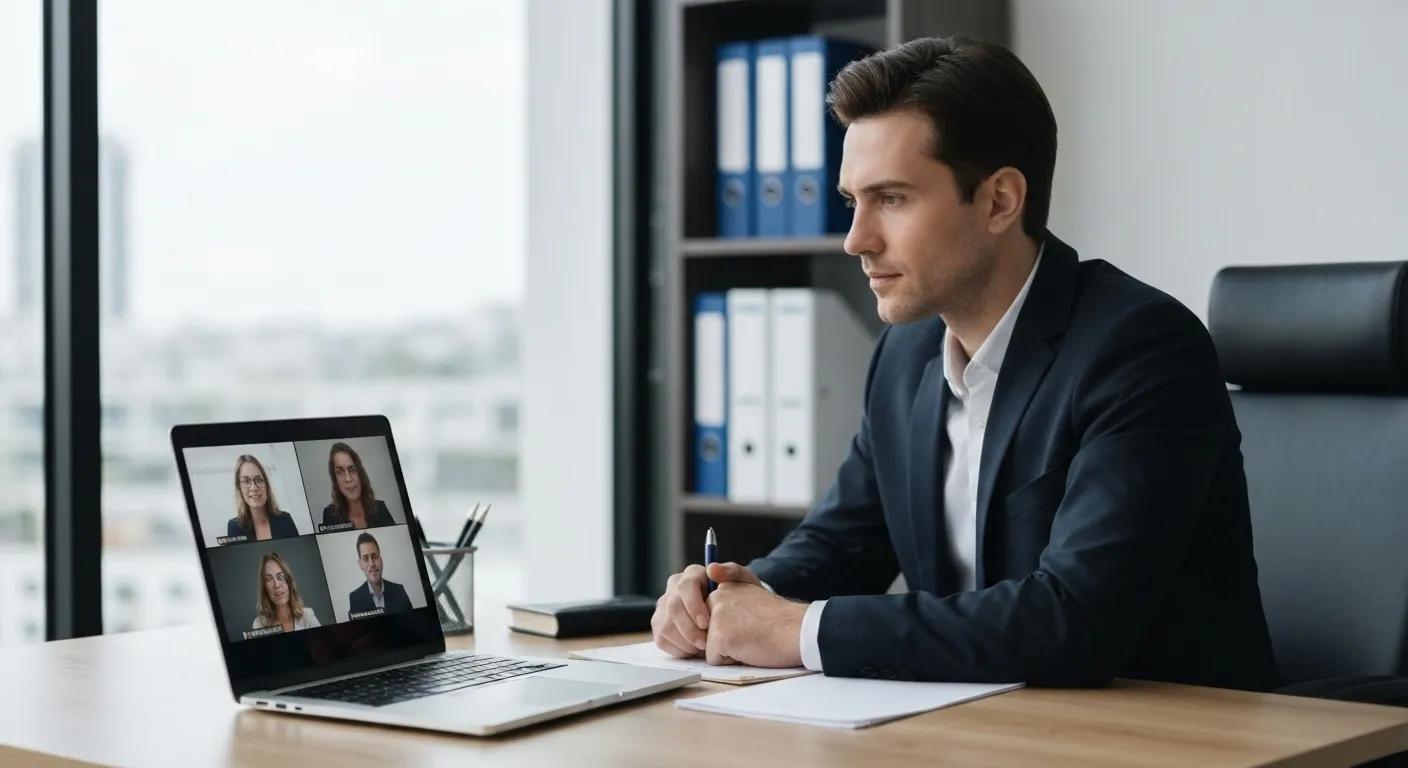

Attorney Video Conferencing: Confidentiality and Security Best Practices for Legal Professionals
Attorney video conferencing combines digital communication technology with the imperative to safeguard privileged legal discussions, ensuring that sensitive client matters remain protected during remote consultations. As approximately 80 percent of law firms now rely on virtual meetings for case strategy sessions and depositions, rigorous ethical, technical, and procedural safeguards have become non-negotiable. This guide delivers a clear map of core themes:
- Ethical Duties & Privilege – Navigating ABA Model Rules, competence requirements, privilege risks, and client consent
- Technical Security Features – Implementing end-to-end encryption, authentication, access controls, and secure data storage
- Practical Environment Best Practices – Securing physical spaces, pre-meeting protocols, in-meeting conduct, and post-meeting procedures
- Regulatory Compliance – Aligning with HIPAA, GDPR, state bar opinions, and integrated multi-jurisdiction strategies
- Platform Selection – Evaluating legal-specific versus general tools and configuring settings for maximum protection
- Emerging Risks & Mitigation – Addressing AI, metadata exposure, and the latest cyber threats
- Training & Client Education – Equipping staff and clients with checklists, protocols, and security know-how
- Common Queries – Direct, snippet-ready guidance for maintaining privilege, platform security, and depositions
- Continuous Monitoring – Tracking KPIs, policy reviews, and threat-detection tools
By weaving ethical obligations, technical controls, and continuous education into a unified strategy, law firms can uphold attorney-client privilege and maintain airtight confidentiality.
What Are the Ethical Duties and Attorney-Client Privilege Requirements in Video Conferencing?

Attorney-client privilege in video conferencing combines an ethical mandate to protect confidential communications with practical obligations to ensure secure transmission. Upholding this privilege fosters trust, preserves legal strategy integrity, and prevents inadvertent waiver.
How Do ABA Model Rules Govern Confidentiality in Virtual Legal Meetings?
ABA Model Rules 1.1, 1.6, 5.1, and 5.3 define the boundaries of competence and confidentiality in remote meetings. Rule 1.1 requires lawyers to maintain technological competence, Rule 1.6 prohibits disclosure of client information, Rule 5.1 mandates supervision of junior attorneys using digital tools, and Rule 5.3 extends confidentiality duties to non-lawyer assistants. By tracking these rules, firms demonstrate adherence to professional conduct standards and fortify attorney-client privilege, laying the foundation for secure virtual exchanges and bridging into privilege risk management.
American Bar Association, Model Rules of Professional Conduct (Various Years)
This supports the article’s emphasis on the importance of adhering to the ABA Model Rules to ensure confidentiality in virtual legal meetings.
What Risks Threaten Attorney-Client Privilege During Video Calls?
Unsecured networks, overheard conversations, and unauthorized participants threaten privilege by exposing confidential data. Adversaries may intercept unencrypted streams, eavesdrop on ambient audio, or exploit weak meeting links, leading to inadvertent waiver. Recognizing these risks drives investment in encryption and meeting controls, preparing firms to deploy robust technical safeguards without delay.
How Can Lawyers Ensure Competence in Using Video Conferencing Technology?
Competence in video technology involves understanding platform settings, encryption standards, and troubleshooting protocols. Lawyers must complete training modules on enabling secure features, supervising support staff, and documenting technological limitations. Demonstrating documented competence reduces malpractice exposure and ensures compliance with ABA Rule 1.1’s mandate for technological proficiency, setting the stage for informed client consent procedures.
Why Is Informed Client Consent Important for Virtual Legal Communications?
Informed client consent asserts client awareness of potential confidentiality risks and the measures taken to mitigate them. By explaining encryption levels, access controls, and recording policies, attorneys fulfill Rule 1.6’s exception for client-authorized disclosures. Clear consent develops client trust and aligns ethical obligations with practical service delivery, guiding clients safely into the technical and procedural steps that follow.
What Technical Security Features Protect Confidentiality in Legal Video Conferencing?

Technical security features in attorney video conferencing equip firms with defenses against unauthorized access and data breaches, ensuring encrypted transmission, verified participants, and controlled environments to maintain privilege protection.
How Does End-to-End Encryption Safeguard Attorney-Client Communications?
End-to-end encryption (E2EE) encodes audio and video streams so only meeting endpoints can decrypt content, preventing intermediaries or platform providers from accessing sensitive data in transit. By employing proven algorithms such as AES-256 or ChaCha20, E2EE ensures that only attorney and client devices hold the decryption keys, directly protecting attorney-client privilege and reducing eavesdropping risks.
National Institute of Standards and Technology, Advanced Encryption Standard (AES) (2001)
This citation supports the article’s discussion of end-to-end encryption and its role in securing attorney-client communications.
What Role Does User Authentication Play in Securing Video Calls?
User authentication confirms participant identities before granting meeting access, with multi-factor authentication (MFA) and unique meeting credentials creating layers of defense. MFA combines passwords, hardware tokens, or biometric verification to reduce account takeover chances, guaranteeing that only vetted legal professionals and clients join the secure virtual consultation.
How Do Access Controls Like Waiting Rooms and Meeting Locks Prevent Unauthorized Access?
Waiting rooms and meeting locks function as active access controls that gate participants until hosts validate identities. By manually admitting known attendees from the lobby and locking meetings once everyone has joined, hosts eliminate unwanted guests and safeguard confidential discussions from intrusion, reinforcing the privilege protection framework.
What Are Best Practices for Data Storage and Recording in Legal Video Platforms?
Secure video platforms offer options for encrypted cloud storage or local recording, enabling firms to choose between convenience and maximum data control. Best practices include:
- Encrypting saved recordings with AES-256
- Retaining recordings only as long as needed
- Restricting file access to authorized personnel
- Implementing audit trails for download and deletion events
These measures balance regulatory requirements with operational needs, ensuring recorded content remains confidential and auditable.
What Practical Best Practices Ensure a Confidential Virtual Meeting Environment?
Practical best practices encompass physical setups, procedural protocols, and in-session conduct that collectively prevent inadvertent disclosures and maintain attorney-client privilege throughout the virtual meeting lifecycle.
How Can Lawyers Secure Their Physical Environment During Video Conferences?
Securing a physical environment involves selecting a private space free from bystanders, disabling smart speakers to avoid ambient capture, and using dedicated devices with up-to-date security patches. Sound-proofing or white noise machines can mask background sounds, ensuring that no unauthorized person overhears privileged discussions and preparing the workspace for disciplined virtual representation.
What Pre-Meeting Protocols Help Maintain Confidentiality?
Pre-meeting protocols include distributing agendas only via secure channels, confirming client device readiness, testing encryption settings, and providing clients with guidelines on their environment. By verifying that clients use private networks, updated software, and secure headphones, lawyers minimize technical errors and establish shared responsibility for confidentiality before the meeting begins.
How Should Lawyers Manage In-Meeting Conduct to Protect Confidentiality?
During the call, hosts should mute participants when not speaking, disable file or screen sharing by default, and spotlight only the active speaker. These practices prevent inadvertent information leaks through background activity or accidental screen reveals, sustaining the integrity of privileged communication and segueing into post-meeting data handling.
What Post-Meeting Procedures Support Security and Compliance?
Post-meeting steps involve exporting or deleting recordings according to retention policies, summarizing confidential discussions in secure case management systems, and encrypting follow-up materials. Regularly purging outdated recordings and documenting compliance actions in firm records ensure that privilege is preserved beyond the live session and that data hygiene becomes an ongoing discipline.
How Do HIPAA, GDPR, and Other Regulations Impact Legal Video Conferencing Compliance?
Regulatory frameworks such as HIPAA, GDPR, and state bar ethics opinions establish legal requirements for data privacy and confidentiality in video conferencing, shaping how law firms manage protected information during virtual interactions.
Before comparing regulations, consider the following compliance attributes that determine the scope of protected data and required safeguards.
| Regulation | Core Requirement | Impact on Video Conferencing |
|---|---|---|
| HIPAA | Business Associate Agreement | Requires BAA with platform provider and PHI encryption |
| GDPR | Data Subject Consent & Residency | Demands explicit client consent, data storage within EU or adequate safeguards |
| CCPA | Consumer Privacy Rights | Grants California residents data access and deletion rights |
| State Bars | Ethical Opinions & Guidelines | Interprets ABA Model Rules in jurisdiction-specific contexts |
What Are the Key HIPAA Requirements for Attorney Video Conferencing?
HIPAA mandates that video conferencing platforms processing Protected Health Information (PHI) sign a Business Associate Agreement (BAA), implement encryption in transit and at rest, and maintain audit logs of access. These requirements protect medical-related client information during telehealth and legal interactions, ensuring law firms meet federal data security standards.
U.S. Department of Health & Human Services, Health Insurance Portability and Accountability Act of 1996 (HIPAA) (1996)
This citation supports the article’s discussion of HIPAA requirements and their impact on legal video conferencing compliance.
How Does GDPR Affect Data Privacy in Legal Video Calls?
GDPR enforces data subject rights, requiring explicit consent for processing personal data, ensuring data transfers only to jurisdictions with adequate safeguards, and granting clients access, rectification, and erasure rights. For attorney video conferencing, GDPR compliance entails clear disclosures about processing activities, data residency controls, and readiness to respond to client data requests.
What State Bar Ethics Opinions Guide Video Conferencing Compliance?
State bar ethics opinions interpret national Model Rules to local contexts, often offering guidance on secure communication methods and duty-to-supervise non-lawyer staff. Opinions may specify acceptable encryption standards, consent procedures, and record retention guidelines, enabling firms to align virtual meeting practices with regional ethical obligations.
How Can Law Firms Align Video Conferencing Practices with Multiple Regulations?
Aligning practices across HIPAA, GDPR, and state rules requires creating a unified compliance framework:
- Map data flows to identify jurisdictional overlaps
- Select platforms with configurable encryption and data residency
- Implement standardized consent forms covering all requirements
- Maintain cross-jurisdictional audit trails and policy documentation
This integrated approach ensures consistent privilege protection and regulatory compliance.
How to Choose the Right Secure Video Conferencing Platform for Law Firms?
Selecting a secure video platform involves evaluating key security criteria, comparing specialized and general tools, analyzing feature sets, and configuring settings to meet legal confidentiality requirements.
What Security Criteria Should Law Firms Use to Evaluate Video Platforms?
Law firms should assess platforms based on:
- End-to-end encryption availability
- Multi-factor authentication support
- Granular access controls (waiting rooms, meeting locks)
- Data residency options and compliance certifications (HIPAA, GDPR)
- Audit logging and administrative oversight
Focusing on these criteria ensures the chosen solution aligns with attorney-client privilege and regulatory demands.
How Do Legal-Specific Platforms Compare to General Video Conferencing Tools?
Legal-specific solutions often integrate case management, offer tailored BAAs, and embed privilege management features, while general platforms may require additional configuration for compliance. Specialized platforms streamline consent capture and recording controls, reducing implementation friction, whereas general tools rely on firm-defined policies and manual procedures.
What Are the Security Features of Popular Platforms Like Zoom, Microsoft Teams, and Webex?
Below is an EAV comparison of leading platforms’ security attributes and corresponding benefits:
| Platform | Encryption | Access Controls | Compliance Certifications |
|---|---|---|---|
| Zoom | AES-256/GCM E2EE option (opt-in) | Waiting room, passcodes | HIPAA, GDPR |
| Microsoft Teams | TLS 1.2 + AES-256 bit | MFA, lobby controls | ISO/IEC 27001, GDPR, HIPAA BAA option |
| Cisco Webex | End-to-end encrypted meetings (optional) | Role-based controls | SOC 2, GDPR, HIPAA |
How Can Law Firms Configure Platform Settings for Maximum Security?
Configuring maximum security involves:
- Enabling E2EE or highest available encryption mode
- Activating MFA for all user accounts
- Restricting screen sharing to hosts only
- Enforcing waiting rooms and meeting locks
- Disabling cloud recording or encrypting stored recordings
By systematically applying these settings, firms convert general platform capabilities into legal-grade confidentiality protections.
What Emerging Risks Affect Confidentiality in Attorney Video Conferencing?
Emerging risks in remote legal meetings include AI-driven metadata extraction, novel phishing tactics, and automated intrusion attempts that exploit platform vulnerabilities.
How Does AI Impact Privacy and Metadata Risks in Legal Video Calls?
AI services may analyze audio, video, and chat metadata for transcription or analytics, potentially exposing privileged content or behavioral insights. Without strict data-usage agreements, third-party AI could process sensitive information outside attorney-client privilege, necessitating contractually enforced data deletion and on-premises AI deployments.
What Are the Latest Cybersecurity Threats Targeting Virtual Legal Meetings?
Recent threats include “Zoom bombing” by unauthorized guests, spear-phishing meeting invites, credential-stuffing attacks, and vulnerability exploits that allow remote code execution. Awareness of these threats drives the adoption of proactive measures such as regular patching, employee phishing simulations, and intrusion detection systems.
How Can Law Firms Mitigate Emerging Security Risks?
Mitigation strategies include:
- Conducting quarterly penetration tests on conferencing infrastructure
- Maintaining up-to-date endpoint protection on all devices
- Implementing real-time monitoring and anomaly detection
- Offering staff refresher training on evolving threat scenarios
Proactive risk management transforms emerging vulnerabilities into manageable challenges and sets the stage for ongoing training and education.
What Training and Client Education Are Essential for Secure Legal Video Conferencing?
Effective training and client education build a human firewall that complements technical measures, ensuring that staff and clients understand and adhere to confidentiality protocols.
How Should Law Firms Train Staff on Video Conferencing Security Best Practices?
Staff training should cover platform configuration, ethical obligations, incident reporting procedures, and scenario-based simulations. Regular workshops and online modules reinforce key practices—like verifying participant identities—and promote a security-first mindset that underpins privileged communication.
What Client Education Steps Help Maintain Confidentiality in Virtual Meetings?
Client education includes distributing pre-meeting guides on device security, environment preparation, and consent forms that outline confidentiality safeguards. Clear, jargon-free instructions help clients maintain a secure setting—such as selecting private rooms and using headphones—to support attorney efforts.
How Can Checklists and Protocols Improve Meeting Security?
Checklists and formal protocols standardize steps across the meeting lifecycle, from pre-call technology tests to post-call data handling. By following structured checklists, firms reduce human error, ensure regulatory compliance, and create a repeatable framework for secure attorney video conferencing.
What Are Common Questions About Attorney Video Conferencing Confidentiality and Security?
Legal professionals frequently seek concise answers on maintaining privilege, platform security, and safe deposition practices. Below are direct, featured-snippet-optimized responses.
How Do Lawyers Maintain Confidentiality in Video Calls?
Lawyers maintain confidentiality by using end-to-end encryption, conducting meetings from private spaces, verifying participant identities, and disabling unnecessary sharing features to prevent unauthorized data exposure.
Is Zoom Secure for Attorney-Client Privilege?
Zoom can support attorney-client privilege when configured with AES-256/GCM end-to-end encryption (opt-in), multi-factor authentication, waiting rooms, and a signed Business Associate Agreement for HIPAA-related communications.
What Are the Best Practices for Secure Legal Depositions Online?
Secure online depositions require encrypted video streams, courtroom-grade evidence storage, witness identity verification protocols, and strict control over exhibit sharing and recording access.
How Can Lawyers Prevent Privilege Waiver During Virtual Meetings?
Preventing privilege waiver involves confirming that all participants understand confidentiality rules, using private networks, avoiding non-legal listeners, and documenting informed consent for any exceptions to privileged discussions.
How Can Law Firms Monitor and Update Their Video Conferencing Security Practices?
Continuous monitoring and timely updates keep firm practices aligned with evolving threats, regulatory changes, and emerging technologies.
What KPIs Should Law Firms Track for Video Conferencing Security?
Key performance indicators include encryption usage rates, unauthorized access attempts, meeting security incident counts, and compliance audit pass rates to measure security posture and identify improvement areas.
How Often Should Legal Video Conferencing Policies Be Reviewed and Updated?
Policies should undergo formal review at least quarterly to address emerging threats, platform updates, and regulatory shifts, with a comprehensive annual audit to validate overall effectiveness and compliance alignment.
What Tools Help Monitor Compliance and Emerging Security Threats?
Tools such as Security Information and Event Management (SIEM) systems, vulnerability scanners, incident-response platforms, and compliance management software enable real-time threat detection and policy adherence tracking, ensuring that attorney video conferencing remains secure and up to date.
Attorneys and law firms that integrate ethical diligence, state-of-the-art encryption, procedural rigor, and continuous education forge a resilient video conferencing strategy that upholds privilege and confidentiality. By adopting a multi-layered security framework—spanning technology, environment, compliance, and human factors—legal professionals can confidently extend their practice into virtual spaces without compromising client trust. As threats and regulations evolve, ongoing monitoring and regular policy refinement will sustain secure, efficient, and legally compliant virtual legal interactions.
Enhance Your Virtual Meetings with Aon Meetings
Discover how Aon Meetings can provide secure, reliable, and compliant video conferencing solutions tailored for legal professionals. Visit our website to learn more and request a demo.