
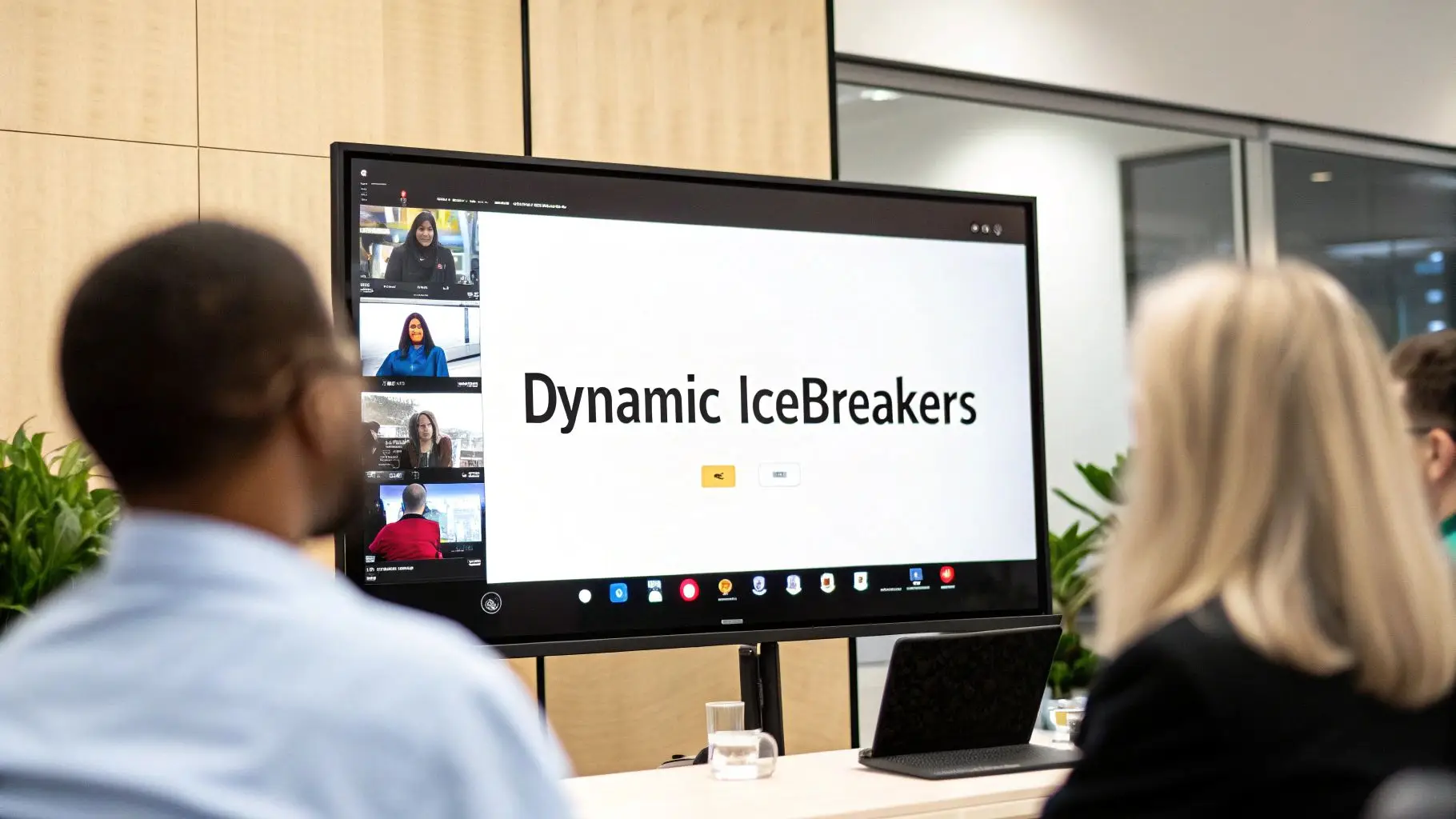
Virtual meetings often start with a familiar, awkward silence. The challenge isn't just bringing people together online; it's about creating genuine connection and psychological safety from the first minute. Traditional in-person icebreakers can lose their impact through a screen, and overused prompts like "two truths and a lie" often feel forced or uninspired, failing to build meaningful rapport. This guide moves past the obvious, offering a curated roundup of seven powerful platforms and resources specifically designed to host effective ice breakers online. We will provide a detailed breakdown of tools that cater to different team dynamics and meeting goals, from quick 5-minute energizers to more involved collaborative explorations.
To truly reimagine virtual engagement, it's helpful to consider what makes any social gathering successful, including understanding the appeal of the best party games for large groups. Applying those principles of fun and structured interaction is key to overcoming the digital divide.
This listicle is built for action. For each platform, you will find:
- Actionable execution steps for specific activities.
- Direct links and screenshots to help you navigate each tool.
- Practical examples tailored for business, education, healthcare, and legal contexts.
- Tips on leveraging features like polls, whiteboards, and breakout rooms to foster genuine interaction.
Our goal is to provide a comprehensive resource that helps you select the right tool and implement it immediately. Get ready to transform your virtual sessions from passive viewings into dynamic, participatory experiences where every team member feels engaged and connected from the very start.
1. TeamBuilding.com
TeamBuilding.com offers a premium, turnkey solution for organizations seeking professionally facilitated ice breakers online. Instead of providing DIY tools, the platform specializes in fully hosted virtual events designed to engage remote teams with minimal prep work required from the organizer. This service is ideal for busy managers in corporate, healthcare, or legal settings who want a guaranteed, high-quality engagement experience without the hassle of planning and execution.
The core offering revolves around live, energetic hosts who lead groups through a series of curated mini-games and activities. These sessions are designed to run seamlessly on standard video conferencing platforms like Zoom, Microsoft Teams, or Google Meet, eliminating the need for participants to download new software. This focus on a full-service model makes it a standout choice for high-stakes meetings, virtual onboarding, or company-wide events where a smooth, professional touch is essential.

Key Features and Offerings
TeamBuilding.com's model is built around convenience and quality. The platform handles all logistics, from scheduling to facilitation, allowing organizers to focus on their meeting's primary objectives.
- Dedicated Event Host: Every session includes a professional facilitator trained to manage group dynamics, maintain energy, and ensure everyone participates.
- Curated Mini-Games: Activities range from fast-paced trivia and "Can You Hear Me Now?" drawing games to more relaxed "Getting to Know You" sessions.
- Optional Add-Ons: Organizers can enhance the experience by including physical items shipped to attendees, such as snack boxes, cocktail kits, or company swag. This adds a tangible element to the virtual event.
- Scalability: Events can be tailored for small teams of 10 or scaled up for large enterprise all-hands meetings with hundreds of participants.
Practical Implementation
Booking an event is straightforward. You select an activity, provide your team size and preferred dates, and an event coordinator handles the rest. For those looking to incorporate these activities into a larger agenda, the facilitators are skilled at adapting their timing to fit within a specific meeting slot.
Pro Tip: When booking, clearly communicate your team's goals. Whether you want to foster collaboration, celebrate a milestone, or simply provide a fun break, the host can tailor the tone and activities to match your desired outcome. For more ideas on how to frame these sessions, you can find a variety of creative icebreakers for virtual meetings to complement the professionally-led activities.
Pricing and Logistics
The platform operates on a per-person pricing model, which can be a significant investment for larger teams but offers excellent value considering the all-inclusive service.
| Aspect | Details |
|---|---|
| Pricing | Per-guest fee; varies by event type and duration. |
| Pros | Zero organizer prep, high-quality facilitation, scalable, engaging formats. |
| Cons | Can be costly for very large groups, requires scheduling lead time. |
| Shipping | Add-on boxes and prizes ship directly to attendees (primarily US-based). |
| Best For | Corporate teams, new hire onboarding, virtual retreats, client events. |
Website: https://teambuilding.com/
2. Brightful
Brightful delivers a library of browser-based games designed for quick and accessible ice breakers online. The platform's main advantage is its simplicity. It requires no downloads or installations, allowing participants to join a game instantly via a shared link on any device. This makes it an excellent tool for injecting a few minutes of fun into a scheduled meeting without derailing the agenda, perfect for teams in fast-paced corporate, educational, or startup environments.
Instead of a facilitated service, Brightful empowers the meeting host to become the game leader. The interface is designed to run alongside any video conferencing platform, such as Zoom or Google Meet. The host shares their screen showing the game, while participants use their phones or a separate browser tab to play along. This DIY approach offers flexibility and spontaneity, ideal for regular team check-ins, classroom warm-ups, or webinar engagement.

Key Features and Offerings
Brightful focuses on speed and variety, ensuring a meeting organizer can launch an engaging activity with just a few clicks. The games are designed to be intuitive and lighthearted.
- Instant Play: Games are launched from the website, and a unique room code or link is generated for participants to join immediately.
- Diverse Game Library: The platform includes popular formats like "Would You Rather," "Draw It," trivia, and a large bank of conversation starters.
- Host-Controlled Sessions: The meeting organizer manages the pace of the game, including starting rounds, revealing answers, and displaying leaderboards.
- Engagement Tools: Beyond games, Brightful also offers integrated tools like polls and Q&A features to gather real-time feedback during a presentation or meeting.
Practical Implementation
Using Brightful is incredibly straightforward. The host navigates to the website, selects a game, and starts a new session. They then share the generated link or QR code with the team. Since it works on any video platform, it integrates seamlessly into existing workflows without technical hurdles.
Pro Tip: Use Brightful to kick off your weekly team sync. A quick five-minute round of "Would You Rather" can energize the team and set a positive tone before diving into business-critical topics. For deeper engagement, you can explore other virtual team building exercises to bring everyone closer together that build on the momentum from a simple icebreaker.
Pricing and Logistics
The platform uses a freemium model, making it accessible for casual use while offering more robust features for businesses that use it regularly.
| Aspect | Details |
|---|---|
| Pricing | Free tier with limits on players and features; paid plans unlock more games and admin tools. |
| Pros | Extremely easy to use, no installs required, great game variety, works on any device. |
| Cons | Free version is limited; not designed for deep, workshop-style team building. |
| Shipping | Not applicable; this is a fully digital platform. |
| Best For | Quick meeting warm-ups, classroom engagement, webinar interaction, spontaneous team fun. |
Website: https://www.brightful.me/
3. Mentimeter
Mentimeter is a powerful interactive presentation tool that transforms passive audiences into active participants, making it an exceptional platform for ice breakers online. Instead of a facilitated service, it provides a versatile DIY toolkit for creating live polls, word clouds, quizzes, and open-ended Q&A sessions. Participants join instantly from any device using a simple code or QR scan, eliminating the need for downloads or sign-ups. This low-friction entry point makes it perfect for quick, engaging activities at the start of any virtual meeting, webinar, or large-scale event.
The platform excels at collecting and visualizing audience input in real time, turning simple questions into dynamic, shared experiences. For example, a "Two Truths and a Lie" poll or a word cloud generated from "One word to describe your week" can instantly energize a group. This focus on immediate, visual feedback makes Mentimeter a go-to for facilitators who want to gauge the room's mood, spark conversation, and make every participant feel heard, regardless of group size.
Key Features and Offerings
Mentimeter’s strength lies in its simplicity for participants and its robust features for presenters. The platform is designed to seamlessly integrate into existing workflows, encouraging widespread adoption.
- Audience Interaction Tools: A wide array of formats including Word Clouds, Multiple Choice polls, Quizzes with leaderboards, and open-ended questions allow for diverse icebreaker activities.
- No App Required: Attendees can participate from their smartphone, tablet, or computer browser, which significantly lowers the barrier to engagement.
- Moderation and Filters: For open-text responses, presenters can use moderation tools and profanity filters to ensure all displayed content remains appropriate for the setting.
- Platform Integrations: Paid plans offer integrations with key business tools like Microsoft Teams, Zoom, and PowerPoint, allowing you to embed interactive slides directly into your presentations.
Practical Implementation
Using Mentimeter is straightforward for any meeting host. You create your icebreaker slides ahead of time, share the presentation code or link at the start of your meeting, and advance the slides as participants respond live. The platform's extensive template library offers pre-built icebreaker games and prompts, saving valuable prep time.
Pro Tip: For a "Getting to Know You" activity, use the "Open-Ended" slide type and ask participants to submit a fun fact about themselves. As the anonymous answers appear on screen, the team can guess who submitted each one, fostering a lighthearted and personal connection.
Pricing and Logistics
Mentimeter offers a tiered pricing structure, including a functional free version that is great for small teams or for trying out the platform's core features.
| Aspect | Details |
|---|---|
| Pricing | Free plan available with limits; paid plans (Basic, Pro) offered on a per-user, annual basis. |
| Pros | Very low friction for participants, highly scalable for large audiences, robust template library. |
| Cons | Advanced features and unlimited questions require a paid plan; free version has participant limits. |
| Shipping | Not applicable; this is a fully digital software-as-a-service (SaaS) platform. |
| Best For | All-hands meetings, large training sessions, educational webinars, and quick meeting kick-offs. |
Website: https://www.mentimeter.com/
4. Kahoot!
Kahoot! is a game-based learning platform that excels at transforming standard meetings into dynamic, interactive competitions. It has become a go-to tool for injecting quick bursts of energy and is widely recognized for its quiz-based ice breakers online. The platform’s strength lies in its simplicity and accessibility; participants can join a game in seconds using a simple PIN on their phone or browser, making it incredibly easy to launch an activity with minimal friction. This is ideal for kicking off a meeting, breaking up a long training session, or re-engaging a team post-lunch.
The core of Kahoot! is its user-friendly quiz builder and a vast library of ready-made games, or "kahoots," covering a wide range of topics from pop culture trivia to company-specific knowledge checks. While often used in educational settings, its business-focused plans add powerful features for corporate use, including branding, advanced analytics, and integrations. This makes it a versatile choice for organizations wanting a familiar, high-energy tool that can be deployed quickly to boost engagement.

Key Features and Offerings
Kahoot!’s platform is built around speed, competition, and ease of use, making it a powerful tool for quick and effective icebreakers. Its features are designed to get teams interacting immediately.
- Ready-Made Templates: The platform offers a large library of pre-built icebreaker quizzes and "get to know you" templates that can be launched in minutes.
- Live and Self-Paced Modes: Hosts can run live games where everyone answers in real-time or assign self-paced challenges that team members can complete on their own schedule.
- Team Mode: This feature groups participants into teams, encouraging collaboration as they work together to answer questions, which is great for fostering teamwork.
- Corporate Branding and Analytics: Business plans allow for custom branding with company logos and colors, and provide detailed reports on participation and performance.
- Varied Question Types: Beyond multiple-choice, you can include polls, word clouds, and open-ended questions to gather opinions or spark discussions.
Practical Implementation
To run a session, the host simply selects or creates a kahoot and shares their screen on a platform like Zoom or Microsoft Teams. Participants join by entering a game PIN at kahoot.it, turning their mobile devices into controllers. The live leaderboard and upbeat music create a naturally competitive and engaging atmosphere.
Pro Tip: Mix fun, non-work-related questions with one or two that are specific to your company culture or a recent project. This balances the "get to know you" aspect with a subtle nod to team-specific context, making the game feel more personalized and relevant.
Pricing and Logistics
Kahoot! offers a tiered subscription model, with a free basic plan and more advanced features available in its paid business tiers, which are typically billed annually.
| Aspect | Details |
|---|---|
| Pricing | Free basic plan; paid business plans are tiered and billed annually. |
| Pros | Very easy for participants to join, high-energy format, great for quick engagement, strong analytics in business plans. |
| Cons | Business plans are an annual commitment, format is more competitive than conversational, free version has limitations. |
| Shipping | Not applicable; this is a fully digital platform. |
| Best For | Quick meeting kick-offs, training sessions, company-wide trivia events, knowledge reinforcement. |
Website: https://kahoot.com/
5. Miro
Miro is a versatile online visual collaboration canvas that excels at providing creative and interactive ice breakers online. Rather than focusing on facilitated events or simple quizzes, Miro empowers teams to engage directly on a shared digital whiteboard filled with customizable templates. This approach is perfect for workshops, creative kick-offs, or any meeting where fostering visual collaboration and hands-on participation is a key goal.
The platform’s strength lies in its vast library of plug-and-play icebreaker templates, such as "Digital Event Icebreakers" and "Questions from a Bucket." These templates run directly in a web browser, allowing participants to join and contribute with a simple link. Teams can use digital sticky notes, draw, vote, and react in real-time, making it an ideal tool to use alongside a standard video conference call to add a dynamic, visual layer to the interaction. This makes Miro a standout for teams that want to move beyond talk-based activities into a more creative and tactile virtual space.
Key Features and Offerings
Miro's feature set is designed for flexibility and creative freedom, allowing organizers to tailor activities precisely to their team's personality and goals.
- Extensive Template Library: Access over 300 official templates and thousands more in the community-driven "Miroverse," offering a nearly endless supply of icebreaker ideas.
- Real-Time Collaboration Tools: Features include digital sticky notes, pens, shapes, voting tools, and timers to structure activities and encourage live participation.
- Guest Editor Access: Participants can join a board without needing to create an account, removing friction and making it easy for external clients or new hires to jump right in.
- Seamless Integration: Designed to be used in tandem with video conferencing platforms like Zoom or Microsoft Teams, where the Miro board acts as the central interactive workspace.
Practical Implementation
To use Miro for an icebreaker, a facilitator simply chooses a template, copies it to their dashboard, and shares the board link with the team during a meeting. The facilitator can guide the activity, set timers, and encourage discussion based on what participants add to the board. The visual nature of the canvas also provides a persistent record of the team's contributions.
Pro Tip: Before starting the main activity, give new users a one-minute "sandbox" tutorial. Ask them to create a sticky note with their name and add an emoji. This quick warm-up ensures everyone is comfortable with the basic tools before the icebreaker officially begins. You can explore a deeper guide on using a collaborative online whiteboard to maximize its potential in your meetings.
Pricing and Logistics
Miro offers a robust free tier that is often sufficient for running simple icebreakers, with paid plans unlocking more advanced features for power users and organizations.
| Aspect | Details |
|---|---|
| Pricing | Free plan available with limited boards; paid plans offer unlimited boards and advanced features. |
| Pros | Highly visual and creative, large library of free templates, flexible for various group sizes, promotes hands-on engagement. |
| Cons | Can have a slight learning curve for first-time users, advanced features require a paid subscription. |
| Shipping | Not applicable; fully digital platform. |
| Best For | Creative teams, workshops, design sprints, hybrid meetings, training sessions. |
Website: https://miro.com/templates/ice-breaker/
6. SessionLab
SessionLab provides a comprehensive and highly curated library of ice breakers online, designed for facilitators, trainers, and managers who want to build engaging agendas from scratch. Rather than being a game platform, it acts as a robust resource and planning tool, offering a searchable database of over 170 field-tested icebreakers and warm-up activities. It is an ideal solution for professionals who lead workshops, training sessions, or recurring team meetings and need reliable, step-by-step methods to foster connection and energy.
The platform's strength lies in its meticulous organization and facilitator-centric approach. Each activity comes with detailed instructions, recommended timings, group size suggestions, and practical tips from experienced practitioners. This focus on repeatable, well-documented methods empowers users to confidently lead activities on any video conferencing platform, such as Zoom or Microsoft Teams, turning a simple library into a powerful playbook for creating dynamic and effective virtual sessions.

Key Features and Offerings
SessionLab is built to save preparation time and improve the quality of facilitation through expert guidance and powerful planning features. It empowers the user to be the host with a toolkit of proven methods.
- Filterable Methods Library: Users can easily search for activities based on group size, duration, topic, or objective, finding the perfect icebreaker for any situation.
- Detailed How-To Guides: Each method includes step-by-step facilitation instructions, materials needed, and key learning points to ensure smooth execution.
- Session Planning Tool: The platform includes an agenda builder that allows you to drag-and-drop activities, automatically calculate timing, and create a complete session plan.
- Collaboration and Exporting: Paid tiers enable team collaboration on session plans, version history, and the ability to export agendas as professional-looking PDFs or Word documents.
Practical Implementation
Using SessionLab is straightforward. You browse the free library to find an icebreaker that fits your meeting's goals. Once you've selected one, you can read the instructions and prepare to lead it yourself during your virtual call. For more structured planning, you can use the session builder to create and save a repeatable agenda for recurring meetings, like new-hire orientations or weekly team check-ins.
Pro Tip: Use the "timing" feature in the session planner to build a balanced agenda. Allocating a specific, timed slot for your icebreaker ensures it serves as an effective warm-up without derailing the primary objectives of your meeting.
Pricing and Logistics
The core library of icebreakers is free to access, making it a highly accessible resource. Advanced planning and collaboration features are available through paid subscription tiers.
| Aspect | Details |
|---|---|
| Pricing | Core library is free; Pro and Business plans unlock advanced features. |
| Pros | Strong facilitator guidance, saves prep time, platform-agnostic, great for building repeatable agendas. |
| Cons | Requires you to facilitate the activity live, best features are behind a paywall. |
| Shipping | Not applicable; this is a digital resource and planning software. |
| Best For | Workshop facilitators, corporate trainers, educators, and team managers. |
Website: https://www.sessionlab.com/library/icebreaker
7. TeamBonding
TeamBonding offers a flexible and highly accessible entry point for teams looking to incorporate structured ice breakers online without committing to a fully facilitated event. The platform uniquely bridges the gap between do-it-yourself activities and premium hosted experiences by providing instant-purchase, downloadable virtual game packs. This approach is perfect for managers and team leads who need a quick, budget-friendly, and reliable resource to energize their regular online meetings on platforms like Zoom or Microsoft Teams.
The core of their DIY offering consists of pre-packaged game kits, such as "Virtual 20 Questions" or "Virtual 4 Corners," complete with clear facilitator instructions and all necessary materials. This model empowers anyone to lead a polished and engaging icebreaker session with minimal preparation. For organizations that later decide they want a more hands-off approach, TeamBonding also provides the option to upgrade to their well-known full-service hosted events, making it a great stepping stone for testing out what works for your team.

Key Features and Offerings
TeamBonding's DIY model is built for speed, convenience, and affordability. It gives organizers the tools to run their own successful activities confidently.
- Downloadable Game Kits: Access a library of 9+ ready-to-use virtual icebreaker packs, including classics like "Coffee Talk" and "4 Corners," designed for easy implementation.
- Comprehensive Facilitator Instructions: Each kit comes with a detailed guide explaining the rules, setup, and tips for leading the activity, removing any guesswork for the host.
- Instant Access: Once purchased, the digital games are available for immediate download, making them an excellent solution for last-minute meeting planning.
- Pathway to Hosted Events: Teams that enjoy the DIY games can easily scale up their experience by booking a professionally facilitated event with a live TeamBonding host.
Practical Implementation
Using a TeamBonding game kit is incredibly straightforward. You simply purchase the desired game from their website, download the provided PDF or presentation file, and follow the instructions to lead the activity during your video call. The games are designed to work seamlessly with any standard conferencing software that supports screen sharing.
Pro Tip: Before the meeting, review the facilitator guide and run through the game once by yourself. This will help you anticipate any questions and ensure you can lead the activity smoothly, keeping the energy and momentum high for your team.
Pricing and Logistics
The platform's DIY model is one of the most cost-effective solutions available, offering professional-grade content at a fraction of the cost of a live event.
| Aspect | Details |
|---|---|
| Pricing | Low, one-time fee per downloadable game kit. |
| Pros | Extremely budget-friendly, instant access, easy to integrate into meetings. |
| Cons | Content is static and non-customizable; digital products are non-refundable. |
| Shipping | Not applicable; all DIY products are digital downloads. |
| Best For | Team leads on a budget, regular team check-ins, last-minute planning. |
Website: https://www.teambonding.com/diy-team-building/virtual-icebreaker-games/
Top 7 Online Icebreaker Tools Comparison
| Service | Implementation complexity | Resource requirements | Expected outcomes | Ideal use cases | Key advantages |
|---|---|---|---|---|---|
| TeamBuilding.com | Low — provider-led, minimal organizer prep (scheduling for add‑ons) | Paid per-event/guest; optional US shipping for treats | High engagement; professionally facilitated, turnkey events | Company socials, large virtual events, no‑prep experiences | Dedicated hosts, curated games, logistics handled |
| Brightful | Very low — instant rooms, zero installs | Free/paid tiers; browser on desktop/mobile | Quick, light engagement and icebreakers | Short meeting warm-ups, ad‑hoc team check‑ins | Fast launch, zero-install, varied casual games |
| Mentimeter | Low — presenter-driven setup, shareable code/QR | Free/paid plans; integrations on paid tiers | Broad interactive responses (polls, word clouds, quizzes) | Large presentations, conferences, interactive talks | Scales to large audiences, strong templates and guidance |
| Kahoot! | Low — host-led quiz flow familiar to participants | Free/paid; best features on business plans | Energetic, competitive engagement and knowledge checks | Energizers, training sessions, quick assessments | Well-known format, ready quizzes, team modes |
| Miro | Medium — requires short onboarding to canvas | Free/paid; browser-based collaborative board | Visual, creative collaboration and deeper engagement | Workshops, hybrid sessions, creative icebreakers | Extensive templates, visual tools (sticky notes, voting) |
| SessionLab | Medium — facilitator-led planning tool; needs prep | Subscription for collaboration features; DIY delivery | Structured, repeatable facilitator-led sessions | Facilitator-run workshops, training, agenda design | Large library of tested methods, timing and facilitation tips |
| TeamBonding | Low — instant downloadable kits for DIY facilitation | One-time purchase per kit; minimal tech required | Budget-friendly, ready-to-run activities | Small meetings, low-budget events, quick DIY activities | Affordable downloadable kits, instant access, upgrade path to hosted services |
Choosing Your Tool and Mastering the Virtual Kickoff
The digital landscape has fundamentally reshaped how we connect, and the virtual meeting is now a cornerstone of modern collaboration. As we've explored, the initial moments of these meetings are critical for setting the tone, fostering psychological safety, and building the rapport necessary for effective teamwork. Moving beyond awkward silences or generic "how was your weekend?" prompts requires a deliberate strategy and the right technology. The ice breakers online we've detailed are more than just games; they are strategic tools for connection.
From the structured, fully-managed events of TeamBuilding.com to the quick, competitive quizzes of Kahoot!, each platform offers a unique pathway to engagement. The key takeaway is that there is no one-size-fits-all solution. Your choice must be a direct reflection of your team's culture, the meeting's objective, and the specific needs of your audience, whether they are legal professionals, healthcare providers, or a creative marketing team.
From Insight to Implementation: Your Next Steps
The most powerful insights are those that translate into action. To truly master the virtual kickoff and make your ice breakers online a consistent success, you need a clear implementation plan. Don't let the wealth of options lead to inaction.
Here’s a practical roadmap to get started:
- Assess Your Immediate Needs: Before your next significant team meeting, ask yourself: What is the primary goal? Is it to energize the group (Kahoot!, Brightful), facilitate deep creative thinking (Miro), or simply get to know new members in a structured way (TeamBonding, Mentimeter)?
- Start with Low-Hanging Fruit: Begin with a tool that requires minimal setup or has a free tier. Mentimeter's word clouds or a simple Brightful game can be integrated into a meeting in less than five minutes, providing a quick win and building your confidence as a facilitator.
- Align with Your Tech Stack: Consider how these tools integrate with your existing video conferencing platform. An effective icebreaker feels seamless, not like a clunky interruption. Leverage native features like polls, whiteboards, and breakout rooms to complement the activity and keep the flow smooth.
- Gather Feedback and Iterate: After trying an activity, ask your team what they thought. A simple poll or a quick question at the end of the meeting can provide valuable data. Was it fun? Did it feel relevant? Use this feedback to build a curated "playbook" of icebreakers that consistently resonate with your group.
Selecting the Right Tool for Your Context
Choosing the ideal platform requires matching its strengths to your specific environment. A fast-paced startup might thrive on the high-energy competition of Kahoot!, while a corporate legal team may benefit more from the structured, thoughtful prompts facilitated by SessionLab's planning tools. For teams seeking a fresh approach to virtual interaction and community building beyond single meetings, consider exploring the innovative features of the saucial app to foster ongoing connection.
Key Consideration: The best icebreaker is one that feels authentic to your team and serves the meeting's purpose. It should reduce barriers, not create them. Always consider accessibility, ensuring that the activity is inclusive for all participants, regardless of their technical skill or physical abilities.
Ultimately, transforming your virtual meetings begins with the simple decision to be more intentional about how they start. By thoughtfully selecting and implementing the right tools for ice breakers online, you move beyond mere facilitation and become a true architect of engagement. You create a space where people feel seen, heard, and ready to contribute their best work, setting the stage for a more collaborative, productive, and human-centric virtual experience.
Ready to make every virtual meeting more engaging from the very first minute? AONMeetings provides a seamless, all-in-one platform with built-in interactive features like high-definition whiteboards, instant polling, and dynamic breakout rooms that perfectly complement the icebreaker tools in this guide. Elevate your virtual kickoffs by visiting AONMeetings and discover a better way to connect.