
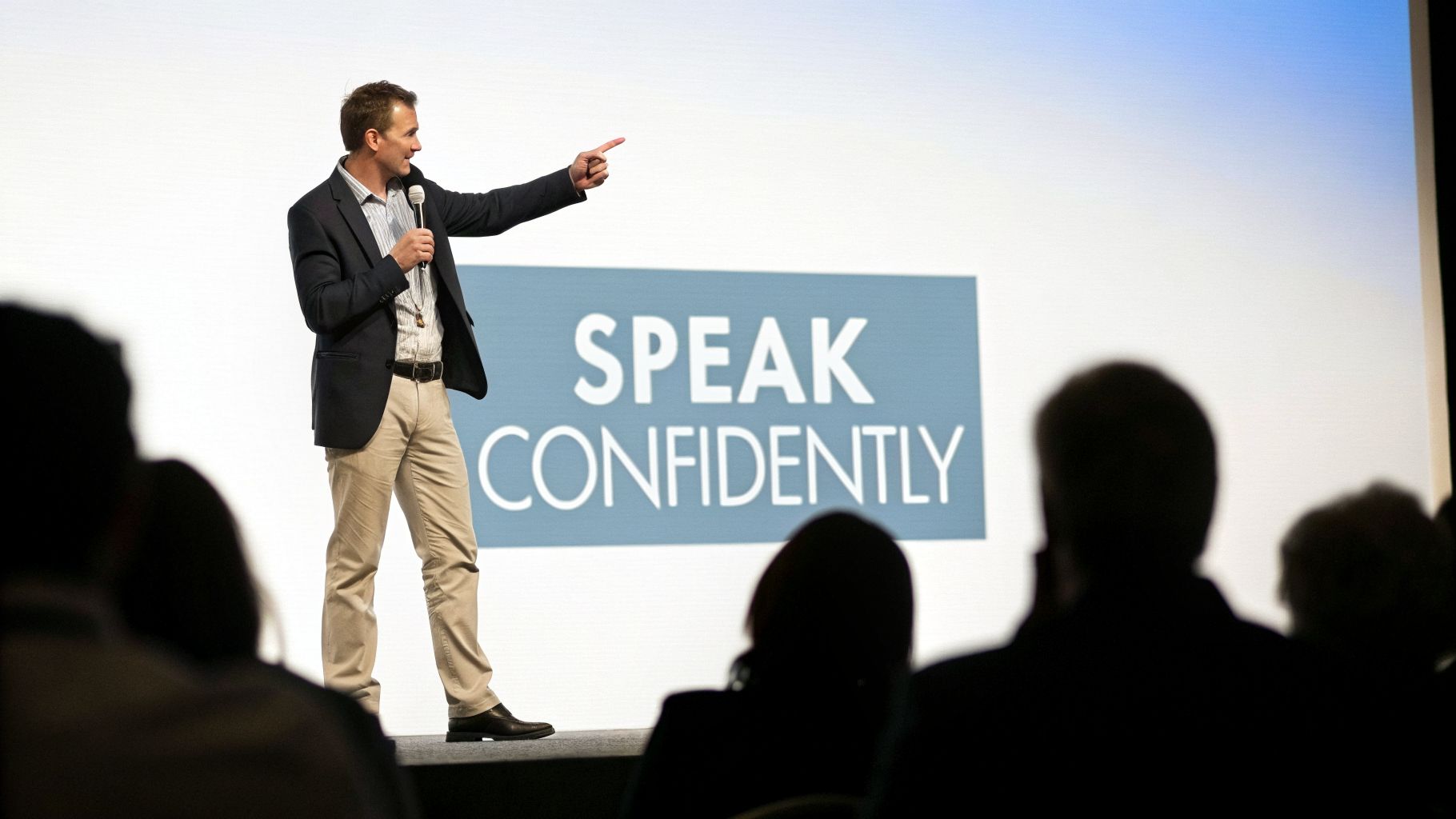
To get better at public speaking, you first have to get a handle on your nerves and build real, unshakable confidence. It's all about shifting your mindset—stop fearing what the audience thinks and start focusing on connecting with them. With a few practical techniques like visualization and controlled breathing, you can turn that nervous energy into a commanding stage presence.
Build Confidence by Taming Your Public Speaking Nerves

Let's be honest—that feeling of dread right before you step on stage is almost universal. The racing heart, the sweaty palms, that rush of adrenaline? It’s your body's natural response to what it thinks is a threat. But what if that energy wasn't a threat, but a tool?
True confidence isn’t about feeling no fear at all. It's about having the ability to perform despite the fear. The journey to becoming a compelling speaker starts right there, by understanding and taming that internal monologue of doubt. It's less about trying to kill your nerves and more about putting them to work for you.
Reframe Your Internal Dialogue
Your mindset is the bedrock of your stage presence. Too many speakers get stuck in a loop of negative self-talk, seeing the audience as a panel of judges just waiting for a mistake. A massive part of building confidence is actively working on overcoming fear of public speaking, and that begins with a conscious mental shift.
"The way to overcome your public speaking anxiety is to first reduce your nerves to a tolerable level and then begrudgingly live with them… Set boundaries."
Instead of thinking, "What if I mess up?" try flipping the script to, "What value can I give them?" This simple change moves your focus from self-preservation to serving your audience. Your goal isn't to be perfect; it's to connect and communicate.
To build a stronger mindset, you need to identify those destructive thought patterns and actively replace them with constructive ones. Here's a quick look at how to reframe common anxieties.
Mindset Shift for Public Speaking Success
| Negative Thought Pattern | Constructive Reframe |
|---|---|
| "Everyone will see how nervous I am." | "My passion for this topic is more important than my nerves. They're here to learn from me, not judge me." |
| "I'm going to forget my lines." | "I know this material inside and out. If I miss a point, I'll adapt and keep the conversation going. It’s a dialogue, not a script." |
| "What if they think my ideas are stupid?" | "I have a unique perspective to share. Even if they don't agree with everything, they'll appreciate the new viewpoint." |
| "I'm not a 'natural' speaker." | "Great speakers aren't born, they're made through practice. Every time I speak, I'm getting better." |
This isn't about lying to yourself—it's about choosing a more productive and realistic perspective. With practice, these new thoughts will start to feel more natural.
Ground Yourself with Practical Techniques
Mental reframing is the long-term strategy, but you also need some in-the-moment tools for when your heart starts pounding. These aren't magic tricks. They’re grounded, physiological methods that tell your body's fight-or-flight response to stand down.
One of the most effective is the 4-7-8 breathing technique. Just before you go on, find a quiet spot. Inhale silently through your nose for a count of four, hold your breath for a count of seven, and then exhale completely through your mouth for a count of eight. Do this three or four times. This simple exercise physically slows your heart rate and sends a signal to your brain that you're safe.
Another powerful tool is positive visualization. Don't just imagine yourself "not failing." Create a detailed, sensory-rich mental movie of your success.
- See the audience members nodding and smiling.
- Hear the steady, confident tone of your own voice.
- Feel that sense of accomplishment as you deliver your final, powerful line.
This practice primes your brain for success, making the real thing feel more familiar and way less intimidating. You're essentially running a mental rehearsal that builds the neurological pathways for confidence.
The fear is real, but it doesn't have to run the show. A staggering 75% of people worldwide fear public speaking, but overcoming it can be a massive career booster. Consistent practice makes you 70% more likely to earn a management promotion, and 95% of people believe that with the right coaching, this anxiety can be conquered.
Craft a Message That Truly Connects

A great speech isn't just a pile of facts; it's a journey you take your audience on. Before you even think about writing a single word or creating a slide, you need to answer one brutally simple question: What is the one thing I want my audience to think, feel, or do differently when I’m done?
This isn’t about cramming in everything you know. It’s about being ruthlessly selective. One of the most common mistakes I see is speakers trying to cover too much ground, which just waters down the message and puts the audience to sleep. Your entire presentation needs to orbit a single, central idea. Every story, statistic, and statement must serve that one goal.
Define Your Core Objective
Let’s say you’re giving a quarterly sales report. A weak goal is to "present the data." A powerful objective is to "convince the leadership team to double down on the new marketing channel that drove 35% of our growth." See the difference? That single goal immediately gives you a filter for what matters.
Now, every piece of content has to pass a simple test: does this help me achieve that specific objective? If the answer is no, it's just noise. Getting this right is the bedrock of a compelling speech and a huge step in learning how to improve your public speaking skills.
A powerful message is not about showing how much you know; it's about making your audience feel understood and inspiring them with a single, transformative idea.
Once you’ve locked in that core objective, you can build a structure around it. The most memorable speeches almost always follow a classic, battle-tested framework.
The Anatomy of an Unforgettable Speech
Think of your speech’s structure as a roadmap. It’s your job to guide the audience from where they are to where you want them to be, without any wrong turns.
The Hook (The First 30 Seconds): You have to grab their attention from the jump. Forget the boring, "Hi, my name is…" intros. Start with a startling statistic, a provocative question, a quick personal story, or a surprising statement.
The Body (The Logical Path): This is where you deliver on the promise of your hook. Organize your main points—and please, stick to three at most. Any more and you risk overwhelming your listeners. You want to guide them logically from one idea to the next using clear, natural transitions.
The Conclusion (The Lasting Impression): This is your final shot to drive the message home. Don't just trail off or mumble, "…so, yeah, that's it." Summarize your key points and, most importantly, circle back to your core objective with a crystal-clear call to action. Tell them exactly what you want them to do next.
Weave in a Narrative
We’re all wired for stories. Facts and figures are great for informing, but it’s stories that truly connect and persuade. A dry rundown of data is a guaranteed snooze-fest. But if you wrap that same data in a narrative, it becomes memorable and hits on an emotional level.
For example, instead of just stating that a new software feature boosted user engagement by 20%, tell the story of a single user.
- Introduce the character: "Meet Sarah, a project manager who was struggling to keep her remote team on the same page."
- Present the conflict: "She was losing hours every week just chasing down updates and dealing with missed deadlines."
- Introduce the solution: "Then, she started using our new real-time collaboration feature."
- Show the resolution: "Within a week, her team's productivity shot up, and Sarah actually got her weekends back. That feature is what drove our 20% engagement lift."
This simple shift turns a data point into a relatable, human experience. If you want to get better at this technique for online presentations, check out our guide on the art of virtual storytelling with AONMeetings.
By grounding your message in a clear objective, a logical structure, and compelling stories, you transform a simple talk into an experience that truly connects and inspires people to act.
Master Your Delivery with Voice and Body Language
A powerful message can fall flat if the delivery doesn't match its energy. How you say something—the tone of your voice, your posture, the gestures you use—is often more impactful than the words themselves. This is where you move from being a speaker who simply informs to one who truly influences.
Mastering your delivery is a fundamental part of learning how to improve public speaking skills. It’s about consciously using your voice and body as tools to engage, persuade, and hold your audience’s attention from start to finish.
Harness the Power of Your Voice
Your voice is your primary instrument on stage. A monotonous, flat delivery is one of the fastest ways to lose an audience. To avoid this, you need to think about your voice in terms of its dynamics—pitch, pace, and volume.
Varying these elements keeps listeners engaged. A sudden drop in volume can pull an audience in, making them lean forward to catch a crucial point. Speeding up your pace can convey excitement, while a deliberate, slow pace can add weight and gravity to a key statement.
A well-modulated voice doesn't just deliver words; it conveys emotion and meaning. It's the difference between a lecture and a conversation, and it’s what makes your message stick.
Think of it like a musical score. You wouldn't want to listen to a song that's all one note, would you? Your speech is no different. Strategic vocal variety is what makes it interesting and memorable.
Project Confidence Through Body Language
Long before you say your first word, your body is already communicating. Your posture, how you stand, and how you move all send powerful signals to the audience about your confidence and credibility.
Start by grounding yourself. Stand with your feet about shoulder-width apart, with your weight evenly distributed. This creates a stable, confident base. Keep your shoulders back and your chest open—a posture that not only looks confident but can actually make you feel more self-assured.
Hand gestures are another critical component. Avoid keeping your hands locked in your pockets or clasped rigidly behind your back. Instead, use them to emphasize your points.
- Open Palms: An upward-facing palm gesture signals honesty and openness.
- Counting on Fingers: Use this to clearly delineate points, such as when you say, "There are three key takeaways…"
- The "Box" Gesture: Keep your gestures within the space between your shoulders and your waist. This looks controlled and professional, both on stage and on camera.
Mastering these non-verbal cues is essential. In fact, research from Stanford, analyzing over 100,000 presentations, revealed that professionals who focus on improving their delivery are seen as 1.3 times more trustworthy by their audiences. You can read the full study about these public speaking insights from Stanford.edu.
Adapting Delivery for the Virtual Stage
Delivering a presentation through a screen presents a unique set of challenges. The subtle body language cues that work in person can get lost in a small video window. This means you have to be even more intentional with your delivery.
Eye contact is paramount. Instead of looking at the faces on your screen, train yourself to look directly into the camera lens. This creates the feeling of direct eye contact with each person watching, forging a stronger connection. It feels unnatural at first, but it makes a world of difference for your audience.
Your voice also becomes even more important in a virtual setting. Without the full spectrum of body language, your vocal tone carries more weight. Use a quality microphone and pay close attention to varying your pitch and pace to keep remote listeners from tuning out. For more tips on this, you might be interested in our article on how to enhance non-verbal communication in virtual meetings.
Whether you're in a boardroom or on a video call, your delivery is what brings your message to life. By consciously managing your vocal dynamics and body language, you can ensure your ideas are not just heard, but felt.
Use Technology For Smarter Rehearsals
Practice is the engine of improvement, but let’s be honest: reciting your speech in a mirror only gets you so far. To really sharpen your skills, you need a more strategic approach—one that uses tools you probably already have to get objective, actionable feedback.
This is about moving beyond what feels right and into data-driven refinement.
Virtual meeting platforms like AONMeetings are perfect for this. They create a simulated environment that mirrors a real presentation, complete with the pressure of a camera. The simple act of recording yourself transforms your rehearsal from a passive review into a powerful performance analysis.
The Record-and-Review Loop
The single most powerful way to improve is to become your own audience. It can be uncomfortable to watch a recording of yourself, I get it. But it provides unfiltered, invaluable insights you would otherwise miss.
You’ll finally notice the nervous tics, the awkward pauses, and the moments where your energy dips. These are all things that are nearly impossible to perceive while you’re in the moment.
The whole process boils down to a simple, repeatable cycle.

This loop of recording, analyzing, and refining ensures each practice session builds directly on the last. It’s the fastest path to focused, measurable improvement.
Analyze Your Performance with a Little Help from AI
Once you have a recording, technology can help you dissect it with incredible detail. Many platforms, including AONMeetings, offer AI-generated transcripts. This text-based version of your speech is a goldmine for self-correction.
Scan the transcript specifically for filler words. Seeing every "um," "ah," "like," and "you know" written out starkly reveals your verbal crutches. One study even found that speakers use filler words at a rate of about one every 12 seconds in conversation. While a few are natural, too many can tank your credibility.
Your goal isn't to eliminate every single filler word, but to become aware of them. This awareness is the first and most critical step toward speaking with more intention and authority.
Beyond fillers, use the transcript to check for clarity. Are your sentences long and convoluted? Are you repeating the same points? The transcript makes these patterns easy to spot so you can tighten your message. For a deeper dive, tools like the Parakeet AI platform offer even more advanced speech analysis.
Fine-Tune Your Non-Verbal Cues
While the transcript covers what you said, the video playback reveals how you said it. This is where you fine-tune the non-verbal delivery that’s so crucial for keeping an audience engaged.
When you review your video, pay close attention to a few key things:
- Pacing and Pauses: Are you rushing through important points? Do you use strategic pauses for emphasis, or are you just filling every moment with sound?
- Body Language: Is your posture confident and open? Or are you fidgeting and appearing closed off?
- Eye Contact: In a virtual setting, are you looking at the camera to connect with your audience, or are your eyes darting around the screen?
- Facial Expressions: Does your expression match the tone of your message? A mismatch here can really confuse people.
Good lighting is also essential for conveying these non-verbal cues effectively online. To make sure your practice sessions reflect a professional setting, check out our essential guide to webcam lighting for professional video quality.
By combining video and transcript analysis, you create a complete feedback system that targets both your content and your delivery.
To help you stay organized during your review, here’s a quick checklist you can use to analyze your practice sessions recorded on a platform like AONMeetings.
Virtual Rehearsal and Feedback Checklist
| Element to Review | What to Look For | AONMeetings Feature to Use |
|---|---|---|
| Verbal Clarity | Filler words (ums, ahs, likes), repetitive phrases, convoluted sentences. | AI Transcript |
| Message Pacing | Rushing through key points, lack of strategic pauses for emphasis. | Recording Playback |
| Eye Contact | Looking directly at the webcam lens, not at the screen or notes. | Recording Playback |
| Body Language | Confident posture, open gestures, minimal fidgeting. | Recording Playback |
| Audio Quality | Clear, crisp sound with no background noise or echo. | Recording Playback |
| Visual Presence | Good lighting, professional background, centered in the frame. | Recording Playback & Virtual Backgrounds |
| Audience Engagement | Moments where you ask questions or prompt interaction. | Polls & Q&A (Simulated) |
Using this checklist will give you a structured way to review each practice run, ensuring you don’t miss any opportunities for improvement. The combination of your own critical eye and the objective data from platform features is a recipe for rapid progress.
Sidestep These Common Public Speaking Traps
Even the most seasoned speakers sometimes stumble into common traps that can derail a great presentation. The first step to avoiding them is simply knowing they exist. This isn't about chasing some mythical, flawless performance; it's about steering clear of the simple missteps that create a wedge between you and your audience.
Think of this as a pre-flight check. A quick review of these frequent errors ensures your message lands with the clarity and impact it deserves, making a massive difference in your journey to becoming a better speaker.
Overloading the Firehose
One of the biggest temptations is to cram every last statistic, fact, and figure into a single talk. You’re the expert, and you want to prove it. But what feels like a comprehensive deep-dive to you is just a firehose of information for your audience.
When listeners get hit with too much at once, they can't tell what’s important. Their brains go into overdrive trying to sort the must-knows from the nice-to-knows, and they end up retaining almost nothing. Remember, your goal isn't to show off how much you know; it's to transfer one powerful idea to them.
The fix? Get ruthless with your edits. I live by the Rule of Three. Build your entire presentation around three core pillars that support your main message. If a piece of information doesn't fit neatly into one of those buckets, it’s probably just noise. Cut it.
The "And… That's It" Ending
Picture this: you've just delivered a fantastic, well-structured presentation. The audience is with you, nodding along, and then… you just sort of trail off. Ending a speech without a clear call to action (CTA) is like leading someone on an epic hike and then leaving them ten feet from the summit.
Your audience is looking to you for direction. They need to know what you want them to think, feel, or do next. Without that guidance, all the momentum you’ve built just evaporates. A strong CTA is what turns a passive listening session into an active, memorable moment.
A great speech shouldn’t just inform; it should spark action. Your final words are your most valuable real estate—use them to make a clear, compelling request that turns your message into a movement.
A CTA doesn't have to be a hard sell. It can be as simple as:
- "I challenge you to try this one technique in your next team meeting."
- "Head over to our website to download the full research report."
- "The next time you face this hurdle, remember the core principle we walked through today."
Leaning Too Heavily on Your Slides
Let’s be honest: PowerPoint and other slide decks are supposed to be visual aids, not your personal teleprompter. When a speaker just turns their back and reads dense, text-heavy slides, it triggers the dreaded "death by PowerPoint." It’s not just boring; it’s completely counterproductive.
Your audience can read much faster than you can talk. If you put everything you're going to say on the screen, you’ve made yourself redundant. They'll either read ahead and tune you out or get frustrated trying to listen to you and read at the same time.
Your slides should complement your words, not copy them. Use them for:
- Powerful images that stir emotion.
- Simple charts or graphs that make data easy to digest.
- A single word or a short phrase to anchor a key idea.
Treat your slides like a billboard, not a legal document. Keep them simple, visual, and focused on enhancing what you're saying out loud. By dodging these common mistakes, your talks will immediately become more focused, engaging, and a whole lot more effective.
Your Public Speaking Questions, Answered
As you start putting these new skills into practice, you're bound to run into some specific challenges. It's only natural. This is the part where we tackle some of the most common questions I hear from speakers, with direct, no-fluff answers.
Think of this as your personal cheat sheet for those moments when you're feeling stuck, whether you're staring down a tough question from the audience or trying to shake off those last-minute jitters.
What’s the Best Way to Practice a Speech?
Reading your notes out loud isn't practicing. The single most effective way to rehearse is to mimic the real event as closely as you can. That means getting on your feet, using your slides, and delivering the speech exactly as you intend to on the day—body language, vocal tone, timing, and all.
Recording yourself is a game-changer for getting objective feedback. I always recommend using a tool like AONMeetings for this. When you watch the playback, you’ll be amazed at what you notice—the filler words you lean on, how your gestures actually look, and whether your pacing is too fast or slow. If it's a virtual talk, practice on video. It’s that simple.
The point of practice isn't just to memorize your lines; it's to internalize your message. You want to know the material so well that it feels like a conversation, not a recital.
How Do I Handle Unexpected Questions?
First off, an unexpected question isn't a threat—it's a gift. It means your audience is listening intently. The secret is to stay cool and have a simple process ready.
- Listen. Really listen. Don't interrupt or start formulating your answer while they're still talking.
- Repeat or rephrase the question. This does two things: it confirms you understood correctly and buys you a precious few seconds to think. Something like, "So, you're asking how this data applies to smaller teams?" works perfectly.
- Give a straight answer. If you know it, great. If you don’t, say so. Honesty is far more powerful than faking it. Try this: "That's a fantastic question. I don't have that specific data on hand, but I'd be happy to find it and follow up with you."
Whatever you do, don't bluff. You build far more credibility by being honest than you ever could by inventing an answer on the spot. Responding with confidence, even when you don't know the answer, keeps you in control.
How Long Should I Make Eye Contact?
The goal here is connection, not a staring contest. When you're in a room with people, try to hold eye contact with one person for the length of a complete thought or a single sentence. That’s usually about 3-5 seconds.
Then, just shift your gaze naturally to someone in another part of the room. This approach makes your talk feel like a series of brief, personal conversations and pulls everyone in.
For virtual presentations, it's even simpler: look directly at the camera lens. It might feel strange to talk to a little green dot, but for everyone watching, it will look like you're making direct eye contact with them.
What if I Completely Lose My Place?
It happens. Even to the pros. The audience is rooting for you, and they're way more forgiving than you think. The absolute worst thing you can do is panic.
Instead, just take a deliberate pause. Breathe. Have a sip of water. That moment will feel like an eternity to you, but to the audience, it’s just a natural break.
Use that beat to glance at your notes or the presenter view on your slides to get your bearings. You can even bridge the silence with a simple phrase like, "Now, the next point I really want to emphasize is…" It makes the pause seem intentional and keeps everything moving smoothly.
Ready to put this into practice? AONMeetings gives you a professional, browser-based platform with HD recording and AI transcripts to make your rehearsals smarter and your delivery sharper. Start connecting instantly and level up your virtual presentations.