
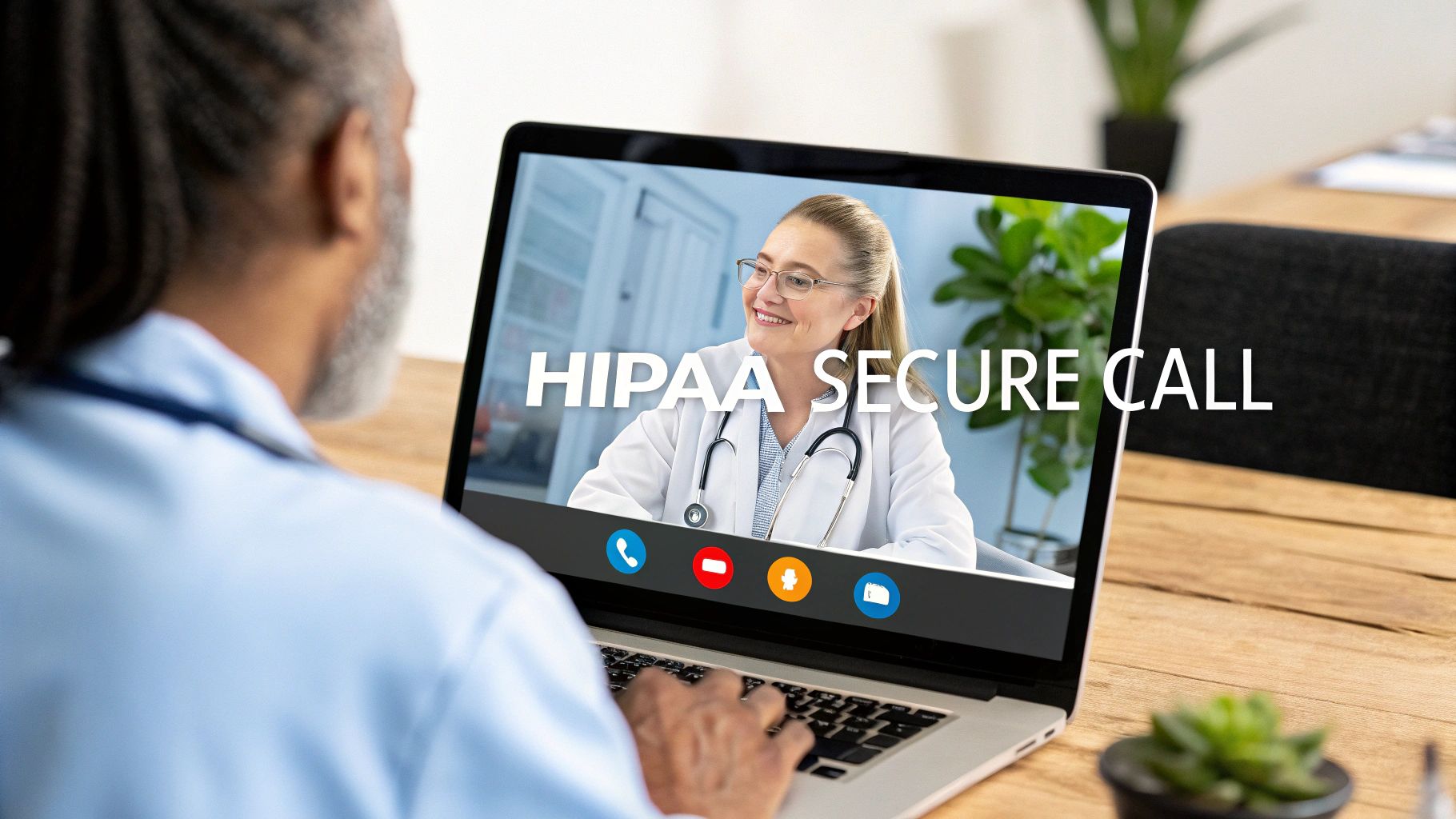
Navigating the world of telehealth and virtual care requires more than just a standard video chat tool. For healthcare organizations, legal firms, and any entity handling Protected Health Information (PHI), selecting a HIPAA compliant video conference platform is not just a best practice, it is a legal necessity. The right platform ensures patient privacy, protects against data breaches, and maintains compliance with federal regulations, preventing costly fines and reputational damage. However, the market is crowded with options, each offering a unique blend of features, pricing structures, and security protocols.
This guide is designed to cut through the noise. We will provide a detailed, comprehensive breakdown of the leading HIPAA-compliant video conferencing solutions available today. Instead of generic marketing descriptions, you will find a practical analysis of each platform's strengths and weaknesses, ideal use cases, and key implementation considerations. We'll explore everything from enterprise-level systems to specialized tools for small private practices. For those just beginning their compliance journey, it's beneficial to understand how secure communication extends beyond video. Learning how a HIPAA compliant phone system can transform overall customer service provides a foundational understanding of data security.
Our goal is to equip you with the specific information needed to make an informed decision for your organization. Each review includes direct links and screenshots to give you a clear view of the user experience. Whether you're a large hospital network, a solo practitioner, or an educational institution, this resource will help you find the video conferencing platform that best fits your specific operational and compliance needs. Let's dive into the options.
1. AONMeetings
AONMeetings stands out as a powerful and highly accessible hipaa compliant video conference solution, engineered specifically for sectors where data security is non-negotiable, including healthcare, legal services, and education. Its primary distinction is its browser-based architecture, which eliminates the need for any software installation. This allows healthcare providers and patients to connect instantly and securely using just a Google Chrome browser, removing significant technical barriers and streamlining the telehealth setup process.

This platform goes beyond basic video calls, offering a robust suite of tools that enhance clinical consultations and administrative meetings. The unlimited webinar feature, included in every plan, is a significant advantage for organizations conducting patient education sessions, professional training, or large-scale health seminars. This combination of accessibility and rich functionality establishes AONMeetings as a premier choice for modern healthcare communication.
Key Features and Security Analysis
AONMeetings implements a multi-layered security framework designed to meet and exceed regulatory requirements. Beyond its core HIPAA compliance, it provides end-to-end encryption for all sessions, ensuring that sensitive patient information remains confidential and protected from unauthorized access.
- Granular Access Controls: Administrators can precisely manage user permissions, restricting access to features and recordings based on roles, which is critical for maintaining patient privacy in a multi-user clinical environment.
- Comprehensive Collaboration Tools: The platform includes an interactive whiteboard, ideal for illustrating treatment plans, and live polling, useful for gathering immediate patient feedback or engaging attendees during training.
- AI-Powered Transcription: Sessions can be automatically transcribed, creating a searchable text record of the consultation that can be reviewed for accuracy and added to patient records, saving valuable administrative time.
- Seamless Integration: Integration with Google Calendar and Outlook simplifies the scheduling of telehealth appointments, sending automated reminders to both clinicians and patients to reduce no-shows.
Practical Use Case: Private Practice Telehealth
For a small private practice, AONMeetings offers an ideal balance of cost-effectiveness and professional-grade security. A therapist can securely conduct one-on-one sessions, knowing the connection is encrypted and compliant. They can use screen sharing to review resources with a patient and rely on the AI transcript to assist with session notes. The platform's professional features, such as custom branding and virtual backgrounds, help maintain a consistent and trustworthy image for the practice without requiring a large IT budget or complex setup. The affordable entry point, starting at just $3.99 per user, makes it a highly sustainable option. To understand the specifics of implementation, you can learn more about securing your video conferencing on AONMeetings' website.
Pricing and Plan Tiers
- Starter Plan: $3.99/user/month for up to 25 participants.
- Pro & Business Pro: Scalable tiers with advanced features like analytics and multi-camera support.
- Enterprise: Custom solutions for large organizations.
Pros and Cons
| Pros | Cons |
|---|---|
| No software installation required; instant access via browser. | Browser-only access may limit some advanced offline capabilities. |
| Robust security including end-to-end encryption and HIPAA compliance. | Advanced features are locked behind higher-priced plans. |
| Unlimited webinars and a full suite of collaboration tools included. | Reliance on Google Chrome may be a limitation for users who prefer other browsers. |
| Affordable, transparent pricing with scalable plans. |
Website: https://aonmeetings.com
2. Zoom for Healthcare
Zoom for Healthcare is a purpose-built version of the widely recognized video platform, specifically engineered to meet the stringent security and privacy standards of the healthcare industry. Its ubiquity means many patients are already familiar with the interface, significantly lowering the barrier to entry for telehealth adoption. This platform stands out by offering a robust, scalable solution that works for both a solo practitioner and a large hospital system.
The platform's core strength lies in its ability to provide a secure and reliable HIPAA compliant video conference experience. It facilitates this through end-to-end encryption for all meetings, ensuring that protected health information (PHI) remains confidential. Healthcare providers must sign a Business Associate Agreement (BAA) with Zoom to activate these compliance features, which is a critical step for implementation.
Key Features and Use Cases
- EHR Integration: One of Zoom's most powerful features is its ability to integrate directly with leading Electronic Health Record systems like Epic. This allows clinicians to launch telehealth sessions from within the patient's record, streamlining workflows and reducing administrative tasks.
- Virtual Waiting Rooms: This feature allows medical staff to manage patient flow efficiently. Patients enter a digital waiting room, and the provider can admit them to the private consultation when ready, mimicking an in-person office visit.
- High-Capacity Meetings: Supports group therapy sessions, medical education, or grand rounds with up to 1,000 interactive participants, making it versatile for more than just one-on-one consultations.
Pricing and Implementation
Access to HIPAA-compliant features requires a specific "Zoom for Healthcare" plan, which comes at a higher price point than standard commercial plans. Pricing typically starts at a per-user, per-month fee and scales based on the number of licenses and required add-ons, like cloud storage for recordings. For detailed information on how Zoom achieves compliance, you can explore in-depth analyses like this guide on which video conferencing is HIPAA compliant.
While the user experience is excellent, a potential drawback is that some advanced security configurations may require IT expertise to implement correctly.
Best For: Healthcare organizations of all sizes seeking a familiar, feature-rich telehealth platform with strong EHR integration capabilities.
3. Doxy.me
Doxy.me positions itself as "the simple, free, and secure telemedicine solution," a claim it largely delivers on. Designed exclusively for healthcare, its standout feature is extreme simplicity; it is entirely browser-based, meaning neither the provider nor the patient needs to download or install any software. This accessibility makes it an excellent choice for practices serving less tech-savvy patient populations or for providers who need a quick, no-fuss solution.

The platform provides a secure environment for a HIPAA compliant video conference by adhering to HIPAA, GDPR, and HITECH standards. It ensures data security and signs a Business Associate Agreement (BAA) with all users, including those on its free plan, which is a significant advantage for solo practitioners or small clinics starting with telehealth. The user experience is straightforward, focusing on a reliable one-on-one virtual consultation.
Key Features and Use Cases
- No-Download Interface: Patients simply click a personalized room link shared by their provider to join the call from their computer or smartphone browser, eliminating a common technical hurdle.
- Customizable Virtual Waiting Room: Providers can personalize the patient's waiting room with their clinic's branding, welcome messages, or informational videos, creating a more professional and reassuring experience.
- Generous Free Tier: The free version is remarkably robust, offering unlimited session lengths, BAA coverage, and all the core features needed for a basic telehealth visit, making it ideal for budget-conscious practices. For a deeper look at how such platforms are changing healthcare, you can explore how HIPAA-compliant virtual meetings empower medical professionals.
Pricing and Implementation
Doxy.me offers a perpetually free plan that is fully HIPAA compliant. Paid plans ("Professional" and "Clinic") are available for a monthly fee per user, unlocking features like group calls, screen sharing, file transfer, and enhanced support. Implementation is virtually instant; a provider can sign up and start seeing patients in minutes.
The primary drawback is its reliance on strong internet connectivity, and performance can suffer with poor bandwidth. Additionally, the free plan lacks some of the advanced integrations found in more complex systems.
Best For: Solo practitioners, small clinics, and mental health professionals who prioritize ease of use and cost-effectiveness over advanced integrations.
4. VSee
VSee is a dedicated telehealth platform designed from the ground up for healthcare professionals, offering a comprehensive suite of tools that go beyond simple video calls. It provides a secure, all-in-one system that integrates patient engagement and practice management, making it a strong choice for practices looking to build a complete virtual care workflow. The platform emphasizes simplicity and reliability, ensuring a stable hipaa compliant video conference experience even in low-bandwidth conditions.

As with any HIPAA-compliant service, providers must sign a Business Associate Agreement (BAA) with VSee to ensure that all interactions involving protected health information (PHI) meet federal security standards. VSee's architecture is built specifically to address these requirements, with end-to-end encryption as a standard feature across all its plans.
Key Features and Use Cases
- Medical Device Integration: A standout feature is its ability to integrate with peripheral medical devices like digital stethoscopes or otoscopes. This allows for more thorough remote examinations, a capability not commonly found in general-purpose video platforms.
- Customizable Patient Workflows: VSee allows practices to create custom intake forms, manage patient queues in a virtual waiting room, and facilitate patient self-scheduling. This automates administrative tasks and mirrors the in-person clinical process.
- Integrated E-Prescribing: Providers can send electronic prescriptions directly to pharmacies from within the platform, creating a seamless end-to-end patient encounter from consultation to treatment.
Pricing and Implementation
VSee offers flexible pricing, including a free, HIPAA-compliant plan suitable for solo practitioners or those just starting with telehealth. Paid plans scale up, adding more advanced features like custom branding, API access, and more robust workflow tools. While the free tier is a significant advantage, the premium plans can become costly for larger organizations, requiring a careful cost-benefit analysis. The platform's extensive features can also introduce a learning curve for new users.
Best For: Small to medium-sized practices and specialists who need advanced clinical features like medical device integration and customizable patient workflows.
5. GoToMeeting for Healthcare
GoToMeeting for Healthcare is a specialized version of the well-established GoToMeeting platform, re-engineered to support healthcare professionals with secure and reliable virtual care delivery. It is known for its simplicity and high-quality audio and video, making it an accessible option for practices that prioritize ease of use and a straightforward user experience for both clinicians and patients.
The platform provides a solid foundation for a hipaa compliant video conference service by offering AES 256-bit encryption for all data in transit and at rest. To ensure compliance, healthcare providers must sign a Business Associate Agreement (BAA) with GoTo, which activates the necessary security protocols and safeguards for handling protected health information (PHI). This commitment to security is paired with a user-friendly interface that requires minimal setup.
Key Features and Use Cases
- Secure Meeting Controls: Providers can lock meetings once they start and require passwords for entry, preventing unauthorized access to sensitive patient consultations. This adds a crucial layer of privacy to every session.
- Clinical Collaboration Tools: Features like screen sharing allow doctors to review lab results, imaging, or treatment plans with patients in real-time. In-session note-taking also helps clinicians capture important details during the call.
- EHR System Integration: GoToMeeting offers integrations with various healthcare applications and EHR systems, which helps streamline administrative workflows by allowing telehealth sessions to be launched directly from a patient's chart.
Pricing and Implementation
GoToMeeting for Healthcare is available through specific business plans, and obtaining a BAAs is a necessary step. Pricing is typically subscription-based per user, and access to more advanced features or larger meeting capacities will require higher-tier plans. While the platform is very intuitive, one potential drawback is that it offers fewer branding or customization options compared to some competitors.
Best For: Small to mid-sized practices and clinics looking for a reliable, user-friendly telehealth solution with excellent video quality and core security features.
Visit GoToMeeting for Healthcare
6. SimplePractice Telehealth
SimplePractice Telehealth is a specialized, all-in-one platform designed for the unique needs of solo practitioners and small group practices in behavioral health. It integrates secure video conferencing directly into a comprehensive practice management system, streamlining the entire client lifecycle from intake to payment. This removes the need to juggle multiple disparate software solutions, making it an incredibly efficient choice for smaller providers.
The platform provides a reliable and easy-to-use HIPAA compliant video conference tool as part of its package. To ensure compliance, SimplePractice provides a BAA as part of its subscription plans, which is a non-negotiable step for any clinician handling PHI. The standout feature is its simplicity, allowing both therapist and client to launch a session with one click directly from a browser or mobile app, with no downloads necessary.

Key Features and Use Cases
- Integrated Practice Management: The telehealth function is fully connected with scheduling, billing, secure messaging, and client documentation. This means appointment reminders automatically include the video link, and notes can be completed right after a session.
- Streamlined Client Experience: Features like online booking, paperless intake forms, and automated reminders create a professional and seamless experience for clients, reducing no-shows and administrative friction.
- Mobile App Functionality: A robust mobile app allows clinicians to manage their practice on the go, including conducting video sessions, managing schedules, and messaging clients securely from a smartphone or tablet.
Pricing and Implementation
SimplePractice offers tiered monthly subscription plans, with telehealth included in the "Essential" and "Plus" tiers. The pricing is structured to be affordable for individual practitioners, starting at a competitive per-provider rate. Implementation is straightforward, with minimal technical setup required. A potential downside is that its focus on small practices means it lacks the scalability and advanced enterprise features needed for larger healthcare organizations.
Best For: Solo and small group private practices, especially in mental and behavioral health, seeking an integrated telehealth and practice management solution.
Visit SimplePractice Telehealth
7. RingCentral for Healthcare
RingCentral for Healthcare extends beyond a simple video tool, offering a unified communications platform that integrates video, phone, and messaging services under a single HIPAA-compliant umbrella. This all-in-one approach is its main differentiator, allowing healthcare organizations to manage patient consultations, internal team collaboration, and administrative phone calls from one secure system. It is designed for scalability, serving the needs of small private practices as well as large, multi-location hospital networks.
The platform ensures that every interaction, whether a video call or a text message, is secured to meet HIPAA standards. To enable this level of security, providers must execute a Business Associate Agreement (BAA) with RingCentral. This establishes a framework for a secure HIPAA compliant video conference and communication environment, safeguarding protected health information (PHI) across all channels.

Key Features and Use Cases
- Unified Communications: Integrates video, secure messaging, file sharing, and a cloud-based phone system. This allows a medical assistant to schedule a video visit via message, a doctor to conduct the call, and the billing department to follow up via phone, all within one platform.
- EHR Integration: Connects with major EHR systems like Epic and Cerner, enabling clinicians to initiate secure video sessions directly from patient records and streamline clinical workflows.
- Patient Engagement Tools: Features include virtual waiting rooms, appointment reminders, and post-visit surveys, helping to automate the patient journey and improve the overall experience.
- Team Collaboration: Provides dedicated channels for care teams to discuss patient cases, share files, and coordinate tasks securely, separating patient communication from internal collaboration.
Pricing and Implementation
RingCentral's healthcare plans are priced higher than standalone video conferencing tools due to their comprehensive nature. The cost is typically on a per-user, per-month basis, and varies depending on the specific features and integrations required. Implementation can be more complex than a simple video tool because it often involves replacing existing phone and messaging systems.
A potential downside is that the breadth of features can feel overwhelming for teams that only need basic video functionality. However, the dedicated 24/7 healthcare support team helps mitigate this challenge.
Best For: Practices and healthcare systems looking for a single, integrated platform to manage all their communication needs, from telehealth to administrative calls.
Visit RingCentral for Healthcare
8. TheraPlatform
TheraPlatform is an all-in-one practice management and telehealth solution built specifically for therapists and behavioral health specialists. It moves beyond basic video communication by integrating tools designed to enhance therapeutic engagement in a virtual setting. The platform’s core value lies in combining administrative efficiency with clinical effectiveness in a single, secure environment.
For healthcare providers in mental health, TheraPlatform delivers a robust HIPAA compliant video conference service. The platform ensures PHI protection through end-to-end encryption and a willingness to sign a Business Associate Agreement (BAA) with all subscribers. This specialized focus makes it a standout choice for private practitioners and small to medium-sized therapy clinics.

Key Features and Use Cases
- Interactive Therapy Tools: TheraPlatform includes a built-in interactive whiteboard, therapy games, and apps. These tools are invaluable for engaging pediatric clients or facilitating exercises during cognitive behavioral therapy sessions.
- Integrated Practice Management: The system centralizes client scheduling, billing, and documentation. A client portal allows patients to self-schedule, complete intake forms, and make payments, significantly reducing administrative workload.
- Two-Way Screen Sharing: Unlike standard one-way screen sharing, this feature allows both the therapist and the client to interact with the shared screen simultaneously, which is perfect for collaborative worksheets and activities.
Pricing and Implementation
TheraPlatform offers tiered subscription plans, starting with a Basic plan for individual providers and scaling to a Pro Plus plan for group practices. All plans include HIPAA compliance and the BAA. While there is no free-forever plan, a 30-day free trial is available.
A potential drawback is that its highly specialized feature set may be less suitable for general medical practices. The comprehensive nature of the platform can also present a learning curve for those new to integrated EMR/telehealth systems.
Best For: Solo and group therapy practices seeking an integrated platform with specialized tools to enhance virtual therapeutic sessions.
9. SecureVideo
SecureVideo is a dedicated, cloud-based telehealth platform built from the ground up with healthcare in mind. It provides a focused and reliable HIPAA compliant video conference solution designed to meet the specific needs of medical and behavioral health providers. The platform's core value is its simplicity and specialization, offering a straightforward path to compliance without the complexity of adapting a general-purpose tool.

To ensure security, SecureVideo offers end-to-end encryption for all sessions and readily signs a Business Associate Agreement (BAA) with its customers. It distinguishes itself with exceptional, U.S.-based 24/7 customer support, making it an excellent choice for practices that need immediate assistance or lack in-house IT resources.
Key Features and Use Cases
- Customizable Virtual Waiting Rooms: Providers can personalize the patient waiting experience with custom branding, intake forms, and informational videos, creating a professional and reassuring entry point for telehealth visits.
- EHR Integration: The platform supports integration with various Electronic Health Record systems, enabling clinicians to schedule and launch video sessions directly from their existing workflows.
- Flexible Session Management: SecureVideo accommodates one-on-one consultations, group therapy sessions, and multi-party family calls. It also includes features like screen sharing and session recording (with consent) for clinical review or training.
Pricing and Implementation
SecureVideo offers flexible pricing plans that cater to individual practitioners and large organizations. Plans are typically priced per user per month, with different tiers unlocking more advanced features and higher participant limits. While the specialized focus means it can be priced higher than general video tools, the cost includes comprehensive support and training resources. A potential drawback is that some advanced integrations or custom setups may require initial configuration support.
Best For: Solo practitioners, small to mid-sized clinics, and behavioral health practices that prioritize ease of use and responsive customer support.
10. Google Meet
Google Meet, a core component of the Google Workspace suite, offers a familiar and accessible video conferencing solution that can be configured for HIPAA compliance. Its strength lies in its seamless integration with other Google tools and its browser-based accessibility, which eliminates the need for software downloads for patients. For healthcare providers already using Google Workspace, this makes it a highly cost-effective and convenient choice.

To leverage Google Meet as a HIPAA compliant video conference tool, organizations must subscribe to a paid Google Workspace plan and sign a Business Associate Agreement (BAA) with Google. This BAA is a critical step, as free, personal Google accounts are not covered and should not be used for handling Protected Health Information (PHI). Once configured, the platform provides a secure environment for virtual consultations.
Key Features and Use Cases
- Google Workspace Integration: Clinicians can schedule telehealth appointments directly from Google Calendar, store session notes in Google Docs, and manage patient communication through Gmail, creating a unified administrative workflow.
- Live Captions: An excellent accessibility feature, real-time captions help patients who are hard of hearing or in noisy environments to follow the consultation clearly, improving communication and patient care.
- Secure Meeting Controls: Providers have full control over meetings, including who can join, screen sharing permissions, and the ability to remove participants, ensuring consultations remain private and secure.
Pricing and Implementation
HIPAA compliance is available on all paid Google Workspace plans, with pricing structured on a per-user, per-month basis. This makes it a very affordable option compared to specialized telehealth platforms. Implementation is straightforward for those familiar with the Google ecosystem, though it requires careful administrative configuration to ensure all security settings align with HIPAA standards.
A potential limitation is the lack of dedicated healthcare features, such as EHR integrations or virtual waiting rooms, found in purpose-built telehealth systems.
Best For: Solo practitioners and small to mid-sized clinics already invested in the Google Workspace ecosystem seeking an affordable and familiar platform for telehealth.
11. Thera-LINK
Thera-LINK is a specialized telehealth platform built from the ground up to serve the unique needs of mental and behavioral health practitioners. It goes beyond simple video calls by integrating essential practice management tools directly into its system. This dedicated focus means its features are finely tuned for therapists, counselors, and psychologists, offering a cohesive solution for managing both patient care and administrative tasks.
The platform provides a secure and reliable HIPAA compliant video conference environment, ensuring all interactions meet strict privacy standards. Thera-LINK readily signs a Business Associate Agreement (BAA) with providers, which is a mandatory step for any healthcare professional handling protected health information (PHI). The interface is designed to foster a comfortable and professional therapeutic space online.

Key Features and Use Cases
- Customizable Waiting Rooms: Providers can personalize the virtual waiting room with calming music and imagery, creating a welcoming and less clinical atmosphere for clients before their session begins.
- Integrated Practice Tools: Thera-LINK includes built-in appointment scheduling, automated client reminders, secure file sharing, and a session notes feature with autosave functionality, consolidating key workflows.
- Group Session Support: The platform is equipped to host group therapy sessions with multiple participants, making it a versatile tool for different therapeutic modalities beyond one-on-one counseling.
Pricing and Implementation
Thera-LINK offers several tiered pricing plans, typically billed per provider per month, designed for solo practitioners and small group practices. The plans vary based on the number of sessions and included features. While it is an excellent all-in-one solution for its target audience, its specialized nature means it may lack the scalability required for large, multi-departmental healthcare organizations. Some of the more advanced practice management features may also have a slight learning curve for new users.
Best For: Solo and small-group mental health practices seeking an integrated telehealth and practice management platform tailored specifically for therapy.
12. eVisit
eVisit positions itself as a comprehensive virtual care platform, extending far beyond a simple video tool. It’s designed as an end-to-end telehealth solution that integrates patient engagement, practice management, and secure communication into a single system. This holistic approach makes it a powerful option for medical practices looking to build or scale a robust virtual care program, rather than just adding a video component.
Its core value is in streamlining the entire patient journey. From initial scheduling to post-visit follow-up, eVisit aims to digitize and simplify workflows. The platform provides a secure and reliable HIPAA compliant video conference experience, backed by a mandatory Business Associate Agreement (BAA), ensuring all interactions and data meet federal privacy standards.

Key Features and Use Cases
- Integrated Workflow Management: eVisit stands out by including features like patient self-scheduling, customizable intake forms, and virtual waiting rooms, which helps automate the administrative side of a virtual visit.
- Billing and Payment Processing: The platform can directly handle billing and payment collection for telehealth visits, reducing administrative burden and simplifying the revenue cycle for virtual services.
- EHR Integration: eVisit offers integrations with various Electronic Health Record (EHR) systems, allowing for a more seamless flow of clinical data between virtual and in-person care settings.
- Analytics and Reporting: Providers can access detailed analytics on visit volume, wait times, and patient satisfaction, providing valuable insights to optimize their virtual care offerings.
Pricing and Implementation
eVisit is a premium, enterprise-grade solution, and its pricing reflects its extensive feature set. It is generally higher than standalone video conferencing tools. Pricing is customized based on the size of the practice, number of providers, and specific features required. Implementation is supported by a dedicated team that assists with training and configuration.
A potential drawback is that its all-in-one nature might be overly complex for a small practice only needing basic video functionality.
Best For: Medical practices and health systems seeking an all-in-one platform to manage their entire virtual care operation, not just video consultations.
HIPAA Compliant Video Conferencing Tools Comparison
| Platform | Core Features | Security & Compliance | User Experience & Quality | Target Audience | Price & Value |
|---|---|---|---|---|---|
| AONMeetings | Browser-based, HD video, unlimited webinars, AI transcripts, screen sharing, whiteboard, live polling, virtual backgrounds | HIPAA-compliant, end-to-end encryption, granular access controls | Instant Chrome access, high quality video/audio, easy collaboration | Healthcare, legal, education, corporate | Starting at $3.99/user/month, scalable, no hidden fees |
| Zoom for Healthcare | End-to-end encryption, virtual waiting rooms, EHR integration, screen sharing, recording | HIPAA-compliant | Familiar UI, scalable, strong support | Healthcare organizations | Higher cost than standard Zoom |
| Doxy.me | Browser-based, no downloads, customizable waiting rooms, screen sharing, file transfer | HIPAA, GDPR, HITECH compliant | Free tier, intuitive UI, no session limits | Healthcare providers | Free tier available, limited advanced features |
| VSee | Video, medical device integration, patient intake, secure messaging, e-prescriptions | HIPAA-compliant | Tailored for healthcare, flexible pricing | Healthcare providers | Free plan for solo; premium costly |
| GoToMeeting for Healthcare | AES 256-bit encryption, meeting locks, password protection, EHR integration | HIPAA-compliant | High-def video/audio, user-friendly | Healthcare practices | Scalable; advanced features need higher tiers |
| SimplePractice Telehealth | One-click video, secure messaging, intake forms, booking, mobile app | HIPAA-compliant | Integrated telehealth & practice mgmt, affordable | Solo and small group practices | Affordable; some extra fees for features |
| RingCentral for Healthcare | Video, messaging, phone, EHR integration, virtual waiting rooms | HIPAA-compliant | All-in-one comms, scalable, 24/7 support | Healthcare practices | Higher pricing than standalone tools |
| TheraPlatform | Whiteboard, therapy games, screen sharing, session recording, client portal | HIPAA-compliant | Mental health focused, interactive tools | Therapists, behavioral health | Comprehensive features; learning curve |
| SecureVideo | End-to-end encryption, virtual waiting rooms, EHR integration, screen sharing | HIPAA-compliant | Healthcare-tailored, flexible pricing | Healthcare providers | Pricing above general tools; advanced setup |
| Google Meet | Live captions, recording, Google Workspace integration, secure links | Configurable for HIPAA compliance | Familiar UI, cost-effective, browser-based | Healthcare providers (with setup) | Cost-effective; limited healthcare features |
| Thera-LINK | Custom waiting rooms, secure file sharing, scheduling, session notes, group sessions | HIPAA-compliant | Mental health oriented, interactive features | Mental/behavioral health | Limited scalability; learning curve |
| eVisit | EHR integration, self-scheduling, messaging, billing, analytics | HIPAA-compliant | Telehealth & practice mgmt combo, scalable | Healthcare practices | Higher pricing; requires configuration |
Final Thoughts
Navigating the landscape of telehealth technology can feel overwhelming, but securing a HIPAA compliant video conference solution is a non-negotiable cornerstone for modern healthcare delivery. Throughout this guide, we've dissected twelve leading platforms, moving beyond marketing claims to evaluate the practical realities of their security architecture, usability, and specific applications. The key takeaway is that true HIPAA compliance is not just a feature to check off a list; it's a comprehensive commitment involving technology, policy, and practice.
From the robust, enterprise-grade security of Zoom for Healthcare and RingCentral to the purpose-built simplicity of Doxy.me and SimplePractice, the market offers a diverse range of options. Your final choice should not be based on which tool is "best" overall, but which is best-suited for your unique operational context. A large hospital system has vastly different needs than a solo mental health practitioner, and the ideal platform will reflect that reality.
Key Considerations Before You Commit
Before finalizing your decision on a HIPAA compliant video conference platform, reflect on these critical factors that extend beyond the feature list:
- Business Associate Agreement (BAA): This is the most crucial element. A vendor’s willingness to sign a BAA is the first and most important qualifier. Without it, the platform cannot be considered HIPAA compliant for your use, regardless of its encryption or security features.
- Workflow Integration: How seamlessly does the tool integrate with your existing Electronic Health Record (EHR), practice management software, or billing systems? A platform like VSee, with its deep integration capabilities, can save significant administrative time compared to a standalone solution.
- Patient Experience: Consider the end-user on the other side of the screen. A platform like Doxy.me, which requires no downloads or patient accounts, offers a frictionless experience that can significantly improve patient adoption and satisfaction, especially for less tech-savvy populations.
- Scalability and Future Needs: Your organization's needs will evolve. Consider whether the chosen platform can grow with you. Solutions like GoToMeeting or Google Meet, backed by large tech infrastructures, offer scalability that might be essential for expanding practices or large enterprises.
Your Actionable Next Steps
Armed with this information, your path forward should be strategic and deliberate. Don't rush into a long-term contract. Instead, follow a clear evaluation process to ensure you select the right HIPAA compliant video conference tool for your practice.
- Shortlist Your Top 3: Based on our detailed comparisons, identify the three platforms that most closely align with your primary needs, whether that's ease of use, EHR integration, or advanced security controls.
- Request Demonstrations and Trials: Engage with the sales teams for your shortlisted vendors. Participate in live demos and, whenever possible, sign up for a free trial to experience the platform firsthand from both a clinician and patient perspective.
- Review the BAA: Do not just confirm that a BAA is offered; request a copy and have it reviewed. Understand the terms, responsibilities, and liabilities outlined in the agreement.
- Pilot the Platform: Before a full-scale rollout, conduct a small pilot test with a few providers and volunteer patients. This real-world test will uncover any unforeseen usability issues or technical glitches, allowing you to gather valuable feedback.
Ultimately, choosing a HIPAA compliant video conference solution is a foundational investment in your practice's security, efficiency, and patient trust. By carefully weighing the specific features, integration capabilities, and user experience of each option against your organization's unique requirements, you can confidently select a platform that not only protects sensitive patient data but also enhances the quality of care you provide.
If you're looking for a platform that combines robust security with an intuitive, all-in-one interface, consider starting your evaluation with AONMeetings. As a dedicated HIPAA compliant video conference solution, it offers the essential BAA alongside features designed specifically for seamless and secure virtual care delivery.