
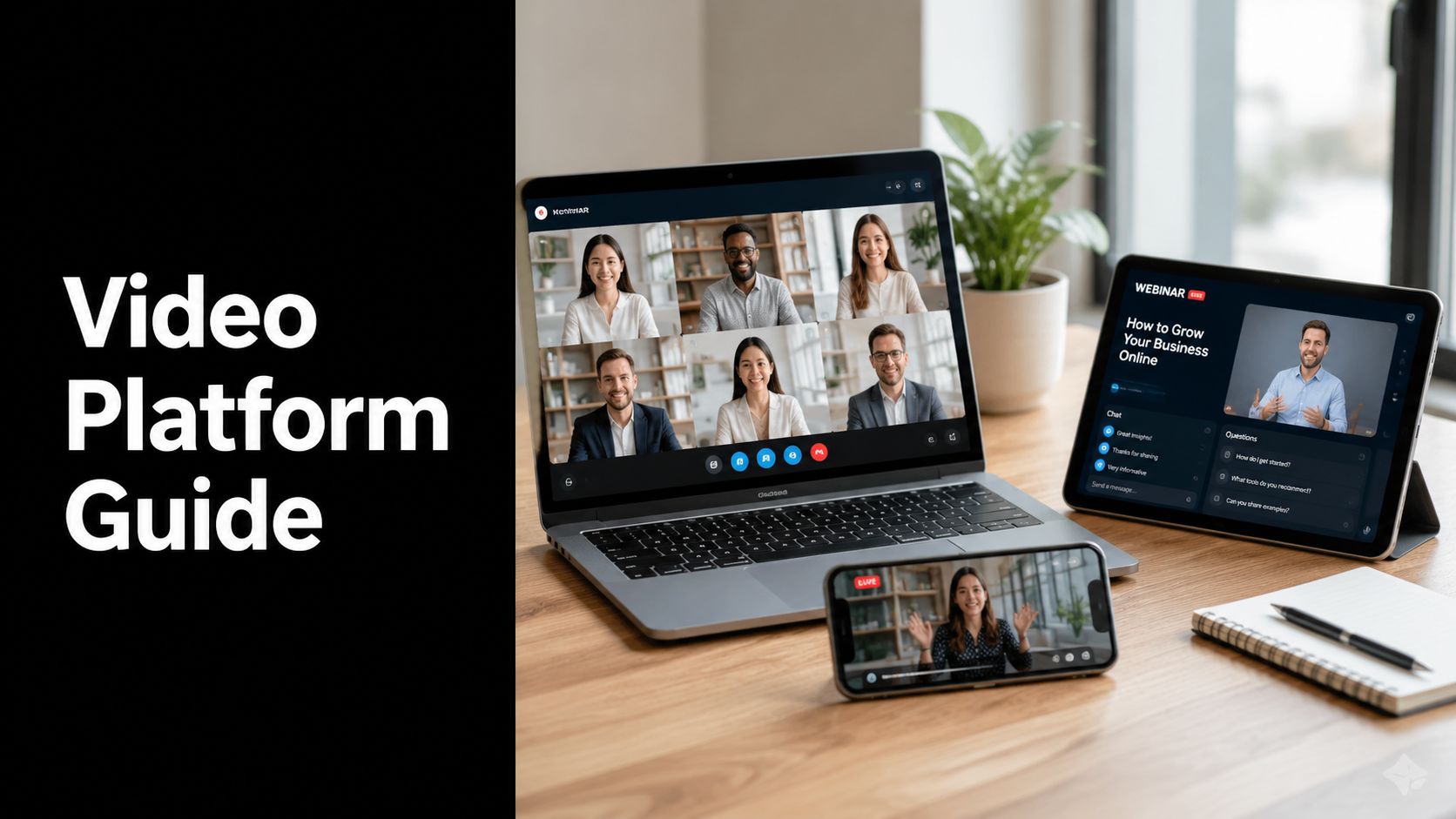
Your team probably uses video already, but in a fragmented way. Sales runs demos on one tool. HR records training in another. Leadership hosts town halls somewhere else. Marketing uploads webinars to a separate platform, and IT gets stuck stitching together permissions, storage, recordings, and security policies across all of them.
That's usually the moment a business leader asks a deceptively simple question. What is a video platform? Not just in technical terms, but as a business system. What does it do, where does it fit, and how do you know whether you need one platform or several?
The easiest way to think about it is as a digital venue. One room supports live meetings. Another acts like an auditorium for webinars. A third works as a library for recorded content. Behind the scenes, someone manages access, security, recordings, and delivery so people can join from different devices without friction. If you're also trying to sort out the broader communication layer around meetings, this overview of video communication in business is a useful companion.
Video is also expanding beyond standard meetings and recordings. If you're hearing terms like automated avatars, synthetic narration, or AI-generated editing, this guide on what is AI video gives helpful context for how adjacent tools fit into the wider video ecosystem.
What Is a Video Platform and Why It Matters
A video platform is software and infrastructure that lets an organization create, host, manage, deliver, and secure video experiences. Those experiences might be live meetings, webinars, live streams, or recorded video libraries.
That definition matters because many buyers confuse a single feature with a platform. A meeting app isn't always a full video platform. A video hosting site isn't always suited for confidential client conversations. A webinar tool may handle registration well but fall short on internal collaboration or compliance.
Think of it as one digital venue
A good analogy is a conference center.
- Meeting rooms support team collaboration, client calls, and interviews.
- An auditorium handles larger presentations where one group speaks and many people watch.
- A media library stores recordings, training modules, and on-demand content.
- A front desk and security office control who gets in, what they can access, and what gets recorded.
When businesses don't treat video this way, they end up buying disconnected tools for each use case. Costs rise. Governance gets messy. User experience suffers.

Why business leaders should care
Video isn't just a communications feature anymore. It affects how your organization sells, trains, supports, documents, and complies.
A healthcare provider may need secure virtual consultations. A law firm may need protected client meetings and recorded proceedings. A university may need lecture capture and virtual classrooms. A corporate team may need browser-based meetings, leadership broadcasts, and searchable recordings in one environment.
Practical rule: If video is part of a business process, not just a convenience, you should evaluate it as a platform decision.
The right platform reduces operational sprawl. More importantly, it gives you control over reliability, user access, content management, and compliance instead of leaving those concerns scattered across unrelated apps.
The Four Main Types of Video Platforms
Not every video platform does the same job. Most fall into four main categories, and the confusion starts when buyers expect one type to behave like another.
Video conferencing
Video conferencing platforms are built for live, two-way interaction. Everyone can usually speak, share video, present screens, chat, and collaborate in real time.
This is the category people know best from daily work. Teams use it for internal meetings, client calls, telehealth consultations, interviews, and virtual office hours. The defining trait is participation. The audience isn't just watching. They're part of the conversation.
A board meeting on Microsoft Teams, a therapy session on Zoom, or a project review in Google Meet all fit this model.
Webinars
Webinar platforms are closer to a structured presentation environment. One or several presenters speak to a larger audience, and the audience has more limited interaction.
That interaction often includes Q&A, polls, moderated chat, registration flows, and attendance tracking. The host controls the room more tightly than in a conference meeting.
This matters for use cases like lead generation, investor updates, customer education, or continuing professional education. A webinar platform isn't designed for everyone to jump in at once. It's designed to support a presenter-led event with some audience engagement.
Live streaming
Live streaming platforms focus on real-time broadcast at scale. The goal is usually wide distribution rather than group participation.
A company might use live streaming for public product launches, executive announcements, worship services, sporting events, or large virtual conferences. Viewers watch with minimal friction, often through a website, social platform, or embedded player.
The interaction model is lighter than a webinar. Some streams include chat or comments, but the primary experience is still one-to-many delivery.
Live streaming solves reach first. Video conferencing solves collaboration first. Webinars sit in the middle.
Video on demand
Video on demand, often called VOD, is the recorded side of the ecosystem. Users watch content when they choose instead of joining at a scheduled time.
This is the model behind employee training libraries, customer education hubs, lecture archives, and media services such as Netflix. The business value is convenience and reusability. Once content is created, people can access it repeatedly without requiring a host to be present.
VOD also creates a persistent knowledge base. That can be a major advantage for onboarding, compliance training, support documentation, and internal communications.
Video Platform Types at a Glance
| Platform Type | Primary Use Case | Interaction Style | Example |
|---|---|---|---|
| Video Conferencing | Team collaboration, client meetings, consultations | Highly interactive, many participants can speak | Zoom |
| Webinars | Presenter-led events, training, lead generation | Moderated interaction through Q&A, chat, polls | GoTo Webinar |
| Live Streaming | Public or large-scale broadcasts | Mostly passive viewing | YouTube Live |
| Video On-Demand | Recorded content libraries, training, entertainment | On-demand viewing | Netflix |
How to choose the right type
A simple test helps.
- If people need to talk to each other, start with video conferencing.
- If one group presents to many and wants controlled engagement, use webinars.
- If you need broad public reach, look at live streaming.
- If the content should stay available after the event, you need VOD.
Some platforms combine several of these functions. That can be useful, but only if the combined experience is strong in the areas you require. A tool that claims to do everything may still be weak at registration, moderation, analytics, content organization, or access control.
Where buyers often get confused
The biggest mistake is treating all video software as interchangeable.
A legal deposition isn't the same as a marketing webinar. A medical consultation isn't the same as a product launch. A leadership town hall isn't the same as a training library. The viewer experience, controls, and risk profile are different.
That's why the first practical question isn't “Which vendor is best?” It's “Which type of video experience are we trying to run?”
Core Features and Essential Technical Components
Once you know the platform type, the next question is what makes a platform usable at work. Most leaders evaluate visible features first, which makes sense. But the hidden technical layer often determines whether the experience feels smooth or frustrating.
The business-facing features
At the surface level, most buyers look for features in three groups.
- Collaboration tools include screen sharing, chat, whiteboards, breakout rooms, document sharing, and moderator controls.
- Management tools cover user permissions, recordings, searchable content libraries, dashboards, and reporting.
- Commercial tools matter when video supports revenue. These can include registrations, branding, billing, or monetization workflows.
Those features shape daily usability. Sales wants reliable screen sharing. HR wants recordings and easy access control. Compliance teams want retention policies and audit-friendly administration.
This visual breaks down how those pieces fit together.

What happens behind the scenes
The smoothness of video depends on a technical chain that starts the moment someone uploads or broadcasts content.
A platform's ingestion pipeline relies on transcoding to convert raw video into multiple adaptive bitrate versions. It typically breaks content into 2 to 10 second chunks and stores those references in HTTP-based manifest files such as HLS or DASH, which lets the player switch quality based on real-time network conditions, as described in this explanation of video platform ingestion and adaptive bitrate streaming. If you want a plain-English primer on this process, this guide to what encoding a video means helps decode the terminology.
That sounds technical, but the business effect is straightforward. Someone on strong internet might see a higher-resolution stream. Someone on weaker mobile bandwidth might receive a lower-resolution version without the session stalling.
A user doesn't care about manifests or segments. They care whether the meeting freezes during a client presentation.
Why the technical layer matters
A platform can have an elegant interface and still disappoint if the underlying delivery stack is weak. That's why technical questions belong in a business evaluation.
Ask whether the platform handles:
- Reliable ingestion so uploads and live streams process correctly.
- Adaptive delivery so users on different networks can still watch smoothly.
- Storage and organization so recordings remain easy to find and govern.
- Administrative controls so IT can manage users and access without manual work.
Features are easy to demo. Infrastructure is harder to fake.
During vendor reviews, most providers will show polished screens. Fewer will explain how recordings are processed, how playback quality adjusts, or how user permissions flow across teams and content.
That's where many buying decisions go wrong. The visible layer wins the demo. The invisible layer determines whether the platform holds up under real use.
Choosing a Platform for Your Industry
The right platform for one industry can be the wrong one for another. That isn't just a matter of preference. It reflects different legal obligations, workflows, and risk levels.
Corporate teams and growing businesses
Corporate environments usually need flexibility. One week the platform supports recruiting interviews. The next week it hosts executive updates, team collaboration, customer demos, and internal training.
That means business buyers should look beyond “can it host a call?” and ask broader questions.
- Can it scale across departments without turning IT into a bottleneck?
- Can it support both live and recorded communication in a consistent environment?
- Can managers control access by team, role, or purpose?
- Can the platform fit existing workflows like calendars, content libraries, and reporting?
For many teams, the value of a video platform isn't just communication. It's operational consistency.
Healthcare and telemedicine
Healthcare raises the stakes immediately. Video isn't only about convenience. It's part of patient interaction, privacy protection, and regulated data handling.
Enterprise-grade platforms often use microservices architecture, distributed caching, and database sharding to scale services horizontally. They also enforce security through OAuth2/JWT authentication, role-based access control, and end-to-end encryption for video data and sensitive user information, which supports requirements such as HIPAA, as outlined in this overview of enterprise video platform architecture and security.
For healthcare leaders, that translates into practical concerns:
- Patient privacy: Who can join, who can record, and who can access stored content?
- Operational resilience: Can the platform support many concurrent sessions without degraded care delivery?
- Administrative control: Can staff manage appointments, waiting rooms, and user roles safely?
Education and training
Education buyers often need a platform that handles both live instruction and persistent learning content.
A virtual classroom needs discussion and moderation. A recorded lecture library needs storage, organization, and controlled access. Faculty want simplicity. Administrators want governance. Students want easy access from mixed devices and networks.
Those needs often point toward platforms that combine conferencing with durable recording and content management rather than treating each lesson as an isolated meeting.
This checklist helps frame the fit by sector.

Legal and other high-trust professions
Law firms, compliance teams, and advisory practices should treat video as a confidentiality tool, not just a communications channel.
Client consultations, witness preparation, internal strategy meetings, and recorded proceedings all demand strong access controls and predictable record handling. A weak permissions model can create exposure even if the interface feels easy to use.
If you're comparing vendors for client-facing video, it can help to review focused alternatives in the market, such as this Screen Charm Vidyard alternative, to see how different tools position recording, sharing, and business use cases.
Choose for the regulated use case first. If a platform can satisfy that standard, it usually handles simpler communication scenarios too.
Understanding Security Compliance and Pricing
Security claims in video software can sound reassuring without telling you much. Buyers need to translate vendor language into operational meaning.
What security terms actually mean
End-to-end encryption means the platform is designed to protect video data so unauthorized parties can't easily access it in transit. For a business leader, the key question isn't whether the phrase appears on a webpage. It's how the platform applies protection to meetings, recordings, chat, and stored content.
Role-based access control, often shortened to RBAC, means administrators can assign permissions by role instead of managing every user individually. That matters when legal staff, clinicians, teachers, executives, and contractors should not all have the same level of access.
HIPAA compliance matters when protected health information enters the meeting workflow. If you're evaluating tools for clinical use, this overview of HIPAA-compliant video platforms is a practical starting point.
Pricing models you'll encounter
Video platforms usually package pricing in a few common ways.
- Per-user pricing works well when usage maps cleanly to named employees.
- Tiered plans can fit organizations that need more features as they grow.
- Usage-based pricing is common in infrastructure and processing services.
- Flat or room-based licensing can make budgeting easier for shared spaces or broader deployment.
Each model has tradeoffs. Per-user pricing is easy to understand but can become inefficient for occasional users. Usage-based pricing can be flexible, but finance teams may dislike unpredictable invoices.
That dynamic becomes clear when you look at infrastructure services. For example, teams evaluating back-end processing costs may compare options like pricing for cloud FFmpeg API to understand how encoding-related charges can differ from end-user collaboration software.
What smart buyers ask
Use these questions in procurement reviews:
- What exactly is included in the base plan?
- Which security controls are standard versus add-ons?
- How are recordings stored, accessed, and governed?
- Will our costs stay predictable if adoption grows?
The best pricing model isn't the cheapest on day one. It's the one your organization can understand, govern, and scale without surprise.
The Future of Video Platforms and FAQs
The next phase of video platforms won't be defined only by better calls. It will be shaped by how video fits into broader business systems and how much work the platform can automate around the meeting itself.
What's changing next
The first major shift is AI assistance around video. Organizations increasingly want transcripts, summaries, searchable recordings, chaptering, and content tagging. The strategic value isn't novelty. It's retrieval. A meeting becomes more useful when teams can find decisions, action items, and key moments later.
The second shift is deeper workflow integration. Video platforms are becoming less standalone. They connect with calendars, CRM systems, learning platforms, and internal knowledge hubs so meetings and recordings flow into existing work instead of living in isolation.
A third shift is more immersive and interactive formats. For some industries, that may include richer live experiences, collaborative whiteboarding, interactive training layers, or eventually AR and VR use cases. Most businesses don't need that today, but buyers should keep an eye on how their platform handles evolving engagement models.

Frequently asked questions
Is a video platform the same as YouTube
No. YouTube is a major video destination and distribution platform, especially for public content. But many businesses need private meetings, controlled access, compliance features, or internal content management that go beyond a public video site.
Can one platform handle meetings webinars and recordings
Sometimes, yes. Many modern platforms aim to combine these functions. The important issue isn't whether a vendor lists all three on a features page. It's whether each function is strong enough for your actual use case.
Should small businesses care about platform architecture
Yes, even if they never use the technical terms. Small teams still feel the effects of weak reliability, poor permissions, and hard-to-manage recordings. Architecture becomes visible the moment users struggle.
Buy for the experience your employees and customers will have, then verify the platform has the administrative and technical depth to support it.
Can a company build its own video platform
It can, but that's a bigger undertaking than many teams expect. A business would need to manage encoding, delivery, user access, storage, playback quality, administration, and security. For most organizations, buying a proven platform is lower risk than assembling all of that from scratch.
What's the simplest way to answer what is a video platform
A video platform is the system your organization uses to run, manage, secure, and deliver video experiences across meetings, events, and recorded content. The right one doesn't just transmit video. It supports the business process around it.
If your organization needs a browser-based platform for secure meetings, webinars, recordings, and regulated collaboration, AONMeetings is worth a close look. It's built for businesses that want enterprise-grade video without extra software, unpredictable pricing, or unnecessary complexity.