
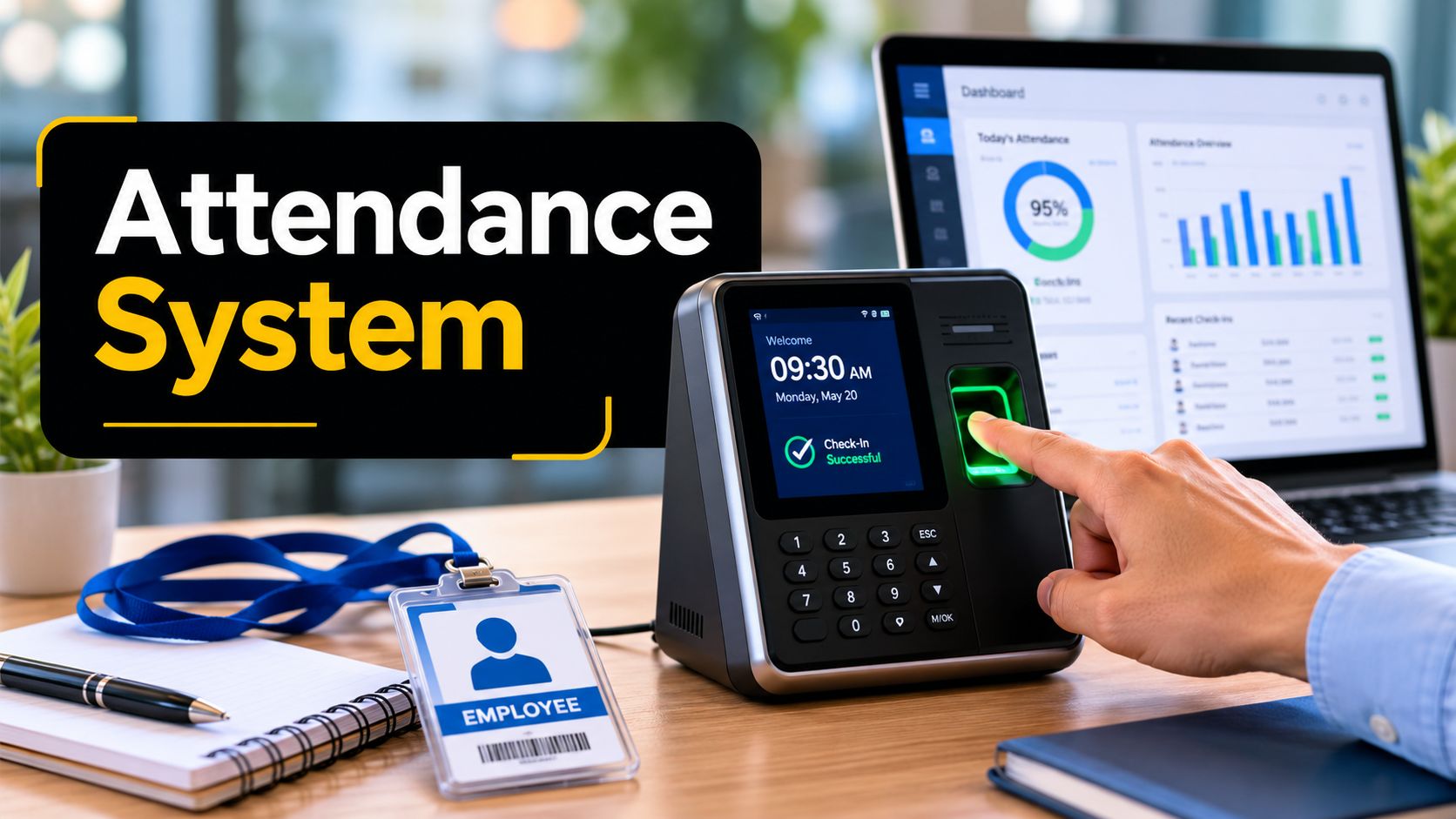
You're probably dealing with one of two situations right now. Either your team still tracks attendance in spreadsheets, paper sign-in sheets, or email threads, or you already have software in place and no one fully trusts the data it produces. In both cases, the same problems show up: payroll questions, missed follow-ups, confusion over absences, and managers spending time reconciling records instead of acting on them.
That's why an attendance tracking system matters. It isn't just a digital replacement for a paper log. It's the operating layer that connects presence, schedule adherence, leave, payroll inputs, compliance records, and management visibility. In schools, it can support student safety and intervention. In healthcare, it can support staffing discipline and privacy controls. In hybrid businesses, it can reduce disputes about where and when work began.
Most articles stop at feature lists. That's not enough. Management teams don't buy “facial recognition” or “geofencing” in isolation. They buy lower risk, cleaner payroll inputs, stronger audit trails, better staffing decisions, and systems that fit sector rules such as HIPAA-sensitive environments.
Beyond Spreadsheets The Modern Attendance Imperative
Manual attendance tracking creates hidden friction. Someone has to collect the records, interpret them, correct them, chase missing entries, and then push the final version into payroll or reporting. If that chain breaks at any point, the organization pays for it in time, credibility, and rework.
A modern attendance tracking system changes the job from record collection to exception management. Instead of asking, “Who forgot to log in?” managers can ask, “Which attendance pattern needs action today?” That's a meaningful shift. It moves attendance from clerical administration into operational control.
Why this has become a business issue
This category is no longer niche. The North America Attendance Tracking System Market reached USD 0.6 Billion in 2022 and is projected to reach USD 1.9 Billion by 2030, with a projected 15.5% CAGR from 2024 to 2030, according to this North America attendance tracking system market analysis. That level of growth tells you something simple: organizations increasingly see attendance data as core infrastructure, not back-office paperwork.
For management teams, the practical implication is straightforward. If your attendance process still depends on manual cleanup, you're running an avoidable administrative burden in a market that's moving toward automation, real-time visibility, and tighter integration.
Practical rule: If attendance data must be re-entered anywhere, the process is still too fragile.
Where leaders usually underestimate the problem
The damage from weak attendance tracking usually doesn't appear as one dramatic failure. It appears as many small ones:
- Payroll disputes: Employees question hours, breaks, leave balances, or shift timing.
- Managerial blind spots: Supervisors notice attendance issues too late because records arrive after the fact.
- Compliance exposure: Records exist, but they aren't structured in a way that supports review or audit.
- Planning errors: Staffing decisions rely on assumptions rather than actual attendance patterns.
That's also why event and training teams increasingly look beyond simple checklists. If your work includes seminars, campus events, onboarding sessions, or conferences, this guide to event attendance tracking for 2026 is a useful companion because it shows how attendance capture changes when large groups, check-in flow, and real-time verification matter.
How Attendance Tracking Systems Work
An attendance tracking system works like a self-updating ledger. A person checks in. The system captures that event. Software applies rules. Managers review exceptions, not every single record.
That sounds simple, but the mechanics matter because the hardware choice affects accuracy, privacy, ease of use, and integration potential.

The capture layer
The first layer is how attendance gets recorded. Common methods include:
- Biometric verification: Fingerprint or facial recognition confirms the person is physically present.
- Badge or card systems: Employees or attendees tap an ID card, fob, or reader.
- Mobile or code-based check-in: Users check in through an app, web portal, QR code, or similar method.
- Room-entry detection: Some technical models use wireless identification tags and ring-scanners to detect presence upon entry, then send that information to a central system, as described in this technical attendance system patent overview.
The reason this layer matters is accuracy. A check-in method that's convenient but easy to manipulate creates disputes later. A method that's secure but hard to use creates adoption problems.
The processing layer
Once the check-in is captured, software timestamps the event and associates it with the right person, location, session, or shift. Then the system applies business rules.
Those rules usually answer operational questions such as:
- Was the person on time?
- Did the check-in happen at the approved location or session?
- Does this count as work time, class attendance, or event participation?
- Does the record trigger a review because of lateness, absence, or an unusual pattern?
The patent reference above also describes a server-side architecture that manages provisional attendance reports and generates real-time analytics, with handheld devices used to verify and correct records. That matters in practice because it means supervisors or teachers don't have to wait until the end of the day to fix errors.
Real value starts when correction happens close to the event, not days later.
The visibility layer
After processing, the system pushes data into a dashboard or report view. In these views, HR, operations leaders, department heads, and instructors work with the information. They aren't just viewing clocks in and out. They're reviewing exceptions, attendance trends, and records that need approval.
In hybrid workplaces and online education, this layer also expands beyond physical presence. Attendance may include virtual sessions, webinars, onboarding meetings, and required internal trainings. In those cases, an effective system needs to link attendance events with the communication platform itself so teams can confirm who joined, when they joined, and whether attendance records align with participation requirements.
Essential Features of a Modern System
A useful way to evaluate an attendance tracking system is to separate foundational features from advanced controls. Many buying mistakes happen because teams overfocus on flashy tools and underinvest in the basics that make records dependable day after day.

Foundational features you should expect
These capabilities solve the everyday operational problems that create the most frustration.
- Core time and attendance capture: The system must record clock-in and clock-out activity consistently across the environments your workforce uses.
- Leave management: Vacation, sick time, and approved absences should sit inside the same record environment, not in separate emails or spreadsheets.
- Reporting and analytics: Managers need attendance summaries, exception reports, and historical views that can support action.
- Payroll integration: Approved attendance data should move cleanly into payroll workflows.
If you run tutoring operations, academic support programs, or multi-instructor learning services, scheduling becomes tightly connected to attendance. A platform focused on tutoring scheduling software is a good example of how session scheduling and attendance records need to support each other rather than live in separate tools.
Advanced features that solve specific risks
The next tier matters most for distributed teams, regulated sectors, and organizations that deal with fraud, location sensitivity, or complex scheduling rules.
Benchmark guidance for 2026 notes that next-generation systems should include geofencing, GPS-based clock-ins, and facial recognition or biometric verification to prevent time theft and buddy punching, especially for hybrid or distributed teams, as outlined in this attendance software review of geofencing and biometrics.
Here's the business lens for those features:
| Feature | What problem it solves | Where it matters most |
|---|---|---|
| Geofencing | Prevents off-site clock-ins | Field teams, branch operations |
| GPS-based check-ins | Confirms work location | Mobile staff, service crews |
| Biometric verification | Reduces identity misuse | Shift-based teams, secure facilities |
| Real-time alerts | Flags exceptions early | Operations, education, healthcare |
| Rule engine | Applies policy consistently | Union rules, overtime, break policies |
Don't confuse novelty with fit
A facial recognition system may be appropriate in one setting and excessive in another. A school may need fast class-level attendance verification. A healthcare employer may need stricter identity controls. A small office may benefit more from reliable leave management and audit-ready reports than from advanced biometrics.
The right question isn't “Which vendor has the most features?” It's “Which feature removes a real cost, risk, or bottleneck in our environment?”
Sector Specific Benefits and Use Cases
The strongest attendance tracking systems aren't generic. They reflect the work itself. A hospital, a school, a law firm, and a nonprofit all record attendance differently because the consequences of missing or inaccurate records differ.

Healthcare and life sciences
Healthcare organizations have little tolerance for ambiguity in staffing records. Attendance isn't just an HR issue. It affects shift coverage, patient continuity, and audit readiness. That's one reason this sector is drawing so much attention. The healthcare and life sciences industry is projected to post the highest industry CAGR of 12.29% through 2031 for time and attendance software, while IT and telecommunications held the largest share at 17.65% in 2025, according to this time and attendance software market report.
In healthcare settings, a strong system helps teams:
- Confirm staffing presence: Supervisors can verify who is on shift and who isn't.
- Support privacy-sensitive operations: Data handling must align with healthcare privacy requirements.
- Reduce manual reconciliation: Shift records, leave, and approvals need to match across departments.
In practice, attendance records also connect to how people enter the organization and complete required sessions. If you're aligning attendance with orientation, training, and access readiness, it helps to map the system to a structured employee onboarding process.
Education and student support
Schools often think of attendance as a daily roll-call problem. That's too narrow. Attendance data supports student safety, intervention timing, parent communication, and, in many settings, funding or reporting obligations.
The systems that work best in education don't just count presence. They help staff identify patterns that require follow-up. In remote or blended learning, that can include participation records that go beyond a student's name being marked present.
A school gains more value from attendance data when teachers, counselors, and administrators can act on the same record without re-entering it.
Corporate teams, legal practices, and nonprofits
In corporate settings, attendance systems support hybrid work consistency. They help managers distinguish between policy exceptions and ordinary variation. In legal environments, the emphasis often shifts toward defensible records, privacy, and clean links between schedules, presence, and billable workflows.
Nonprofits have another wrinkle. They may need to track a mixed population of employees, volunteers, and program participants. In that context, resources like Alignmint's platform for volunteer hours show why attendance logic sometimes needs to cover unpaid service time as carefully as employee shifts.
The common thread across sectors is simple. Features matter only when they map to the compliance, staffing, and documentation realities of the organization using them.
Navigating Security and Compliance Requirements
Attendance data looks harmless until you examine what it contains. It may include names, time patterns, location history, biometric identifiers, leave information, and records connected to regulated operations. That makes compliance design a buying requirement, not a legal footnote.
The hard question is often the one vendors answer poorly: how much tracking is acceptable, and under what controls? This review of privacy concerns in attendance methods notes that balancing real-time GPS or biometric tracking requires clear consent and data security protocols, especially in healthcare or legal environments with HIPAA considerations, as discussed in this privacy-focused analysis of GPS and biometric attendance tracking.
Where risk shows up first
The biggest compliance failures usually happen in four places:
- Collection without clear purpose: Teams deploy GPS or biometric tools without documenting why they're necessary.
- Weak consent practices: Employees or students don't understand what is being captured and how it will be used.
- Poor data access controls: Too many people can view or export sensitive attendance information.
- Loose retention habits: Records remain accessible longer than they should, or are stored in unmanaged systems.
What to ask before approval
If you're evaluating a system for a regulated environment, ask these questions before procurement moves forward:
- What attendance data is collected, and is every field necessary?
- Who can view, edit, approve, and export that data?
- How does the system handle biometric or location-based information?
- Can the organization apply role-based access and audit controls?
- How are records retained, corrected, and removed when policy requires it?
Healthcare organizations should be especially careful. If attendance workflows overlap with clinical operations, patient-adjacent environments, or workforce systems subject to HIPAA-sensitive controls, a weak vendor posture can create real exposure.
Choose the least invasive method that still produces reliable records.
Compliance is also a trust issue
Managers often think the privacy challenge is mainly legal. It isn't. It's cultural too. Employees resist systems they believe are watching them unnecessarily. Students and families push back when schools can't explain what a digital attendance record really means.
That's why strong implementation includes policy language, consent review where required, access restrictions, and plain-language communication. Security controls matter. So does the ability to explain them clearly.
Implementation and Choosing the Right Vendor
The implementation phase decides whether an attendance tracking system becomes a useful control point or just another source of complaints. Most failures don't come from bad intentions. They come from weak requirements, rushed rollout, and buying a tool before defining what the organization needs.

A rollout sequence that works
Use a staged approach.
- Start with policy: Define what counts as present, late, absent, approved leave, remote attendance, and exception handling.
- Map the workflows: Identify who records attendance, who approves it, who reviews exceptions, and where data needs to go next.
- Pilot one group first: A single department, campus unit, or location will reveal friction faster than a full launch.
- Train around real scenarios: Show users how to fix missed punches, approve leave, or verify attendance in a live session.
- Review exception reports early: Don't wait for payroll week to discover setup flaws.
One practical consideration is whether attendance needs to connect to meetings, webinars, or online instruction. If that's part of your use case, tools that support online attendance tracking for meetings and events can reduce manual reconciliation between communication platforms and attendance records.
Vendor Comparison Framework
A simple scoring model keeps the team focused on fit rather than sales messaging.
| Evaluation Criteria | Vendor A Score (1-5) | Vendor B Score (1-5) | Notes |
|---|---|---|---|
| Technology fit | Does it match on-site, hybrid, field, or classroom use? | ||
| Compliance controls | Role-based access, auditability, privacy handling | ||
| Integration capability | Payroll, HRIS, SIS, scheduling, meeting tools | ||
| Ease of use | How quickly can staff, managers, and employees adopt it? | ||
| Exception management | Can supervisors correct errors without manual workarounds? | ||
| Reporting quality | Useful dashboards, exports, and historical views | ||
| Support and rollout help | Training, implementation guidance, issue response |
What a good vendor conversation sounds like
A serious vendor should be able to explain their data model, approval flow, exception handling, and compliance posture in plain language. If the demo focuses only on dashboard aesthetics, that's a warning sign.
If your organization also tracks attendance in virtual sessions, webinars, or training events, AONMeetings is one example of a browser-based platform that includes attendance tracking within its meeting environment, along with webinar and event features. That may be relevant when you want attendance records tied directly to session participation rather than maintained in a separate system.
Measuring ROI and Avoiding Common Pitfalls
Many teams build the ROI case for an attendance tracking system around administrative time savings alone. That's too shallow. Time saved matters, but the larger value often comes from cleaner decisions, fewer disputes, and better intervention timing.
A better ROI framework looks at whether the system improves the quality of management action.
What to measure instead of just time saved
Track outcomes such as:
- Payroll confidence: Are fewer records being disputed or manually corrected?
- Manager response speed: Are supervisors addressing exceptions sooner?
- Absence visibility: Can the organization spot patterns before they become staffing or student-support problems?
- Policy consistency: Are attendance rules being applied the same way across teams or sites?
If you work in education or training-heavy environments, attendance data should also inform support design. That's where broader systems thinking matters, including the role of platforms described in this look at the benefits of learning management systems, where participation, completion, and accountability often intersect.
The mistake that distorts attendance data
One of the most common errors is treating only unexcused absences as operationally meaningful. In education, that creates a major blind spot. Many schools track truancy but ignore excused absences, even though chronic absenteeism is defined as missing 10% or more school days for any reason, as explained in this student attendance and chronic absenteeism guide.
That principle has a broader management lesson. A record may be policy-compliant and still be operationally disruptive. An excused absence still affects staffing. A medically approved absence still changes classroom continuity. If the system only highlights violations, leadership misses the patterns that drive performance issues.
The best attendance data doesn't just identify rule breaking. It identifies operational strain.
Common pitfalls to avoid
- Buying for features, not workflows: Impressive tools won't help if approval and correction processes remain manual.
- Ignoring adoption: If check-in is awkward, users will create bad data.
- Under-defining attendance categories: Teams need clear distinctions between absence types, tardiness, leave, and attendance in virtual settings.
- Treating reports as archives: Attendance data should trigger action, not just sit in monthly exports.
If you need attendance records tied directly to online meetings, webinars, training, or regulated virtual communication, AONMeetings offers a browser-based option with attendance tracking, webinar tools, analytics, and controls designed for healthcare, legal, education, and corporate environments. It's worth considering when your challenge isn't just tracking who showed up, but connecting attendance to secure participation and follow-up workflows.