Your team is probably living in two communication systems at once. One is the official one: Slack, email, meetings, project boards, maybe a knowledge base nobody opens until something breaks. The other one: side messages, guesswork, repeated explanations, late-night clarifications, and the quiet assumption that the fastest responder sets the standard for everyone else.
That's why remote team communication feels harder than it should. The problem usually isn't that people are careless, disengaged, or bad at collaborating. The problem is that the team never designed a communication system strong enough to handle distributed work, cross-functional handoffs, and industry-specific risk.
I've seen this in startups moving fast, in healthcare teams juggling patient privacy, and in legal groups that need airtight confidentiality. The pattern is consistent. Teams treat communication as etiquette when it should be treated as infrastructure. They pick tools first, then try to patch process gaps later. In regulated industries, that approach creates not just confusion but exposure.
The fix is a playbook. Not a bloated policy manual. A usable operating system for how work moves, how decisions get made, where records live, and which conversations require secure channels by default.
The Unspoken Chaos of Remote Work
A lot of remote teams don't look broken from the outside. Messages are flying. Meetings are happening. Work is moving. But underneath, people are burning time translating context from one tool to another.
A product manager posts an update in Slack. A department head replies by email. Someone captures a decision in a Zoom chat. The final version ends up in a shared doc with a vague file name. Three days later, nobody agrees on what was decided.
That kind of friction creates ambient stress. People compensate by over-explaining, over-meeting, or staying hyperavailable. None of those habits solve the core issue. They just hide it.
What a communication charter actually is
A communication charter is the written agreement that defines how your team communicates. It tells people where to put information, which channel fits which type of message, when to escalate, and what response expectations are reasonable.
Without it, every message forces a micro-decision. Is this urgent? Should I DM or email? Do I need a meeting? Am I expected to reply tonight? Teams make those calls differently, and inconsistency becomes the culture.
The source of truth must be obvious enough that a new hire can find the right answer without asking three people.
That's the first standard I use. If a team can't answer “where does this live?” in one sentence, the system isn't ready.
What belongs in the first version
Your charter doesn't need to be long. It does need to be specific.
- Channel purpose: Define what Slack, email, video meetings, project tools, and documentation spaces are for.
- Urgency rules: State where urgent requests go and what qualifies as urgent.
- Response expectations: Clarify what “timely” means across channels and working hours.
- Decision logging: Name the place where final decisions are recorded.
- After-hours boundaries: Set expectations for nights, weekends, and time-zone overlap.
- Security handling: Specify which conversations must never happen in non-secure channels.
If your team is trying to modernize how it communicates, it helps to look at broader shifts in enhancing team communication with digital trends. But trends only matter if they get translated into operating rules your team can follow.
For teams formalizing remote work more broadly, AONMeetings' guide to what work from home means in practice is a useful framing resource because it connects flexibility to day-to-day execution instead of treating remote work as a perk.
Build Your Communication Charter
Teams often attempt to fix communication by adding tools or scheduling another weekly call. That rarely works. A charter comes first because it removes ambiguity before you start optimizing anything else.
When teams document their communication norms, the effect is concrete. Teams that codify their communication norms in a charter report a 39% reduction in unnecessary meetings and a 27% increase in perceived productivity within three months (Remote Work Institute).

Start with one source of truth
If a team stores decisions in five places, it has no source of truth. It has competing memories.
For remote team communication, I usually recommend one primary home for durable knowledge. That might be Notion, Confluence, SharePoint, or a tightly managed Google Drive structure. The tool matters less than the rule: if information must be referenced later, it belongs in the documented system, not in chat.
A simple test works well here. Ask five people where they would look for:
- the latest process document
- a final client-facing decision
- onboarding guidance
- meeting notes from last month
If you get five different answers, your charter needs work.
Define channel purpose before habits harden
Every communication channel creates behavior. Slack encourages speed. Email encourages formality. Project boards encourage task clarity. Meetings create immediate alignment, but they also consume everyone's calendar at once.
The mistake is letting those tool defaults become team policy.
Use your charter to answer questions like these:
- When should someone send a direct message instead of posting in a channel?
- What belongs in email versus the project system?
- Which topics require a meeting instead of an async update?
- Where is the final owner of a decision identified?
- How should people communicate when they're offline or in a different time zone?
Practical rule: If a message creates work, changes scope, or finalizes a decision, it should be captured somewhere more durable than chat.
That one rule cuts a lot of rework.
Create a common language
Remote teams lose time on vocabulary more than they realize. “ASAP” means one thing to legal operations, another to engineering, and something else entirely to a clinical coordinator. The charter should define team language plainly.
Use short definitions for terms such as:
- urgent
- blocked
- review needed
- approved
- final
- for awareness only
This matters even more in healthcare and legal environments. In those settings, vague language doesn't just slow work down. It can create compliance risk, missed obligations, or unauthorized disclosure through casual forwarding.
Choose Your Rhythm with Sync and Async
Remote teams get into trouble when they use real-time communication for everything. Meetings become the default because they feel safer. People assume immediate discussion equals clarity. In practice, it often means the fastest talker shapes the outcome while everyone else sacrifices focus.
The better model is async-first with selective sync. That means written, documented communication is the default, and live conversation is reserved for moments when speed, nuance, or human connection require it.

Know the difference in operational terms
Synchronous communication happens at the same time. Think live video calls, phone calls, instant message huddles, or collaborative whiteboarding sessions.
Asynchronous communication happens over time. Think recorded updates, shared documents with comments, task boards, email summaries, or decision memos reviewed across time zones.
The distinction isn't academic. It changes the quality of work.
A brainstorming session for a new product concept may benefit from live energy and fast iteration. Feedback on a design mockup usually improves when people have time to review it carefully and comment in writing. A policy announcement should almost always start as async, because people need a durable reference after the announcement is over.
For teams refining this balance, WeekBlast has a practical piece on mastering communication for teams that helps clarify when each mode works better.
Use this decision table
| Synchronous vs. Asynchronous Communication | |
|---|---|
| Use Synchronous When… | Use Asynchronous When… |
| the topic is sensitive and tone matters | people need time to review details before responding |
| you need immediate clarification to unblock work | the update is informational and doesn't need discussion |
| the group is solving a complex problem together | decisions should be documented for later reference |
| trust or alignment has weakened and live discussion will help | team members work across different schedules or time zones |
| a decision must be made in the room with the right stakeholders present | input can be gathered in sequence without slowing the business |
Pick the right mix for common scenarios
Launching a new feature is a good example. Don't start with a meeting just because multiple teams are involved.
A stronger sequence looks like this:
- Product writes an async brief in a shared document.
- Engineering, marketing, support, and compliance comment on risks and dependencies.
- A short live meeting resolves open decisions only.
- The final decisions and owners are logged in the same document or project tool.
That approach protects deep work and produces a record. It also reduces the classic remote failure mode where a live conversation creates momentum but no durable clarity.
For a broader breakdown of methods and use cases, AONMeetings' comparison of asynchronous and synchronous methods and applications is a useful companion.
A meeting cadence that supports the rhythm
Async-first doesn't mean meeting-free. It means meetings need a job.
Here's a cadence that works for many remote teams:
Daily stand-up
Keep it short and tactical. Use it for blockers, handoffs, and immediate coordination. If updates can be posted in Slack or the project board, do that instead and save the live version for teams with high interdependence.
Weekly tactical
Use this to review progress, surface risks, and make small decisions that can't sit another week. Department leads, project owners, and operators usually need this more than every individual contributor.
Monthly strategic
Bigger questions pertain to the following. Priorities, resource trade-offs, process failures, and upcoming shifts in customer or regulatory needs.
If a meeting exists only because people are afraid information will get lost otherwise, the documentation system is the real problem.
A simple agenda template makes meetings far better:
- Purpose
- Pre-read
- Decisions to be made
- Risks or blockers
- Action items with owners
- What gets documented and where
Design Your Perfect Meeting Cadence
Bad meetings are rarely caused by bad intentions. They happen because nobody forces a choice between coordination, decision-making, and documentation. So every meeting tries to do all three. That's when teams leave tired, unclear, and still blocked.
The fix is cadence design. Different meetings need different attendance, different time horizons, and different security assumptions.

Three meetings most teams actually need
The daily check-in should be the narrowest. Keep it focused on what changed since yesterday, what's blocked, and what needs immediate handoff. If a discussion starts expanding, move it out with only the relevant people.
The weekly tactical is where the core operating conversation happens. Teams review active work, confirm ownership, and make small but important decisions before drift turns into delay.
The monthly strategic meeting should feel different from both. Less reporting. More trade-offs. More reflection on what isn't working in the operating model.
Here's a practical split:
- Daily check-in: Frontline operators, project contributors, immediate blockers only
- Weekly tactical: Team leads, project owners, cross-functional stakeholders as needed
- Monthly strategic: Leadership, department heads, decision-makers with budget or policy authority
Optional attendance is often the right move
One of the cleanest improvements in remote team communication is allowing some meetings to be optional for people who only need the outcome, not the discussion. That only works if the meeting produces high-quality notes, clear decisions, and a usable recording or transcript.
This matters for global teams. It matters even more for healthcare and legal teams, where attendance often competes with client service, patient care, or court-driven schedules. Don't force people into a live room when a secure record would serve them better.
Security belongs in meeting design
Many teams often get careless. They build a strong cadence, then host sensitive conversations on whatever platform feels easiest. That's backwards.
In healthcare, a seemingly routine internal call can turn into a HIPAA issue if patient details are shared on a platform that wasn't approved for protected conversations. In legal practice, a meeting link forwarded too broadly or a recording stored loosely can undermine client confidentiality. These aren't edge cases. They're everyday communication risks disguised as convenience.
That's why platform choice belongs inside your communication framework, not in an IT appendix.
When teams evaluate meeting platforms, they should look for:
- Access controls: Who can join, record, share, or download
- Encryption standards: Protection in transit and at rest where applicable
- Recording governance: Where files live and who can retrieve them
- Transcript handling: Whether searchable text creates additional confidentiality concerns
- Browser access or deployment simplicity: Especially useful for external participants and low-friction onboarding
For cross-border etiquette and practical norms around live calls, this guide to mastering global virtual communication adds useful context, especially for teams working across cultures and schedules.
A meeting cadence isn't complete until you know which conversations require secure infrastructure by default.
Secure Your Conversations for Compliance
Security gets treated as a procurement checklist item far too often. In regulated environments, it's part of communication design. If your team handles patient details, client strategy, financial records, HR matters, or disciplinary issues, your communication framework must decide where those conversations are allowed to happen.
If it doesn't, people fill the gap with convenience. They text a quick update. They use a consumer video app. They share a recording link too broadly. That's how ordinary workflow turns into reportable exposure.

What regulated teams need to build into the stack
The baseline starts with channel rules. Clinical case review should never happen in the same casual channel where people share scheduling updates. Legal intake discussions should not move across unsecured tools merely because an outside participant can't access the firm's preferred platform.
That's why communication architecture has to include:
- Approved channels by content type
- Access permissions by role
- Secure storage for recordings and transcripts
- Clear rules for sharing links, files, and follow-up notes
- Training on what must be escalated into protected systems
In practical terms, healthcare teams should distinguish between administrative discussion and any exchange involving protected patient information. Legal teams should separate general coordination from client-sensitive discussion and work product review. The same principle applies to education, HR, and finance.
The risk is no longer theoretical
The cost of using the wrong platform has become more visible. Data breaches involving confidential client or patient information communicated over non-secure platforms have increased by 62% since 2023, with average regulatory fines exceeding $150,000 per incident (Cybersecurity Compliance Report).
That doesn't mean every team needs the most restrictive setup possible. It means the communication playbook should classify conversations by sensitivity and assign the right environment before people improvise.
What to ask when evaluating tools
Teams often inquire about a platform's ease of use. Regulated teams need sharper questions.
- Can external participants join without unsafe workarounds?
- Can admins control who records and who accesses recordings later?
- Are transcripts governed with the same care as recordings and documents?
- Does the platform support compliance requirements relevant to our industry?
- Can non-technical users follow the process consistently under time pressure?
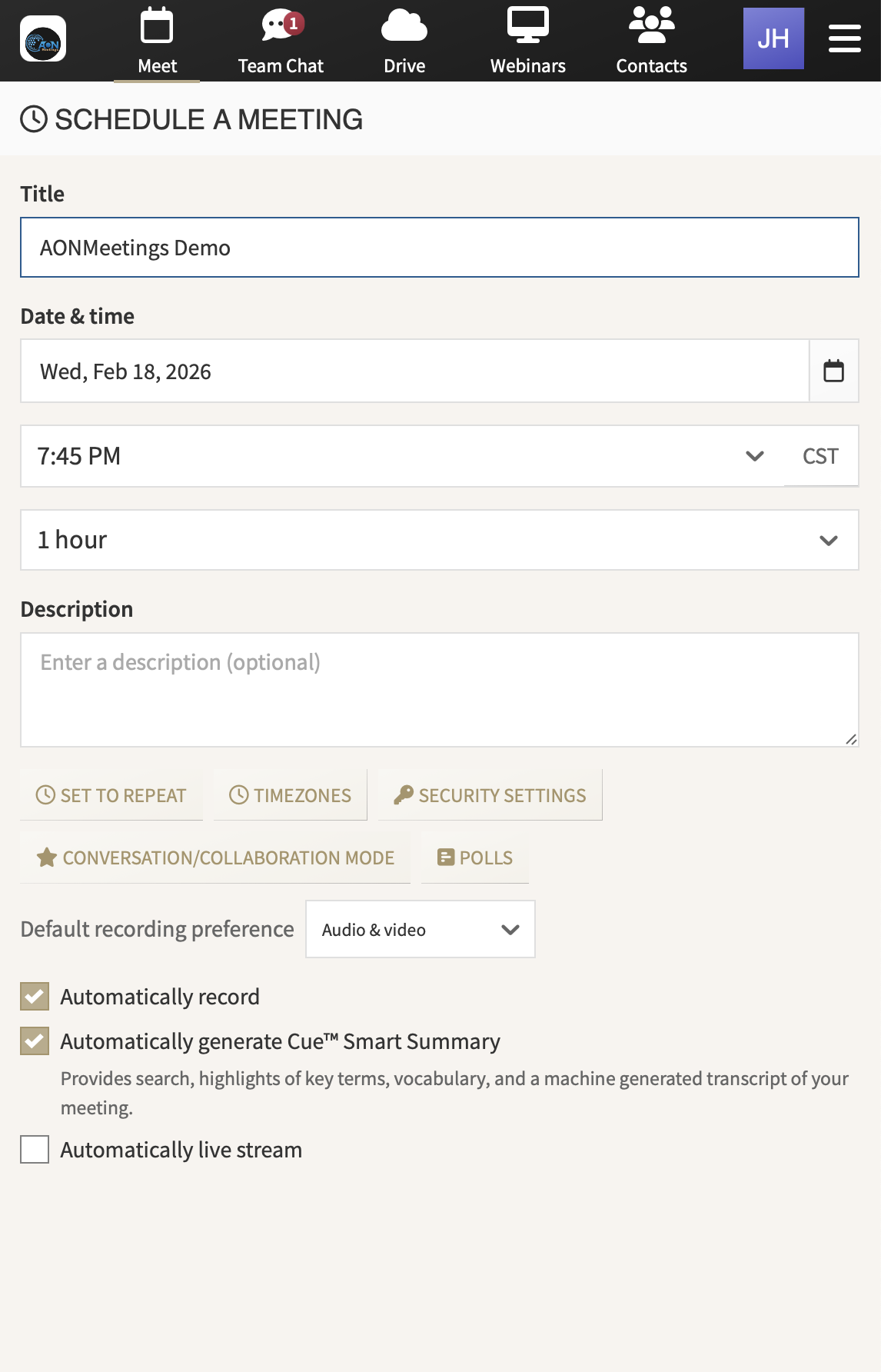
One browser-based option in this category is AONMeetings, which provides HIPAA-compliant video meetings, end-to-end encryption, recordings, transcripts, and granular access controls. Whether you use that platform or another approved provider, the standard is the same. Convenience can't outrank confidentiality.
Teams that are formalizing controls around virtual collaboration should also review a practical online meeting compliance checklist so the policy doesn't stay theoretical.
Measure and Iterate Your Playbook
A communication playbook ages fast if nobody reviews it. New hires join. Tools change. Teams expand across time zones. Compliance obligations tighten. What worked for a ten-person startup won't hold up for a multi-department operation serving regulated clients.
Good remote team communication improves when teams measure both behavior and perception. If you only measure efficiency, you may create a culture where people feel rushed, excluded, or afraid to ask for clarification. If you only measure sentiment, you'll miss the operational drag.
Measure what your culture actually rewards
What you track tells people what matters.
If you track meeting attendance, people assume showing up is the goal. If you track decision quality and follow-through, people start documenting better. If you ask whether employees feel safe delaying non-urgent responses until working hours, you learn whether your boundary rules are real or decorative.
Use a mix like this:
- Operational signals: missed handoffs, repeated questions, unresolved blockers, slow decision follow-up
- Documentation quality: whether decisions, owners, and due dates are easy to find
- Meeting usefulness: whether attendees leave with clarity and fewer side conversations
- Boundary health: whether after-hours communication feels exceptional or expected
Ask better questions
Short pulse surveys work when the questions are specific.
Try prompts such as:
- Which channel creates the most confusion for your role?
- Where do decisions still get lost?
- Which meetings help you move work forward, and which ones could be replaced by an async update?
- Do you know which conversations require secure tools?
- What communication rule do teammates follow inconsistently?
Use one-on-ones differently. Don't ask only whether someone feels overloaded. Ask where they have to reconstruct context from scattered messages. That's where the system is failing.
Review the playbook on a fixed schedule, but update it when the pain becomes obvious. Waiting for the quarterly review while confusion spreads is a management choice.
Keep the document alive
The strongest playbooks have an owner, a change log, and a lightweight review cycle. Teams don't need a committee for every revision. They need someone accountable for collecting feedback, proposing changes, and keeping the rules current.
When people see that feedback changes the system, they contribute better feedback. That's how communication culture matures.
From Chaos to Cohesion
Remote team communication gets easier when teams stop treating it as personality management and start treating it as system design. The core pieces are straightforward. Write a charter. Choose sync and async on purpose. Build a meeting cadence with a clear job for each meeting. Embed security and confidentiality into the framework from the start. Review the system often enough that it keeps pace with the business.
The unique challenge for healthcare, legal, and other regulated teams is that efficiency alone isn't a win. A fast communication system that leaks confidential information is a failed system. Compliance has to live inside the operating model, not beside it.
The good news is that most communication problems are fixable once they're named precisely. Teams don't need more noise. They need cleaner defaults, stronger documentation, and tools that match the sensitivity of the work.
When that happens, people spend less time chasing context and more time doing the work they were hired to do.
If your team needs a more secure and structured way to run remote meetings, AONMeetings is worth evaluating. It's a browser-based platform built for video meetings, webinars, recordings, transcripts, and access control, with features that fit regulated environments such as healthcare and legal.