
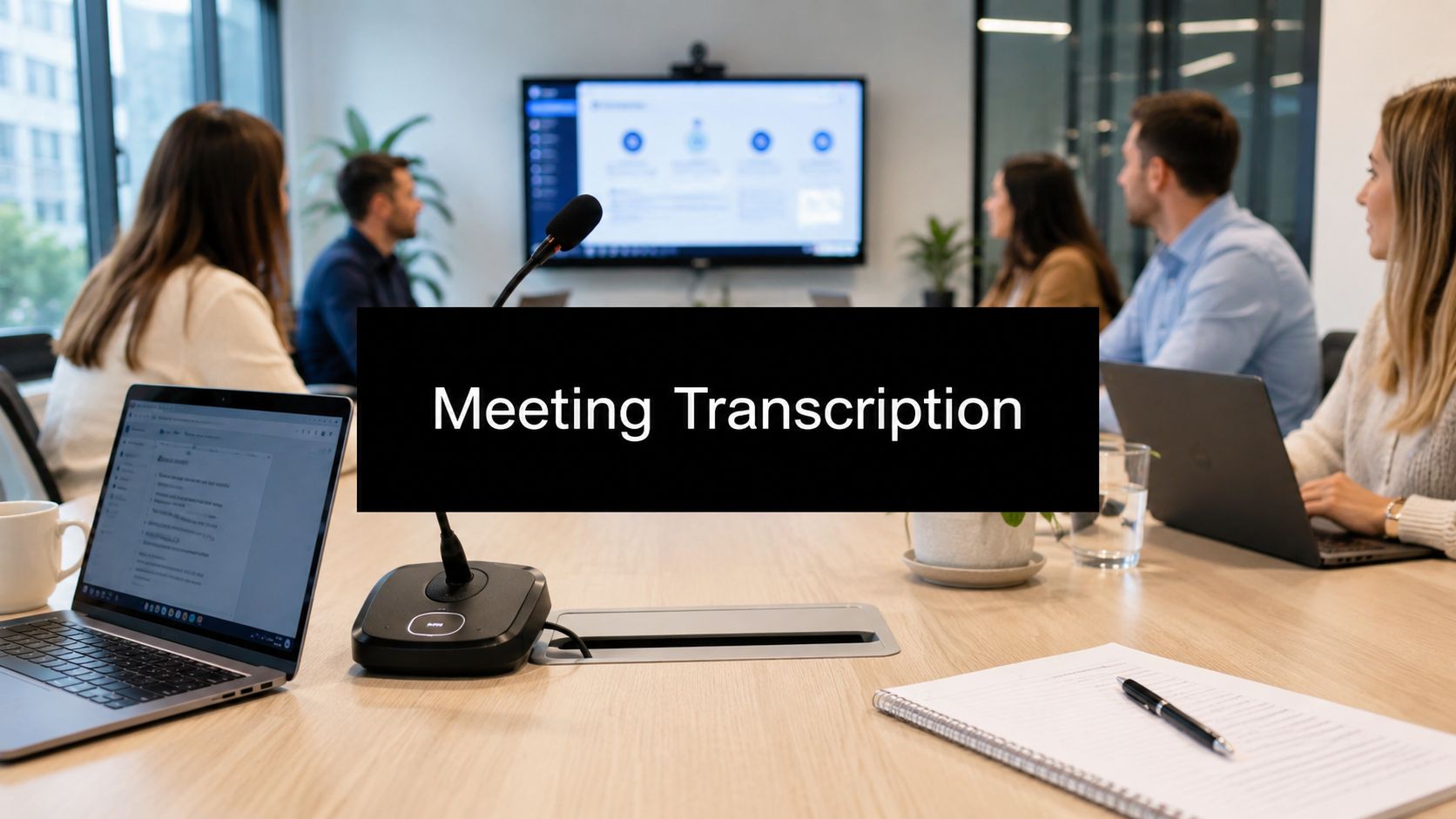
You're probably dealing with a familiar problem right now. A meeting ends, everyone nods, and by the next morning no one agrees on what was decided. One person remembers a deadline. Another remembers a different owner. Someone's handwritten notes say “follow up soon,” which is useful to no one.
That's where meeting transcription software stops being a convenience and starts becoming infrastructure. It gives your team a searchable record of what was said, who said it, and what needs to happen next. For small companies, that reduces confusion. For larger organizations, it creates continuity across departments. For regulated industries, it can become part of a safer documentation process when the tool fits security requirements.
The shift over the past few years matters. These tools no longer just turn speech into text. Many now identify speakers, add timestamps, generate summaries, and pull out action items. In other words, they don't just record meetings. They help teams use meetings.
From Information Overload to Actionable Insights
Last week's strategy call seemed clear when it ended. Marketing thought sales would draft the follow-up deck. Sales thought marketing owned it. Operations remembered a decision about rollout timing, but no one could find the exact wording. By Friday, the team had spent more time reconstructing the meeting than acting on it.
That's the cost of poor documentation. It's not just forgotten details. It's delay, duplicated work, and quiet misalignment.
Meeting transcription software works like an organizational memory that doesn't get tired. Instead of relying on scattered notes, you get a written record you can search later for a phrase, a topic, or a person's comments. If someone asks, “Who agreed to send the legal review?” you're not guessing. You're checking.
A useful way to think about it is this: handwritten notes are like snapshots. A transcript is more like a full map. A snapshot captures a moment. A map lets you return to the exact place you need.
For teams adopting this for the first time, the biggest mindset shift is simple. The transcript isn't the final product. The transcript is the raw material for summaries, action lists, internal knowledge, and accountability. That's why interest in AI-powered documentation keeps growing. If you want a practical look at that shift, this overview of how AI transcription is transforming meeting documentation is a helpful companion.
Practical rule: If your team regularly asks “What did we decide?” after meetings, you don't have a memory problem. You have a documentation problem.
The strongest tools help solve that without adding more work. They capture the conversation while your team stays focused on the discussion itself. That's the difference between meeting admin and meeting intelligence.
What Is Meeting Transcription Software and How Does It Work
Meeting transcription software listens to spoken language and converts it into written text. The simplest version is digital dictation. The modern version is closer to a digital stenographer paired with an assistant who organizes the notes.
Here's the visual flow most buyers should have in mind:

Capture the audio
The first step is straightforward. The software captures speech from a microphone, browser meeting session, uploaded recording, or conferencing platform.
This sounds simple, but it shapes everything that follows. If the audio is muffled, full of side conversations, or clipped by a poor connection, the software has less to work with. It's similar to scanning a paper document. A clean page produces a better digital copy than a crumpled one.
Analyze the speech
AI does the heavy lifting. The system breaks audio into patterns, matches those patterns to language models, and predicts the words being spoken.
Modern tools are much better at this than older speech-to-text systems. One benchmark-style test found that a modern transcription platform reached 97.3% accuracy across 30 hours of real meetings, including noisy conditions and non-English calls, according to this benchmark review from tl;dv. That matters because transcription quality affects everything downstream, including summaries, action items, and CRM-ready notes.
If you're curious how teams productize this kind of capability inside business software, it's worth reading learn how Webtwizz builds AI-powered apps. It's useful context for understanding why meeting tools now include much more than raw transcription.
Document and structure the conversation
The final step is where modern platforms separate themselves from basic speech recognition. They don't just output a block of text. They add structure.
That structure often includes:
- Speaker labels so readers know who said what
- Timestamps so users can jump to the relevant moment
- Editable transcripts for quick corrections
- Searchability across past meetings
- Summaries that condense long discussions into usable notes
A transcript without structure is like a recording without a timeline. The information is there, but finding it takes too long.
A point that often confuses first-time buyers is the difference between transcription and understanding. The software may accurately hear the words, but extracting meaning is a separate layer. That second layer is what produces summaries, tasks, and topic groupings. It's why two tools with similar speech accuracy can feel very different in practice.
Essential Features That Define Modern Transcription Tools
Not every transcription product deserves the same place on your shortlist. Some tools are fine for turning audio into text. Others help your team recover decisions, route tasks, and build a useful archive of meetings over time.

A helpful way to evaluate features is to split them into must-haves and highly impactful features.
Must-haves for daily use
These are the baseline capabilities most businesses should expect.
- Real-time transcription lets participants follow along during the meeting instead of waiting for a post-call file.
- Speaker diarization identifies who said what. If the term sounds technical, think of it as name tags for spoken conversation.
- Searchable timestamps let users jump to the exact point where a decision or objection came up.
- Editing tools let someone quickly fix a product name, acronym, or client name that the AI misheard.
Speaker diarization deserves special attention because many buyers underestimate it. A plain transcript tells you what was said. A diarized transcript tells you who committed to the next step. That's the difference between a record and an accountability tool.
Game-changers for operational value
The category has clearly matured. A 2026 review notes that modern meeting tools commonly include speaker identification, searchable timestamped transcripts, summaries, and action-item extraction, and some support 100+ languages or 150+ languages for international use, as described in OnBoard's review of AI meeting transcription tools.
Those additions change the role of the software. It's no longer just replacing note-taking. It's becoming a searchable layer of operational memory.
Here's how that shows up in practice:
| Feature | What it does | Business value |
|---|---|---|
| AI summaries | Condenses the conversation | Saves review time for busy managers |
| Action item extraction | Pulls likely next steps from discussion | Reduces missed follow-up |
| Keyword search across meetings | Finds mentions of customers, issues, or decisions | Helps teams track topics over time |
| Language support | Handles multilingual meetings | Supports distributed teams |
| Workflow integrations | Pushes notes into other systems | Cuts manual admin |
A common confusion point is the relationship between transcription and captions. They overlap, but they aren't identical. If your main use case is visual accessibility for recorded content, this guide on how to caption videos helps clarify where captioning fits beside meeting transcripts.
What to prioritize first: If your team is new to the category, start with speaker labeling, timestamps, summaries, and strong search. Fancy analytics matter less if people can't reliably find decisions.
One platform option businesses sometimes consider is AONMeetings, which includes AI-generated transcripts inside a browser-based conferencing environment. For security-sensitive teams, that browser-first approach can matter as much as the transcript itself.
Real-World Applications Across Key Industries
The value of meeting transcription software changes depending on the setting. A sales team wants faster follow-up. A hospital cares about access controls and device restrictions. A law firm needs a clean record. The same core technology solves different problems.

Healthcare needs zero-install workflows
Healthcare is where many software reviews miss the core issue. The problem often isn't whether transcription exists. It's whether staff can use it without violating device and data-handling policies.
According to the verified guidance provided for this article, 78% of HIPAA-compliant meetings occur in clinical settings requiring zero-install solutions, yet most guides still focus on desktop apps or cloud plugins. The same guidance notes that 92% of current guides fail to address this browser-first gap. In practical terms, that means many recommendations don't fit how care teams work on controlled or shared hardware.
Before, a clinician or administrator might rely on handwritten notes, memory, or a tool that required local installation. After a browser-based workflow is adopted, the team can join, document, and review within a controlled environment that doesn't depend on installing software on the machine. That distinction matters in healthcare far more than glossy AI features.
Legal teams need traceable records
A legal meeting often has two layers. There's the conversation itself, and there's the later need to verify exactly what was said. Time-stamped transcripts help with that second layer.
Before adoption, firms often depend on manual notes, scattered recordings, and long follow-up emails. After adoption, the transcript becomes a reference document for client meetings, internal case discussions, and preparation sessions. Lawyers can search by issue, phrase, or speaker instead of replaying full recordings.
The important point isn't speed alone. It's retrievability. In legal work, “find the exact moment” is often more important than “give me a quick recap.”
Education and corporate teams need continuity
An instructor can use transcripts to support accessibility and create a study aid students can revisit later. A project team can use them to preserve context when staff members miss a call or join a project midway through.
These before-and-after changes are easy to miss because they don't always look dramatic. But they matter:
- Before: Notes live with whoever happened to take them.
- After: The meeting record belongs to the team.
- Before: New participants ask others to reconstruct decisions.
- After: They search the transcript and catch up independently.
In most organizations, the first win isn't automation. It's reducing the number of times people have to ask others what happened.
That's why industry fit matters. The right product isn't just the one with strong transcription. It's the one whose access model, workflow, and controls match the environment where people work.
How to Evaluate and Choose the Right Software
Most buyers get distracted by feature lists. They compare summaries, templates, and dashboards before they've answered two harder questions. Can the software produce a transcript your team can trust? And can it do that without creating security problems?
Use this checklist as your starting point:

Start with accuracy and context
Accuracy figures need interpretation. A 2026 comparison found that modern tools can range from 85% to 98% accuracy depending on audio quality, while Krisp reports 96% accuracy across 17 languages and SpeakNotes claims 95%+ accuracy, with a 30-minute file processed in under 3 minutes, according to Happy Scribe's 2026 comparison of meeting transcription software.
Those numbers are useful, but they don't tell the whole story. Ask what kind of meetings your team runs. Short one-on-ones are easier than noisy team calls. Clear native speech is easier than overlapping discussion full of technical jargon.
A simple buyer rule helps here:
- If you need rough recall, moderate accuracy may be enough.
- If you need searchable records for decisions, accuracy matters more.
- If the content is sensitive or regulated, accuracy and security both become absolutely essential.
Treat security as a buying filter
For healthcare, legal, finance, and any company handling sensitive internal information, security can't be an afterthought. It should eliminate options before you compare convenience features.
Ask these questions early:
| Question | Why it matters |
|---|---|
| Where does transcript data live | Storage location affects compliance review |
| Does the workflow require local installation | Some environments restrict downloads and plugins |
| Who can access transcripts | Access control affects internal risk |
| Can the platform fit regulated use | Sensitive industries need policy alignment |
If your organization records or stores important conversations, review the surrounding meeting workflow too. This overview of meeting recording software is useful because recording and transcription decisions are closely linked.
Don't ignore adoption risk
A tool can look excellent in a demo and still fail in daily use. Watch for friction points.
- Complex setup: If joining or starting transcription feels awkward, usage drops.
- Weak integrations: If notes can't move into project tools or documentation systems, people fall back to manual work.
- Unclear pricing: Some vendors charge by seat, some by usage, and some by transcription volume. Match the model to your meeting habits.
- Poor review workflow: Your team should be able to correct names, export notes, and share outcomes without hunting through menus.
Buyer's shortcut: Choose the product your least technical manager can use correctly on a busy Tuesday.
That standard sounds humble, but it's practical. Adoption usually fails because the tool is inconvenient, not because the AI is weak.
Implementation Best Practices and Common Pitfalls
Buying software is the easy part. Getting people to use it well is harder.
Start with a small pilot. Pick one team that runs regular meetings, deals with recurring action items, and is willing to give honest feedback. Let them test transcript quality, review workflow, and access controls before you push the tool across the company.
Do this
- Set a meeting policy: Decide when transcription is on, who can access notes, and how long records should be kept.
- Train people briefly: Show users how to find timestamps, correct names, and pull out action items.
- Improve the audio environment: Ask participants to use stable microphones and avoid talking over one another when possible.
- Connect it to existing work: If the transcript never feeds project notes, ticketing, or follow-up, people won't feel the value.
Avoid that
- Don't launch company-wide on day one: Early confusion spreads fast.
- Don't treat every transcript as final: Teams should review high-stakes meetings for errors in names, terms, and commitments.
- Don't ignore security rules: A tool that conflicts with device restrictions or IT policy creates more problems than it solves.
- Don't leave ownership vague: Someone should own setup, policy, and user feedback.
The most common implementation mistake is expecting the software to fix poor meeting habits by itself. It won't. If people interrupt constantly, use vague language, or skip follow-up, the transcript will capture the confusion very accurately.
A good rollout combines cleaner meeting behavior with better documentation. That's what produces useful records instead of just longer archives.
Frequently Asked Questions About Meeting Transcription
How accurate is meeting transcription software?
It depends on the meeting conditions and the product. Clear audio, distinct speakers, and less overlap usually produce better results than noisy group calls. For buyers, the practical question isn't “Is it perfect?” It's “Is it reliable enough for our decisions, follow-up, and records?”
What's the difference between real-time transcription and closed captioning?
Real-time transcription creates a written record of the meeting that can often be stored, searched, edited, and reused later. Closed captioning is mainly about displaying spoken words on screen for accessibility during live or recorded content. They overlap, but the end use is different.
How should teams think about privacy?
Start with access, storage, and workflow. You need to know who can see the transcript, where it lives, and whether the process fits your internal requirements. In regulated settings, browser-based and zero-install workflows may be easier to align with restricted hardware environments than tools that depend on local software.
How do tools handle multiple people talking at once?
This is one of the hardest conditions for any system. The verified guidance for this article notes that 83% of users report degraded accuracy when 3+ speakers talk simultaneously, and only a few vendors provide adaptive noise-cancellation approaches for real-time multi-speaker situations. In plain terms, cross-talk is still a major source of errors.
Can these tools handle accents, jargon, or multilingual meetings?
Many modern platforms are much better than earlier generations, especially when the audio is clean and the vocabulary is consistent. But specialized terminology, heavy overlap, and unfamiliar names still benefit from human review. For teams in technical or regulated fields, editable transcripts matter as much as raw AI output.
Is browser-based transcription really that important?
For many businesses, it's convenient. For some industries, it's operationally necessary. If staff work on shared, locked-down, or tightly managed devices, zero-install access can be the difference between a usable system and one that never gets approved internally.
If your team needs meeting transcription inside a browser-based conferencing workflow, especially in security-sensitive environments, AONMeetings is worth evaluating. It combines video meetings, recording, captions, and AI-generated transcripts in a zero-install setup, which can be a practical fit for healthcare, legal, education, and business teams that can't rely on desktop installs or plugin-heavy workflows.