
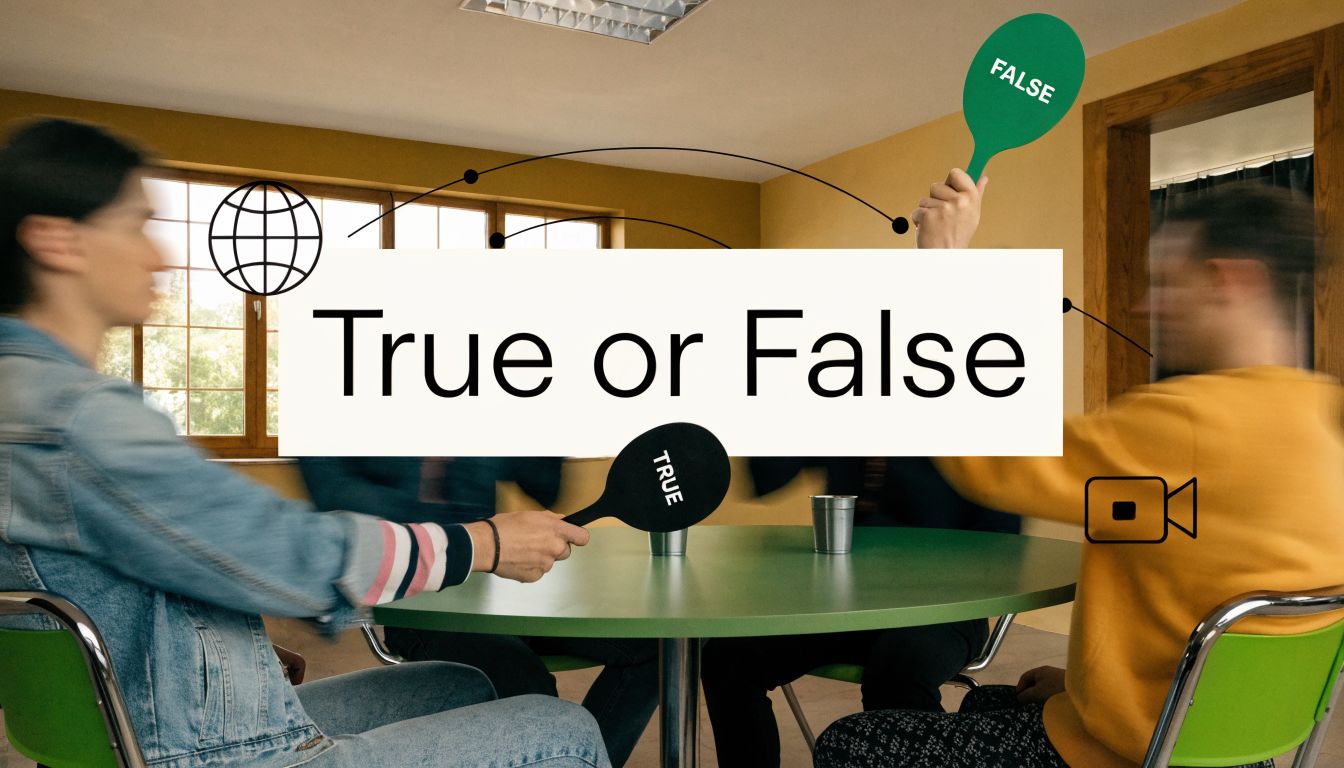
How do you turn a webinar audience from silent viewers into active participants without adding complexity, new software, or awkward forced interaction? Many groups still treat true or false games as children's trivia or throwaway warm-ups. That misses their real value.
Used well, true or false games are one of the cleanest engagement tools available. The format is simple enough to work across roles, age groups, and technical skill levels, but structured enough to test comprehension, surface misconceptions, and create fast discussion. That combination matters in professional settings where attention is limited and every interaction needs a purpose. The format has also expanded far beyond classrooms into mobile apps, web-based platforms, and live interactive experiences, with broad adoption across learning and entertainment contexts, as shown in JetPunk's true/false quiz participation data.
This matters even more in virtual environments. Conventional guides often assume people are standing in a room, moving to one side, raising physical signs, or doing party-style activities. That approach breaks down for remote teams, healthcare training, legal education, and distributed classrooms. Virtual true or false games need different mechanics. They need polling, reactions, breakout rooms, whiteboards, recordings, and a clean way to capture results.
AONMeetings fits that use case well because it combines browser-based access with live polling, breakout rooms, whiteboards, captions, recordings, and controls that matter in regulated environments. If you also run public events, the same interaction logic works for interactive quiz solutions for trade shows, where short binary decisions keep traffic engaged without slowing booth flow.
The eight formats below work because they match the game design to the context. Some are best for learning checks. Some are better for trust-building. Some belong in compliance training, where accuracy matters more than fun. The common thread is simple. Ask a sharp statement, require a clear choice, and use the answer to move the session forward.
1. Live Interactive True/False Polling in Video Webinars

Live polling is the most practical entry point for true or false games in professional settings. You already have an audience, a presenter, and a flow of information. Adding short binary questions turns passive listening into visible participation without derailing the session.
This works especially well in onboarding, product training, healthcare education, legal CLE sessions, and conference presentations. A presenter explains a concept, launches a poll, then uses the result to decide whether to reinforce the point or move on. The interaction feels natural because it's tied to the content instead of sitting beside it as filler.
What makes this version work
The strongest webinar polls are timed tightly and placed with intent. Ask them after a key concept, not at random. If the audience just heard a policy explanation, a billing rule, or a process step, that's the moment for a true or false statement.
For setup, use AONMeetings' native polling tools rather than asking people to type answers in chat. The cleaner your mechanics, the more likely people are to respond. If your team needs a practical setup path, this guide on creating a poll in AONMeetings is the right starting point.
Practical rule: Never ask a true or false question unless you're prepared to explain the answer immediately.
That explanation is where the learning happens. If many attendees choose the wrong answer, don't frame it as failure. Treat it as a diagnosis. Clarify the misconception, give the rule, and move on.
Common mistakes to avoid
A lot of teams write weak polling prompts. They use vague statements, pack in two ideas at once, or ask questions with technical edge cases that distract from the lesson. In practice, good true or false games depend on clean writing more than cleverness.
Use a simple cadence like this:
- Teach first: Present one concept clearly before asking a related statement.
- Keep timing short: Give participants enough time to decide, but not enough time to disengage.
- Vary difficulty: Start with straightforward statements, then add one or two that expose common misunderstandings.
- Debrief fast: Explain the answer while the content is fresh.
- Export results: Save the poll record when you need evidence of participation or training follow-through.
This format scales cleanly. It also matches the strengths of video platforms because people can answer in one click without interrupting the speaker.
2. Team Building True/False Trivia Competitions

How do you get a distributed team talking to each other without turning the session into forced fun?
True or false trivia works because the barrier to entry is low and the pace stays high. People can contribute quickly, even if they are new to the group, joining from a phone, or reluctant to speak in front of a large audience. In professional settings, that matters more than novelty. A format people will join beats a more elaborate game that stalls after the first round.
The strongest setup is simple. Split attendees into small cross-functional teams, give them a brief discussion window, and require one answer per team for each statement. In AONMeetings, breakout rooms handle the private discussion well, and the main room becomes the place for answer reveals, score updates, and short debriefs. That combination keeps energy up without rewarding only the loudest people in the meeting.
Team composition changes the outcome. Mixed teams usually produce better discussion than department-versus-department matchups because they interrupt existing silos. HR, sales, operations, legal, and customer success will explain different assumptions as they decide whether a statement is true or false. That exchange is where the actual team-building value lies.
Question selection needs more discipline than many organizers expect. General topics such as sports, entertainment, and history give people an easy on-ramp, but they should fill only part of the round set. The better mix includes company milestones, customer scenarios, product facts, and light industry knowledge. That balance keeps the game inclusive while still making it relevant to the organization.
A practical scoring model looks like this:
- Assign one captain per round: Rotate the submission role so one person does not control every answer.
- Use visible scorekeeping: Track points on a shared whiteboard or slide so teams can see movement after each question.
- Set a firm response window: Thirty to sixty seconds is usually enough for discussion without dragging the meeting.
- Add one tie-break rule early: Fastest correct answer, confidence bonus, or a final challenge round all work if the rule is stated in advance.
- Debrief selective misses: If several teams miss the same item, explain it briefly. If everyone gets it right, move on.
This format adapts well to virtual offsites, onboarding cohorts, manager meetings, and all-hands breakouts. It also scales cleanly. A small team can play in one room, while a larger event can use breakout rounds and then bring everyone back for a final scoreboard.
For organizations that want a more produced experience, a Corporate Challenge game show can add energy without changing the underlying mechanics.
The format fails when the host confuses difficulty with obscurity. Questions that depend on niche trivia, inside jokes, or trick wording shut people down fast. Another common problem is uncontrolled discussion, where one confident teammate answers every item while everyone else watches. Fix both issues by writing plain statements, rotating spokespersons, and choosing prompts that give every participant a fair shot at contributing.
Team-building true or false competitions work best when the structure creates conversation, accountability, and a reason to collaborate under light pressure.
3. Classroom True/False Assessment Quizzes

How do you check understanding fast without reducing the lesson to guesswork?
Classroom true or false quizzes work well when the goal is diagnosis. They fit the first five minutes of a lesson, a midpoint concept check, an exit ticket, or a low-stakes review before a larger assessment. Instructors get quick signals on what students understand, and students have to make a clear judgment instead of circling around an answer.
The format is stronger than it looks. A carefully written true or false statement can expose a misconception faster than a short-answer prompt, especially in virtual classrooms where response speed matters and participation drops if the task feels heavy.
Write statements that produce usable results
The biggest mistake is testing two ideas in one sentence. If students mark the item false, you still do not know which part they rejected. Keep each statement tied to one claim so the response points to one instructional decision.
Wording matters just as much as content. Absolute terms such as "always" and "never" are useful only when the standard itself hinges on an absolute rule. Otherwise, those words turn an assessment into a hunt for the trick.
A practical build looks like this:
- One concept per item: Each statement should test a single fact, rule, or principle.
- Plain language: Remove extra clauses and subject-specific jargon unless the vocabulary itself is being assessed.
- Balanced sequencing: Mix true and false items so students cannot predict the pattern.
- Short justification prompt: For missed items, ask students to correct the statement or explain why it is false.
- Delivery matched to the setting: Paper works for in-room speed. Polls, chat, and forms work better when you need remote participation or a saved response record.
In live online classes, platform setup affects how useful the quiz becomes. A chat-based check is fast, but it creates messy records and makes it hard to review class-wide error patterns later. Polling is better for immediate distribution data. Forms are better when you want to sort responses by student, export results, or compare one cohort to another. In AONMeetings, that usually means using in-meeting polls for real-time instruction and saving forms or follow-up activities for graded checks. If you need more light-touch engagement ideas around the same lesson block, these quick ice breaker games for meetings can help warm up participation before the assessment starts.
Choose the format based on what you need next
Printable quizzes still have a place. They reduce screen distraction, work well for test prep, and make sense in classrooms where device access is uneven. Digital quizzes are better when the next step is discussion, reteaching, or attendance across remote and hybrid groups.
Use the responses to adjust instruction. If several students miss the same statement, rewrite the explanation, show a counterexample, or run one more practice item before advancing. If nearly everyone answers correctly, shorten the review and spend time on the next concept.
That is the actual advantage of this format. It gives instructors a quick decision point, and in virtual or professional learning environments, that speed keeps the session on track.
4. Icebreaker True/False Personal Fact Games
A personal fact round is one of the few icebreakers that can work in executive meetings, onboarding sessions, conference breakouts, and casual team socials. It's low-pressure, easy to explain, and flexible enough to fit a ten-minute slot without feeling juvenile.
The format is simple. A participant shares a statement about themselves, or a pair of statements delivered one at a time, and the group votes true or false. The answer then opens a short conversation. In remote settings, reactions often work better than verbal guesses because they keep the pace brisk.
How to keep it useful instead of awkward
Good facilitation matters more here than anywhere else on the list. If the examples are bland, people disengage. If they're too personal, people shut down. The sweet spot is surprising but safe.
Start with your own example. A facilitator who shares first removes uncertainty and models the tone. For additional ideas, AONMeetings has a practical roundup of quick ice breaker games for meetings.
Try prompts such as unusual hobbies, surprising travel stories, former jobs, hidden skills, or odd preferences. Those create natural follow-up questions and let people reveal personality without oversharing.
Ask for facts people enjoy telling, not facts they feel required to defend.
A virtual-friendly setup
In small groups, let each person speak and the rest vote with thumbs up or thumbs down reactions. In larger groups, use breakout rooms so people can participate in clusters of five or six. That keeps the activity conversational instead of performative.
A few practical boundaries help:
- Set content expectations: Tell people to keep facts workplace-appropriate and voluntary.
- Use reactions first: Nonverbal voting is faster than open discussion for every turn.
- Invite, don't compel: Participation should always be optional.
- Reward curiosity: Follow-up questions are where the relationship-building happens.
This version of true or false games won't test knowledge, and it shouldn't try to. Its job is to reduce distance quickly. When it works, later discussion in the same meeting becomes easier because people have already taken one small social risk together.
5. Compliance and Training True/False Knowledge Checks
What happens when a compliance quiz confirms attendance but misses the misunderstanding that later creates a reporting problem? That is the failure point these true or false checks should prevent.
In compliance work, the format serves a clear purpose. It verifies whether employees can apply policy under pressure, identifies patterns of confusion, and creates a usable record for managers, auditors, and training owners. That makes it useful for HIPAA, privacy, anti-harassment, cybersecurity, records handling, ethics, and policy change rollouts.
The quality of the statement determines the quality of the result. A prompt such as “A manager may discuss an employee complaint with colleagues if no names are used” tests judgment in a realistic setting. A prompt such as “Confidentiality matters in workplace investigations” only tests whether someone remembers approved wording from a slide.
What strong compliance prompts look like
Strong prompts sit close to actual work. They include a role, a setting, and one decision point. They also avoid legalistic phrasing that rewards careful guessing more than correct conduct.
Counterintuitive items still have value, but they need a training purpose. Use them to expose common assumptions, not to trap people with wording tricks. If employees miss a question, the follow-up explanation should tell them exactly what action the policy requires and why.
That correction step is where the learning happens.
For teams building a broader engagement strategy around training, AONMeetings outlines practical ways to structure short interactive modules in its guide to gamification for e-learning and virtual training. The same principle applies here. Short decision checks work best when they connect directly to job behavior.
How to run this in a professional setting
AONMeetings fits this use case because it combines live delivery, polling, attendance tracking, and session records in one workflow. In a professional environment, that matters more than novelty. Trainers need to know who participated, which questions caused trouble, and whether the session produced a record the organization can keep.
A simple operating model works well:
- Write scenario-based statements: Base each item on an action an employee might take.
- Poll before discussion: Get an initial answer privately so people respond from judgment, not group pressure.
- Correct immediately: State the right answer, explain the policy logic, and name the correct next step.
- Track completion: Save attendance and response records if your organization needs proof of training activity.
- Revise on schedule: Update prompts when regulations, internal policies, or recurring incident patterns change.
For professional education teams that also train clinicians or staff preparing for timed case exercises, the same discipline applies. Clear prompts, limited ambiguity, and immediate feedback improve performance more than clever wording. The pacing advice in these Step 3 CCS time management tips is a useful parallel. Time pressure exposes weak decision habits fast.
Poorly written true or false checks create false confidence. Well-built ones expose risky misunderstandings early, correct them in the moment, and leave a defensible training record behind.
6. Medical and Clinical True/False Case Study Scenarios
Clinical audiences don't need fluff. They need efficient prompts that test judgment, align with current guidance, and support discussion without compromising privacy. True or false case scenarios work because they force a decision quickly, then open the door to deeper reasoning.
This is useful in nursing education, physician training, radiology conferences, infection prevention reviews, pharmacology refreshers, and interdisciplinary case discussions. A case can be introduced in a few lines, followed by a statement about diagnosis, triage, medication safety, documentation, or escalation.
For medical educators who want broader ideas on engagement design, AONMeetings also covers gamification in e-learning, which pairs well with short case-based knowledge checks.
Why the case framing matters
Clinical true or false games should test application, not trivia. A plain fact statement has some value, but a patient scenario is usually better because it reflects how clinicians make decisions. Even short prompts can create meaningful discussion when the statement sits at the edge between routine practice and common error.
Security also matters here. If a session touches patient-related material, even in de-identified form, use a platform built for secure professional communication. That is one reason healthcare teams favor systems with HIPAA-aligned controls, secure access, captions, and recording options for authorized review.
In clinical education, the explanation after the answer is often more valuable than the answer itself.
Facilitation techniques that work
Use the whiteboard to annotate a timeline, symptom cluster, image, or medication sequence. Ask participants to commit to true or false first, then discuss. That order matters. If discussion comes first, senior voices can distort the educational value of the response.
A practical workflow looks like this:
- Peer-review every statement: Clinical content should be checked by subject matter experts before use.
- Keep cases concise: Enough detail to decide, not so much that the statement becomes a reading test.
- Share the rationale: Put references or follow-up reading into chat or post-session notes.
- Record when appropriate: Asynchronous review supports staff who can't attend live.
When learners need high-stakes exam-style practice, specialized resources such as Step 3 CCS time management tips can complement these sessions, but the live true or false format remains effective for group reasoning and immediate correction.
7. Legal and Professional Ethics True/False Problem Sets
Legal ethics training benefits from true or false games when the statements are rooted in judgment calls rather than bare memorization. Professional responsibility problems often look simple until a specific fact changes the answer. That makes binary choice useful. It forces lawyers, students, or staff to take a position before the explanation begins.
This format fits law school classes, bar prep support, CLE sessions, internal firm training, and onboarding for junior attorneys. It also works for in-house counsel teams reviewing confidentiality, privilege, conflicts, communication rules, or records-handling practices.
Writing legal prompts without oversimplifying them
The statement should be short, but the scenario behind it must be realistic. “A lawyer may always disclose X” is usually weak. “A lawyer may disclose X to prevent Y under these facts” is stronger because it mirrors how ethical analysis occurs in practice.
Use breakout rooms for discussion when the fact pattern is nuanced. Small-group debate often surfaces reasoning flaws that people wouldn't voice in the main room. Then bring everyone back, collect a final true or false answer, and walk through the rule.
A useful pattern is:
- Anchor in real practice: Conflicts, privilege, supervision, advertising, billing, and confidentiality all translate well into this format.
- Require a final answer: Discussion without commitment often stays abstract.
- Debrief with authority: The explanation should cite the governing rule or internal policy.
- Track recurring misses: If one issue keeps producing confusion, that topic needs stronger internal education.
Where firms get this wrong
They make the statements too easy or too academic. If every answer is obvious, nobody learns. If every answer turns on obscure edge cases, people resent the exercise and stop engaging.
Professional ethics sessions also benefit from a secure environment because participants may want to discuss internal examples, near misses, or supervisory concerns. A browser-based platform with breakout rooms, recording controls, and access management supports that without adding friction for busy professionals.
8. Interactive Webinar True/False Engagement Segments
How do you keep a webinar interactive after the first ten minutes, when chat slows down and attendees switch from active listening to passive viewing?
Use true or false segments as planned checkpoints inside the session, not as a one-time opener. In practice, this works best when each prompt appears immediately after a distinct teaching block and asks attendees to apply what they just heard. The goal is not novelty. The goal is attention, comprehension, and a visible read on where the room is confused.
Webinar audiences already understand quick binary decisions, so the format needs almost no explanation. That matters in professional settings where every extra instruction costs time and focus.
Placement and pacing
Place each question after a meaningful unit of content. Good units include a product workflow, a pricing rule, a policy exception, a clinical process, or a reporting requirement. If the audience can answer correctly without processing the material, the prompt is too easy. If they need a long fact pattern, it belongs in a workshop, not a webinar.
Timing matters.
For a 45 to 60 minute webinar, three to five segments is usually enough. Fewer than that and the interaction feels incidental. More than that and the session starts to feel fragmented, especially if the presenter spends too long discussing every response split.
A practical sequence looks like this:
- Teach one clear concept: Keep the segment focused and concrete.
- Launch one true or false prompt: Tie it to a decision the audience should be able to make now.
- Display the poll results: Use the visual response pattern to identify confusion fast.
- Debrief in under a minute: Explain the reasoning, correct the misconception, and move on.
- Resume the webinar flow: Keep the interaction in service of the agenda.
In AONMeetings, this is straightforward to run in a browser-based webinar. Polling handles the binary prompt, screen sharing supports the teaching segment, and moderated chat gives attendees a place to challenge the answer without derailing the speaker. For larger or more regulated sessions, access controls and recording settings help teams manage who joins, what gets captured, and how discussion is documented.
What makes this work in professional webinars
The strongest prompts test application, not recall. After a product demo, ask whether a specific action can be completed from a certain screen. After a compliance update, ask whether a scenario falls inside or outside the rule. After a thought leadership presentation, ask whether a market claim follows from the evidence presented.
This format is useful because it creates a feedback loop for the presenter. If 70 percent of the audience misses a question, the issue is rarely just audience inattention. The explanation may have been too abstract, the example may have skipped a key condition, or the slide may have buried the takeaway. Good webinar teams treat those misses as design feedback for the next session.
Used with discipline, true or false segments turn a webinar from a broadcast into a session with visible audience response. That is especially valuable in product marketing webinars, customer education, policy briefings, and large virtual events where open discussion does not scale well.
True/False Game Formats: 8-Item Comparison
| Item | Implementation complexity | Resource requirements | Expected outcomes | Ideal use cases | Key advantages |
|---|---|---|---|---|---|
| Live Interactive True/False Polling in Video Webinars | Low–Medium: built-in polling, minimal setup | Polling-enabled video platform, stable internet, presenter device | Immediate feedback, engagement metrics, comprehension checks | Webinars, corporate training, large meetings | Real-time aggregation; visual results; exportable data; secure/HIPAA-capable |
| Team Building True/False Trivia Competitions | Medium: tournament structure and facilitation | Host/facilitator, scoreboard, breakout rooms, prizes | Stronger team cohesion, morale boost, knowledge retention | Remote team meetings, all‑hands, onboarding events | Gamified engagement; customizable content; inclusive team bonding |
| Classroom True/False Assessment Quizzes (Printable & Digital) | Low: create quizzes, LMS/form integration | Question banks, LMS or form tools, grading automation | Rapid formative assessment, identifies misconceptions | K–12, higher education, e‑learning modules | Fast grading; scalable; low cost; portable across formats |
| Icebreaker True/False Personal Fact Games | Very Low: minimal planning | Facilitator prompts, optional breakout rooms | Faster rapport, informal engagement, conversation starters | New team introductions, meeting openers, retreats | Zero preparation; fun and memorable; builds connections |
| Compliance and Training True/False Knowledge Checks | Medium: scenario design, legal review, tracking | Compliance experts, LMS, reporting/audit tools | Documented completion, audit-ready records, gap identification | Mandatory corporate training, healthcare, finance, legal | Traceable records; scalable deployment; cost-efficient for audits |
| Medical and Clinical True/False Case Study Scenarios | High: expert development, evidence review | Clinical subject-matter experts, HIPAA-compliant platform, peer review | Assess clinical reasoning, support CME, identify safety risks | Medical education, CME, hospital staff training | Evidence-based feedback; CME credit support; patient-safety focus |
| Legal and Professional Ethics True/False Problem Sets | High: expert drafting, jurisdiction tailoring | Ethics specialists, legal reviewers, secure delivery | Reveals ethics knowledge gaps, CLE documentation | Bar prep, CLE programs, law firm training | Bar-aligned format; CLE tracking; malpractice risk reduction |
| Interactive Webinar True/False Engagement Segments | Low–Medium: timing and integration planning | Polling tools, presenter moderation, visual aids | Increased retention, pacing adjustments, real-time comprehension | Long-format webinars, training sessions, product demos | Sustains attention; actionable feedback; measurable webinar ROI |
Launch Your Next Interactive Session with AONMeetings
True or false games endure because they solve a real communication problem. People drift in passive sessions. They hesitate to speak in large groups. They often think they understand material until a simple statement forces them to decide. A binary format cuts through that friction quickly.
That simplicity is also why the format travels well across contexts. In team-building, it creates easy participation without demanding high performance. In classrooms, it exposes misconceptions before they calcify. In compliance training, it verifies whether people can apply a rule. In medical and legal settings, it supports disciplined discussion without requiring a full workshop every time.
The biggest mistake organizations make is treating all true or false games the same. An icebreaker for new hires shouldn't look like a HIPAA refresher. A webinar engagement segment shouldn't use the same pacing as a law firm ethics problem set. The format stays the same, but the facilitation, stakes, and follow-up should change with the audience.
Virtual delivery adds another layer. A lot of traditional true or false advice still assumes everyone is in one room doing physical signals or moving around the space. That model doesn't hold up for remote teams, hybrid classes, healthcare webinars, or regulated professional training. Digital interaction has to be designed for clicks, reactions, breakout discussions, whiteboard visuals, recordings, and clean access from any device. That's where a purpose-built platform makes a real difference.
AONMeetings gives facilitators the practical tools needed to run these sessions cleanly. Live polling handles instant responses. Breakout rooms support team deliberation and small-group analysis. Whiteboards help presenters annotate cases, score rounds, or visualize explanations. Recording and transcripts help with review, follow-up, and institutional memory. Browser-based access removes the usual friction of downloads and installations, which matters when you're inviting clients, students, clinicians, attorneys, or external attendees.
Security and control matter too. In healthcare, legal, and internal corporate environments, interaction only helps if the platform supports the standards the audience expects. AONMeetings is positioned for those environments with features such as HIPAA-compliant security, end-to-end encryption, closed captioning, and granular access controls. That makes it easier to use true or false games not just in social sessions, but in places where confidentiality and documentation matter.
The strongest implementation advice is simple. Start small. Add one true or false poll to your next webinar. Run one five-minute personal fact round in your next onboarding meeting. Replace one slide-heavy compliance recap with scenario-based statements and discussion. Watch where people hesitate. That hesitation tells you where engagement is needed and where learning is incomplete.
Done well, true or false games don't feel like an add-on. They become part of how you teach, test, and connect. That shift is what turns a passive meeting into an interactive session people remember.
If you want a browser-based way to run true or false games in webinars, training sessions, classrooms, and professional meetings, AONMeetings gives you the core tools in one place. Use live polling, breakout rooms, whiteboards, secure recording, captions, and browser-based access to turn simple prompts into structured engagement without adding technical friction.