
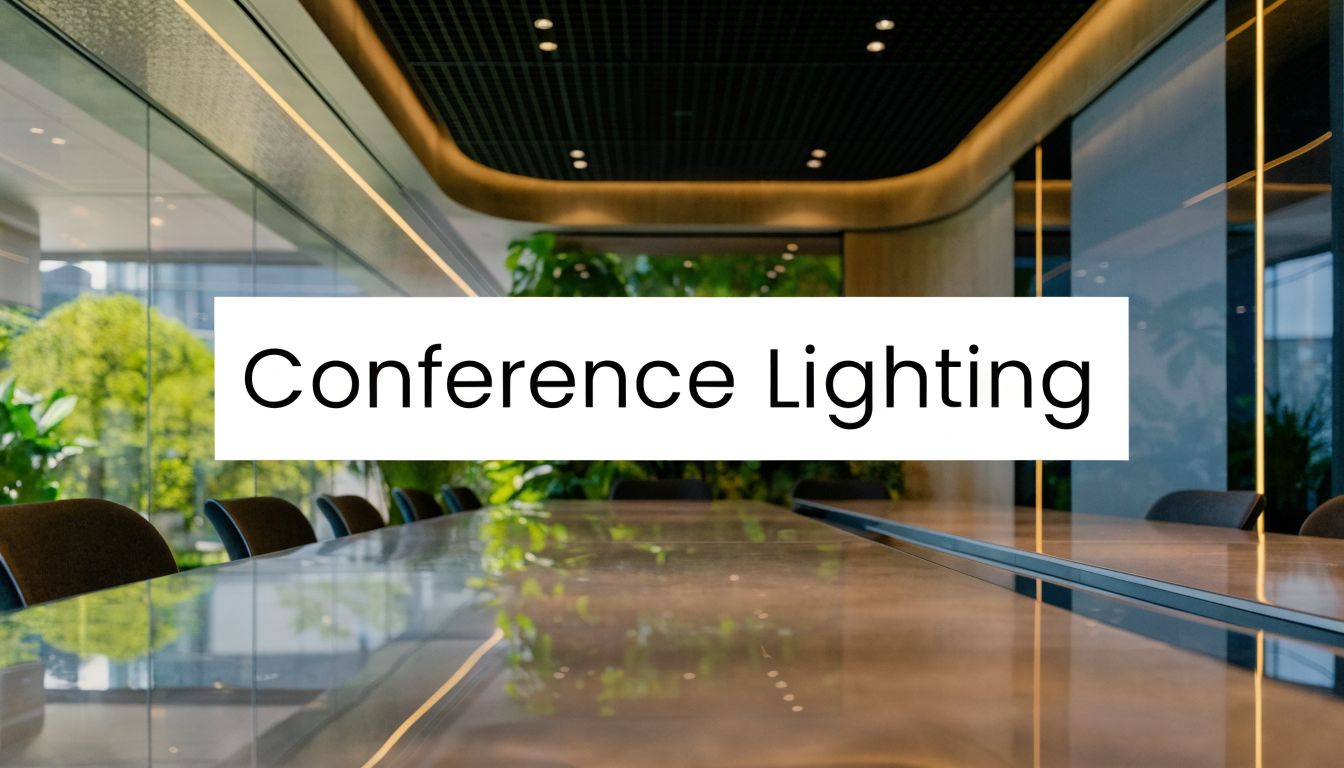
The room looks fine when you walk in. The table is polished, the display is on, and the ceiling lights are bright enough to read a printed agenda. Then the video call starts. People at the far end see dark eye sockets, shiny foreheads, and a blown-out window behind the executive who’s leading the meeting. In the room, half the team squints at slides because the screen competes with glare from overhead fixtures.
That’s usually the moment companies realize lighting for conference room design isn’t a finish selection. It’s a performance system. If the room supports clear thinking, easy eye contact, readable content, and flattering camera images, meetings move faster and feel more professional. If it doesn’t, even good equipment struggles.
I’ve seen teams spend heavily on displays, microphones, and cameras while leaving the lighting untouched. The result is predictable. The technology works, but the meeting still feels off.
Why Great Conference Room Lighting Matters
The meeting starts on time, but the room is already working against it. People at the table keep shifting to escape glare, the presenter avoids one side of the room because the camera adds harsh shadows, and remote attendees miss expressions that would normally tell them when to jump in or hold back. Lighting affects all of that before anyone comments on it.
Good conference room lighting supports three outcomes at once: steady focus for the people in the room, clear visibility for shared content, and a professional image for everyone joining remotely. If any one of those breaks down, the meeting gets slower, less clear, and more tiring than it should be.
Productivity starts with visual comfort
Conference rooms carry a heavier visual workload than circulation spaces or casual huddle areas. People switch between faces, laptops, printed notes, whiteboards, and displays, often within a few seconds. That requires enough light to read comfortably, but also enough control to keep glare and contrast from wearing people down.
Daylight helps when it is controlled well. In practice, rooms with useful daylight tend to feel less fatiguing over long sessions, while rooms with bright windows and no control usually create the opposite problem on camera and at the table.
Practical rule: If the room feels bright but people still squint at slides, avoid certain seats, or look worn out on calls, the issue is usually distribution and glare, not raw light output.
Remote professionalism is now part of the brief
A conference room no longer succeeds just because the people inside it can see each other. The room also has to present your team well to clients, partners, and remote colleagues. That changes the standard. Faces need to read clearly on camera. Backgrounds need to look intentional. Window light, fixture placement, and surface reflectance all affect whether the room looks credible or distracting.
I treat lighting the same way I treat camera placement, acoustics, and display height. It is part of one integrated system for meeting performance. The comparison is similar to the holistic approach to a sleep sanctuary in residential design, where comfort depends on several conditions working together. Conference rooms follow the same logic. Light, finishes, furniture, glass, and screen brightness shape the experience as a group.
If your room already shows the common warning signs, such as shadowed faces, bright backgrounds, or distracting reflections, this guide on fixing your top video call problems for good pairs well with a lighting upgrade plan.
The Core Principles of Effective Room Lighting
Good conference room lighting starts with performance targets, not fixture cut sheets. I set those targets around what the room has to do well: keep people alert at the table, keep presentations readable, and keep faces clear on camera. If a room misses any one of those, the meetings feel harder than they should.
Three lighting variables drive most of the result: lux, color temperature, and CRI. A fourth factor, uniformity, decides whether the room feels easy to use or full of visual friction.
Here’s the visual shorthand I use when explaining the basics to non-technical stakeholders:

Lux tells you whether the room supports actual meeting tasks
Lux measures how much light reaches the working surface. In a conference room, that means the table, note-taking areas, shared materials, and to some extent the people seated around them.
A practical target is moderate, usable light that supports reading and discussion without making the room feel harsh. The exact number matters less than the outcome. People should be able to review printed material, write notes, and stay comfortable through a long meeting. If the table is bright but faces still fall into shadow, the room may function for in-person work and still look poor on video.
I see one mistake often. Teams chase brightness because it feels easy to specify. The better approach is to check where the light lands.
Two checks catch the problem early:
- Measure at the table, not only at ceiling level: The room succeeds at working height.
- Review seated face lighting: Remote participants need to see expressions, not silhouettes.
- Check the perimeter seats: A room is only as usable as its worst seat.
If your room also supports hybrid meetings, the logic is similar to lighting used for streaming and on-camera presentation. The goal is controlled, even light where people are seen.
Color temperature sets the room’s working tone
Color temperature, measured in Kelvin, affects both concentration in the room and how the space reads on camera. For most conference rooms, a neutral to slightly cool range works best because it keeps the space alert without making it feel clinical.
In practice, I usually specify a neutral white that handles paper, skin tones, and displayed content well. Warm lighting can make a boardroom feel comfortable, but it can also reduce visual crispness and make video calls look dull. Very cool lighting sharpens surfaces and finishes, yet it can make people look tired if the rest of the room is not balanced.
The right choice depends on use. Executive rooms often need a little visual warmth for long discussions. Training rooms, review rooms, and multipurpose collaboration spaces usually benefit from a cleaner, more neutral look.
CRI affects trust more than teams expect
CRI, or Color Rendering Index, tells you how accurately a light source reveals color. This matters in ways occupants notice immediately, even if they never use the term. Skin can look flat. Brand colors can drift. Wood, fabrics, and finish selections can lose depth.
That is not a cosmetic issue. It changes how polished the room feels to clients and how confidently people review materials inside it. If the room is used for sales calls, executive updates, design reviews, or recorded presentations, poor color quality shows up fast.
I treat high color quality as part of presentation quality. If the room makes people look unhealthy or makes product samples read incorrectly, it undermines the meeting.
Uniformity and glare decide whether the room feels easy to use
Uniformity is the difference between a room that works from every seat and one that creates small daily annoyances. The center of the table should not be bright while the ends feel dim. One side of the room should not look washed out while the other disappears on camera.
Glare causes the other half of the trouble. It shows up on displays, glossy tables, glass walls, and eyeglasses. Once glare is built into the room, users start adjusting blinds, shifting chairs, and avoiding certain seats. That is lost time in almost every meeting.
Use this checklist when reviewing a plan:
- Check table coverage across the full seating area: Every seat should support reading, writing, and discussion.
- Look for reflections on displays and glass boards: If people have to tilt screens or move seats, the layout is wrong.
- Review faces from the camera position: A lighting plan that looks fine standing in the room can still fail in the call view.
- Watch contrast ratios in the room: Bright windows and dark occupant faces create a poor remote image, even if the room feels acceptable in person.
The best lighting plans are not the brightest or the most expensive. They are the ones that reduce effort. People stay focused longer, presentations read clearly, and remote attendees see a room that looks intentional and credible.
Choosing and Placing Your Lighting Fixtures
Once the fundamentals are clear, fixture selection becomes easier. The best conference rooms don’t rely on one type of light doing everything. They use layers. That usually means ambient light for the room, task-oriented support where people work or present, and selective accent lighting so the room doesn’t feel flat.

Ambient lighting sets the baseline
Ambient lighting handles the broad, even illumination that makes the room functional the moment someone walks in. In most conference rooms, this comes from recessed downlights, linear fixtures, or LED panels.
LED is the default choice now for good reason. According to this meeting room lighting guide from LEDLUCKY, LED lighting offers over 90% energy efficiency, compared with 60% for incandescent and 80% for compact fluorescent bulbs. The same reference notes that IECC 2021 sets conference room lighting power density at 0.97 W/sf, which pushes designs toward efficient fixtures and cleaner control strategies.
In practical terms, here’s how the main ambient options compare:
| Fixture type | Where it works best | Strength | Common problem |
|---|---|---|---|
| Recessed downlights | Formal boardrooms, clean ceilings | Minimal visual clutter | Can create pools of light and facial shadows |
| Linear suspended fixtures | Open meeting rooms, modern offices | Strong table coverage | Poor placement can reflect in screens |
| LED panels | General-purpose rooms, training spaces | Soft, even spread | Cheap panels can flatten the room visually |
Task and presentation lighting solve specific problems
Task lighting in a conference room isn’t the same as a desk lamp in an office. It’s targeted support for activities the ambient layer can’t handle well by itself. That may include a presenter wall, a whiteboard, or a credenza where physical materials are reviewed.
In these situations, I often use:
- Wall washing near presentation surfaces: It keeps the front of the room from turning into a dark hole.
- Focused lighting at side counters or collaboration zones: Useful when teams review samples or paperwork.
- Soft decorative pendants over ancillary areas: Good for lounge-style meeting zones, not ideal directly over the main camera view.
A room feels more usable when the front wall has intention. If the screen wall is overlit, content washes out. If it’s too dark, the presenter disappears.
For teams also creating webinars or polished hybrid events, this roundup of the best lights for streaming in professional setups helps translate studio-style fixture thinking into business environments.
Placement matters more than fixture style
I’ve seen expensive fixtures fail because the layout was wrong. The most common mistakes are simple:
- A row of downlights directly above seated participants: This creates eye sockets and hot spots on foreheads.
- Fixtures centered by ceiling symmetry instead of table geometry: The room looks balanced on paper and performs poorly in use.
- No coordination with displays and cameras: Light lands exactly where you don’t want reflections.
If you want a room to look good on camera, stop centering the design on the ceiling plan alone. Center it on the table, the display wall, and the camera sightline.
A reliable layout approach is to provide broad, even ambient coverage around the table perimeter and supplement the front of the room so faces receive useful light from forward angles, not just from above. In larger rooms, I also like to separate the display zone from the participant zone on independent controls. That prevents the classic problem where the room is either good for slides or good for faces, but never both.
What works and what doesn’t
What works is restraint. Clean LED sources, diffused output, thoughtful spacing, and control by zone. What doesn’t work is treating the room like a generic office area and dropping in a standard reflected ceiling plan.
Decorative fixtures can absolutely belong in a conference room. They just can’t be the primary performance layer. If a fixture looks dramatic but creates glare on a display, it’s serving the architect more than the meeting.
Optimizing Lighting for Flawless Video Conferencing
Most conference rooms fail on video for one reason: the design assumes overhead light is enough. It isn’t. Overhead light helps people move around the room and read documents, but by itself it usually produces the exact facial shadows cameras exaggerate.

Why overhead-only lighting breaks video
For standard meetings, the Illuminating Engineering Society recommends relatively modest vertical light. For video conferencing, that requirement changes sharply. The IES guidance summarized in Penn State’s conference lighting report calls for 30 footcandles of vertical illuminance for video, compared with 5 footcandles for non-video meetings, a 500% increase. That’s the technical reason so many rooms look bad on camera even when they seem bright in person.
Vertical illuminance is what lights faces. Cameras care about faces far more than tabletops.
When rooms rely only on ceiling cans or direct downlights, you get predictable problems:
- Dark eyes and cheek shadows
- Uneven skin tones across seats
- One participant looking bright while another disappears
- A flatter, less trustworthy on-camera image
Use a simplified three-point approach
You don’t need to turn the boardroom into a television studio, but you should borrow the logic. Good video lighting usually comes from three roles working together:
| Lighting role | What it does | Conference room version |
|---|---|---|
| Key light | Main facial illumination | Soft front-facing light near display wall or camera side |
| Fill light | Reduces contrast and harsh shadows | Secondary diffused source from the opposite side |
| Back light | Separates subject from background | Gentle rear or side accent, often subtle in business rooms |
The biggest upgrade usually comes from the first item alone. Add soft, front-biased light and people immediately look healthier and clearer. I prefer diffused LED panels or linear wall-adjacent lighting rather than exposed point sources. The goal is to brighten faces without creating sparkle on glasses or glare on the table.
Cameras don’t need the room brighter everywhere. They need the people brighter from the right direction.
Windows can help or ruin the shot
Natural light is valuable, but it has to be controlled. A window behind participants creates backlight that forces the camera to choose between the face and the view. Usually, the face loses. Side daylight can be excellent. Rear daylight is often destructive unless managed well.
That’s where window treatment strategy matters. If your room has large glazing, these ideas for custom blinds and shades for offices are useful because they solve the issue, which is balancing daylight without turning the room into a cave.
A few field-tested rules:
- Avoid seating key speakers with bright windows directly behind them
- Use diffused daylight when possible instead of hard sun patches
- Coordinate blind positions with camera presets and meeting times
Match lighting to the camera, not just the architecture
Some rooms look beautiful in person and still perform poorly on video because no one tested from the camera position. Always review the room through the actual conference camera or webcam feed. That’s the only view that matters for remote participants.
Teams upgrading room video should also think about camera capability alongside lighting. This guide to choosing the best conference room webcam for clear communication is helpful because the camera and the lighting have to support each other.
One final point. The room doesn’t need “dramatic” lighting. It needs predictable lighting. When every seat reads clearly and every face looks natural, remote participants stop noticing the room and start paying attention to the meeting. That’s the result you want.
Advanced Control, Dimming, and Maintenance
A 9 a.m. leadership call needs one lighting result. The noon training session needs another. By 4 p.m., someone is sharing a deck with remote attendees on screen. If the room relies on a few unlabeled switches, people waste the first minutes of every meeting adjusting lights, closing shades, and apologizing for how the room looks on camera.
Control solves that problem when it is built around meeting outcomes, not around gadgets.
Build scenes around real meeting modes
The best conference room controls make the room predictable. A user should be able to tap one button and get the right mix of light for the task in front of them. That matters for speed in the room and for consistency on video. Remote participants notice lighting changes right away, especially when faces suddenly go dim or the display wall blooms too bright on camera.
I usually set up a small group of named scenes such as:
- Presentation mode: Reduce light near the display wall, keep enough light on the table for note-taking, and avoid putting speakers in shadow.
- Video call mode: Keep faces evenly lit, control contrast across the room, and hold a stable look that the camera can expose correctly.
- Collaboration mode: Raise general light levels so people can read, write, move around, and use whiteboards without eye strain.
Keep the options limited. Three or four well-tuned scenes outperform a wall full of buttons every time.
Color temperature and dimming range also need to stay consistent across fixtures. In practice, that usually means selecting one target color temperature and sticking with it room-wide so skin tones, table surfaces, and wall finishes read the same from every camera preset. Earlier guidance in this article covered the typical conference room range. The operational point here is simpler. Mixed lamp colors and uneven dimming curves make the room look less professional, even when the light level is technically adequate.
For teams evaluating integrated control approaches, examples of custom Lutron lighting control are worth reviewing because they show how scene-based lighting can be tied to shades, AV presets, and occupancy behavior.
The best control system is the one employees can use correctly without calling facilities.
Maintenance protects meeting quality
Lighting drift is gradual, which is why it gets ignored. A driver weakens. A diffuser yellows. A fixture gets replaced with the wrong color temperature after a service call. Nobody notices on day one. Six months later, the room looks flat in person and inconsistent on camera.
That slow decline has a business cost. People spend more time adjusting the room, remote attendees get a less polished view, and the organization starts to look less prepared than it is.
A simple maintenance routine prevents that:
- Check fixture output on a schedule: Uneven brightness often points to aging components, dirt buildup, or dimming settings that changed after service.
- Clean diffusers, lenses, and trims: Light loss from dust is common, especially in rooms that otherwise seem “fine.”
- Revisit scenes after furniture, display, or camera changes: A new table finish or a shifted camera angle can change glare and facial lighting more than expected.
- Verify shade behavior as part of room checks: Automated scenes fail if daylight control is left out of the routine.
- Review the room through the live camera feed: The doorway view is not the meeting view.
I have seen companies standardize displays, microphones, and cameras across multiple rooms, then let lighting drift room by room. The result is uneven meeting quality across the building. One room feels polished. The next feels improvised. Regular checks keep that from happening and protect the return on the lighting investment.
Your Conference Room Lighting Plan Template
A practical lighting plan starts with the meeting outcome, not the catalog page. Ask four questions. Who uses the room most often? How often are remote participants involved? Where are the windows and displays? What view does the camera see?
If you answer those clearly, most design decisions become straightforward. You’ll know whether the room needs stronger front-facing light, more flexible scene control, or better balance between daylight and electric light. You’ll also avoid the common trap of designing for appearance in an empty room instead of performance during a live meeting.
Use this as a starting framework for lighting for conference room planning.
Conference Room Lighting Quick-Start Guide
| Room Type | Capacity | Target Lux (Table) | Color Temperature | Recommended Fixtures |
|---|---|---|---|---|
| Small huddle room | Small team use | 300-500 lux | 4000K-5000K | LED panels or small linear fixtures, plus soft front-facing video light |
| Medium meeting room | Standard team meetings | 300-500 lux | 4000K-5000K | Layered recessed and linear ambient lighting, wall wash near presentation zone, zoned dimming |
| Large boardroom | Executive and hybrid meetings | 300-500 lux | 4000K-5000K | Zoned LED system with broad ambient coverage, dedicated front-fill for video, integrated controls and shades |
Final checks before you approve a design
Run every plan through this short filter:
- Face check: Do seated participants look clear from the camera position?
- Screen check: Are there reflections or glare on displays?
- Table check: Can every seat read notes comfortably?
- Mode check: Can the room switch quickly between presentation and video call use?
If those four answers are strong, the room will usually perform well. If one is weak, fix it before the fixtures are installed. Lighting is much cheaper to adjust on paper than after occupancy.
A well-lit conference room makes every meeting easier to run, especially when remote participants are part of the conversation. If you’re improving the full meeting experience, AONMeetings gives teams a browser-based way to host HD video meetings, webinars, and live streams without software installs, with features like recording, AI-generated transcripts, whiteboards, polling, and secure access controls for business, education, legal, and healthcare environments.