Running a small business means wearing multiple hats, from accountant and project manager to marketing lead and customer service rep. Juggling these roles effectively requires more than just hard work; it demands the right tools. The challenge isn't a lack of options, but rather a flood of them. Deciding which software actually solves problems versus which just adds another monthly subscription can be paralyzing. This guide cuts through the noise to provide a curated blueprint of essential apps for small business operations.

We have structured this resource to give you the specific details needed to make informed decisions quickly. Instead of vague marketing descriptions, you will find a practical breakdown for each application, covering its core purpose, standout features, and clear pricing information. We analyze who each tool is truly for, helping you match the software to your specific business stage and operational needs.

This article is designed to be a functional resource. Each entry includes:

  • A concise summary of what the app does best.
  • Key features that directly impact business efficiency.
  • Direct links and screenshots for a clear visual reference.
  • Practical notes on integrations with other vital tools like CRMs and calendars.
  • Honest assessments of limitations and ideal use-case scenarios.

From managing finances with QuickBooks Online and processing payments with Square to coordinating team projects in Asana and communicating with AONMeetings, this list provides the foundational software stack to build, manage, and scale your operations. Consider this your definitive guide to selecting the right apps for your small business without the guesswork.

1. AONMeetings

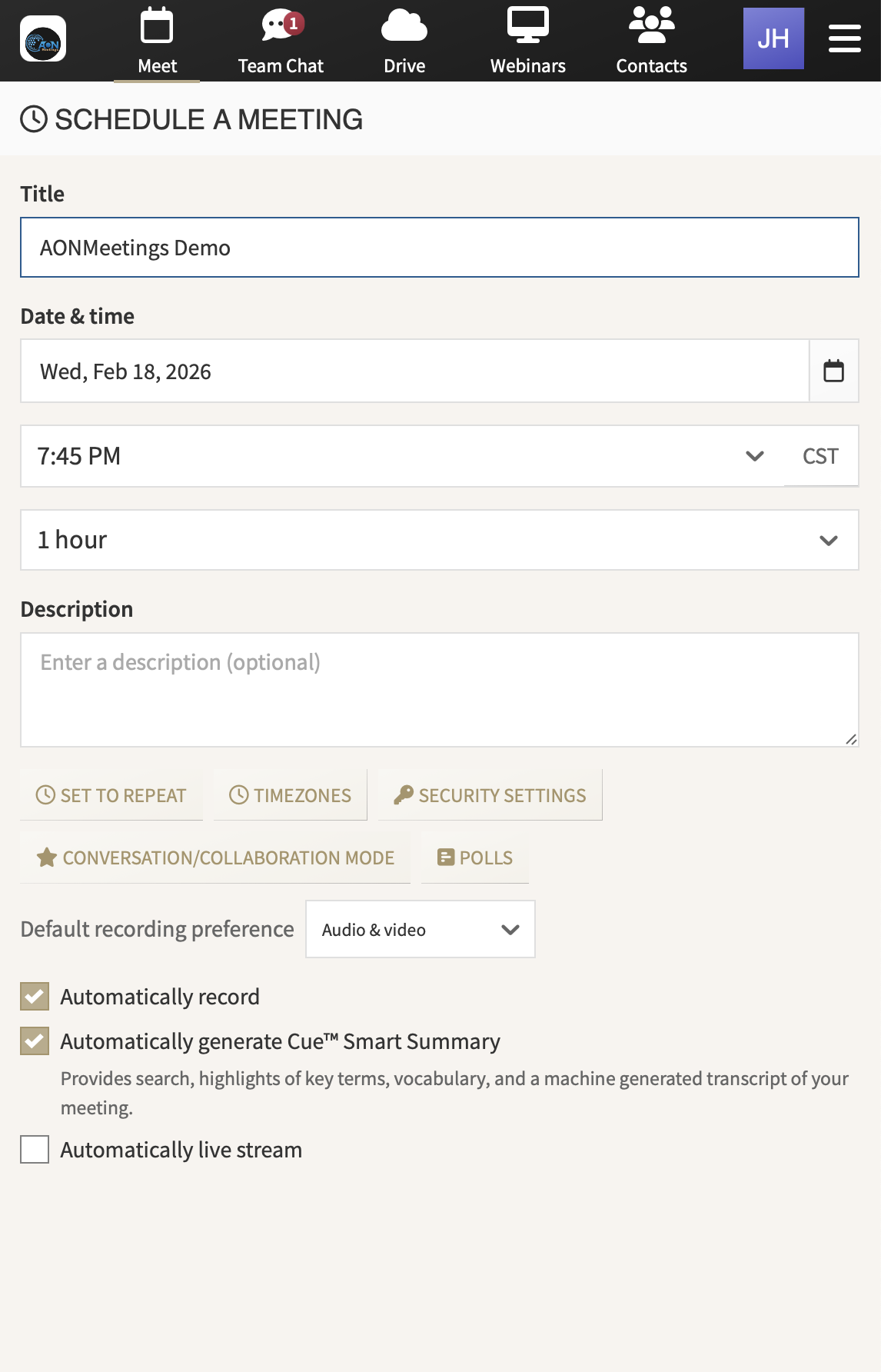
As our featured choice, AONMeetings presents a robust, all-in-one video conferencing and webinar platform that stands out for its simplicity, security, and transparent pricing. It operates entirely within a web browser, primarily Google Chrome, eliminating the need for software downloads or installations. This browser-first approach ensures that participants, clients, or students can join meetings instantly with a single click, removing a common point of friction and technical support headaches for small businesses.

AONMeetings interface showing a video conference call in progress

This platform is more than just a meeting tool; it’s a complete communication hub. Every plan includes unlimited webinars, a feature that competitors often gate behind expensive add-ons. This makes AONMeetings an exceptionally valuable app for small businesses that rely on marketing webinars, client training, or large-scale presentations without incurring unpredictable costs.

Why It Excels for Small Businesses

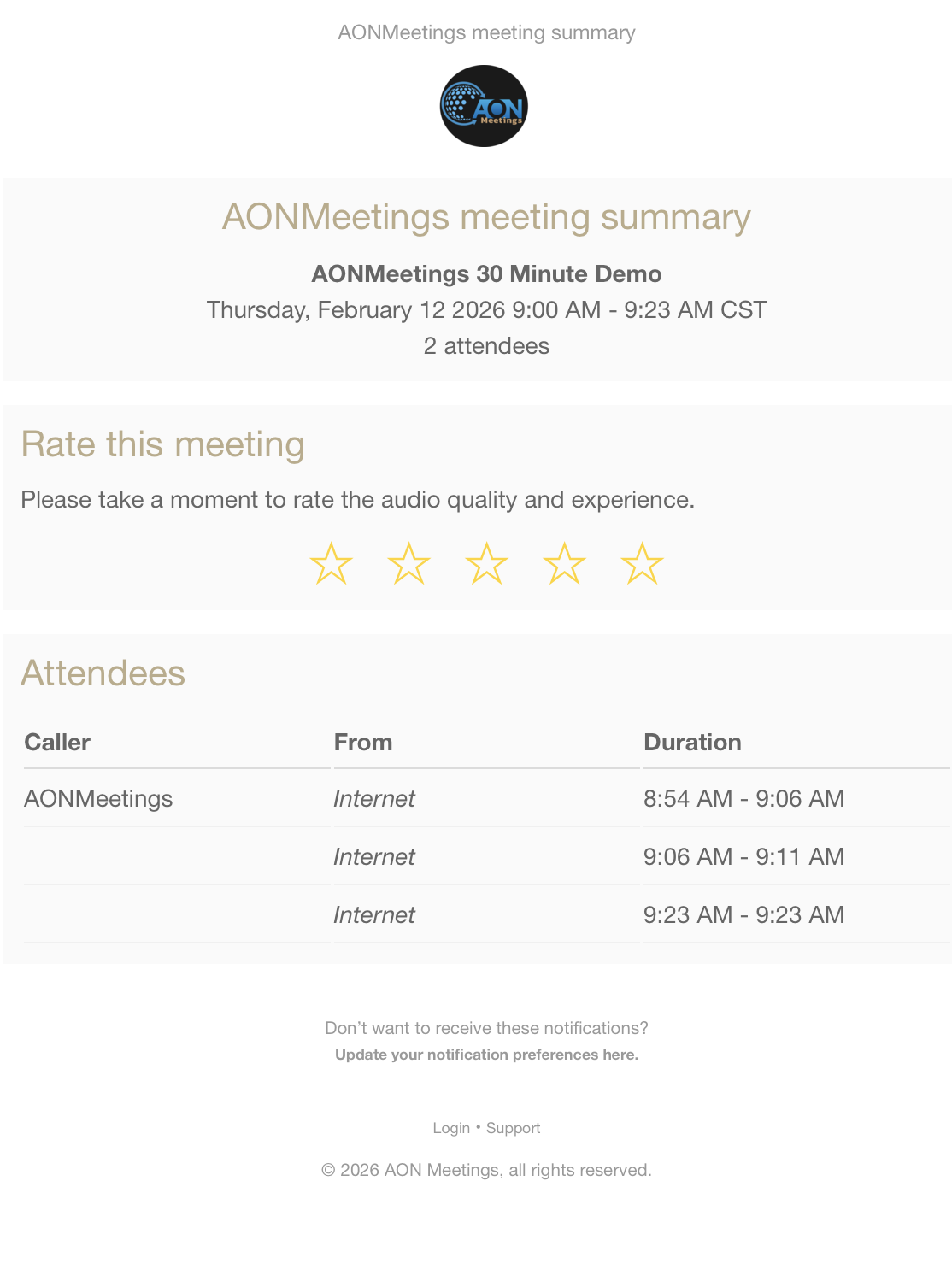
AONMeetings is built with the practical needs of small to medium-sized organizations in mind, especially those in regulated fields. Its HIPAA-ready status and end-to-end encryption offer peace of mind for healthcare providers conducting telehealth sessions or legal firms discussing sensitive client matters. The platform's tools, such as AI-generated transcripts, live polling, and digital whiteboards, are designed to boost engagement and productivity.

For a deeper dive into how these features support various business functions, you can explore their guide on video conferencing for small businesses.

Key Information & Use Cases

  • Best For: Businesses in healthcare, legal, and education; companies seeking a secure, no-download solution for client-facing interactions.
  • Core Features: Browser-based access, unlimited webinars, AI transcripts, recording, screen sharing, HIPAA-ready security, custom branding, and calendar integrations.
  • Pricing: Starts at a very accessible $3.99/user/month for up to 25 participants. Pro, Business Pro, and enterprise plans are available for larger teams and advanced features.
  • Limitations: The entry-level plan is capped at 25 participants. Its primary focus on Google Chrome might be a consideration for teams that use other browsers exclusively.

Real-World Insight: A tutoring company can use AONMeetings to host virtual classes where students join instantly without parental IT support. The integrated whiteboard and polling features keep students engaged, while session recordings and AI transcripts provide valuable study materials afterward. All this is accomplished on a budget-friendly plan that includes full webinar functionality for open-house events.

Visit AONMeetings

2. QuickBooks Online

QuickBooks Online is the standard for small business accounting software in the US for good reason. It provides a robust, double-entry accounting system that scales from a solo founder to a growing team, making it one of the most essential apps for small business management. Its core function is to centralize your financial data, from tracking income and expenses to managing invoices and preparing for tax season.

The platform's strength lies in its automation and integration. Bank and credit card feeds automatically import transactions, which you can then categorize. You can create professional estimates, convert them into invoices, and accept payments directly within the system. This workflow simplifies accounts receivable and improves cash flow. To maximize the utility of this powerful tool, ensuring you know how to effectively Sign In to QuickBooks Online is a critical first step for daily operations.

Key Features & Considerations

  • Best For: Service-based businesses, retailers, and any small business needing a comprehensive, all-in-one financial hub.
  • Pricing: Starts with the Simple Start plan ($30/mo) and scales up to the Advanced plan ($200/mo) for more complex needs. Payroll and other services are available as paid add-ons.
  • Pros: Its massive ecosystem of third-party app integrations and certified ProAdvisors is a significant advantage. The user interface is familiar to most accountants, simplifying collaboration.
  • Cons: The subscription cost can add up, especially with necessary add-ons. Businesses with advanced inventory or multi-entity reporting needs may find the lower-tier plans restrictive.

Implementation Tip: Connect your business bank accounts immediately upon setup to begin automatically pulling in transactions. This saves hours of manual data entry and provides a real-time view of your financial health, a key principle for successful entrepreneurs. For more foundational guidance, explore these essential tips for small business owners.

Website: https://quickbooks.intuit.com

3. Square

Square has become a go-to solution for businesses needing to accept payments anywhere, from a brick-and-mortar storefront to a pop-up market. It offers an end-to-end payment processing and point-of-sale (POS) system that simplifies transactions for retail, restaurant, and service-based businesses. Its core value is providing an accessible way to manage in-person, online, and mobile sales within a single, unified dashboard.

Square

The platform’s ecosystem extends well beyond simple payment processing. With the free Square POS app, you can manage inventory, send invoices, handle customer appointments, and even launch a basic e-commerce site. This integration of operations makes Square one of the most versatile apps for small business owners who need to manage multiple functions without juggling separate software. The easy-to-use hardware and straightforward setup process remove many traditional barriers to entry for accepting credit cards.

Key Features & Considerations

  • Best For: Retailers, cafes, service providers (like salons), and mobile businesses needing an all-in-one POS and payment solution.
  • Pricing: No monthly fee for the standard POS. Processing fees are a flat rate per transaction (e.g., ~2.6% + 10¢ for tapped, dipped, or swiped payments). Paid “Plus” plans and add-ons are available for advanced features.
  • Pros: The low barrier to entry is a major benefit; you can start accepting payments quickly with minimal upfront cost. The broad ecosystem combines POS, e-commerce, appointments, and marketing in one place.
  • Cons: At a high sales volume, the flat-rate processing fees can become more expensive than a traditional merchant account with custom rates. Accessing certain advanced features requires upgrading to paid plans.

Implementation Tip: Immediately explore the industry-specific POS versions upon setup. Whether you run a restaurant needing table management or a salon requiring appointment booking, activating the correct mode will unlock a set of features built specifically for your operational needs and improve your workflow from day one.

Website: https://squareup.com

4. Shopify

Shopify is the go-to hosted ecommerce platform for businesses aiming to launch and grow an online store. It provides a complete solution that covers everything from a customizable storefront and secure checkout to integrated payments and inventory management. This makes it one of the most powerful apps for small business owners entering the world of digital commerce, as it handles the complex technical backend, including server maintenance and PCI compliance.

Shopify

The platform's core advantage is its unified commerce approach. You can sell products through your website, on social media channels, in marketplaces like Amazon, and in-person with its Point of Sale (POS) system, all while managing orders and inventory from a single dashboard. This integration simplifies operations and provides a consistent brand experience for customers, regardless of where they shop. Its extensive theme and app marketplaces allow you to tailor your store's look and functionality precisely to your needs.

Key Features & Considerations

  • Best For: Product-based businesses, from artisan makers to direct-to-consumer (DTC) brands and retailers needing a scalable, all-in-one online and offline sales solution.
  • Pricing: Plans start with Basic ($39/mo) and go up to Advanced ($399/mo) for larger-scale operations. Shopify Plus is available for enterprise-level needs.
  • Pros: The platform is known for its reliability, fast performance, and an exceptionally deep ecosystem of third-party apps, developers, and logistics partners.
  • Cons: Using third-party payment gateways incurs additional transaction fees on top of the gateway's own rates. The total cost can increase significantly as you add paid apps and themes.

Implementation Tip: Before launching, explore the Shopify App Store to identify key apps for marketing, customer service, and logistics. Installing a review app like Yotpo or Loox early on is critical for building social proof and trust with new customers.

Website: https://www.shopify.com

5. Stripe

Stripe has become the gold standard for online payment processing, particularly for internet-first businesses. It provides a developer-friendly platform that allows you to accept credit cards, debit cards, and a wide array of global and local payment methods directly on your website or app. Its core value is simplifying the complex world of online transactions, making it an essential tool in the modern small business app toolkit.

Stripe

The platform is much more than a simple payment gateway. Stripe offers a suite of interconnected products, including subscription management (Billing), advanced fraud detection (Radar), and even tax calculation services. This integrated approach means you can manage revenue, reduce churn, and stay compliant without needing to stitch together multiple disparate systems. Its powerful APIs and extensive documentation are legendary, empowering businesses to create custom payment experiences that fit their exact needs.

Key Features & Considerations

  • Best For: E-commerce stores, SaaS companies, online marketplaces, and any business that needs a flexible, powerful online payment solution.
  • Pricing: Pay-as-you-go pricing is standard (e.g., 2.9% + 30¢ per successful card charge). Custom pricing is available for high-volume businesses. Optional products like Tax or Radar have separate fees.
  • Pros: Its exceptional developer experience, detailed documentation, and ability to scale from a single transaction to enterprise volume are major advantages. It supports a vast number of currencies and payment methods for international sales.
  • Cons: The DIY, API-first approach often requires developer resources for implementation, which might be a barrier for non-technical founders. The cost can increase as you add more of its optional, value-added products.

Implementation Tip: Even if you are not a developer, explore Stripe’s pre-built Checkout pages and Payment Links. These "low-code" solutions let you start accepting payments in minutes without writing a single line of code, offering a quick path to monetization.

Website: https://stripe.com

6. Google Workspace

Google Workspace bundles the familiar suite of Google’s productivity and collaboration tools into a single, business-grade subscription. It moves beyond personal Gmail and Drive accounts to offer a centralized administrative hub, custom domain email addresses (you@yourcompany.com), and enhanced security controls. For small businesses, especially those with distributed teams or a preference for cloud-native workflows, it’s one of the most foundational apps for small business operations, covering communication, file storage, and document creation.

Google Workspace

The platform’s core strength is its seamless, real-time collaboration. Team members can simultaneously edit Docs, Sheets, and Slides, with all changes saved automatically to a shared Drive. This environment reduces version control issues and accelerates project completion. Integrated tools like Google Meet for video conferencing and Chat for instant messaging ensure communication stays within a secure, managed ecosystem, simplifying how teams connect and share information.

Key Features & Considerations

  • Best For: Startups, remote-first companies, and any business that prioritizes real-time collaboration and a browser-based work environment.
  • Pricing: Starts with the Business Starter plan ($6/user/mo) and scales to Business Standard ($12/user/mo) and Business Plus (~$18/user/mo) for more storage and advanced features.
  • Pros: The user interface is highly familiar to most people, reducing the learning curve. Predictable per-user pricing and simple administrative controls make it easy to manage.
  • Cons: Businesses heavily reliant on complex Excel macros or specific desktop software may find the web-first approach less powerful. Advanced security and archival features are locked behind more expensive tiers.

Implementation Tip: Immediately set up Shared Drives instead of relying on individual "My Drive" folders for company files. This ensures business continuity by preventing critical documents from being tied to a single employee's account, which is a common and costly oversight for new businesses.

Website: https://workspace.google.com

7. Microsoft 365 Business

For businesses already operating within the Windows ecosystem, Microsoft 365 Business is the default suite for productivity and communication. It bundles the classic Office apps (Word, Excel, PowerPoint) with powerful cloud services like Exchange for professional email, OneDrive for file storage, and Teams for collaboration. This integration creates a familiar and cohesive environment for document creation, sharing, and teamwork, making it a cornerstone app for many small business operations.

The real advantage of Microsoft 365 is its unified nature. You can schedule a meeting in your Outlook calendar, launch it in Teams, collaborate on a PowerPoint presentation stored in SharePoint, and manage access with enterprise-grade security tools, all within one subscription. This tight integration minimizes the need for multiple, disconnected applications, providing a single source for core business functions from email to file management.

Key Features & Considerations

  • Best For: Teams that rely heavily on Office documents and prefer an all-in-one suite for email, communication, and file storage.
  • Pricing: Business Basic starts around $6/user/mo (web apps only), with Business Standard ($12.50/user/mo) adding desktop apps, and Business Premium ($22/user/mo) including advanced security.
  • Pros: Deep, native integration with Windows and Office files is a major workflow benefit. It includes robust security, compliance, and device management tools, especially in higher tiers.
  • Cons: The administrative and security settings can be complex for a non-technical founder to configure. The differences between tiers are significant, requiring careful comparison to avoid paying for unneeded features or missing critical ones.

Implementation Tip: Set up SharePoint sites for different departments or projects from the beginning. This creates an organized, central repository for team files, rather than letting them get scattered across individual OneDrive accounts, which improves security and collaboration.

Website: https://www.microsoft.com/microsoft-365/business

8. Slack

Slack is a channel-based messaging platform that has become a cornerstone of internal communication for modern businesses. It moves conversations out of cluttered email inboxes and into organized, searchable channels dedicated to specific projects, teams, or topics. Its primary function is to create a central hub for team collaboration, file sharing, and quick decision-making, making it one of the most effective apps for small business productivity.

Slack

The platform’s real power comes from its seamless integration capabilities and user-friendly design. You can share files from Google Drive, get notifications from Salesforce, and even launch video calls directly from a channel. Features like "huddles" for spontaneous audio chats and "clips" for short video or audio messages reduce the need for formal meetings. Newer AI features on paid plans, like conversation summaries and recaps, further help teams stay aligned with less effort.

Key Features & Considerations

  • Best For: Remote or hybrid teams, tech-savvy businesses, and any company looking to reduce internal email and foster a more collaborative culture.
  • Pricing: Offers a functional free plan with a 90-day message history limit. Paid plans start with the Pro plan ($8.75/user/mo) and scale to Business+ ($15/user/mo) for advanced features and security.
  • Pros: The integration ecosystem (over 2,600 apps) is a major advantage, connecting almost any tool in your stack. Its intuitive interface promotes quick adoption and is a strong fit for fostering a remote-friendly work environment.
  • Cons: Without strict channel management and notification discipline, it can become noisy and a source of distraction. Access to full message history and advanced security features requires upgrading to more expensive paid tiers.

Implementation Tip: Establish clear "channel etiquette" guidelines from day one. Define naming conventions (e.g., #proj-website, #team-marketing) and rules for using threads to keep conversations focused and prevent channels from becoming chaotic. This foundation is key when setting up effective collaboration tools for remote teams.

Website: https://slack.com

9. Asana

Asana is a leading work management platform that moves beyond simple to-do lists, providing a structured environment to plan, track, and manage team projects. It helps small businesses bring clarity to chaos by organizing all work-related communication and tasks in one place. This prevents crucial details from getting lost in email threads or disjointed spreadsheets, making it one of the top apps for small business collaboration.

The platform's visual approach, featuring lists, boards, and timelines (Gantt charts), allows teams to see project progress in the format that works best for them. You can assign tasks with clear deadlines, attach relevant files, and create dependencies so work happens in the right order. Automations handle routine tasks, like moving projects to the next stage or notifying stakeholders, freeing up your team to focus on strategic work instead of administrative overhead.

Asana

Key Features & Considerations

  • Best For: Teams managing cross-functional projects, marketing campaigns, product launches, or any repeatable business process.
  • Pricing: A robust free plan is available for individuals or small teams. Paid plans start with the Premium tier ($10.99/user/mo) and scale to Business ($24.99/user/mo) for advanced features like rules and forms.
  • Pros: Its user-friendly interface is accessible for non-technical team members, promoting wide adoption. The platform scales effectively from simple task tracking to complex portfolio management.
  • Cons: The per-user pricing model can become expensive as your team grows. Some of the most valuable features, like workload management and approvals, are locked behind higher-tier plans.

Implementation Tip: Start by creating project templates for recurring work, such as client onboarding or content creation. This standardizes your process, ensures no steps are missed, and dramatically speeds up the kickoff for new projects.

Website: https://asana.com

10. HubSpot CRM

HubSpot CRM is a dominant force in the customer relationship management space, providing a powerful and user-friendly platform that is exceptionally well-suited for small to medium-sized businesses. Its core philosophy revolves around a "freemium" model, offering a generous, perpetually free CRM that serves as the central database for all customer interactions. This makes it an accessible starting point for businesses looking to organize their contacts, track deals, and improve customer communication without an initial investment.

The platform's real strength is its modular "Hub" system, allowing businesses to add on Sales, Marketing, Service, and Operations tools as they grow. This creates a single, unified view of the customer journey, from their first marketing touchpoint to a closed deal and ongoing support tickets. This integrated approach eliminates data silos and empowers teams with the context they need, making HubSpot a standout among apps for small business growth.

Key Features & Considerations

  • Best For: Businesses of all sizes looking for a scalable, all-in-one platform for sales, marketing, and customer service with a low barrier to entry.
  • Pricing: Starts with a robust free CRM. Paid "Hubs" (Marketing, Sales, etc.) begin with Starter plans (~$20-$30/mo) and scale to Professional and Enterprise tiers with significant price increases. While HubSpot CRM offers extensive features, it's worth exploring options like the cheapest CRM for small business needs, especially for startups and solopreneurs.
  • Pros: The unified contact timeline provides a complete history of all interactions across departments. It's known for its fast onboarding, extensive knowledge base, and a large marketplace of third-party integrations.
  • Cons: The price jumps between the Starter and Professional tiers are steep and can become costly as you add more Hubs and users. Advanced automation and in-depth reporting are locked behind the more expensive plans.

Implementation Tip: Start with the free CRM to organize your contacts and sales pipeline. Use the free meeting scheduler and live chat tools immediately to see quick wins. This allows you to build a foundational system before committing to the paid Hubs, ensuring you only pay for what you truly need.

Website: https://www.hubspot.com

11. Gusto

Gusto modernizes payroll, benefits, and HR for small businesses, replacing clunky spreadsheets and outdated software with a clean, user-friendly platform. It handles the critical, time-consuming tasks of calculating paychecks, filing payroll taxes at the federal, state, and local levels, and generating year-end W-2s and 1099s. This focus on automation makes it one of the most valuable apps for small business owners looking to reclaim their time.

Gusto

The platform’s real strength is its employee-centric design. Team members get their own login to view pay stubs, manage benefits, and update personal information, reducing administrative questions for the business owner. From hiring and onboarding new employees to administering health insurance and 401(k) plans, Gusto serves as a central hub for core HR functions, all managed through a simple, clear interface.

Key Features & Considerations

  • Best For: US-based small businesses with fewer than 100 employees, especially those who value a great user experience for both administrators and staff.
  • Pricing: Begins with a Contractor Only plan ($0 base, $6/person). Employee plans start with the Simple plan (~$40/mo + $6/person) and go up to the Premium plan with exclusive pricing.
  • Pros: The intuitive design and strong compliance support are major wins for small teams. It integrates smoothly with accounting software like QuickBooks and Xero.
  • Cons: Per-employee fees can become costly as the company scales. Businesses with complex multi-state payroll or highly specialized benefits may find the setup requires careful configuration.

Implementation Tip: Use the onboarding checklists provided by Gusto for new hires. This ensures all necessary forms (like I-9s and W-4s) are completed digitally and stored correctly from day one, establishing a compliant and organized HR process from the start.

Website: https://gusto.com

12. Zendesk

As a business grows, managing customer inquiries via a shared email inbox quickly becomes chaotic. Zendesk provides a structured, professional solution to this common pain point, establishing itself as a top-tier customer service platform and a vital app for small businesses prioritizing customer satisfaction. It consolidates all customer conversations-from email and chat to social media and phone calls-into a single, unified agent workspace. This omnichannel approach ensures no query is lost and every customer receives a consistent, timely response.

The power of Zendesk for a small team lies in its ability to bring order and efficiency to customer support. Instead of manually tracking emails, agents use a ticketing system where each issue is assigned a unique number and can be routed, tracked, and resolved systematically. Features like macros allow for one-click responses to common questions, while internal notes facilitate seamless collaboration between team members on complex cases. This structure not only improves response times but also provides valuable data on support volume and agent performance.

Key Features & Considerations

  • Best For: E-commerce stores, SaaS companies, and any business that needs to manage a growing volume of customer inquiries across multiple channels.
  • Pricing: The Zendesk Suite plans start at ~$55 per agent/month (billed annually), with more advanced tiers adding features like AI-powered bots and deeper analytics.
  • Pros: It’s a mature, reliable platform with a vast ecosystem of integrations. The agent-based pricing allows businesses to start small and scale their support operations as the team grows.
  • Cons: Advanced features required for sophisticated automation and workforce management are locked behind higher-tier plans. The cost of add-ons for AI and QA can significantly increase the total investment.

Implementation Tip: Start by building out a basic Knowledge Base. Document answers to your top 10-15 most frequently asked questions. This empowers customers to find their own answers, which deflects incoming tickets and frees up your team's time for more complex issues.

Website: https://www.zendesk.com

12 Small Business Apps: Core Features Comparison

ProductCore featuresTarget audienceKey differentiatorPricing / Value
AONMeetings (Recommended)Browser‑first HD video, unlimited webinars, recording, AI transcripts, screen share, whiteboard, polling, closed captionsHealthcare, legal, education, corporate, SMBsHIPAA‑ready, end‑to‑end encryption, no downloads (Chrome), unlimited webinars includedStarts $3.99/user/mo (up to 25 participants); Pro/Business Pro/enterprise plans
QuickBooks OnlineInvoicing, bank feeds, expense tracking, reporting, basic inventory, payroll add‑onsSmall businesses, accountantsLarge advisor/app ecosystem; robust accounting/reportingTiered subscription; add‑ons (payroll, time) raise total cost
SquareFree POS app, payments, invoices, appointments, ecommerce, hardwareRetail, restaurants, services, pop‑upsEasy hardware + omnichannel selling in one dashboardCard processing fees per transaction; optional paid add‑ons
ShopifyHosted storefront, checkout, payments, shipping, themes, app marketplaceOnline merchants SMB → enterpriseAll‑in‑one ecommerce with deep app/partner ecosystemMonthly plans + transaction and app fees
StripeOnline payments, subscriptions, invoicing, Radar fraud, APIs/SDKsDevelopers, platforms, marketplaces, global merchantsDeveloper‑first APIs and broad global payment methodsPer‑transaction pricing; optional paid products increase costs
Google WorkspaceGmail, Calendar, Drive, Docs/Sheets/Slides, Meet, admin controlsRemote/distributed teams, SMBsFamiliar Google apps, real‑time collaboration, predictable per‑user billingPer‑user/month subscription tiers
Microsoft 365 BusinessOutlook/Exchange, Office apps, Teams, OneDrive/SharePoint, security toolsWindows/Office‑centric teams, enterprisesDeep Office/Desktop integration and enterprise compliancePer‑user/month tiers; features vary by plan
SlackChannels, DMs, clips, huddles, app integrations, searchTeams focused on async messaging and integrationsLow‑friction team communication with large app directoryFreemium; per‑user paid plans for advanced features
AsanaTasks, boards, timelines, workload, automations, templatesCross‑functional project teams, PMOsIntuitive work management and repeatable workflow templatesFreemium; seat‑based paid tiers for advanced features
HubSpot CRMFree CRM, contacts/deals, sequences, marketing/sales/service hubsSMBs scaling sales, marketing, and supportGenerous free core + modular paid hubs for growthFree core; paid Hubs with steep tier jumps
GustoPayroll runs, tax filings, benefits admin, onboarding, time toolsUS small businesses, startupsFull‑service payroll with compliance and easy UXBase fee + per‑employee charges; add‑ons for benefits
ZendeskOmnichannel ticketing (email/chat/voice), KB, automations, analyticsSupport teams and contact centersMature help‑desk with robust routing and analyticsPer‑agent/month tiers; add‑ons (WFM/AI) increase cost

Building Your Custom Tech Stack: How to Choose and Connect Your Tools

We've explored a wide array of powerful apps for small business, from managing finances with QuickBooks Online to building customer relationships with HubSpot CRM. The sheer volume of options can feel daunting, but the goal isn't to adopt every tool on this list. Instead, the objective is to thoughtfully construct a technology stack that works for your specific operational needs, budget, and long-term goals.

The true power of these applications is unlocked when they function not as isolated islands of data, but as an interconnected system. A transaction in Square should flow into your accounting in QuickBooks. A new lead in your Shopify store should create a contact in HubSpot. This integration is what saves countless hours of manual data entry and reduces the risk of human error.

Your Action Plan for Selecting the Right Tools

Moving from reading this list to implementing a solution requires a clear strategy. Avoid the temptation to sign up for multiple free trials at once, which often leads to decision fatigue. Instead, follow a more structured approach to find the best apps for small business operations like yours.

  1. Identify Your Biggest Bottleneck: Where is your business losing the most time or money? Is it disorganized project workflows, inefficient communication, or cumbersome payroll processing? Prioritize solving your most significant pain point first. This initial win will provide the momentum and resources to tackle the next challenge.

  2. Define Your Non-Negotiables: Before you even look at pricing or feature lists, write down your absolute must-have requirements. For a communication tool, this might be high-definition video, a specific number of participants, or integration with your calendar. For a project management app, it could be a specific view like a Gantt chart or Kanban board. This list will be your filter to quickly eliminate unsuitable options.

  3. Map Out Your Current Workflow: How do you get things done right now? Draw a simple flowchart of your processes, from customer inquiry to final delivery. This exercise will reveal where a new tool can fit in and, critically, which other systems it needs to connect with. If a new app can't integrate with your existing core software, it might create more work than it saves.

Key Considerations Before You Commit

Choosing software is a significant business decision. As you evaluate your shortlist, keep these practical factors in mind.

  • Scalability: Will this app grow with you? Consider the cost and feature differences between a 5-person team and a 50-person team. A tool that is affordable now might become prohibitively expensive as you expand. Look for pricing tiers that align with your growth projections.

  • Ease of Implementation and Adoption: The most feature-rich software is useless if your team finds it too complicated to use. During a trial period, pay close attention to the user interface and the quality of the support documentation. Can a new employee get up to speed quickly, or will it require extensive, costly training?

  • Customer Support: When a critical tool goes down, you need help immediately. Investigate the support options available for each plan. Is support limited to email and forums on lower tiers, or can you access phone or live chat support when you need it most?

Ultimately, the right tech stack acts as a silent partner in your business, automating tedious tasks and freeing you to focus on strategy, customer relationships, and growth. By starting with your most pressing needs and carefully considering how each new piece fits into the larger puzzle, you can build a powerful, efficient, and scalable operational foundation.


Ready to solidify your communication strategy? A reliable video conferencing tool is central to any modern business, connecting you with team members, clients, and partners. AONMeetings provides a secure, feature-rich, and easy-to-use platform that integrates directly into your workflow, making it one of the most practical apps for small business communications. Start building stronger connections today by exploring AONMeetings.

Leave a Reply

Your email address will not be published. Required fields are marked *