
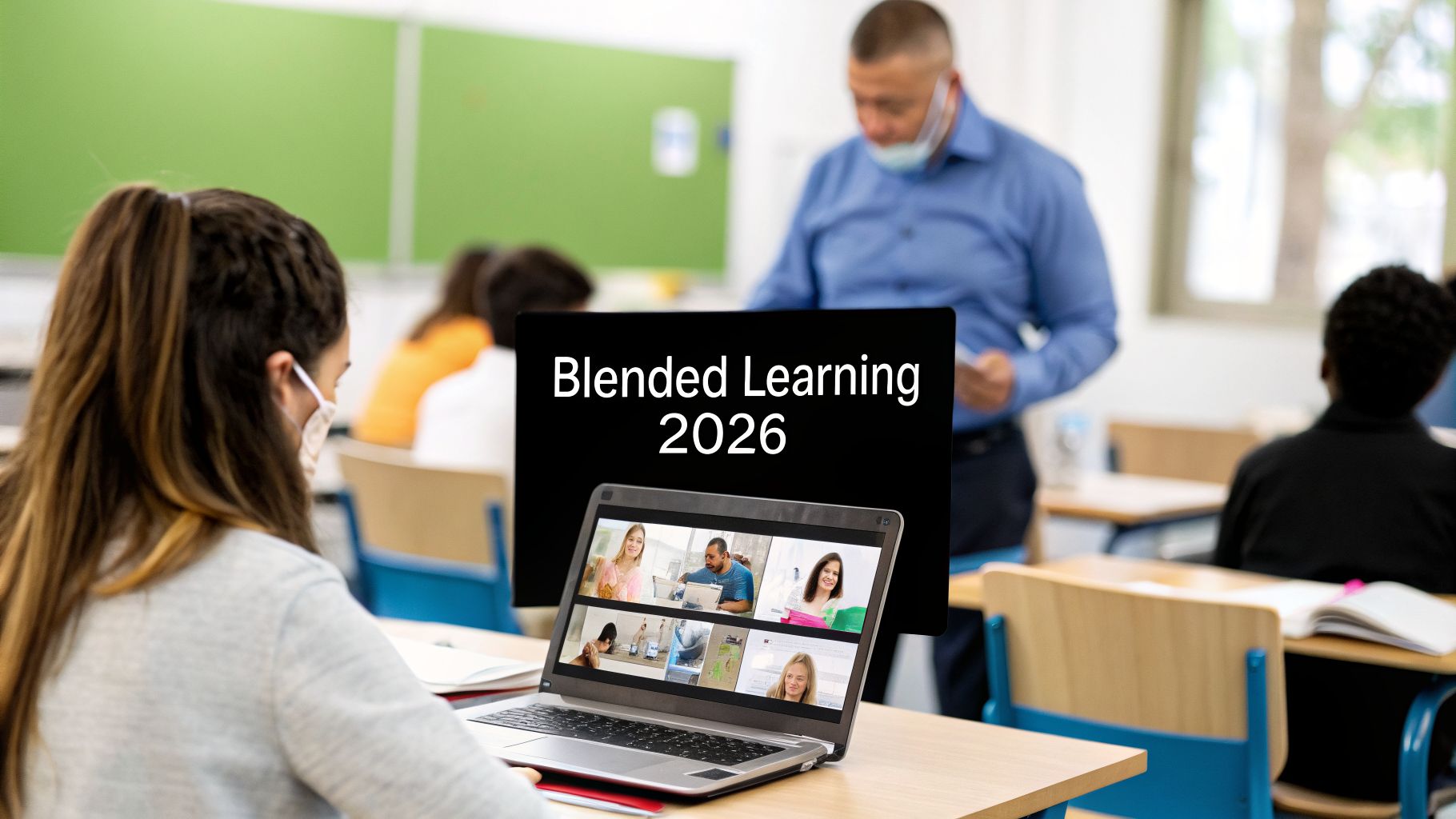
Blended learning is no longer a niche approach but the new standard for effective education and training across all sectors, from K-12 classrooms to corporate boardrooms. It promises the best of both worlds: the structure and community of in-person instruction combined with the flexibility and accessibility of digital resources. However, simply mixing online and offline activities is not enough. True success lies in thoughtful design and strategic implementation. This guide moves beyond the basics to deliver a practical blueprint.
We will detail 10 critical blended learning best practices that will turn your educational programs from hybrid experiments into high-impact learning experiences. This is not about theory; it is about action. We will explore specific strategies that work in the real world, providing contextual examples for K-12, higher education, corporate training, and healthcare. For each practice, we'll show how you can use modern browser-based video tools, such as AONMeetings, to execute them flawlessly and achieve better engagement, accessibility, and measurable outcomes.
The ultimate goal is to move past simple content delivery and focus on fostering an environment where deep learning thrives. For additional insights on this, you can explore strategies for creating a productive learning environment. This article serves as your direct path to mastering the art and science of blended education. Let's dive into the practices that will define your success.
1. Synchronous Live Sessions with Interactive Engagement
Among the most effective blended learning best practices is the integration of synchronous live sessions that foster active participation. This approach uses real-time video conferencing not just for one-way lectures, but as a dynamic space for interaction. By combining live instruction with tools like polls, breakout rooms, collaborative whiteboards, and instant Q&A, instructors create a participatory environment that mirrors the immediacy of a physical classroom.

This method bridges the gap between in-person and online learning, allowing instructors to gauge comprehension, address questions instantly, and maintain learner focus. The key is moving beyond passive viewing to active involvement.
Successful Implementation Examples
- Corporate Training: A global sales team uses a platform like AONMeetings for a quarterly kickoff. The session includes live role-playing in breakout rooms, a real-time poll on new product features, and a Q&A segment with leadership, ensuring all members are aligned and engaged regardless of location.
- Higher Education: A university law professor conducts a live case review, using a collaborative whiteboard for students to jointly dissect legal arguments. This simulates a Socratic seminar, promoting critical thinking and peer-to-peer learning.
- Healthcare: A hospital system delivers mandatory compliance training via a live webinar. Interactive scenarios are presented, and polls are used to check for understanding, with immediate correction and clarification from the facilitator. This process is documented for accreditation.
Actionable Tips for Success
To make your live sessions effective, focus on structure and preparation. Set clear expectations for participation before the session begins, so attendees know when and how to contribute.
Key Insight: The goal of a live session isn't just to present information; it's to create a shared experience. Active participation is the metric for success, not just attendance.
Consider these practical steps:
- Record All Sessions: Make recordings available for those who couldn't attend or wish to review the material. This supports the asynchronous component of your blended model.
- Manage Large Groups: Use polls, Q&A features, and breakout rooms to break down large audiences into smaller, more manageable groups for discussion and activities.
- Conduct Tech Checks: Test your audio, video, and internet connection at least 15 minutes before every session to prevent disruptive technical issues.
- Prioritize Accessibility: Use automated or live closed captioning to ensure content is accessible to all learners, including those with hearing impairments or non-native speakers. For more tips on building engagement, you can learn how to design an interactive webinar.
2. Asynchronous Video Content with Self-Paced Learning
A core component of successful blended learning is the use of asynchronous video content to support self-paced learning. This approach involves creating pre-recorded lessons, demonstrations, and tutorials that learners access on their own time. It grants them the flexibility to learn according to their personal schedules, review complex topics multiple times, and progress at a speed that matches their comprehension level.

This method empowers learners by giving them control over their educational journey. It separates the delivery of foundational information from the interactive, collaborative time spent in live sessions or in-person meetings, making the entire process more efficient and personalized.
Successful Implementation Examples
- Corporate Training: A multinational company creates a library of on-demand product training videos for its distributed sales teams. New hires can complete the modules at their own pace, and veteran team members can revisit specific videos to refresh their knowledge before a client meeting.
- Healthcare: A medical school provides pre-recorded surgical procedure demonstrations for students to watch before attending a live practical lab. This allows them to familiarize themselves with the steps, terminology, and instruments, so in-person time can be focused on hands-on practice and targeted feedback.
- Higher Education: A university professor records foundational lecture content for a hybrid course, freeing up class time for interactive discussions, group projects, and deeper analysis of the material. Students can re-watch lectures to prepare for exams.
Actionable Tips for Success
To maximize the impact of your asynchronous video content, prioritize clarity and engagement. Keep individual videos short, ideally between 5-15 minutes, to maintain learner attention and make content easily digestible.
Key Insight: Asynchronous video is not just about recording a lecture; it's about designing a flexible, self-guided learning path that respects the learner's time and autonomy.
Consider these practical steps:
- State Clear Objectives: Begin each video by outlining what the learner will be able to do or understand by the end. This sets expectations and focuses their attention.
- Embed Knowledge Checks: Include short, non-graded quizzes or interactive questions after key sections to help learners confirm their understanding before moving on.
- Provide Transcripts: Offer downloadable and searchable transcripts. This supports accessibility and allows learners to quickly find specific information without re-watching the entire video.
- Use Visual Aids: Incorporate graphics, screen recordings, and clear on-screen text to illustrate complex concepts and maintain visual interest.
3. Microlearning and Bite-Sized Content Modules
A cornerstone of modern blended learning best practices is the use of microlearning and bite-sized content modules. This strategy involves breaking down complex subjects into small, focused learning units, each typically lasting between three to ten minutes and targeting a single, specific learning objective. The approach respects the limited attention spans and busy schedules of modern learners, making information digestible, mobile-friendly, and easy to fit into a daily workflow.

By delivering content in this format, organizations can provide just-in-time support and reinforcement that learners can access exactly when they need it. This method is particularly effective for asynchronous learning, allowing individuals to progress at their own pace.
Successful Implementation Examples
- Healthcare: A hospital deploys a series of two-minute video modules on HIPAA compliance that staff can complete on their mobile devices during downtime. Each module covers one specific rule, followed by a single-question quiz to confirm understanding.
- Corporate: A software company creates a library of short, animated tutorials for its sales team. Each tutorial explains a single product feature, enabling reps to quickly refresh their knowledge before a client meeting.
- Industrial Settings: A manufacturing plant develops QR-code-linked micro-lessons on safety protocols for specific machinery. Workers can scan the code on-site to view a brief demonstration before operating the equipment, reducing errors and accidents.
Actionable Tips for Success
To effectively create bite-sized content, each module must be designed with a clear purpose. Define one distinct learning objective for every unit to maintain focus and avoid overwhelming the learner.
Key Insight: Microlearning isn't about shortening existing content; it's about designing information to be consumed in small, purposeful bursts. Success is measured by immediate applicability and knowledge retention, not duration.
Consider these practical steps:
- Start with Essential Information: Lead with the most critical takeaway in the first few seconds to immediately capture attention and deliver value.
- Use Visual Storytelling: Employ simple graphics, animations, and on-screen text to demonstrate concepts rather than just explaining them.
- Include Quick Knowledge Checks: End each module with a short quiz or a simple interactive element to reinforce the key message and gauge comprehension.
- Organize into Learning Paths: Group related micro-modules into logical sequences or playlists that guide learners through a broader topic progressively.
4. Peer Collaboration and Virtual Breakout Rooms
One of the cornerstones of effective blended learning best practices is facilitating structured peer collaboration through virtual breakout rooms. This approach uses small-group functionality within a video conferencing platform to mirror the collaborative benefits of in-person learning. Instead of passively listening to a presentation, learners are placed in small groups to discuss concepts, solve problems, or work on projects together.
This method transforms a one-to-many broadcast into a many-to-many collaborative experience. It fosters critical communication skills, promotes active problem-solving, and allows learners to build a sense of community, even when physically separated.
Successful Implementation Examples
- Corporate Training: A leadership development program uses breakout rooms for project-based work, where aspiring managers collaborate on a business case. They return to the main session to present their findings, fostering both teamwork and presentation skills.
- Medical Education: During a virtual grand rounds, medical students are split into small groups to discuss a complex clinical case. Each group analyzes symptoms and proposes a diagnosis before reconvening to compare their conclusions with the attending physician’s assessment.
- Legal Firm Training: A law firm uses breakout sessions for junior associates to practice mock negotiations or peer-review legal memos. This provides a safe, low-stakes environment to hone practical skills with direct feedback from colleagues.
Actionable Tips for Success
To make breakout rooms productive, provide clear structure and purpose. Assign specific roles to each group member, such as a note-taker, a timekeeper, and a spokesperson, to ensure accountability and active participation from everyone.
Key Insight: Breakout rooms are not just a feature; they are a pedagogical tool. Their success depends on intentional design, clear instructions, and a specific deliverable that requires genuine collaboration.
Consider these practical steps:
- Provide Specific Tasks: Give each group a clear, time-bound task or a set of discussion prompts to guide their conversation and keep them focused.
- Require Visible Deliverables: Ask each group to produce a summary of their discussion, a list of action items, or notes on a collaborative document. This creates accountability and a tangible outcome.
- Debrief After Sessions: Always bring the full group back together to share key takeaways or present their findings. This synthesizes the learning and allows for broader insights.
- Train Your Facilitators: Ensure instructors know how to manage breakout rooms effectively, including how to pop in and out of rooms to monitor progress and provide guidance. For a detailed guide, you can learn how to use AONMeetings' breakout rooms for effective team discussions.
5. Flipped Classroom Model with Pre-Work and In-Session Activities
One of the most powerful blended learning best practices is adopting the flipped classroom model. This approach reverses the traditional instructional sequence by delivering core content asynchronously through pre-work, such as recorded videos, readings, or interactive modules. This frees up valuable synchronous session time for application, problem-solving, and collaborative activities. Instead of a one-way lecture, live sessions become a dynamic workshop focused on higher-order thinking.
This model maximizes the value of instructor-led time. By front-loading the informational component, facilitators can dedicate their expertise to guiding discussions, coaching learners through complex tasks, and providing personalized feedback where it matters most.
Successful Implementation Examples
- Corporate Training: A law firm asks new associates to review case files and watch short video summaries of relevant precedents before a live session. The synchronous time, hosted on a platform like AONMeetings, is then used for a mock trial and debate, allowing for direct application and peer feedback.
- Healthcare: A hospital system requires nurses to complete an e-learning module on a new patient protocol. The subsequent in-person or live virtual session is dedicated to hands-on practice with medical manikins and group discussion of complex scenarios, ensuring procedural competence.
- Higher Education: A medical school professor assigns recorded lectures on anatomy for students to watch beforehand. The live class is then used for a clinical discussion, where students analyze patient case studies and work together to form diagnoses, deepening their practical understanding.
Actionable Tips for Success
To successfully flip your classroom, the connection between asynchronous and synchronous activities must be clear and purposeful. Build accountability into the pre-work with short quizzes or reflection questions to ensure learners arrive prepared.
Key Insight: The flipped model transforms the instructor from a "sage on the stage" to a "guide on the side." The focus shifts from delivering content to facilitating its application and deeper understanding.
Consider these practical steps:
- Keep Pre-Work Concise: Design asynchronous content to be easily digestible, ideally in segments of 15-20 minutes or less, to maintain engagement and focus.
- Start with a Review: Begin your live session with a brief recap or Q&A about the pre-work to reinforce key concepts and address any initial confusion.
- Prioritize Application: Use live time for activities that require interaction, such as problem-solving, case studies, role-playing, or group projects.
- Connect the Dots: Explicitly state how the pre-work activities directly support and are necessary for the in-session tasks. You can explore more about combining these elements as you learn about effective hybrid classroom strategies.
6. Instructor Presence and Personalized Feedback Systems
A key component of effective blended learning is establishing a strong and visible instructor presence combined with personalized feedback. This practice goes beyond simply grading assignments; it involves humanizing the digital space through regular, meaningful communication. By using video messages, detailed feedback, and proactive support, instructors can reduce learner isolation, increase motivation, and significantly improve outcomes.
This approach makes learners feel seen, supported, and connected to their instructor and the material. It transforms the online portion of a blended course from a static repository of content into a dynamic and supportive learning environment.
Successful Implementation Examples
- Healthcare: A clinical educator sends weekly video updates via a platform like AONMeetings to students in various hospital rotations. The videos summarize key learnings, answer common questions, and offer encouragement, maintaining a sense of community among the dispersed group.
- Legal Education: A law professor records short video responses to complex student questions submitted asynchronously. These recordings are shared with the entire class, creating a valuable and reusable resource that clarifies difficult legal concepts for everyone.
- Corporate Training: After a project-based workshop, a corporate trainer provides individualized feedback to each employee using brief, screen-recorded videos. The trainer walks through the employee's project, highlighting strengths and offering specific, actionable suggestions for improvement.
Actionable Tips for Success
To build a strong presence, focus on consistency and personalization. Set clear expectations for communication, including your typical response times for emails and feedback on assignments.
Key Insight: Instructor presence is the bridge between the content and the learner. Personalized feedback demonstrates that the instructor is not just a facilitator but a partner in the learning process.
Consider these practical steps:
- Use Video Messages: Record brief weekly announcements or use video to explain complex feedback. Seeing your face and hearing your tone adds a powerful human element that text-only communication lacks.
- Personalize Communication: Address learners by name in emails and feedback. Reference their specific questions or contributions to show you are paying attention to their individual progress.
- Schedule Regular Office Hours: Offer consistent synchronous office hours via video conference to provide real-time, face-to-face support.
- Provide Timely Feedback: Aim to return feedback on assignments within 48-72 hours. Prompt feedback is more effective as the assignment is still fresh in the learner's mind.
7. Spaced Repetition and Adaptive Learning Pathways
One of the most powerful blended learning best practices involves integrating learning science principles like spaced repetition and adaptive learning. This approach moves beyond a one-size-fits-all curriculum by distributing content review over time and tailoring learning sequences to individual performance. This dual strategy optimizes knowledge retention and accommodates different learning paces without overwhelming students.
This method uses data from learner interactions to build a personalized journey. As a student demonstrates mastery, the content adapts, either by presenting more advanced topics or by scheduling reviews at longer intervals. Conversely, if a learner struggles, the system provides additional support and more frequent practice.
Successful Implementation Examples
- Corporate Training: A company implements adaptive software training that starts with a pre-assessment. Based on the results, the system creates a unique learning path for each employee, skipping familiar modules and focusing on areas where they lack proficiency.
- Healthcare: Medical students use a platform that presents clinical case studies. After each case, low-stakes quizzes use spaced repetition to reintroduce key diagnostic criteria over several weeks, ensuring long-term recall for board exams.
- Legal: A law firm uses an adaptive e-learning tool for compliance training. The system adjusts the frequency and difficulty of questions based on an attorney's performance in specific risk areas, creating a more efficient and targeted training experience.
Actionable Tips for Success
To effectively implement this, start by mapping out potential learning paths and the criteria for moving between them. Use pre-assessments to establish a baseline and determine the appropriate starting point for each learner. To better understand the science behind effective memory retention, consider exploring a detailed explanation of What Is Spaced Repetition.
Key Insight: The goal is not just to deliver content, but to ensure it is retained and can be applied. Adaptive pathways make learning efficient, while spaced repetition makes it durable.
Consider these practical steps:
- Build in Low-Stakes Quizzes: Integrate regular, short quizzes to test knowledge retention. Use the results to feed the adaptive algorithm.
- Space Reviews Exponentially: Schedule review sessions at increasing intervals, for example, after one day, three days, one week, and so on, to strengthen long-term memory.
- Provide Immediate Feedback: Offer instant explanations for both correct and incorrect answers on practice questions to reinforce learning immediately.
- Track Performance Data: Continuously monitor learner data to refine and adjust learning pathways, ensuring they remain relevant and effective.
8. Assessment Integration and Formative Feedback Loops
A cornerstone of successful blended learning best practices involves embedding regular, low-stakes assessments to create continuous feedback loops. This strategy moves beyond traditional, high-stakes final exams by integrating formative assessments throughout the learning journey. The goal is to consistently measure comprehension, provide learners with immediate feedback, and give instructors the data needed to adjust teaching strategies in real time.
This ongoing cycle of assessment and feedback makes learning a dynamic process rather than a static event. It helps identify knowledge gaps before they become significant obstacles and empowers learners to take ownership of their progress.
Successful Implementation Examples
- Healthcare Training: A hospital uses short, mandatory knowledge checks after each online module on patient safety protocols. Staff receive instant feedback on incorrect answers, reinforcing critical information and ensuring compliance standards are met.
- Legal Education: A law school incorporates weekly, low-stakes quizzes based on recent case studies. Automated feedback explains the correct legal reasoning, helping students refine their analytical skills ahead of major exams.
- Corporate Compliance: A company uses interactive scenarios within its annual ethics training. Polls and decision-based questions check for understanding, with results aggregated to identify areas where the team needs more clarification or live discussion.
Actionable Tips for Success
To make formative assessments effective, keep them brief and directly tied to learning objectives. Focus on providing immediate, specific feedback that explains why an answer is correct or incorrect, turning every assessment into a learning opportunity.
Key Insight: The purpose of formative assessment is not just to test, but to teach. Frequent, low-stakes checks build confidence and create a clear path for improvement, reducing test anxiety.
Consider these practical steps:
- Keep Assessments Short: Limit quizzes or knowledge checks to 5-10 questions to maintain learner engagement and focus.
- Align with Objectives: Ensure every question directly measures a specific learning outcome from the corresponding module or lesson.
- Use Varied Question Types: Combine multiple-choice, short-answer, and scenario-based questions to assess different levels of understanding.
- Use Data to Adjust: Analyze assessment results to identify common misconceptions or difficult topics, then adjust your live sessions or asynchronous content to address them.
- Minimize Grade Impact: Assign minimal or no grade value to formative assessments to encourage honest attempts and focus on learning rather than performance.
9. Authentic Learning and Real-World Application Scenarios
One of the most powerful blended learning best practices is to anchor instruction in authentic, real-world problems. This method moves beyond abstract theories by immersing learners in situations, case studies, and scenarios that directly mirror their professional or personal lives. By contextualizing content, instructors can significantly boost engagement and ensure that knowledge is transferable from the classroom to the real world.
When learners see a direct connection between the material and their own experiences, the content becomes more meaningful and memorable. This approach shifts the focus from simple memorization to practical application and critical decision-making.
Successful Implementation Examples
- Legal Education: A law school uses a blended format where students review actual court documents asynchronously. They then join a live session to participate in a mock contract negotiation, applying legal principles to achieve a favorable outcome for their "client."
- Healthcare Training: A hospital system trains nurses on patient care protocols using interactive case studies. Nurses analyze a virtual patient's chart online and then collaborate in small groups during a live session to develop and justify a treatment plan.
- Corporate Compliance: To teach data security, a company presents employees with a simulated phishing attack scenario. Learners must identify the threat and follow the correct incident response procedure, with realistic consequences for incorrect actions discussed in a follow-up debrief.
Actionable Tips for Success
To design effective real-world scenarios, start by identifying the core competencies learners need to develop. Base all scenarios on actual professional situations, including the complexities and trade-offs professionals genuinely face.
Key Insight: Authentic learning is not just about presenting a problem; it's about requiring learners to defend their solutions. The process of justification is where deep learning occurs.
Consider these practical steps:
- Include Realistic Consequences: Design scenarios where decisions have clear and logical outcomes, helping learners understand the impact of their choices.
- Use Multimedia for Realism: Incorporate elements like video clips of client interviews, audio recordings of support calls, or actual company datasets to make the scenario more immersive.
- Debrief Every Scenario: After a scenario is completed, facilitate a discussion to extract key learning points, analyze different approaches, and correct misconceptions.
- Incorporate Peer Discussion: Encourage learners to explore multiple solutions and perspectives by having them discuss their decision-making processes with peers in breakout rooms or online forums.
10. Accessibility and Inclusive Design Universal Implementation
A cornerstone of the most effective blended learning best practices is designing courses that are accessible from the very start. This means building educational experiences with universal implementation in mind, ensuring all learners, including those with disabilities, diverse language backgrounds, or technical limitations, have equitable access. This approach improves the experience for everyone, not just those with identified needs.
Inclusive design isn’t an afterthought; it’s a proactive framework for creating flexible, user-friendly content. It acknowledges that every learner has a unique context and set of needs, making it a critical component of a high-quality blended program.
Successful Implementation Examples
- Healthcare: A hospital system provides mandatory safety training with all videos fully captioned and accompanied by downloadable transcripts. This supports staff who are deaf or hard of hearing and aids non-native English speakers in reviewing complex terminology.
- Legal: A firm offers continuing legal education (CLE) webinars. To meet accessibility standards and support ESL professionals, it provides searchable transcripts and ensures all on-screen text meets Web Content Accessibility Guidelines (WCAG) contrast ratios.
- Corporate Training: An enterprise-level company develops a new onboarding course where every image includes descriptive alt text and all modules are fully navigable using only a keyboard. This benefits employees with visual impairments and those with temporary motor limitations.
Actionable Tips for Success
To embed accessibility into your blended learning model, start with content creation. Provide transcripts and closed captions for all video and audio materials, whether live or pre-recorded. This simple step serves multiple audiences at once.
Key Insight: True accessibility isn't about compliance; it's about usability. An inclusive design mindset creates a better, more effective learning experience for every single person.
Consider these practical steps:
- Prioritize Readability: Use plain language, clear headings, and sufficient color contrast (a minimum of 4.5:1 for normal text) to make content easy to read.
- Provide Alt Text: Write concise, descriptive alternative text for all images, charts, and graphics to convey their meaning to users of screen readers.
- Test with Assistive Tools: Regularly check your content with screen readers and accessibility checkers like WAVE or Axe to identify and fix barriers.
- Ensure Keyboard Navigation: Confirm that all interactive elements, links, and forms can be accessed and operated using only a keyboard, without requiring a mouse.
- Offer Multiple Formats: Whenever possible, present information in more than one way, such as providing a transcript for a podcast or a data table for a complex chart.
Blended Learning: 10 Best Practices Comparison
| Approach | Implementation complexity | Resource requirements | Expected outcomes | Ideal use cases | Key advantages |
|---|---|---|---|---|---|
| Synchronous Live Sessions with Interactive Engagement | Medium–High — requires real-time facilitation and scheduling | High — HD streaming, moderators, AV equipment, stable network | Immediate feedback, higher engagement, strong social presence | Webinars, onboarding, lectures, medical grand rounds | Real-time interaction, accountability, dynamic discussion |
| Asynchronous Video Content with Self-Paced Learning | Low–Medium — recording and editing workflows | Moderate — recording tools, hosting, transcripts/cc | Flexible access, repeatable review, scalable distribution | Recorded training modules, tutorials, global compliance | Flexibility, reusability, accommodates varied schedules |
| Microlearning and Bite-Sized Content Modules | Low — modular design and sequencing | Low — short video production, mobile optimization | Higher completion and retention for short objectives | Quick compliance refreshers, just-in-time tutorials, performance support | Concise, mobile-friendly, cost-effective |
| Peer Collaboration and Virtual Breakout Rooms | Medium — requires facilitation and structured prompts | Moderate — breakout-enabled platform, facilitators, group tasks | Improved teamwork, deeper understanding via discussion | Case discussions, project-based learning, peer review sessions | Active learning, peer accountability, communication skill building |
| Flipped Classroom Model with Pre-Work and In-Session Activities | Medium–High — coordination of pre/post activities and live sessions | Moderate–High — asynchronous content, live tools, tracking systems | Greater application during live time, improved critical thinking | Professional programs, clinical education, leadership training | Maximizes live session value, promotes application and higher-order learning |
| Instructor Presence and Personalized Feedback Systems | High — ongoing individualized interactions and planning | High — instructor time, video messaging tools, analytics | Increased motivation, higher retention, early intervention | Mentoring, skills development, high-stakes courses | Personalized guidance, stronger learner support, better outcomes |
| Spaced Repetition and Adaptive Learning Pathways | High — requires adaptive logic and content mapping | High — LMS/algorithmic platform, analytics, content variants | Improved long-term retention and efficient personalized progress | Certification prep, mastery learning, adaptive corporate training | Optimized retention, individualized pacing and recommendations |
| Assessment Integration and Formative Feedback Loops | Medium — frequent assessment design and feedback mechanisms | Moderate — quiz engines, analytics, authoring tools | Continuous insight into understanding; enables instructional adjustments | Compliance training, university courses, certification prep | Ongoing measurement, timely remediation, reduced high-stakes pressure |
| Authentic Learning and Real-World Application Scenarios | High — needs SME input and realistic scenario development | Moderate–High — SMEs, multimedia, simulation/facilitation resources | Strong transfer to practice, deeper engagement, job-ready skills | Legal case studies, clinical scenarios, business problem-solving | Real-world relevance, applied skills, improved transfer of learning |
| Accessibility and Inclusive Design Universal Implementation | Medium–High — requires adherence to standards and testing | Moderate — captioning, transcripts, alt text, accessibility audits | Equitable access, legal compliance, improved overall UX | Healthcare, government, education, global audiences | Compliance with standards, broader reach, benefits all learners |
Putting It All Together: Your Next Steps in Blended Learning
The journey to effective blended learning is one of continuous improvement and adaptation, not a single destination. Throughout this guide, we've explored ten distinct yet interconnected blended learning best practices that form the foundation of a powerful educational strategy. Moving from theory to practice requires a deliberate and thoughtful approach, but the rewards are significant, producing deeper engagement, better knowledge retention, and more flexible learning environments.
A successful program is not simply about having online and in-person components; it's about the purposeful integration of these elements. It’s about creating a cohesive ecosystem where each part supports the others. For example, using asynchronous video modules to introduce foundational concepts allows your synchronous live sessions to become dynamic workshops for application and problem-solving, rather than simple lectures. This is the core principle of the flipped classroom model, a strategy that respects learners' time and maximizes instructor impact.
Weaving the Practices into a Cohesive Strategy
Think of these ten practices as threads in a tapestry. On their own, they are valuable, but when woven together, they create a complete and resilient picture of learning.
- Engagement and Interaction: Combining peer collaboration in virtual breakout rooms with instructor presence and personalized feedback ensures that learners feel connected and supported, not isolated.
- Content and Pacing: Using microlearning for complex topics and integrating spaced repetition helps learners absorb information at a manageable pace, preventing cognitive overload.
- Assessment and Application: Tying formative assessment loops directly to authentic, real-world scenarios makes evaluation a meaningful part of the learning process, not just a final judgment.
The ultimate goal is to build a system where technology serves pedagogy, not the other way around. Every tool and every activity should have a clear purpose tied to your learning objectives. This is where a focus on accessibility and inclusive design becomes non-negotiable, ensuring that your meticulously planned program is usable and equitable for every single participant.
Your Action Plan for Implementation
Mastering these blended learning best practices can feel like a monumental task, but you don't need to implement everything at once. The most effective approach is incremental and iterative. Here are your next steps:
- Start Small, Aim for Impact: Choose just one or two practices to pilot. For instance, you could start by introducing pre-recorded micro-videos before your next live training session or incorporating a single, well-designed peer collaboration activity using breakout rooms.
- Gather Feedback and Measure Results: After your pilot, collect feedback directly from learners. Did the pre-work help? Was the collaborative activity engaging? Use polls, short surveys, and informal conversations to gauge the impact. Look at assessment data to see if the new approach improved comprehension.
- Refine and Expand: Based on your findings, refine your approach. Perhaps the videos were too long, or the breakout room instructions were unclear. Make adjustments, and once you feel confident with the first practice, begin integrating another. This cycle of piloting, measuring, and refining is the engine of continuous improvement.
By adopting this methodical process, you avoid overwhelming both your instructors and your learners. You build momentum and create a culture of thoughtful experimentation. The key is to move forward with intention, creating a learning experience that is not just blended, but brilliantly so. The future of education and training is flexible, personal, and deeply human, and these practices are your guide to building it.
Ready to put these blended learning best practices into action? AONMeetings provides a secure, browser-based platform with all the tools you need, including HD video, interactive breakout rooms, live polling, and AI-powered transcripts. Start building more engaging and effective learning experiences today by visiting AONMeetings to see how our all-in-one solution can support your strategy.