
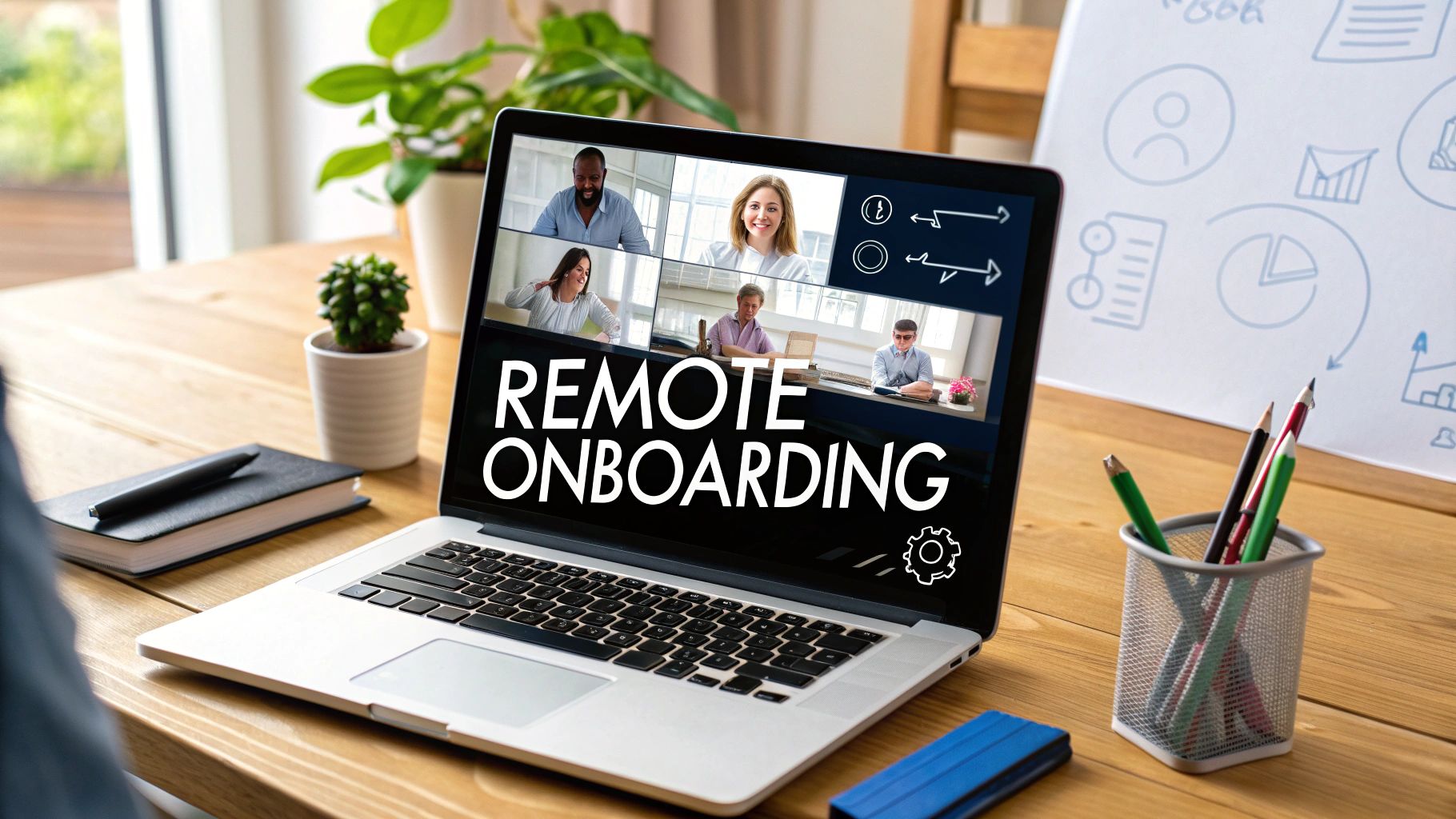
The shift to remote work has transformed how we hire, but the most critical phase, onboarding, is often an afterthought. A poorly executed remote onboarding process can lead to early disengagement, lower productivity, and higher employee turnover. Conversely, a thoughtful and structured approach creates a solid foundation for long-term success, fostering loyalty and integrating new hires into a thriving company culture. For distributed teams, that first impression is everything; it sets the tone for the employee's entire journey with the company.
This guide moves beyond generic checklists to provide actionable, in-depth remote onboarding best practices. We will explore eight essential strategies that transform the new hire experience from a procedural formality into a powerful engine for integration and retention. You will learn not just what to do, but how to do it effectively, with a focus on creating a human-centric process that makes every new team member feel seen, supported, and connected.
Throughout this list, we will demonstrate how to leverage communication tools like AONMeetings' HD video calls, interactive whiteboards, and real-time polling features to create immersive, engaging sessions. The goal is to ensure your new remote employees feel valued, fully prepared, and genuinely part of the team from their very first day.
1. Create a Comprehensive Pre-boarding Process
Effective remote onboarding doesn't start on day one; it begins the moment a candidate accepts their offer. A comprehensive pre-boarding process is one of the most crucial remote onboarding best practices because it systematically addresses the logistical and emotional needs of a new hire before their official start date. This proactive approach transitions a new employee from an external candidate to an integrated team member smoothly, significantly reducing first-day anxiety and setting a positive tone for their entire tenure.

The goal is to handle administrative hurdles and foster a sense of belonging early on. By the time the new hire logs in for their first day, their equipment is functional, they have access to key systems, and they've already made initial connections with their team. This preparation ensures they can focus on learning their role and integrating into the company culture, rather than troubleshooting tech issues or navigating unfamiliar systems alone.
How to Implement a Pre-boarding Process
Successfully implementing a pre-boarding strategy involves a mix of logistics, communication, and team involvement. Pioneered by all-remote companies like GitLab, this method ensures no detail is overlooked. For example, Shopify excels by delivering a "welcome box" with company merchandise and a personalized team note, making the new hire feel valued from the outset.
Follow these actionable steps to build your own pre-boarding workflow:
- Create a Pre-boarding Checklist: Document every step, from sending the offer letter to confirming equipment delivery. A checklist guarantees consistency and prevents anything from falling through the cracks. To explore how to formalize these steps, you can learn more about streamlining your onboarding workflow.
- Ship Welcome Packages Early: Send company-branded merchandise, essential hardware, and a welcome note to arrive a few days before the start date. This tangible connection to the company culture is especially powerful for remote employees.
- Test All Technology and Access: Before sending login credentials, have your IT team verify that all accounts (email, Slack, project management tools) are active and permissions are set correctly. This prevents frustrating first-day lockouts.
- Assign an Onboarding Buddy: Connect the new hire with a peer "buddy" who reaches out via email a week before they start. This initial, informal contact provides a friendly face and a go-to resource for questions.
2. Develop a Structured 30-60-90 Day Plan
A successful remote hire needs more than just a warm welcome; they need a clear roadmap for success. Implementing a structured 30-60-90 day plan is a foundational remote onboarding best practice that transforms the initial chaotic weeks into a period of focused growth. This plan breaks down the first three months into manageable phases with specific goals, learning objectives, and performance milestones, giving new employees a clear sense of direction and purpose.

This progressive framework helps remote employees understand what is expected of them, how to contribute meaningfully, and how their role aligns with broader company objectives. For managers, it provides a structured way to track progress, offer targeted feedback, and ensure the new hire is integrating both culturally and functionally. This proactive guidance prevents remote employees from feeling isolated or unsure of their contributions, directly impacting their confidence and long-term retention.
How to Implement a 30-60-90 Day Plan
Building an effective 30-60-90 day plan requires customizing it to the specific role while maintaining a consistent structure. For inspiration, companies like Automattic and Zapier create detailed learning paths that blend role-specific projects with cross-team collaboration. InVision, for example, integrates design challenges and portfolio reviews at key milestones to measure progress tangibly.
Follow these actionable steps to create a robust plan:
- Day 1-30: Focus on Learning and Integration. The first month should be dedicated to absorbing information. Goals should include completing core training, meeting key team members, understanding company tools and processes, and handling small, low-risk tasks.
- Day 31-60: Shift to Contribution and Collaboration. During the second month, the new hire should begin contributing more actively. Set goals around participating in team projects, taking ownership of specific responsibilities, and collaborating with colleagues outside their immediate team.
- Day 61-90: Encourage Independence and Initiative. The final phase should focus on empowering the employee to work more autonomously. Goals can include leading a small project, identifying areas for process improvement, and setting initial performance goals for the next quarter.
- Customize and Document: Tailor the plan for each role, outlining specific technical skills to acquire and cultural norms to adopt. To help in developing robust plans, you can consult various professional development plan templates to ensure all key areas are covered.
3. Assign a Dedicated Onboarding Buddy or Mentor
One of the most impactful remote onboarding best practices is assigning a dedicated buddy or mentor to each new hire. This practice pairs a new remote employee with an experienced team member who provides informal guidance, answers questions, and helps them navigate the nuances of company culture. This personal connection is a powerful tool to combat the isolation that can accompany remote work, accelerating social integration and fostering a sense of psychological safety from day one.

The buddy’s role is distinct from the manager's; they are a peer resource for "silly" questions, cultural norms, and unspoken rules that a new hire might hesitate to ask their direct supervisor. This relationship provides a safe space for the newcomer to learn the ropes, understand team dynamics, and build their first internal network. A successful buddy program ensures the new employee feels supported and connected, leading to higher engagement and quicker ramp-up times.
How to Implement a Buddy Program
Building an effective buddy program requires thoughtful pairing and clear structure. For instance, Spotify assigns "Onboarding Buddies" who meet weekly with new employees for their first month to discuss everything from project workflows to the best team communication channels. Similarly, Google's famous buddy system pairs new "Nooglers" with volunteers to help them acclimate to the company's unique culture and work environment.
Follow these actionable steps to create your own successful buddy system:
- Select Buddies Thoughtfully: Choose experienced, engaged employees who are strong communicators and genuinely want to help. Match them based on shared interests or communication styles, not just departmental proximity, to encourage a genuine connection.
- Provide Training and Resources: Don't assume buddies know how to be effective mentors. For designated onboarding buddies, mentors, and managers, developing essential coaching skills for leaders is paramount to guide new hires effectively. Provide them with conversation starters, checklists, and key company information.
- Set Clear Expectations: Define the time commitment (e.g., two 30-minute video calls per week for the first month) and outline the buddy's role. Clarify what topics are appropriate to cover, such as team etiquette, tool usage, and social activities.
- Structure Initial Interactions: Give buddies and new hires structured activities or prompts for their first few meetings. Suggest they use AONMeetings' interactive whiteboard to map out team structures or use the polling feature to break the ice with fun "get to know you" questions.
4. Implement Interactive Virtual Orientation Sessions
A successful remote orientation moves beyond static presentations and one-way information dumps. Implementing interactive virtual orientation sessions is one of the most effective remote onboarding best practices because it transforms a passive experience into an engaging, participatory event. These live sessions combine critical company information with interactive elements, real-time Q&A, and face-to-face introductions, replicating the energy of an in-person orientation for a distributed workforce.

The primary goal is to foster human connection and ensure new hires feel seen, heard, and welcomed. Instead of just listening to a monologue about company values, they can actively participate, ask questions, and meet leaders and peers in a dynamic setting. This approach accelerates relationship-building and helps new team members absorb key cultural and operational knowledge more effectively, making them feel like part of the team from day one.
How to Implement Virtual Orientation Sessions
Building an engaging virtual orientation requires intentional design and the right tools. Companies like Slack have popularized this by hosting informal 'Coffee Chat' sessions where new hires can meet leadership, while Microsoft leverages breakout rooms for small-group discussions to encourage deeper connections. AONMeetings’ built-in features, such as interactive whiteboards and live polling, are perfect for facilitating this level of engagement.
Follow these actionable steps to create compelling virtual orientation sessions:
- Keep Sessions Concise and Focused: To combat video fatigue, limit live sessions to 60-90 minutes and include short breaks. Structure the agenda with a mix of presentations, interactive activities, and open discussion to maintain energy and focus.
- Leverage Interactive Tools: Use features like polls to gauge understanding, a Q&A function to manage questions, and breakout rooms for small group icebreakers. This transforms attendees from passive viewers into active participants.
- Record Every Session: Always record orientations to create a valuable resource for new hires who couldn't attend live or for anyone wanting to revisit key information. This also supports team members in different time zones.
- Facilitate Face-to-Face Introductions: Dedicate specific time for new hires to introduce themselves and meet key leaders and team members. Seeing friendly faces and hearing directly from colleagues helps build crucial early relationships.
5. Create Role-Specific Learning Paths and Resources
Generic, one-size-fits-all training can leave new hires feeling disconnected and unprepared for the nuances of their specific roles. Creating role-specific learning paths is a cornerstone of effective remote onboarding best practices because it delivers customized training and resources tailored to an employee's exact function. This targeted approach accelerates their time-to-productivity by focusing only on the most relevant information, skills, and tools they need to succeed.
The primary goal is to move beyond general company knowledge and provide a clear, structured roadmap for mastering a specific position. When a new sales representative or software engineer receives a learning path designed for them, they can quickly build confidence and competence. This method ensures that training directly supports job performance, reduces confusion, and demonstrates a clear company investment in their individual growth from day one.
How to Implement Role-Specific Learning Paths
Building effective learning paths involves curating content that addresses both the technical and interpersonal aspects of a job. Companies like Salesforce have set the standard with their Trailhead platform, which offers modular, gamified learning paths for various roles within its ecosystem. Similarly, Amazon's internal training is highly specialized, ensuring every employee receives hyper-relevant instruction for their unique responsibilities.
Follow these actionable steps to develop your own targeted learning paths:
- Map Key Competencies for Each Role: Work with department heads to identify the essential technical skills, software proficiency, and soft skills (like communication or problem-solving) required for success in each position.
- Curate Diverse Content Formats: Combine different learning materials to keep new hires engaged. Include pre-recorded video tutorials, interactive exercises, written documentation, and live training sessions.
- Establish Learning Checkpoints: Integrate short quizzes, practical assignments, or one-on-one check-ins with a manager to assess comprehension and reinforce key concepts. This helps validate learning and identify areas needing more support.
- Link Learning to Career Progression: Clearly show how completing the onboarding learning path connects to future growth opportunities. This frames onboarding not just as initial training but as the first step in a long-term career journey with the company.
6. Establish Regular Check-ins and Feedback Loops
In a remote setting, you can't rely on spontaneous office conversations to gauge a new hire's progress or well-being. Establishing a structured schedule of check-ins and feedback loops is one of the most vital remote onboarding best practices because it creates a dedicated space for communication. This proactive approach ensures new employees feel supported and heard, preventing them from feeling isolated and allowing managers to address potential issues before they escalate.
The goal is to build a rhythm of continuous dialogue throughout the entire onboarding period. This systematic communication fosters psychological safety, making new hires comfortable enough to ask questions and share honest feedback about their experience. By creating this open channel, you not only support the individual but also gather valuable insights to refine your onboarding process for future hires, creating a cycle of continuous improvement.
How to Implement Regular Check-ins
A successful check-in strategy is intentional and consistent, mixing formal progress reviews with informal chats. Remote work pioneers like Buffer have mastered this by conducting weekly one-on-ones for the first month, then shifting to bi-weekly meetings. This cadence provides consistent support during the most critical learning phase and adapts as the employee gains confidence.
Follow these actionable steps to build your own feedback loop:
- Schedule a Cadence of Meetings: Pre-schedule a series of one-on-one meetings in the new hire’s calendar for their first 90 days. A common structure is weekly for the first month, bi-weekly for the second, and monthly for the third.
- Vary the Format: Combine formal, agenda-driven reviews with casual "coffee chat" check-ins. Use video calls for personal connection, asynchronous check-ins via Slack for quick updates, and anonymous surveys to gather candid feedback on the onboarding experience itself.
- Ask Specific, Open-Ended Questions: Go beyond "How's it going?" Ask questions like, "What has been the most challenging part of your role so far?" or "Is there any resource you wish you had access to?" to prompt detailed responses.
- Create Psychological Safety: Emphasize that feedback is a two-way street and that their honest thoughts are valued for improving the company. When a new hire shares a concern, thank them for their candor and follow up with action to build trust.
7. Facilitate Virtual Team Integration Activities
In a traditional office, team integration often happens organically through spontaneous hallway conversations, shared lunches, and post-work gatherings. For remote teams, these crucial interactions must be intentionally designed. Facilitating virtual team integration activities is one of the most effective remote onboarding best practices because it purposefully creates space for new hires to build genuine relationships with their colleagues, which is essential for collaboration, trust, and long-term retention.
The goal of these activities is to replace informal office social dynamics with structured yet fun virtual events. This helps new employees understand team personalities, communication styles, and the unwritten rules of the company culture. When a new hire feels socially connected and accepted, they are more likely to feel confident asking questions, contributing ideas, and fully integrating into their role and the wider team.
How to Implement Virtual Team Integration
Successful virtual integration involves creating a variety of low-pressure opportunities for connection that cater to different personalities and time zones. Remote-first pioneers like Zapier have mastered this by using tools like Donut to randomly pair team members for "virtual coffee chats," fostering cross-departmental relationships. Similarly, GitLab encourages informal video calls to replicate casual office interactions, helping new hires feel part of the community.
Follow these actionable steps to build your own virtual integration plan:
- Schedule a Mix of Activities: Offer a variety of events, such as virtual game nights, online trivia sessions, or simple "get-to-know-you" icebreakers. This diversity ensures that both introverts and extroverts can find an activity they enjoy. To get more ideas, learn more about how to make virtual team building sessions fun.
- Keep Participation Optional but Encouraged: While these events should be optional to avoid "Zoom fatigue," managers should actively encourage attendance and lead by example. Frame them as a valuable part of the work week, not an obligation.
- Rotate Timing to Be Inclusive: Be mindful of a globally distributed team. Rotate the timing of social events to ensure employees in different time zones have a fair opportunity to participate without having to log on at odd hours.
- Connect Activities to Company Culture: Tie your events back to your company's values. If one of your values is "curiosity," you could host a virtual book club or a "lunch and learn" session where team members share a skill.
8. Provide Comprehensive Digital Workspace Setup
A seamless first-day experience hinges on a fully functional digital workspace. Providing a comprehensive setup is one of the most critical remote onboarding best practices because it removes the technical barriers that often derail productivity and create immense frustration for new remote employees. This process involves more than just shipping a laptop; it's about delivering a complete, secure, and ergonomic environment that allows the new hire to be effective from their very first login.
The goal is to ensure every piece of hardware, software, and system access is pre-configured, tested, and ready for immediate use. When a new hire can connect to their tools, understand security protocols, and navigate their digital environment without technical roadblocks, they can dedicate their energy to learning their role and contributing to the team. This proactive technical onboarding demonstrates the company's commitment to employee success and operational excellence.
How to Implement a Digital Workspace Setup
Building a robust digital setup process requires close collaboration between IT, HR, and hiring managers. Leading remote companies have mastered this by standardizing their approach. For instance, GitLab provides a complete laptop setup with all software pre-installed, while Shopify goes a step further by shipping ergonomic office equipment like chairs and monitors. Similarly, Stripe enhances security by including hardware like VPN devices and encrypted storage in their welcome kits.
Follow these actionable steps to create your own digital setup workflow:
- Standardize Equipment Packages: Create pre-defined hardware and software packages based on role and seniority. This ensures consistency and simplifies the procurement and configuration process for every new hire.
- Provide Detailed Setup Guides: Develop clear, step-by-step guides with screenshots and video tutorials for unboxing and setting up equipment. This empowers new employees to handle the final connections confidently.
- Offer a Dedicated Tech Support Hotline: Establish a direct line of communication with IT support specifically for new hires during their first week. This provides immediate assistance for any unforeseen setup issues.
- Include Ergonomic and Wellness Options: Go beyond the basics by offering a budget or a selection of ergonomic equipment. This shows you care about their long-term health and is key to understanding how to collaborate effectively with home-office workers.
Remote Onboarding Best Practices Comparison
| Item | Implementation Complexity | Resource Requirements | Expected Outcomes | Ideal Use Cases | Key Advantages |
|---|---|---|---|---|---|
| Create a Comprehensive Pre-boarding Process | High – requires coordination and planning | Equipment, shipping, logistics costs | Reduced anxiety, early engagement, ready-to-work | Remote hires needing smooth first day | Reduces uncertainty, positive first impression |
| Develop a Structured 30-60-90 Day Plan | High – requires customization and updates | Manager time, planning resources | Clear goals, skill development, progress tracking | Roles needing gradual ramp-up | Provides roadmap, enables feedback and skill growth |
| Assign a Dedicated Onboarding Buddy or Mentor | Medium – depends on buddy selection | Experienced employee time | Faster integration, cultural understanding | New hires needing personal support | Immediate human connection, informal guidance |
| Implement Interactive Virtual Orientation Sessions | Medium to High – needs skilled facilitation | Video platform, facilitator time | Engagement, real-time Q&A, excitement | Remote teams needing live interaction | Human connection, real-time interaction |
| Create Role-Specific Learning Paths and Resources | High – content development and upkeep | Content creators, LMS platforms | Job-relevant skills, self-paced learning | Specialized roles requiring targeted training | Relevant training, flexible pace |
| Establish Regular Check-ins and Feedback Loops | Medium – ongoing commitment required | Manager and HR time | Early issue detection, strong communication | All remote employees during onboarding | Continuous support, course correction |
| Facilitate Virtual Team Integration Activities | Medium – requires creativity and facilitation | Engagement tools, facilitator time | Strong team bonds, cultural immersion | Distributed teams lacking informal contact | Builds relationships, promotes collaboration |
| Provide Comprehensive Digital Workspace Setup | High – logistics and technical setup | Hardware, software, IT support | Immediate productivity, security compliance | All remote employees needing full setup | Ensures readiness, prevents security risks |
Building Your Remote Onboarding Blueprint for the Future
Transitioning from a list of ideas to a cohesive strategy is the final, crucial step in revolutionizing your virtual welcome experience. The remote onboarding best practices detailed throughout this article are not isolated tactics; they are interconnected components of a single, powerful engine designed to drive new hire success, engagement, and long-term retention. From the very first touchpoint in a comprehensive pre-boarding process to the structured guidance of a 30-60-90 day plan, each element works in concert to build a foundation of trust and clarity.
The core takeaway is that effective remote onboarding is fundamentally about human connection, facilitated by technology. It’s about replacing the uncertainty of starting a new job from a home office with a clear, supportive, and engaging journey. Assigning a dedicated buddy, for example, isn't just a friendly gesture; it’s a strategic move to create a personal lifeline for questions and cultural integration. Likewise, interactive virtual orientation sessions using tools like AONMeetings' HD video and polling features transform passive information delivery into an active, memorable experience.
From Checklist to Culture
Moving forward, your primary goal is to shift your mindset from merely completing an onboarding checklist to intentionally cultivating your company culture from day one. This means prioritizing:
- Proactive Communication: Establishing regular check-ins and feedback loops ensures that no new hire feels isolated or unheard. This consistent dialogue is vital for addressing challenges before they escalate.
- Structured Integration: Facilitating virtual team integration activities and providing role-specific learning paths helps new employees understand not just what they do, but why they do it and how their role connects to the larger organizational mission.
- Technological Empowerment: Ensuring a seamless digital workspace setup is non-negotiable. When tools work as intended, and resources are easily accessible, you eliminate friction and empower new hires to focus on learning and contributing.
Ultimately, mastering these remote onboarding best practices is an investment in your organization's future. It signals to new talent that you are a forward-thinking, employee-centric company prepared for the modern world of work. By implementing a thoughtful, structured, and technologically-supported process, you don't just onboard an employee; you welcome a valued team member who is equipped, confident, and excited to grow with you for years to come.
Ready to transform your virtual onboarding from a series of tasks into a dynamic, engaging experience? Discover how AONMeetings can provide the essential tools, from interactive whiteboards for collaborative training to crystal-clear HD meetings that build genuine connection. Start building your future-proof onboarding process today by visiting AONMeetings.