
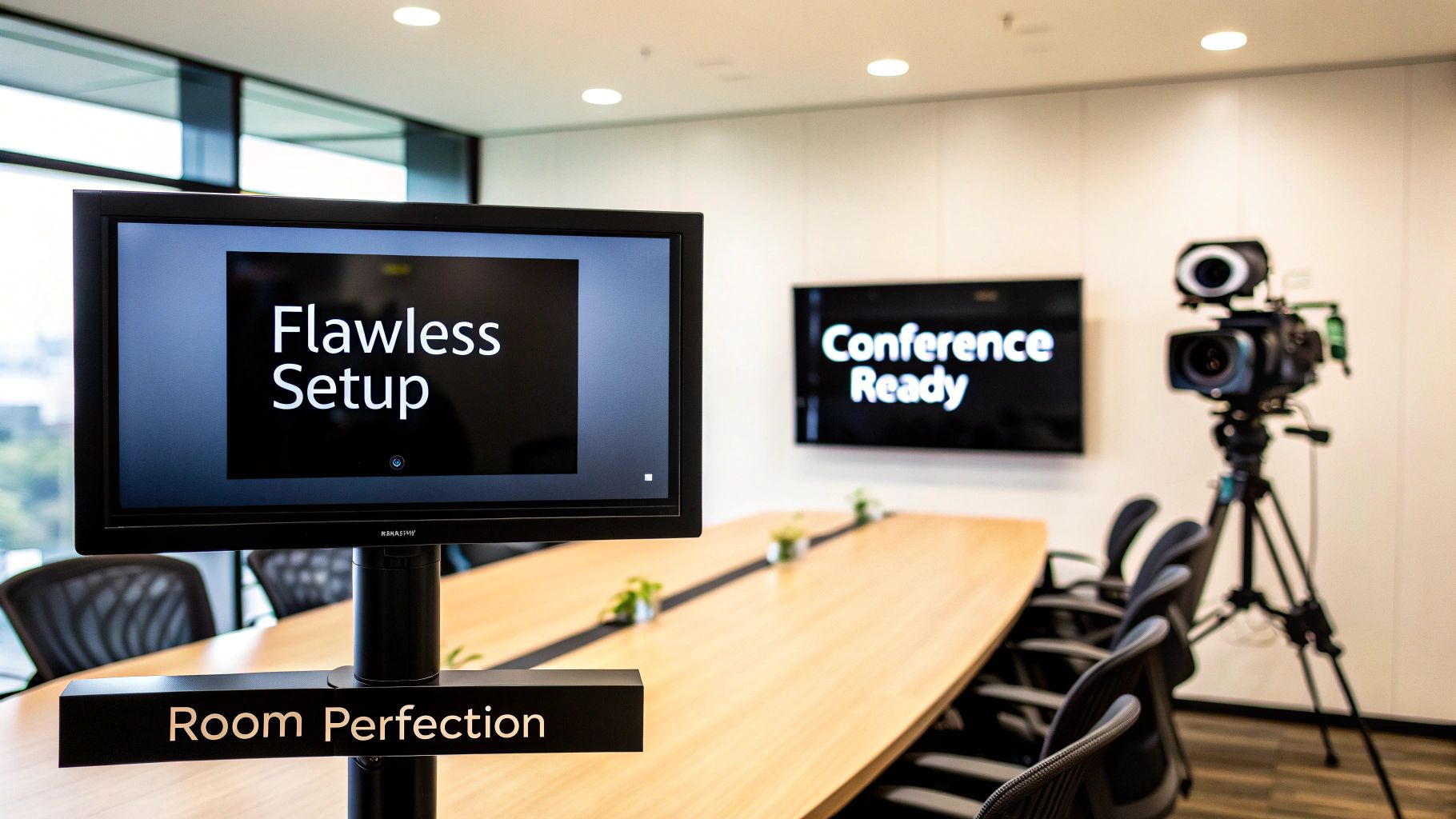
A great conference room setup is so much more than just a table and some chairs. It’s the engine room for effective communication, where the right blend of technology, layout, and acoustics comes together to make every meeting count. A truly seamless experience—for both the people in the room and those joining remotely—doesn't happen by accident. It starts with a smart, strategic plan.
Defining Your Ideal Meeting Environment
Before you even think about unboxing a single piece of equipment, the most important step is to define what a "successful meeting" actually looks like for your team. This isn't about finding a one-size-fits-all solution. It's about designing an environment that actively helps you hit your communication goals and becomes a genuine catalyst for productivity—not another source of technical headaches.
This early planning stage is all about asking the right questions to figure out what you really need. Think about the room's main purpose. Is this space going to host high-stakes client pitches where flawless video is non-negotiable? Or is it for internal creative brainstorms where collaborative tools are the star of the show? Your answer will shape every decision you make, from the furniture you choose to the tech you install.
Assessing Your Physical Space
The room itself will dictate a lot of your choices. Start with a simple "clap test" to check the acoustics. If you hear a sharp, lingering echo, you've got a problem. That echo will be a nightmare for anyone trying to hear from a remote location. Hard surfaces like glass walls and bare floors are notorious for bouncing sound around, which kills audio quality.
Next up, take a hard look at the room's size and how it fits its intended purpose. A small, cozy space is perfect for focused chats but will feel cramped and awkward for larger team meetings. If you're working with these smaller areas, you can explore some really effective configurations. We actually have a whole guide on unlocking the potential of huddle rooms that digs deep into making the most of compact spaces.
The goal isn't just to cram a room full of technology. It's to create a purpose-built environment. A solid plan ensures your investment in hardware and software delivers real, measurable value by solving your specific communication challenges.
Setting Realistic Goals and Budgets
Once you have a crystal-clear picture of your needs, you can set a realistic budget. This isn't just about picking a number; it's about aligning that number with your priorities. If top-notch audio is a must-have, you’ll need to allocate more of your budget to quality microphones and maybe even some acoustic treatments. If interactive presentations are the name of the game, a high-end smart whiteboard might be your biggest line item.
More and more companies are realizing how crucial these investments are. In fact, the global conference room solutions market is expected to jump from USD 1.9 billion in 2025 to a whopping USD 7.6 billion by 2035. That's a massive leap, and it shows just how critical these spaces have become for modern business.
The chart below shows some of the key metrics for a well-designed conference room.

As you can see, higher satisfaction and utilization rates are directly tied to thoughtful planning. It really drives home just how important this initial phase is to get right.
Matching Room Size to the Right Technology
To help you get started, here's a quick reference guide. Use this table to align your room's capacity with the most effective technology for an optimal AONMeetings experience.
| Room Type | Capacity | Recommended Display | Ideal Camera/Mic Setup |
|---|---|---|---|
| Huddle Room | 2-4 people | Single 55-65 inch display | All-in-one video bar with built-in camera and microphone |
| Small Room | 5-8 people | Single 65-75 inch display | PTZ camera with tabletop microphone pods |
| Medium Room | 9-12 people | Dual 65-75 inch displays | Smart camera with auto-framing; ceiling or tabletop mics |
| Large Room | 13+ people | Large video wall or projector | Multiple cameras with speaker tracking; integrated ceiling mics |
This table is a great starting point, but remember that every space is unique. The best setup will always be the one that’s tailored specifically to how your team works.
Choosing Your Core Audio and Visual Tech

The gear you pick is the heart of your conference room. Get it right, and every meeting runs smoothly. Get it wrong, and you're in for a world of frustration. Let's cut through the technical jargon and focus on what actually matters for a seamless, professional experience where your team can just press 'join' and trust that everything works.
Selecting the Right Visual Display
Your screen is the room's centerpiece, so its impact goes beyond just size. It's about clarity, function, and how your team actually uses it day-to-day. A grainy or undersized display makes shared documents impossible to read, defeating the whole purpose of the meeting.
You’ve got three main options to think about:
- 4K Monitors: For most small to medium-sized rooms, this is the modern standard. They deliver incredible sharpness and brightness, making presentations and video feeds look crystal clear. Plus, their plug-and-play simplicity is hard to beat.
- Projectors: If you're outfitting a large room or auditorium, a projector can give you a screen size that monitors just can't match. The trade-off? They usually need a darker room and can be a bit more finicky to install and maintain.
- Interactive Whiteboards: These are fantastic tools for hands-on collaboration. Think of them as a high-quality display with touchscreen superpowers, letting your team draw, annotate, and save their work right on the screen.
When you're thinking about the room's environment, don't forget the lighting. Understanding the key differences between LED lights vs halogen will help you make a choice that improves energy efficiency and ensures your display looks its best.
The Critical Importance of High-Quality Audio
A great display is nice, but audio is the most common point of failure in conference room setups. People can tolerate a slightly fuzzy video, but the meeting is over the second you can't hear what's being said. Investing in good audio isn't just a recommendation; it's non-negotiable.
Your microphone choice really comes down to the room itself.
- Tabletop Mics: Perfect for huddle spaces or traditional boardroom tables. Placing these "pods" on the table keeps the mic close to each person, which delivers fantastic clarity.
- Ceiling Mic Arrays: For larger or more flexible rooms, ceiling mics are a brilliant solution. They use smart beamforming tech to automatically focus on whoever is talking, capturing clear audio without cluttering up the table.
Here's a common mistake I see all the time: trying to use the built-in microphone on a webcam or laptop for a group meeting. It almost always results in a tinny, echo-filled nightmare for anyone joining remotely, making it nearly impossible for them to follow the conversation.
Bringing Remote Participants into the Room with Smart Cameras
A basic, static webcam can make remote attendees feel like they’re just watching a security feed. Modern smart cameras completely change that dynamic, using AI to create a much more engaging and inclusive experience. For hybrid teams, they're an absolute game-changer.
Look for two key features in a conference room camera:
- Auto-Framing: This is where the camera automatically zooms and adjusts its position to keep everyone perfectly in the shot. Someone new walks in? The camera reframes the shot on its own.
- Speaker Tracking: This is even more advanced. The camera intelligently follows the conversation, panning and zooming to focus on the person who's speaking. It feels much more like a natural, in-person conversation.
These features make remote colleagues feel like they’re truly in the room, not just looking in from the outside. To learn more, check out our guide on choosing the best conference room webcam for clear communication to find the right fit for your space.
Ultimately, the goal is to choose reliable, user-friendly gear that integrates perfectly with AONMeetings. By prioritizing crystal-clear audio and intelligent video, you’re creating a setup that feels effortless, letting your team focus on their work—not the tech.
Designing a Smarter Room Layout and Furnishing

You can have the most advanced tech in the world, but it won't save you from a poorly designed room. The physical environment—from the chairs you pick to the way light hits the camera—is a huge factor in the comfort, engagement, and overall quality of your meetings. A smart layout can turn a passive viewing space into a true collaboration hub.
The days of the huge, immovable boardroom table are fading. Today's teams need spaces that can adapt on the fly. In fact, flexible co-creation spaces now rank as the most preferred in-person work setting across most industries. Even in traditionally formal sectors like legal and finance, these adaptable environments are gaining ground. It's clear that comfort and flexibility are what fuel great interaction.
Prioritizing Flexible and Functional Furniture
Think about how your team actually uses the space. A formal client presentation has a completely different vibe than an internal brainstorming workshop, and your furniture should be able to handle both without a fuss.
Instead of a single, monolithic table, look into modular pieces you can reconfigure. Lightweight tables and chairs on casters are a game-changer, letting you shift from a classic boardroom layout to smaller group pods in just a few minutes. That adaptability is what really maximizes a room's value.
- Modular Tables: These can be arranged in a U-shape for presentations, broken into small groups for workshops, or combined into one large table for formal meetings.
- Ergonomic Chairs: Comfortable seating isn't a luxury; it's essential for long meetings. Find chairs that support good posture and allow for easy movement.
- Mobile Whiteboards: A whiteboard on wheels can be moved anywhere, making it a central part of any collaboration, no matter how the furniture is arranged.
This approach gives you a multi-purpose asset, not just a single-function room, which dramatically increases its utility and ROI.
Mastering Lighting for a Professional On-Camera Look
Bad lighting is one of the most common video conferencing blunders, and it instantly makes people look unprofessional. The goal is to create soft, even light that illuminates everyone’s face clearly, without creating harsh shadows or making the camera work overtime.
The biggest rule is to light people from the front, in the same direction the camera is pointing. Never, ever place participants with their backs to a bright window. This creates a silhouette effect that turns them into anonymous shadows on screen.
A simple rule of thumb: If the light source is behind you, you're doing it wrong. Always face the primary light source to ensure your face is well-lit and your expressions are clearly visible to remote attendees.
Use blinds or shades to control intense natural light. For artificial lighting, dimmable LEDs are a fantastic choice. They provide consistent, flattering light and let you adjust the brightness to match the time of day or the specific needs of the meeting.
Taming Room Acoustics and Managing Cables
Nothing derails a meeting faster than bad audio. Hard surfaces like glass walls, bare floors, and empty walls cause sound to bounce around, creating echo and reverb that make it nearly impossible for remote participants to understand what's being said.
The good news is you don't need a full acoustic overhaul to make a massive difference.
- Introduce Soft Surfaces: Adding an area rug, curtains, or fabric-covered chairs can absorb a surprising amount of sound.
- Use Acoustic Panels: These are designed specifically to trap sound waves and can even be a stylish addition to the room's decor.
- Add Plants and Bookshelves: Irregular shapes and textures help break up and diffuse sound waves, cutting down on that echo.
Finally, a clean setup is a safe and efficient one. A tangled mess of wires on the floor isn't just an eyesore; it's a tripping hazard. Implement a smart cable management plan using floor or table grommets, cable trays, and raceways to keep everything organized and out of the way. To make sure your new conference room fits perfectly within a larger productive workspace, consider these broader office renovation tips that can help you plan a cohesive and functional office from the ground up.
Making Your Conferencing Software Work for You, Not Against You

This picture gets to the heart of a modern video conference: it's where the physical hardware meets the software. You can have the best camera on the market, but it’s just a collection of expensive parts without the software to make it all sing. The real goal here is to make the technology disappear, creating an experience so smooth that your team can focus on the meeting itself, not on fiddling with connections.
Set Up a Dedicated Room System
From my experience, the single most effective way to create a reliable and frustration-free conference room is with a dedicated room system. This means the room gets its own account and configuration, allowing anyone to walk in and start a meeting with a single tap.
Think about it—no more fumbling with personal laptops, hunting for the right adapter, or asking team members to log in with their own accounts. That whole routine just wastes the first five minutes of every meeting.
With a platform like AONMeetings, you can assign a dedicated license to the room itself. This centralizes everything and gives every user the same, consistent experience. The system is always on, always logged in, and ready to go. It effectively turns the conference room into an appliance, like a microwave or a coffee maker. You just walk in and use it. This approach completely sidesteps the typical headaches of "bring your own device" (BYOD) setups, like driver conflicts, wrong audio settings, or forgotten passwords.
Get Your Peripherals to Play Nice Instantly
Once the room has its own software identity, the next step is making sure all your gear—the camera, mics, and speakers—are recognized the moment you need them. This is precisely where investing in compatible, certified hardware really pays dividends. When you plug in a certified device, the software knows exactly what it is and how to use every single feature it offers.
I've seen it happen countless times: a company buys a high-end PTZ (pan-tilt-zoom) camera, but the software only recognizes it as a generic webcam. All those advanced controls you paid for? Gone. Proper integration unlocks the full potential of your equipment.
- Cameras: The software should immediately detect the camera and give you control over zoom, pan, and any AI-powered features like speaker tracking, right from the main controller.
- Microphones: Audio from ceiling mic arrays or tabletop pods should be automatically identified and optimized. This includes enabling advanced functions like beamforming, which intelligently focuses the microphone on whoever is speaking and filters out distracting background noise.
- Speakers: The system needs to default to the room's high-quality external speakers, not the often tinny, underwhelming ones built into the display.
The gold standard we're all aiming for is a true "one-touch join" experience. A person should walk in, see the meeting on the touch panel, tap the screen once, and watch the entire system—camera, mics, display—spring to life instantly.
Dial in Your Network and Security Settings
A stable, high-quality video feed is completely non-negotiable. Nothing kills a meeting's momentum faster than a dropped call or a pixelated, frozen screen. To prevent this, you absolutely must configure your network to prioritize video conferencing traffic. This process, known in IT circles as Quality of Service (QoS), essentially tells your network to give AONMeetings a dedicated fast lane for its data, even when other people on the network are downloading massive files.
This is especially critical for hybrid meetings, where remote participants need a crystal-clear connection to feel like they're truly part of the conversation. In fact, research shows that employees are 38% more engaged when they feel they can contribute equally, no matter where they are. A rock-solid connection is the bedrock of that equality.
Security is equally vital. Your conference rooms will host sensitive conversations, from financial reviews to confidential client strategy sessions. Ensure your software integration is locked down with robust security protocols.
Essential Security Measures:
- End-to-End Encryption: This is non-negotiable. It ensures no one outside the meeting can ever intercept or listen in on your calls.
- Meeting Passwords & Waiting Rooms: Add these simple but effective layers of security to stop unauthorized users from crashing your meetings.
- Secure Firmware Updates: Keep both your hardware and software updated regularly. This is your best defense against the latest security threats.
By thoughtfully marrying your hardware and software, you’re not just building a functional room; you're creating a reliable, secure, and professional hub for communication. To take this a step further and make AONMeetings a seamless part of your team's day-to-day, check out our guide on integrating AONMeetings with your existing workflow. This is how you make sure the technology serves the meeting, not the other way around.
Keeping Your Meeting Rooms Working for You
Think of your conference room setup as a living project, not a "set it and forget it" task. The real payoff comes from paying attention to how things are working and being willing to make changes. When you treat your meeting spaces as dynamic assets, you can be sure they’re always meeting your team's needs and giving you a real return on your investment.
The first move is to stop guessing and start measuring. How are your rooms actually being used? Without data, you’re flying blind. Modern room management software can show you exactly which spaces are in high demand, which ones are collecting dust, and the peak times for bookings. This information is your roadmap for making things better.
What the Data Can Tell You
One of the biggest productivity killers is the "ghost meeting"—a room booked on the calendar, but no one ever shows up. These phantom meetings make it look like you have no space available, forcing teams to scramble for rooms that were secretly empty the whole time. Good analytics will immediately flag these no-shows, giving you a much truer picture of how your rooms are being used.
The goal isn't just to see how often a room is booked. It’s about understanding how effectively it’s being used. High booking rates mean nothing if half those meetings are ghosts or if a ten-person room is consistently being used by just two people.
This is where you can make some really smart decisions. For instance, if you see a big boardroom is constantly being booked for one-on-one calls, that’s a clear sign you need more small huddle rooms. Or, if you notice most meetings wrap up well before the default one-hour calendar slot, you could change the default booking time to 30 or 45 minutes. That simple change can free up a surprising amount of calendar space across the entire company.
Make Booking a Breeze
Even with the slickest tech, a clunky booking process will turn people off. The best systems are the ones that blend right into the tools your team already lives in, like their Google Calendar or Outlook. This makes scheduling a room feel effortless and shows real-time availability right where people are already looking.
Putting a user-friendly scheduling panel right outside the door is another game-changer. These little tablets show the room's status and upcoming schedule at a glance. They let people book a room on the spot and provide that clear visual cue that a room is taken, ending the awkward "is anyone in here?" dance for good.
As of 2025, tech firms are seeing meeting room utilization rates between 35% and 65%, with the best-run offices hitting 70% or more. They’re getting there with dynamic booking systems, smart policies to cut down on ghost meetings, and even real-time occupancy sensors. You can get more details on how top companies are optimizing their spaces from Worklytics.co.
Help People Help Themselves
Great technology is only useful if people know how to use it. To save your IT team from endless "how do I…" questions, create a simple, one-page guide for each room.
What to include on your one-pager:
- Show, Don't Just Tell: Use screenshots or diagrams of the control panel to show exactly where to tap to start a meeting.
- Keep it Simple: Use numbered steps for the most common tasks, like sharing a screen or adjusting the volume.
- Quick Fixes: A "what to do if…" section for the usual suspects (e.g., "If the camera isn't on…").
- Who to Call: A clear, simple way for someone to report a real technical problem.
This all feeds into the final, most important piece of the puzzle: a feedback loop. Make it dead simple for people to tell you when something is wrong. It could be a dedicated email, a Slack channel, or a QR code in the room that links to a form. This feedback is gold. It helps you spot recurring issues and see where you can make meaningful upgrades, ensuring your conference rooms remain powerful tools for getting work done.
Got Questions About Your Conference Room Setup? We’ve Got Answers.
Even the most meticulously planned conference room project runs into practical questions on the ground. Getting ahead of these common hurdles can save you a ton of time, money, and future headaches. Let's walk through some of the most frequent questions we get asked and give you some straightforward, experience-backed answers.
What Is the Biggest Mistake to Avoid?
Without a doubt, the single most common—and costly—mistake is prioritizing video quality over audio performance. I’ve seen it happen countless times. A team will invest in a stunning 4K display, only for the meeting to be completely derailed because remote participants can't hear what's being said.
If people can't hear clearly, that beautiful screen is just an expensive wall decoration. Poor audio makes a meeting frustrating for everyone and tanks productivity.
Always, always dedicate a serious chunk of your budget to quality microphones and speakers that are actually designed for your room's size and acoustic profile. Once everything is installed, test the audio from every single seat in that room. You're listening for a consistent, crisp, echo-free experience for everyone, no matter where they're sitting.
Should I Use a Dedicated System or Let People Bring Their Own Laptops (BYOD)?
For the vast majority of businesses, a dedicated room system is going to deliver a far superior and more reliable meeting experience. Think about it: a dedicated system gives you a consistent, one-touch-join interface. Anyone can walk in and start a meeting without fumbling with cables or calling for IT support. That simplicity is a huge reason people love platforms like AONMeetings.
A "bring your own device" (BYOD) setup might seem more flexible on the surface, but it often descends into a mess of technical delays, driver issues, and wildly inconsistent quality from one meeting to the next.
A great compromise is a hybrid approach. Make a dedicated room system your default for 99% of meetings. But also have an easy-to-access HDMI cable ready for guests or team members who absolutely need to present from their own laptop. It gives you the best of both worlds.
How Can I Improve My Room’s Acoustics Without a Renovation?
Fixing the acoustics in a conference room doesn't have to mean tearing down walls. You can make a massive difference with a few simple additions that absorb sound and kill that annoying echo.
- Soften the surfaces. Hard surfaces are your enemy. Adding rugs, curtains, or even swapping out plastic chairs for fabric-covered ones will do wonders for absorbing sound waves.
- Install acoustic panels. These are purpose-built to trap sound and come in all sorts of styles, so you can find some that actually look good in your room. Wall panels and ceiling baffles are both fantastic options.
- Break up flat walls. Sound loves to bounce off big, flat surfaces. Adding things like large plants, a bookshelf, or even some art with texture can help diffuse sound, making the room feel less like a cave.
Here’s a quick test you can do right now: stand in the middle of your room and clap your hands loudly. If you hear a sharp, lingering echo, your room will definitely benefit from some acoustic treatment.
How Important Is Lighting for Video Calls?
Lighting isn't just important—it's absolutely critical for a professional-looking video conference. Bad lighting makes people on camera look grainy, shadowed, or completely washed out. It completely undermines the whole point of being on video.
The goal is to have soft, even light coming from the front, hitting participants from the same direction the camera is facing.
The biggest lighting sin? A bright window directly behind people. This will instantly turn them into anonymous silhouettes. Use blinds to control natural light and consider installing dimmable LEDs to provide consistent, flattering illumination. It's also a good idea to make sure all your lights have the same color temperature to avoid weird color casts on your video feed.
Ready to create a conference room that just works? AONMeetings provides a seamless, browser-based solution that integrates flawlessly with any setup. Discover how our platform can elevate your meetings.