
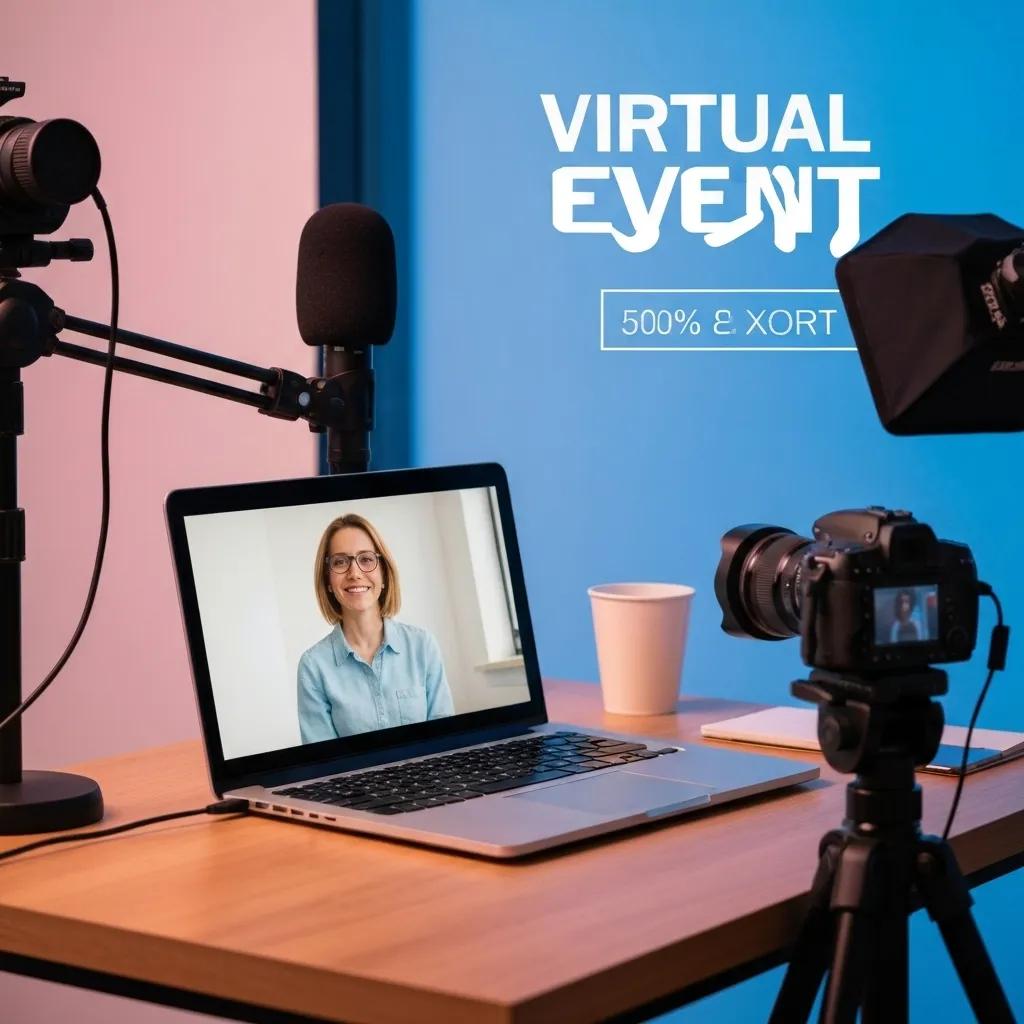

Setting Up Virtual Events: Essential Technical Requirements and Best Practices for Success
Launching a virtual event without the right technical foundation can turn your audience into frustrated drop-outs—studies show that 60% of attendees abandon streams due to poor audio or buffering. This guide delivers a complete blueprint for setting up virtual events with reliable hardware, robust internet, optimized platforms, engaging features, airtight security, full accessibility, realistic budgets, and data-driven follow-up. You will learn:
- The core equipment, connectivity, and rehearsal steps that guarantee production quality
- How to select and scale the ideal virtual event platform
- Proven strategies to boost engagement and foster networking
- Security protocols and privacy safeguards that protect attendee data
- Accessibility best practices that welcome every participant
- Budgeting frameworks, ROI measurement, and sponsorship models
- Post-event metrics, feedback methods, and content repurposing tactics
With these insights, your organization can deliver seamless, engaging, and secure virtual gatherings that position you as an industry leader.
What Are the Key Technical Requirements for Virtual Events?
Key technical requirements for virtual events encompass hardware, connectivity, software, and rehearsal processes that work together to ensure smooth live production. By combining professional audio-visual equipment, sufficient internet bandwidth, reliable streaming solutions, and thorough technical checks, you create an infrastructure that supports high-quality video, clear sound, and minimal downtime. For instance, pairing high-definition cameras with low-latency encoders prevents synchronization lags and enhances viewer experience.
Which Audio-Visual Equipment Is Needed for Virtual Events?

Professional audio-visual equipment ensures clear visuals and crisp sound, which directly improves attendee satisfaction and retention. A multi-camera setup with directional microphones and studio-grade lighting elevates production value by capturing speakers and on-screen elements without noise or glare.
Before diving into equipment specifications, review this table of essential gear for typical virtual events:
| Equipment | Specification | Purpose |
|---|---|---|
| Camera | 1080p or 4K resolution | Delivers sharp video and supports multiple angles |
| Microphone | Cardioid condenser or shotgun | Captures clear speech while minimizing background noise |
| Audio Interface | 2-channel USB or XLR connection | Converts analog mic input to digital audio |
| Lighting Kit | Bi-color LED panels with dimmers | Provides consistent illumination and color balance |
| Capture Card | HDMI to USB 3.0 external device | Feeds high-definition video into streaming software |
Choosing cameras that output clean HDMI and microphones with low self-noise lays the groundwork for reliable internet connectivity and streaming solutions.
How Much Internet Bandwidth Is Required for Seamless Streaming?
Internet bandwidth for virtual events measures the data upload rate needed to transmit high-quality audio and video without buffering. Adequate upstream capacity prevents packet loss and maintains synchronization between presenters and participants.
Consider these usage scenarios and recommended speeds:
| Event Context | Minimum Speed (Mbps) | Recommended Speed (Mbps) |
|---|---|---|
| Single presenter webinar | 5 | 10 |
| Multi-speaker panel | 10 | 15 |
| Full HD multi-camera | 15 | 25 |
| 4K broadcast | 25 | 40 |
Uplinking within these speed ranges supports stable streams even under peak loads, enabling you to evaluate the best live streaming software and recording solutions next.
What Live Streaming and Recording Solutions Should You Use?
Live streaming and recording solutions capture your event and distribute it to attendees in real time, while archiving content for later repurposing. Reliable software encodes video/audio efficiently, integrates presentations, and provides backup recording to prevent data loss.
- Open Broadcaster Software (OBS) for customizable scenes and multi-source mixing.
- StreamYard for browser-based ease with built-in branding and guest management.
- Zoom Webinar for integrated Q&A, registration, and cloud recording.
- RTMP-enabled platforms for direct server feeds and enterprise-level control.
Selecting a solution with fallback recording and automatic bitrate adjustment minimizes risk and sets up effective dry runs to uncover potential issues before going live.
How Do Pre-Event Technical Checks and Dry Runs Improve Event Quality?
Dry runs and technical rehearsals identify configuration errors, network bottlenecks, and presenter missteps before the live event. Conducting full-scale tests validates camera framing, audio levels, slide transitions, and backup procedures, reducing last-minute disruptions.
Complete these steps in every rehearsal:
- Test each camera, microphone, and capture device to verify signal integrity.
- Run internet speed tests at scheduled times to monitor consistency.
- Simulate attendee workflows: registration, joining, interacting with chat or polls.
- Exercise backup plans: switch to secondary encoder or hotspot connection.
When you confirm flawless operation in dress rehearsals, you minimize downtime and elevate the audience experience, making platform selection your next strategic focus.
How Do You Choose the Best Virtual Event Platform?
Selecting the right virtual event platform means matching your content needs, audience size, and interactive requirements to a service that scales reliably and fits your budget. A platform functions as the event’s central hub, delivering streams, engagement tools, analytics, and integrations under one interface.
What Features Differentiate Top Virtual Event Platforms?
Leading platforms distinguish themselves through capabilities that enhance production quality, attendee engagement, and analytics depth. Compare core attributes to determine which solution aligns with your objectives:
| Feature | Description | Benefit |
|---|---|---|
| Multi-format streaming | Supports in-browser viewing, RTMP ingest, and simulcast | Reaches audiences on any device without downloads |
| Interactive tools | Polls, Q&A, chat, breakout rooms | Boosts real-time participation and networking |
| Analytics dashboard | Real-time metrics on viewer behavior and engagement | Enables on-the-fly adjustments and ROI tracking |
| Brand customization | White-label interfaces and custom URLs | Reinforces brand identity and professional polish |
Choosing a platform with these distinguishing features ensures alignment with your technical requirements and event goals.
How Do Scalability and Pricing Models Affect Platform Choice?
Scalability and pricing models directly impact overall event costs and growth potential. Understanding usage tiers, user-based licenses, and feature add-ons helps you forecast expenses as attendance increases.
| Pricing Model | Scalability | Cost Consideration |
|---|---|---|
| Pay-per-participant | Scales linearly with attendee count | Predictable per-head costs but can spike at high volume |
| Flat license fee | Unlimited attendees up to bandwidth limit | Budget-friendly for recurring events of similar size |
| Tiered subscriptions | Increases features as you upgrade tiers | May include unused features if volume remains low |
| Usage-based billing | Charged on minutes streamed or data used | Flexible but requires careful monitoring to avoid overage |
Evaluating these models against your expected registration numbers and engagement tactics safeguards your budget and user experience.
Which Integration Capabilities Enhance Virtual Event Functionality?
Integrations connect your event platform to CRM systems, marketing automation, analytics tools, and social media to streamline workflows and maximize impact. Key connectors include:
- CRM connectors that sync registrant data with sales pipelines.
- API access for custom integrations with proprietary reporting systems.
- Marketing automation links for automated email reminders and follow-ups.
- Social media embeds for live tweeting or LinkedIn-based engagement.
Tight integration ensures attendee data flows seamlessly into your broader tech stack, boosting lead generation and post-event analysis.
What Are Effective Virtual Event Engagement Strategies?

Effective engagement strategies transform passive viewers into active participants by using interactive formats, gamification, and structured networking. These tactics reinforce connection, increase dwell time, and improve knowledge retention.
How Can Interactive Features Like Polls and Q&A Boost Engagement?
Interactive elements invite attendees to contribute opinions, ask questions, and feel heard, which strengthens their emotional connection to your content. Live polls, for example, gather real-time feedback and guide presenters, while Q&A sessions let participants steer the discussion.
Consider these approaches:
- Launch instant polls to gauge audience sentiment and adjust pacing.
- Enable moderated Q&A to field high-value questions without distractions.
- Maintain an active chat with dedicated moderators to surface insights.
- Host live surveys at key intervals to re-engage dormant viewers.
Best Practices for Virtual Events During the COVID-19 Pandemic – Focusing on Attendee Engagement
This research analyzes the impact of the COVID-19 pandemic on the event industry and proposes best practices for virtual events, specifically focusing on enhancing attendee engagement. It highlights the importance of the four realms of experience, storytelling, and understanding attendee objectives to improve participation and interaction in online gatherings.
Nguyen, T. T. T., & Nguyen, T. T., Advances in Social Sciences Research Journal, 2021
This study supports the article’s emphasis on effective engagement strategies, including interactive features and networking, to transform passive viewers into active participants in virtual events.
What Role Does Gamification Play in Virtual Events?
Gamification applies game-design elements—points, badges, leaderboards—to motivate attendees, reward participation, and foster friendly competition. By assigning points for poll responses or chat contributions, you inject energy and incentivize continuous engagement.
Common gamification mechanics include:
- Awarding badges for completing sessions or downloading materials.
- Publishing leaderboards to spark competition among attendees.
- Creating scavenger hunts that require navigating the event platform.
- Offering redeemable rewards for top participants to boost motivation.
Well-designed gamification complements interactive features and encourages networking by showcasing active contributors.
How Do Virtual Networking Ideas Foster Attendee Connection?
Virtual networking replicates hallway conversations and spontaneous meetups by structuring small-group or one-on-one interactions within the digital environment. Thoughtfully orchestrated networking sessions help attendees forge meaningful relationships.
Try these formats:
- Host speed networking rounds that rotate participants through timed breakouts.
- Schedule thematic coffee chats where attendees discuss specific topics.
- Provide virtual lounges or discussion forums organized by interest area.
- Offer curated matchmaking using algorithmic pairing based on profiles.
By combining these networking ideas with gamification and interactive features, you create a cohesive environment where connections flourish.
How Can You Ensure Security and Privacy in Virtual Events?
Security and privacy safeguards protect attendee data, maintain trust, and comply with regulatory standards. Implementing encryption, authentication, and access controls fosters a secure digital atmosphere.
What Data Encryption and Protection Measures Are Essential?
Data encryption scrambles information in transit and at rest, ensuring unauthorized parties cannot intercept or read sensitive content. Strong protection measures include:
- Enforcing SSL/TLS for all streaming data channels.
- Using AES-256 encryption for recorded files and cloud storage.
- Implementing data loss prevention (DLP) policies to block exfiltration.
- Regularly updating software to patch vulnerabilities.
These measures secure content delivery and prepare your event for secure registration protocols.
How Do Secure Registration and Authentication Methods Work?
Secure registration and authentication confirm attendee identities and prevent unauthorized access by using robust verification steps:
- Single sign-on (SSO) integration with corporate identity providers.
- Multi-factor authentication (MFA) requiring tokens or one-time codes.
- Password-protected entry rooms for small-group sessions.
When these controls are in place, you minimize fraudulent logins and reinforce overall data security.
What Are Best Practices to Prevent Unauthorized Access and Zoombombing?
Preventing unauthorized intrusions demands proactive configuration and real-time moderation:
- Require waiting rooms so hosts vet participants before entry.
- Lock sessions once all registered attendees have joined.
- Disable screen sharing for non-host users by default.
- Assign co-hosts or moderators to remove disrupted participants.
Best Virtual Event Security Practices For 2024
With the increasing popularity of virtual events, strict security measures are crucial to protect sensitive user data and maintain trust. This guide outlines best practices such as strong data encryption, secure registration with multi-factor authentication, and proactive moderation to prevent unauthorized access and cyber-attacks.
Ticket Generator, 2025
This source directly verifies the article’s recommendations for ensuring security and privacy in virtual events through encryption, authentication, and measures to prevent unauthorized access.
How Do You Make Virtual Events Accessible to All Attendees?
Accessibility ensures that participants with disabilities can fully engage through assistive technologies and inclusive design, which expands your audience and meets legal obligations.
What Captioning and Transcription Services Improve Accessibility?
Real-time captioning and post-event transcription convert speech into text, supporting attendees who are deaf or hard of hearing. Options include:
- AI-powered live captions integrated into the platform.
- Human-edited caption feeds for higher accuracy.
- On-demand transcripts delivered after the event.
Providing these services enriches engagement and crosses into screen reader compatibility improvements.
How Does Screen Reader Compatibility Enhance User Experience?
Screen reader compatibility uses coded labels and keyboard navigation so that users with visual impairments can navigate effortlessly:
- Implement ARIA labels on buttons and menus.
- Ensure logical tab order through interactive elements.
- Include descriptive alt text for every image and visual slide.
These practices lay the groundwork for accessible presentation design guidelines.
What Are Accessible Presentation Design Guidelines?
Accessible presentation design focuses on clarity, contrast, and structure to support diverse needs:
- Use high-contrast color combinations for text and backgrounds.
- Choose simple, sans-serif fonts at legible sizes.
- Structure content with clear headings and bullet points.
- Describe charts and graphs in narrative form.
Best practices for accessible virtual events – Digital Accessibility Toolkit
This guide provides comprehensive recommendations for planning and executing accessible virtual events, covering a broad range of activities. It addresses common barriers faced by people with disabilities and suggests a timeline for organizing inclusive events, emphasizing the importance of accessible materials, captioning, and screen reader compatibility.
Canada.ca, 2025
This government resource reinforces the article’s section on making virtual events accessible to all attendees through services like captioning, screen reader compatibility, and accessible presentation design.
How Should You Plan and Budget for a Successful Virtual Event?
Planning and budgeting align resources with objectives, ensuring you allocate funds to the areas that impact attendee experience most, while controlling overall costs.
What Are the Typical Cost Components of Virtual Events?
Virtual event budgets typically cover technology fees, production costs, marketing, and staffing. Break down anticipated expenses as follows:
| Component | Estimated Range | Purpose |
|---|---|---|
| Platform license | $500 – $5,000 | Enables streaming, engagement tools, analytics |
| Audio-visual setup | $1,000 – $3,000 | Covers camera, mic, lighting rental or purchase |
| Marketing and ads | $500 – $2,500 | Promotes registrations via email and social media |
| Staff and support | $800 – $2,000 | Pays for presenters, moderators, technical crew |
Allocating budget across these components lays the foundation for measuring event ROI in the next step.
How Do You Measure Return on Investment (ROI) for Virtual Events?
Calculating ROI involves comparing event costs against generated value through registrations, engagement, and leads. Key metrics include:
- Tracking registration-to-attendance conversion rates.
- Measuring average session dwell time and engagement scores.
- Counting qualified leads and closed deals attributed to the event.
These measurements feed into sponsorship strategies that offset costs and drive net positive returns.
What Sponsorship Opportunities Can Offset Event Costs?
Sponsorships provide financial support in exchange for brand exposure. Common models include:
- Title sponsorship with prominent logo placement on the event landing page.
- Sponsored breakout sessions where companies deliver branded content.
- Virtual booths within the platform for product demos.
- Sponsored digital swag bags or downloadable resources.
Securing these partnerships reduces your net spend and segues into post-event analysis best practices.
What Are Best Practices for Post-Event Analysis and Follow-Up?
Post-event analysis collects data to refine future virtual events while follow-up nurtures leads and extends value from recorded content.
Which Key Performance Indicators (KPIs) Track Virtual Event Success?
KPIs quantify event performance across registration, engagement, and business outcomes. Consider these essential indicators:
| KPI | Definition | Why It Matters |
|---|---|---|
| Attendance rate | Percentage of registrants who joined live | Indicates promotional effectiveness |
| Engagement score | Composite metric of poll responses, chat, Q&A | Reflects audience interest and satisfaction |
| Conversion rate | Leads or sales generated from attendees | Measures direct business impact |
| NPS (Net Promoter Score) | Willingness of attendees to recommend the event | Gauges overall satisfaction and loyalty |
Analyzing these KPIs shapes your feedback collection methods and follow-up cadence.
How Do You Collect and Use Attendee Feedback Effectively?
Effective feedback collection combines quantitative ratings with qualitative comments to surface actionable insights:
- Distribute post-event surveys with rating scales and open-ended questions.
- Conduct one-on-one interviews with key participants for deeper insights.
- Monitor social media and community forums for unsolicited feedback.
Synthesizing this input leads directly into content repurposing and lead-nurturing strategies.
What Are Effective Strategies for Content Repurposing and Lead Nurturing?
Repurposing event content maximizes reach and extends the event lifecycle, while lead nurturing converts interest into action:
- Edit session recordings into short clips for social media distribution.
- Publish blog articles or e-books summarizing key takeaways.
- Create email drip campaigns that deliver targeted resources based on session interests.
- Host on-demand libraries to capture late registrants and sustain engagement.
This comprehensive post-event framework ensures every insight generates ongoing value and positions you for future success.
Delivering professional virtual events demands meticulous technical planning, strategic platform choice, dynamic engagement tactics, rigorous security, inclusive accessibility, disciplined budgeting, and robust follow-up. By integrating these best practices, your organization can produce memorable digital experiences that drive business results. Embrace this end-to-end approach to transform every virtual gathering into an opportunity for connection, growth, and lasting impact.
For more information on event planning and management, visit Aonmeetings.com.