
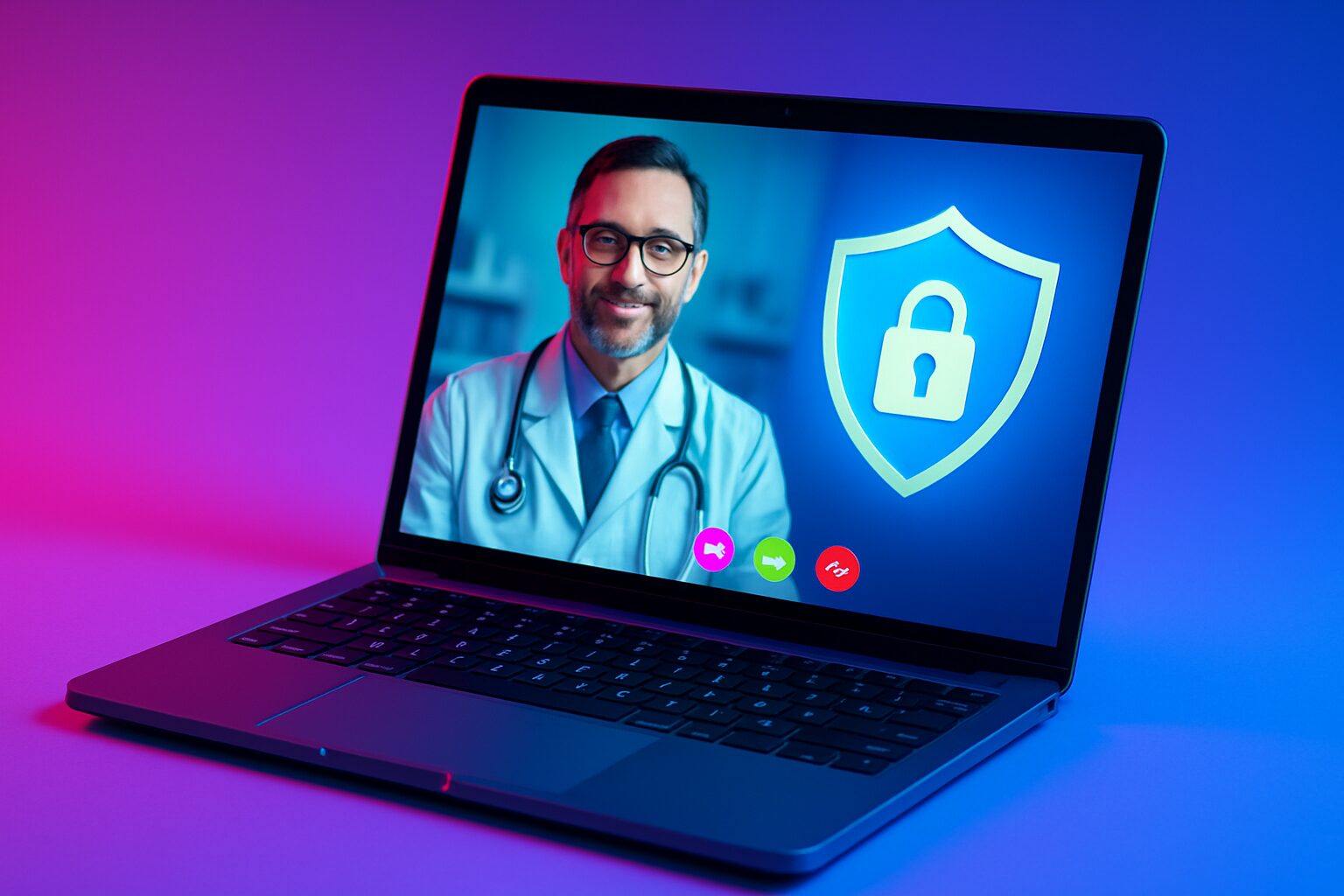
Choosing the right telehealth solution can feel complex, especially when you must ensure that tools are not only dependable and easy to use, but also meet strict privacy rules. If you are comparing telehealth platforms hipaa compliant options, you likely care about how vendors protect PHI (protected health information), deliver consistent HD (high-definition) video, and fit into clinical and business workflows without friction. In 2025, leaders across healthcare, education, legal, and corporate sectors expect modern conferencing to be intuitive, secure, and accessible in any browser. That is why platforms like AONMeetings bring HIPAA (Health Insurance Portability and Accountability Act)-aligned security, browser-based simplicity, and advanced features like AI (artificial intelligence) summaries into a single experience.
Before you decide, it helps to understand what makes a platform trustworthy. Beyond a BAA (Business Associate Agreement) and marketing claims, you should look for encryption, access controls, audit logging, and reliable delivery under varying network conditions. You should also weigh total cost of ownership, including webinar hosting and administrative overhead. As you read on, you will find a clear comparison of leading options, a practical checklist, and expert tips to help you deploy telehealth with confidence, whether you run a large multi-site organization or a growing private practice.
Telehealth Platforms HIPAA Compliant: What It Really Means
Many buyers ask a simple question: what does HIPAA (Health Insurance Portability and Accountability Act) compliance truly require from a video platform? At its core, the law and the HITECH (Health Information Technology for Economic and Clinical Health) Act require covered entities and business associates to safeguard PHI (protected health information) through administrative, physical, and technical controls. For video conferencing, that translates to strong encryption in transit and at rest, robust identity and access management, comprehensive audit trails, and signed BAAs (Business Associate Agreements) that define responsibilities. It also means having policies for breach notification, vendor oversight, and workforce training so security is not just a feature but a practice you can demonstrate.
Technically, secure sessions should use modern ciphers such as TLS (Transport Layer Security) 1.2+ and AES (Advanced Encryption Standard) 256-bit, while limiting data exposure through role-based permissions and granular meeting controls. Browser-native technologies like WebRTC (Web Real-Time Communication) can add performance and security by creating encrypted peer connections without plugins, which reduces attack surface and deployment friction. Administratively, you need tools for user provisioning and access management, and vendors that conduct regular security assessments. Finally, compliance is shared: your organization still must configure, train, and monitor use, and the OCR (Office for Civil Rights) expects you to document these efforts.
2025 Market Snapshot and Why A Browser-Based Approach Wins
Telehealth is no longer a niche channel. Industry surveys suggest that more than half of outpatient providers incorporate virtual visits weekly, and behavioral health usage remains among the highest. Meanwhile, corporate wellness, education, and legal teams increasingly rely on secure video to coordinate care, deliver training, and meet clients remotely. This cross-sector momentum puts a spotlight on usability and equity: do patients and clients need to download software, or can they click a link and join directly in a modern browser? Browser-based platforms remove the frequent barriers that lead to missed appointments and help-desk tickets, particularly for people joining on shared devices or limited bandwidth connections.
AONMeetings embraces this reality with a 100 percent browser-based experience powered by WebRTC (Web Real-Time Communication), delivering HD (high-definition) audio and video without installs. That matters for HIPAA (Health Insurance Portability and Accountability Act)-aligned deployments because fewer downloads mean fewer endpoints to patch and manage. It also speeds adoption across age groups and device types, from smartphones to shared kiosks. Moreover, when unlimited webinars are included in every plan, administrators do not have to juggle different licensing models for visits, group sessions, and education events, reducing total cost while preserving consistent security controls across all meeting types.
Comparison: Leading HIPAA-Focused Video Platforms in 2025
Choosing among recognized names can be difficult when each vendor markets security and simplicity. To help you focus on what actually affects care, outcomes, and efficiency, the table below compares widely adopted options on key HIPAA (Health Insurance Portability and Accountability Act) criteria, including BAAs (Business Associate Agreements), encryption, browser access, and value-added features like AI (artificial intelligence) summaries and webinars. While features evolve, this snapshot highlights what professionals most often evaluate during procurement. Always confirm current capabilities and sign a BAA (Business Associate Agreement) before using any platform to handle PHI (protected health information).
| Platform | HIPAA (Health Insurance Portability and Accountability Act) Alignment and BAA (Business Associate Agreement) | Browser-Based | Encryption | AI (artificial intelligence) Features | Webinars Included | Notable Strengths | Ideal For |
|---|---|---|---|---|---|---|---|
| AONMeetings | HIPAA-aligned with BAA available; advanced controls and audit logging | Yes, 100 percent browser-based via WebRTC (Web Real-Time Communication) | TLS (Transport Layer Security) 1.2+ in transit, AES (Advanced Encryption Standard) 256-bit at rest | AI summaries, transcription, and live streaming | Yes, unlimited webinars in all plans | No downloads, HD (high-definition) quality, cross-industry design | Healthcare, education, legal, corporate teams |
| Zoom for Healthcare | HIPAA-aligned plan with BAA (Business Associate Agreement) on request | Primarily app-based; browser join available | Enterprise-grade TLS (Transport Layer Security) and AES (Advanced Encryption Standard) | AI assistant features available in enterprise tiers | Webinar add-ons typically required | Broad ecosystem and integrations | Large enterprises with mixed toolsets |
| Doxy.me | HIPAA-aligned with BAA (Business Associate Agreement) available | Yes, designed for browser-only use | Encrypted sessions via WebRTC (Web Real-Time Communication) | Basic features; focus on simplicity | Higher tiers for group features | Very simple patient experience | Small clinics and solo practices |
| VSee | HIPAA-aligned with BAA (Business Associate Agreement) | Browser and app options | Standard TLS (Transport Layer Security) and AES (Advanced Encryption Standard) | Telehealth workflows and forms | Webinar options vary by plan | Clinical workflows and peripherals | Specialty telemedicine programs |
| Updox | HIPAA-aligned with BAA (Business Associate Agreement) | Browser-based | Encrypted sessions | Patient engagement tools | Typically an add-on | Messaging plus video in one suite | Primary care and practice groups |
| Mend | HIPAA-aligned with BAA (Business Associate Agreement) | Browser and app options | Encrypted video | Automations and reminders | Event features vary | No-show reduction tools | High-volume scheduling needs |
| SimplePractice Telehealth | HIPAA-aligned with BAA (Business Associate Agreement) | Browser-based within platform | Encrypted sessions | Integrated charting | Not typical | All-in-one practice management | Behavioral health clinicians |
One theme stands out across options: ease of access drives outcomes. If patients can join through a link in a standard browser, you avoid many of the support calls that delay care. AONMeetings goes further by including unlimited webinars and AI (artificial intelligence) summaries without separate purchases, which simplifies budgeting and standardizes security. If your organization serves multiple regulated sectors, a cross-industry design reduces the number of tools you maintain while meeting HIPAA (Health Insurance Portability and Accountability Act)-aligned expectations for every interaction.
Deep Dives: How Each Platform Fits Real-World Workflows
How do these tools perform beyond a feature checklist? Consider common scenarios: a primary care group managing daily virtual visits, a behavioral health practice running group therapy, and a legal firm conducting confidential consultations. For the primary care group, a browser-first experience means fewer delays at the top of the hour and better use of limited visit slots. For group therapy, you need breakout controls, attendance tracking, and reliable audio moderation to maintain therapeutic boundaries. For legal consultations, document confidentiality and waiting rooms are essential, along with straightforward guest access for clients who may be using locked-down corporate laptops.
AONMeetings is built around these realities with HD (high-definition) video powered by WebRTC (Web Real-Time Communication), waiting rooms, role-based controls, and one-click links that run in modern browsers on desktop and mobile. Its AI (artificial intelligence) summaries can help clinicians and coordinators capture action items without exposing PHI (protected health information) in unsecured channels, and its live streaming supports large education events when your team needs to train hundreds of staff members at once. Because unlimited webinars are included, you can use the same platform for grand rounds, town halls, or continuing education credit sessions without license juggling. Most importantly, the platform signs a BAA (Business Associate Agreement) and implements encryption and audit capabilities aligned to HIPAA (Health Insurance Portability and Accountability Act) expectations, giving compliance officers the documentation they need.
Zoom for Healthcare
Zoom’s healthcare offering is widely recognized and familiar to many patients and staff. It provides HIPAA (Health Insurance Portability and Accountability Act)-aligned features with a BAA (Business Associate Agreement), strong encryption, and a broad integration ecosystem. However, organizations often rely on desktop clients for the best experience, which can be a hurdle for guests on locked-down machines. Webinar capabilities usually require additional licensing, creating separate admin work and budgets, which some teams accept to gain enterprise-wide standardization across collaboration tools.
Doxy.me
Doxy.me prioritizes simplicity and a browser-only model, making it easy for small practices and solo clinicians to adopt. It offers HIPAA (Health Insurance Portability and Accountability Act)-aligned features, a BAA (Business Associate Agreement), and workflows designed around virtual waiting rooms and invitations. While it excels at quick one-to-one visits, teams that need large webinar events or advanced AI (artificial intelligence) features may look to more comprehensive platforms as their requirements evolve. For patients who are less tech-savvy, the minimal interface is a strength, reducing cognitive load and login challenges.
VSee, Updox, Mend, and SimplePractice Telehealth
These platforms blend video with clinical workflows, messaging, and practice management, appealing to teams that want fewer systems. VSee supports peripherals and specialty use cases; Updox brings strong patient engagement features; Mend focuses on automations to reduce no-shows; SimplePractice integrates documentation and scheduling tightly. Each offers HIPAA (Health Insurance Portability and Accountability Act)-aligned capabilities and BAAs (Business Associate Agreements), and each varies in how much is browser-native versus app-based. As needs grow, ensure the platform’s webinar, AI (artificial intelligence), and reporting features keep pace with your organization’s roadmap.
Security, Privacy, and Compliance Controls That Matter
Security is only as strong as the controls you can configure and prove. The table below maps common HIPAA (Health Insurance Portability and Accountability Act) safeguards to platform capabilities you should confirm during evaluation. While certifications like SOC 2 (System and Organization Controls 2) and ISO 27001 (International Organization for Standardization 27001) are not required by law, they often indicate mature security programs. Ask vendors about encryption specifics, key management, logging and reporting, and how their teams handle vulnerability management and incident response. If you operate in multiple jurisdictions, also ask about GDPR (General Data Protection Regulation), PHIPA (Personal Health Information Protection Act), and PIPEDA (Personal Information Protection and Electronic Documents Act) alignment.
| Safeguard Area | What to Verify | Why It Matters | AONMeetings Approach |
|---|---|---|---|
| Technical | TLS (Transport Layer Security) 1.2+ in transit, AES (Advanced Encryption Standard) 256-bit at rest, unique meeting IDs, lobby controls, granular host permissions | Prevents eavesdropping and unauthorized access to PHI (protected health information) | Encrypted by default, host controls, waiting rooms, role-based permissions |
| Administrative | BAA (Business Associate Agreement), regular security assessments, workforce training, incident response plan | Formalizes shared responsibilities and continuous improvement | BAA available, documented security practices, audit support |
| Access Management | Least-privilege roles, session timeouts, and centralized user provisioning | Ensures only authorized individuals access sessions and data | Fine-grained roles for hosts and participants |
| Audit and Monitoring | Comprehensive logs, reporting, alerting for unusual activity | Supports investigations and compliance reviews by OCR (Office for Civil Rights) | Audit logs and reporting for compliance teams |
| Data Minimization | Controls to limit recording, storage, and retention; clear consent flows | Reduces risk surface and fulfills privacy expectations | Configurable recording and retention, consent prompts |
Beyond technology, reliable delivery is essential. You can encrypt perfectly, yet still fail if calls drop during critical moments. Platforms that optimize routes and adapt to bandwidth using codecs aligned to WebRTC (Web Real-Time Communication) help maintain quality despite variable networks. AONMeetings uses adaptive bitrate streaming to keep speech intelligible even when video resolution dips, and includes visual network diagnostics to help your help-desk. For organizations that depend on mobile participation, especially in rural areas, these resilience features can be as impactful as any security control.
Why AONMeetings Stands Out for Regulated Teams
AONMeetings was designed for teams that cannot compromise on privacy or ease of use. By being 100 percent browser-based, it removes the friction of downloads and updates, which is a common barrier for patients and clients with restricted devices. Its HD (high-definition) Video and Audio, powered by WebRTC (Web Real-Time Communication), deliver crisp quality and low latency, supporting clinical conversations where empathy, eye contact, and clarity matter. Security is layered throughout with TLS (Transport Layer Security) encryption in transit, AES (Advanced Encryption Standard) 256-bit at rest, role-based permissions, and administrative tools that compliance officers expect in HIPAA (Health Insurance Portability and Accountability Act)-aligned environments.
Value is not just measured in features but in how those features are packaged. Unlimited webinars in every plan eliminate the surprise add-ons that inflate budgets over time, allowing teams to host patient education, corporate training, and community outreach without switching tools. AI (artificial intelligence) summaries accelerate follow-up documentation while keeping content within a controlled, compliant environment, and live streaming expands reach when your audience grows. Whether you serve a hospital system, a university, a nationwide law firm, or a global enterprise, AONMeetings unifies collaboration across departments while meeting the expectations of HIPAA (Health Insurance Portability and Accountability Act), GDPR (General Data Protection Regulation), and other regulatory frameworks.
Equally important, AONMeetings aligns with real-world organizational constraints. Many teams operate under BYOD (bring your own device) policies, strict SLAs (service-level agreements), and lean IT support. Browser-first delivery shrinks onboarding time, reduces help-desk tickets, and improves ROI (return on investment) by cutting the hidden costs of installations and updates. If you have been stitching together separate tools for client meetings, webinars, and internal training, consolidating on AONMeetings can simplify your stack, standardize security policies, and give leadership a clear view of usage and outcomes through unified reporting.
Buying Checklist and Implementation Roadmap
Moving from exploration to decision is easier with a structured approach. Start by defining your must-haves across security, usability, and adoption. Then test a shortlist with representative users: clinicians, educators, legal staff, corporate trainers, and administrators. Evaluate the experience on various devices and networks, including mobile data and older laptops. Finally, plan deployment with realistic milestones for training, policy updates, and communications. The checklist below can guide your team, and the simple roadmap afterwards can help you phase the rollout without disrupting daily operations.
- Security and Compliance
- Signed BAA (Business Associate Agreement) with clear responsibilities
- TLS (Transport Layer Security) and AES (Advanced Encryption Standard) encryption details documented
- Role-based permissions and least-privilege access
- Audit logs, reporting, and breach notification process
- User Experience
- 100 percent browser access with no downloads
- Mobile-friendly design and low-bandwidth resilience
- Waiting rooms, breakout rooms, in-meeting chat controls
- Accessible interfaces aligned with WCAG (Web Content Accessibility Guidelines)
- Operational Fit
- Unlimited webinars or clear pricing for events
- AI (artificial intelligence) features for summaries and transcription
- Integrations or APIs (Application Programming Interfaces) where needed
- Scalable administration, user provisioning, and reporting
- Vendor Maturity
- Risk management program and regular security assessments
- Independent attestations such as SOC 2 (System and Organization Controls 2) or ISO 27001 (International Organization for Standardization 27001)
- Transparent roadmap and responsive support
- Clear data retention and deletion capabilities
Here is a simple implementation roadmap that many organizations follow:
- Discovery and Requirements: Interview stakeholders, list clinical and business workflows, and document compliance needs with your privacy officer.
- Pilot and Validation: Run a 2 to 4 week pilot with diverse users, including rural and mobile participants, and collect feedback on quality and ease.
- Policy and Training: Update telehealth policies, meeting recording rules, and consent scripts; create short training modules and quick-start guides.
- Phased Rollout: Start with one department, measure no-show rates, call quality, and support tickets, then scale to the rest of the organization.
- Continuous Improvement: Review audit logs and user surveys quarterly, adjust settings, and iterate training based on findings.
Cost and ROI: Looking Beyond License Price
Sticker price rarely reflects total cost. Factor in webinar add-ons, storage, transcription, and the time your staff spends troubleshooting installs. If a platform is not browser-native, every client computer becomes a maintenance surface, adding to IT workload. Also consider missed visits that stem from join friction, which directly reduces revenue and patient satisfaction. When unlimited webinars, AI (artificial intelligence) summaries, and strong administrative controls come standard, you can consolidate vendors and reduce both hard and soft costs. That is where AONMeetings often delivers outsized ROI (return on investment) for organizations juggling many use cases with limited budgets.
To visualize trade-offs, imagine a diagram with three layers: Security, Experience, and Operations. Security covers encryption, access, and audits; Experience covers browser access and HD (high-definition) quality; Operations covers webinars, training, and support. AONMeetings sits at the center where all three layers overlap, reducing the need to compromise. While some platforms excel at one or two layers, few deliver a balanced bundle without requiring separate modules, contracts, or complex configurations, which is why many teams reassess their telehealth stack when renewals approach.
Real-World Stories: How Teams Put It All Together
A regional behavioral health network standardizes on browser-based video to serve clients across urban and rural areas. Before the change, about 18 percent of appointments started late due to software installs and password resets. After moving to AONMeetings with a BAA (Business Associate Agreement) and standard templates for invites, late starts drop markedly, and group sessions for family therapy run smoothly with breakout controls and host moderation. AI (artificial intelligence) summaries help clinicians capture follow-up tasks while administrators use audit logs for quarterly compliance reviews, satisfying HIPAA (Health Insurance Portability and Accountability Act) oversight requirements during internal audits.
A university nursing program hosts weekly simulation debriefs and periodic public webinars for community health education. Previously, the program paid separately for webinar seats and managed different tools for classes and events. With AONMeetings, unlimited webinars let the team consolidate on one platform, and live streaming supports community outreach without extra contracts. Students join from dorm networks on mobile devices using WebRTC (Web Real-Time Communication) in the browser, and faculty rely on role-based controls to manage participation. The IT department reports fewer tickets, and the privacy office confirms that encryption, access, and audit features align with policy.
Best Practices to Maintain Compliance and Trust
Technology alone is not enough to sustain trust. Build lightweight, consistent habits into your workflows to keep PHI (protected health information) safe and experiences smooth. First, set clear defaults: enable waiting rooms, restrict screen sharing to hosts, and require strong access controls for staff. Second, script consent: before recording, read a short consent statement and confirm participant understanding. Third, simplify invites: send a single secure link and include a backup phone dial-in for accessibility, noting that VoIP (Voice over Internet Protocol) audio may have different retention policies than video. Finally, train for red flags: teach staff to recognize phishing invites and report anomalies quickly to your security team.
- Configuration Tips
- Centralize identity management to reduce password sprawl
- Set meeting templates with standardized security settings
- Limit who can record and define retention periods by policy
- Enable chat retention rules consistent with your legal requirements
- Patient and Client Experience
- Provide a one-page join guide with screenshots
- Offer a test room link for first-time users
- Explain privacy measures in plain language to build confidence
- Accommodate interpreters and accessibility tools as needed
- Network Readiness
- Prioritize video traffic with QoS (quality of service) where possible
- Test representative networks including guest Wi-Fi
- Avoid unnecessary VPN (virtual private network) hairpinning for media traffic
- Monitor call quality metrics and act on trends
Frequently Asked Questions
Do I need a BAA (Business Associate Agreement) to be compliant? Yes. If a vendor can access PHI (protected health information), you need a signed BAA (Business Associate Agreement) that outlines responsibilities and safeguards. This is a core expectation under HIPAA (Health Insurance Portability and Accountability Act) and the HITECH (Health Information Technology for Economic and Clinical Health) Act, and the OCR (Office for Civil Rights) will ask for it during investigations.
Is end-to-end encryption required? HIPAA (Health Insurance Portability and Accountability Act) does not mandate specific algorithms, but it expects reasonable and appropriate safeguards. Strong TLS (Transport Layer Security) in transit and AES (Advanced Encryption Standard) at rest are typical. Equally important are access controls, audit logs, and policies that define who can record and share content.
Can we use consumer tools with a BAA (Business Associate Agreement)? Some consumer platforms offer business versions that can sign BAAs (Business Associate Agreements). Verify that you are on the correct edition, confirm settings, and document your risk analysis. A healthcare-branded domain or marketing language alone does not make a tool compliant.
Why Now: Telehealth’s Next 12 Months
The next year will bring better browser performance, smarter AI (artificial intelligence) assistance, and tighter integrations across scheduling, billing, and documentation. Organizations will expect platforms to reduce administrative burden while delivering verifiable security outcomes. Those that provide unlimited webinars, intelligent summaries, and strong administrative tooling in a single, browser-based package will stand out. AONMeetings is built for this trajectory, giving regulated teams an accessible, secure foundation that adapts as expectations evolve.
Ultimately, your goal is to deliver care and services with empathy and efficiency. Choosing a platform that patients and clients can join in seconds, that staff can configure with confidence, and that compliance can audit with clarity, is the surest way to achieve that. When telehealth works this smoothly, it fades into the background, letting your teams focus on outcomes rather than tools.
As you finalize your shortlist, remember that the right decision should simplify your stack, reduce risk, and expand reach. Browser-based access, HIPAA (Health Insurance Portability and Accountability Act)-aligned security, unlimited webinars, and AI (artificial intelligence) assistance are no longer luxury features. They are the new baseline for organizations that strive to be both secure and agile. AONMeetings was designed to make that baseline your everyday reality.
If you need a platform that can serve healthcare clinics in the morning, host a legal training at noon, and stream a corporate town hall in the afternoon, consistency matters. With AONMeetings, the same policies and protections carry across use cases, so you do not trade security for convenience. That is how modern telehealth becomes a trusted channel for care, education, and client services.
Ready to benchmark your current tools against this standard? Use the tables and checklists in this guide to structure vendor conversations, and invite frontline users to test real-world scenarios. When every stakeholder has a voice, you will choose a platform that fits not just today’s requirements, but tomorrow’s opportunities as well.
More than anything, remember that telehealth is a shared experience between your team and the people you serve. Clear privacy practices, accessible design, and dependable quality communicate respect, which is the heart of trust. With the right platform and the right habits, that trust will grow stronger with every visit.
Closing with required elements
One-sentence recap: This guide mapped the best HIPAA (Health Insurance Portability and Accountability Act)-aligned, browser-based telehealth video options and showed how AONMeetings unites security, simplicity, and scale.
In the next 12 months, expect smarter AI (artificial intelligence) assistance, richer browser performance via WebRTC (Web Real-Time Communication), and tighter audit capabilities that make verification effortless. What would your workflows look like if every visit, webinar, and training ran on one secure, telehealth platforms hipaa compliant foundation that anyone could join with a click?
Ready to Take Your telehealth platforms hipaa compliant to the Next Level?
At AONMeetings, we’re experts in telehealth platforms hipaa compliant. We help businesses overcome businesses and organizations need a reliable, secure, and easy-to-use video conferencing tool that complies with industry regulations, offers advanced features, and works seamlessly for teams and clients without complex installations. through aonmeetings solves this by offering a fully browser-based platform with no extra fees for webinars and advanced security measures such as encryption and hipaa compliance, ensuring a seamless user experience and peace of mind for organizations of all sizes.. Ready to take the next step?