
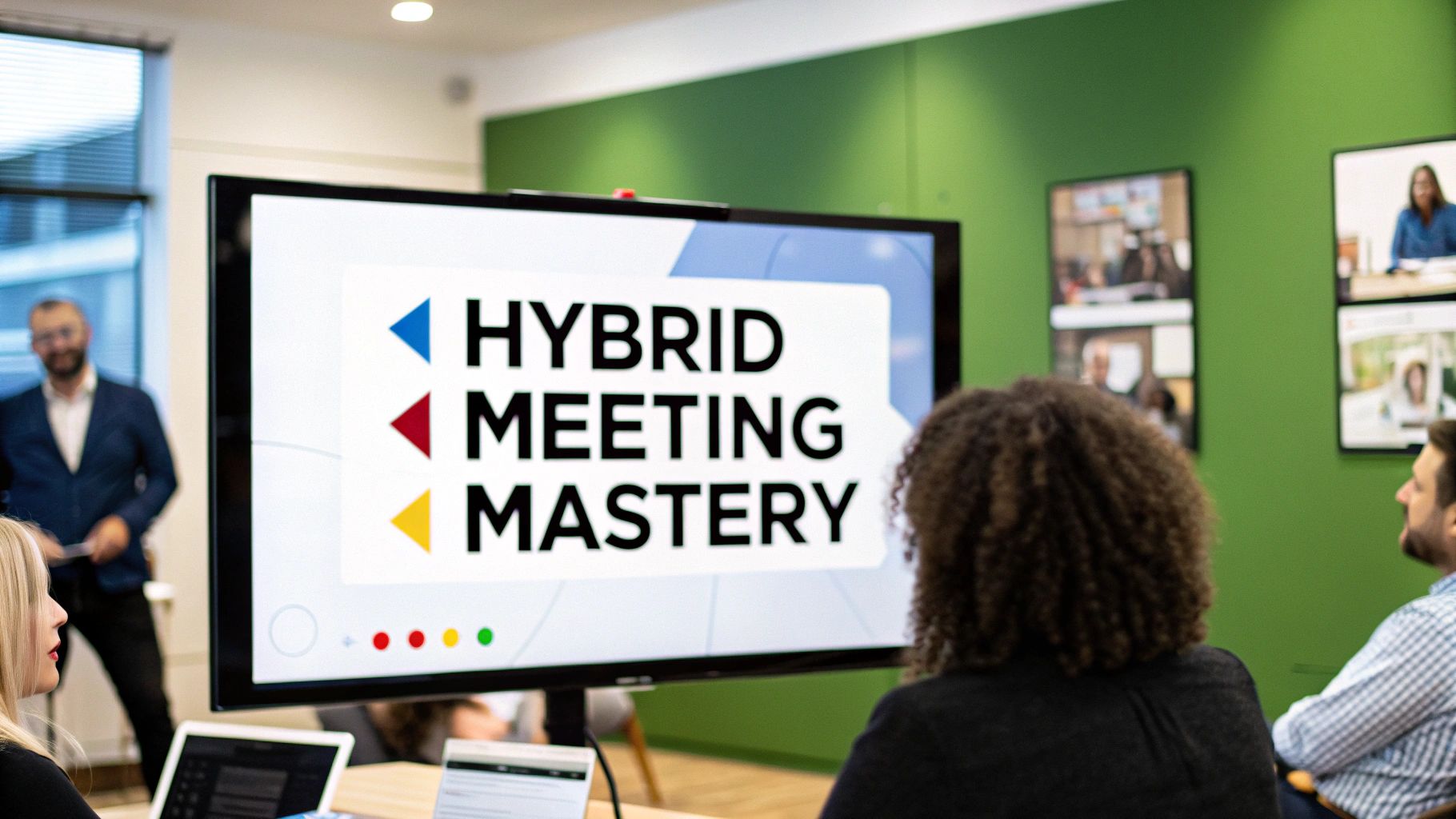
Hybrid work is no longer a temporary adjustment; it's a fundamental shift in how we collaborate. Yet, many organizations still struggle with meetings where remote participants feel like second-class citizens and in-person attendees inadvertently dominate the conversation. This disconnect often leads to disengagement, miscommunication, and slowed decision-making, turning what should be a productive session into a frustrating experience for half the team.
Bridging this physical and digital gap requires more than just better webcams and good intentions. It demands a deliberate, structured approach. This guide moves beyond generic advice to provide a comprehensive roundup of hybrid meeting best practices that are both actionable and transformative. We will break down seven critical areas, from designing for technology equity to implementing structured engagement protocols and fostering a culture of continuous feedback.
By mastering these specific principles, you can transform your hybrid gatherings from logistical hurdles into powerful, inclusive catalysts for innovation and team cohesion. You will learn how to ensure every voice is heard, every idea is captured, and every participant-regardless of their location-feels equally valued and empowered to contribute. Let's dive into the strategies that create truly seamless and effective collaborative experiences.
1. Technology Equity and Equal Experience Design
The foundation of any successful hybrid meeting is technology equity. This principle goes beyond simply having a webcam and a microphone; it's about intentionally designing an experience where remote and in-person participants have equivalent access to information, engagement, and influence. Without this focus, remote attendees quickly become passive observers, leading to disengagement and diminished collaboration. One of the most critical hybrid meeting best practices is to audit your setup to ensure it closes the gap between the two experiences.

This means investing in technology that creates a unified environment. Think beyond a single, front-of-room camera that makes remote participants feel like they are watching from the end of a long tunnel. The goal is to make everyone feel like they have a seat at the same table, regardless of their physical location.
How to Implement Equal Experience Design
Creating an equitable technology setup requires a multi-faceted approach. Start by evaluating your hardware, software, and facilitation techniques to identify and eliminate imbalances.
- Invest in Immersive Hardware: Utilize smart cameras like the Owl Labs Meeting Owl or Jabra PanaCast, which use 360-degree views and automatic speaker tracking to bring the entire room into focus. This prevents in-person side conversations from excluding remote colleagues. For audio, equip the room with multiple microphones or a high-quality ceiling mic array to capture clear audio from every seat.
- Leverage Platform-Specific Features: Modern platforms offer tools designed for this exact challenge. Use Zoom’s "Spotlight" feature to give a remote speaker the main visual focus, or Microsoft Teams’ "Together Mode" to place all participants in a shared virtual background, fostering a sense of unity.
- Establish a Digital-First Mindset: All resources, including whiteboards, documents, and notes, must be digital and shared in real-time. If in-person attendees use a physical whiteboard, assign a "digital scribe" to simultaneously capture the content on a shared platform like Miro or Mural. This ensures remote participants can see, contribute, and access the information equally.
2. Intentional Pre-Meeting Preparation and Communication
The success of a hybrid meeting is often determined long before anyone joins the call. Intentional pre-meeting preparation is a critical practice that levels the playing field, ensuring all attendees arrive informed, equipped, and ready to contribute from the moment the meeting starts. It moves beyond simply sending a calendar invite; it involves a deliberate strategy to set clear expectations, define roles, and provide all necessary resources in advance. This approach is one of the most effective hybrid meeting best practices because it proactively addresses the logistical and social imbalances that can derail collaboration.

When remote participants receive materials at the last minute or are unsure of the technology requirements, they start the meeting at a disadvantage. Thoughtful communication bridges this gap, transforming potential confusion into focused engagement and ensuring that the meeting's valuable time is spent on discussion and decision-making, not on catching people up.
How to Implement Intentional Pre-Meeting Communication
A systematic approach to pre-meeting communication ensures consistency and eliminates ambiguity for everyone involved. Focus on creating clarity and providing tools for success well before the scheduled start time.
- Distribute a Comprehensive Agenda 24-48 Hours Prior: Send a detailed agenda that outlines discussion topics, goals for each item, the designated speaker, and the time allocated. This allows participants to prepare their thoughts and contributions. Google's structured meeting templates, for instance, often include built-in checklists for pre-reading and preparation. To make this process seamless, you can learn more about creating an effective agenda template for meetings.
- Clarify Technology and Participation Rules: The meeting invitation should explicitly state how to join, what tools will be used (e.g., Miro, Google Docs), and the "rules of engagement." This includes instructions on how to ask questions (e.g., using the "raise hand" feature), when to be on mute, and who to contact for technical support, complete with backup contact information.
- Assign and Communicate Roles: Define key roles such as facilitator, notetaker, and timekeeper. Assigning a remote participant as the facilitator can be a powerful way to ensure the virtual experience is prioritized. This clarity helps in-person attendees remember to actively engage their remote colleagues, preventing sidebar conversations and unequal participation.
3. Strategic Facilitation with Dedicated Roles
Even with the best technology, a hybrid meeting can falter without strong, intentional facilitation. Strategic facilitation with dedicated roles involves assigning specific responsibilities to different team members to ensure the meeting runs smoothly for everyone. This approach acknowledges that managing technology, monitoring engagement, and guiding the conversation simultaneously is too much for one person. Another crucial one of the hybrid meeting best practices is to decentralize facilitation, preventing bottlenecks and creating a more inclusive and efficient environment.

This model divides the labor of running the meeting, allowing the primary facilitator or meeting leader to focus entirely on the content and conversation. For example, Deloitte often uses a "meeting producer" role in large client presentations to handle all technical aspects, ensuring the main presenters can focus on their delivery without distraction. This strategic division of labor is essential for maintaining momentum and engagement.
How to Implement Dedicated Facilitation Roles
Implementing this practice involves identifying key needs and assigning roles accordingly. This structure can be adapted for meetings of any size, from small team huddles to large-scale town halls.
- Define Key Roles: Common roles include a Meeting Facilitator who guides the agenda, a Technology Coordinator who manages the platform and troubleshoots issues, and an Engagement Manager who monitors the chat, Q&A, and virtual hand-raises to ensure remote voices are heard. Tech companies often use a "Scrum Master" in hybrid sprint meetings to serve a similar function, clearing obstacles and facilitating team communication.
- Create Role-Specific Checklists: Equip each role holder with a clear checklist of their responsibilities before, during, and after the meeting. For the Technology Coordinator, this might include testing all hardware 30 minutes prior. For the Engagement Manager, it could involve pre-seeding a poll or preparing icebreaker questions.
- Rotate Responsibilities: To build team-wide capabilities and prevent burnout, rotate these roles among team members for recurring meetings. This practice not only develops new skills across the team but also fosters a shared sense of ownership for the success of every meeting. After each session, hold a brief debrief to discuss how the roles performed and identify areas for improvement.
4. Structured Interaction and Engagement Protocols
Spontaneity is often a casualty of the hybrid model, as side conversations and organic brainstorming sessions naturally favor in-person participants. Structured interaction counters this by implementing deliberate protocols to ensure everyone has a defined opportunity to contribute. This approach moves beyond simply asking "any questions?" and instead builds specific, equitable participation mechanisms directly into the meeting agenda. A core component of effective hybrid meeting best practices is to create a predictable rhythm for engagement, so remote attendees don't have to fight for airtime.

This means intentionally designing moments for interaction rather than hoping they happen. For example, instead of an open-ended discussion, you might use a round-robin format where each person speaks in a pre-determined order. This simple change guarantees that introverted team members and remote participants are given the same space as their more outspoken, in-office colleagues.
How to Implement Structured Interaction
Integrating engagement protocols requires a proactive approach to meeting design. The goal is to make participation easy, accessible, and fair for everyone, regardless of their location.
- Establish a Clear Speaking Order: For key discussions, go around the "room" in a set order, making sure to alternate between in-person and remote attendees. Announce the order at the beginning so everyone knows when their turn is coming, allowing them to prepare their thoughts.
- Use Digital Interactive Tools: Leverage platforms like Mentimeter or Slido for real-time polls, Q&As, and word clouds. Consulting firms often use these tools for instant client feedback during hybrid workshops. Similarly, Spotify has famously used digital sticky notes on platforms like Miro for its hybrid team retrospectives, ensuring all ideas are captured and weighted equally.
- Mix Participants in Breakout Rooms: When a deeper dive is needed, use breakout rooms that intentionally mix in-person and remote participants. One person in the physical meeting room can join a virtual breakout room from their laptop with headphones. Discover more on how to manage group discussions with breakout rooms to ensure these small group collaborations are effective.
- Schedule Dedicated Q&A Time: Instead of a single Q&A session at the end, pause for questions after each agenda item. Encourage remote participants to use the "raise hand" feature or post questions in the chat, and have the facilitator explicitly call on them.
5. Multi-Modal Communication and Documentation
Effective communication in a hybrid setting requires more than just clear audio and video. Multi-modal communication is the practice of using multiple channels simultaneously, such as chat, shared documents, and visual aids, to ensure information is accessible to everyone. This approach caters to different communication preferences and learning styles, creating a more inclusive and productive environment. Implementing this is a cornerstone of modern hybrid meeting best practices, as it prevents information silos and ensures no one is left out of the conversation.
When an in-person attendee asks a complex question, a remote participant might clarify a point via chat without interrupting the speaker, while another collaborator updates a shared document in real-time. This layered approach ensures discussions are rich, well-documented, and actionable for all, regardless of their physical location or personal communication style.
How to Implement Multi-Modal Communication
Building a multi-modal strategy involves integrating various tools and establishing clear protocols for their use. The goal is to create a seamless flow of information across different platforms.
- Designate a Chat Moderator: Assign one person the role of "chat champion" to monitor the chat feed, voice questions on behalf of remote attendees, and drop relevant links. This ensures the chat becomes an active part of the conversation rather than a passive, ignored sidebar.
- Utilize a Central Collaborative Hub: Use tools like Microsoft Teams or a shared Google Doc for live note-taking where everyone can contribute. For more dynamic brainstorming sessions, a web whiteboard can be invaluable for capturing ideas visually. Learn more about how a web whiteboard can boost collaboration.
- Establish Clear Communication Guidelines: Before the meeting, clarify when to use each channel. For instance, use the main audio for primary discussion, chat for quick questions or technical issues, and reactions/emojis for non-verbal feedback. To bridge communication gaps after the meeting, exploring options like a Loom video for asynchronous communication can also be highly effective for follow-ups.
- Archive and Share All Assets: After the meeting, compile and distribute all communication assets, including the meeting recording, chat transcript, final versions of shared documents, and whiteboard snapshots. This creates a comprehensive record that is accessible to everyone.
6. Flexible Meeting Formats and Time Optimization
Rethinking the traditional, hour-long synchronous meeting is fundamental to hybrid success. Flexible meeting formats move away from a one-size-fits-all approach, focusing instead on strategic time management and varied structures that accommodate different work styles, locations, and time zones. This practice acknowledges that not every discussion requires real-time, face-to-face interaction from every single person. Adopting flexible formats is a core component of modern hybrid meeting best practices because it respects employees' time and optimizes for deep, meaningful collaboration.
This approach often involves blending asynchronous (async) and synchronous (sync) elements. The goal is to reserve precious real-time meeting slots for high-value activities like decision-making, problem-solving, and team-building, while moving status updates and information sharing to async channels.
How to Implement Flexible Formats and Time Optimization
To effectively optimize your meetings, you must first define the purpose and desired outcome of each gathering, then select a format that best serves that goal. This requires a conscious shift from defaulting to a standard meeting for every issue.
- Adopt an Async-First Philosophy: Model your approach after companies like GitLab, where meetings are a last resort. Information is shared and discussed in documents or collaboration tools first. Synchronous time is then used to resolve any points that could not be settled asynchronously, making the live meeting shorter and more focused.
- Implement Time-Boxing and Clear Agendas: Use strict time-boxing to keep discussions on track. Assign a specific duration to each agenda item and stick to it. This forces clarity and prevents meetings from dragging on, respecting everyone's schedule regardless of their location.
- Establish Hybrid Collaboration Windows: Follow the lead of organizations like Atlassian by creating designated "meeting-free" blocks to allow for deep work. Complement this with defined "collaboration windows" where synchronous meetings are encouraged, helping to manage expectations and coordinate across different time zones.
- Record and Summarize Key Segments: For global teams, it is not always feasible for everyone to attend. Record the critical decision-making or brainstorming portions of your meeting. Share the recording along with a concise summary and clear action items, enabling absent stakeholders to contribute asynchronously.
7. Continuous Feedback and Iterative Improvement
Even the most thoughtfully designed hybrid meeting strategy will have blind spots. Continuous feedback and iterative improvement is the practice of systematically gathering insights from participants to refine your processes, technology, and facilitation techniques over time. It transforms your hybrid model from a static policy into a dynamic, responsive system that evolves with your team's needs. One of the most forward-thinking hybrid meeting best practices is creating a formal mechanism to listen, learn, and adapt.
This approach acknowledges that what works for one team might not work for another, and what works today may be obsolete tomorrow. By embedding feedback loops into your meeting culture, you empower employees to co-create the ideal collaborative environment, fostering a sense of ownership and ensuring your investment in hybrid work pays off.
How to Implement a Feedback Loop
Creating an effective system for feedback and improvement involves making it easy for participants to share their experiences and demonstrating that their input leads to tangible changes.
- Deploy Targeted Pulse Surveys: Instead of lengthy annual questionnaires, use brief, targeted surveys immediately following a meeting. Tools like Polly or Slido can be integrated directly into Slack or Teams to ask 2-3 quick questions, such as "On a scale of 1-5, how included did you feel?" or "What is one thing that could have improved your experience?"
- Establish a "Hybrid Council": Form a small, cross-functional group of volunteers from both in-person and remote roles. This council can meet quarterly to review feedback, test new technologies or formats in pilot groups, and recommend changes. This is similar to how companies like Adobe use regular surveys to inform action planning.
- Share and Act on Results: Transparency is crucial. Summarize the feedback received and communicate the specific actions you are taking in response. For example, "Many remote attendees noted audio issues when multiple people spoke at once, so we are piloting a new ceiling microphone array in Conference Room B." This closes the loop and encourages continued participation.
7 Key Hybrid Meeting Best Practices Comparison
| Item | Implementation Complexity | Resource Requirements | Expected Outcomes | Ideal Use Cases | Key Advantages |
|---|---|---|---|---|---|
| Technology Equity and Equal Experience Design | High | Significant technology and support | Equal participation quality, increased engagement, stronger inclusion | Hybrid meetings with distributed teams | Inclusive decision-making, team cohesion |
| Intentional Pre-Meeting Preparation and Communication | Moderate | Time investment from organizers | Reduced startup delays, higher productivity, clear roles | Meetings needing clear structure and readiness | Better time management, increased confidence |
| Strategic Facilitation with Dedicated Roles | Moderate to High | Additional personnel and training | Smooth meeting flow, technical issue management, engagement | Medium to large hybrid meetings requiring facilitation | Reduced leader load, consistent process focus |
| Structured Interaction and Engagement Protocols | Moderate | Training and new tools | Balanced participation, reduced bias, structured feedback | Meetings suffering from dominant voices or bias | Ensures equal voice, data-driven feedback |
| Multi-Modal Communication and Documentation | Moderate | Multiple communication platforms | Inclusive communication, detailed records, asynchronous access | Meetings with diverse participant needs | Accommodates different styles, comprehensive docs |
| Flexible Meeting Formats and Time Optimization | Moderate to High | Complex scheduling and planning | Reduced fatigue, global participation, focus on priorities | Global teams in different time zones | Flexibility, increased focus and attendance |
| Continuous Feedback and Iterative Improvement | Moderate | Ongoing surveys and analysis | Adaptive meetings, quick issue resolution, organizational learning | Organizations committed to evolving meeting culture | Builds investment, knowledge sharing |
From Theory to Practice: Mastering Your Hybrid Meetings
Navigating the complexities of hybrid work is no longer an optional skill; it's a core competency for modern, high-performing teams. The best practices outlined in this guide are not just a collection of tips but a comprehensive framework for transforming your meetings from disjointed, frustrating experiences into powerful engines of collaboration, innovation, and inclusivity. By moving beyond the basics, you can build a more connected and efficient organizational culture, regardless of where your team members are located.
The journey to mastering hybrid meetings begins with a fundamental shift in mindset. Instead of viewing remote participants as add-ons to an in-person event, we must design every interaction with an "equal experience" philosophy at its core. This principle is the common thread connecting all the strategies we've discussed, from establishing technology equity to implementing structured engagement protocols. It’s about being intentional in every phase, from the pre-meeting agenda that sets clear expectations to the post-meeting documentation that ensures alignment.
Key Takeaways for Immediate Action
To truly embed these hybrid meeting best practices into your workflow, focus on iterative progress rather than a complete overhaul. The most crucial takeaways to prioritize are:
- Intentionality Over Default: Every decision, from the meeting format to the facilitator's role, should be a conscious choice aimed at maximizing engagement and achieving specific outcomes. Avoid falling back on old, in-person habits.
- Facilitation is Non-Negotiable: A skilled facilitator, whether a dedicated moderator or a rotating team member, is the single most important factor in bridging the physical and digital divide. Their role is to actively manage participation, technology, and conversation flow to ensure all voices are heard.
- Technology as an Enabler, Not a Barrier: Your tech stack should level the playing field. This means investing in tools that provide high-quality audio and video for everyone and leveraging shared digital resources like virtual whiteboards and collaborative documents to create a single, unified interaction space.
Your Path to Hybrid Excellence
Implementing these changes is a continuous process of learning and adaptation. Start by selecting one or two practices that address your team's most pressing challenges. Perhaps that's revitalizing engagement with structured interaction techniques or improving clarity with multi-modal communication.
Gather feedback after each meeting. Ask both in-person and remote attendees what worked well and what could be improved. This continuous feedback loop is essential for refining your approach and demonstrating a genuine commitment to inclusivity. As you build momentum and see positive results, you can progressively introduce more of these advanced strategies.
Ultimately, mastering hybrid meetings is about more than just efficiency. It's about building a resilient, adaptable, and deeply connected culture where every employee feels valued, included, and empowered to contribute their best work. By committing to these hybrid meeting best practices, you're not just improving a process; you're investing in your people and future-proofing your organization's success.
Ready to put these principles into action with a platform designed for seamless hybrid collaboration? AONMeetings provides a browser-based solution with AI-powered transcripts, interactive whiteboards, and robust moderation tools to ensure every participant has an equal and engaging experience. Explore how AONMeetings can help you master your hybrid meetings today.